 ProMapRanker
Best AI Chatting App in 2026: 8 Apps Compared

Key takeaways
- ChatGPT is our pick for most people, because it covers writing, brainstorming, coding help and image work in one place.
- Claude suits long documents and careful writing, while Gemini suits people who already live in Google Docs, Gmail and Drive.
- Perplexity is the better choice when you need sources shown with the answer, not just a confident summary.
- DeepSeek and Meta AI offer strong free chatting without a paid plan, which makes them good second options.
- AI chat tools can make mistakes, so check important facts, and do not share sensitive personal or work information you would not want stored.
Quick comparison
| Pick | Great for | Pricing starts at | Free tier | |
|---|---|---|---|---|
 ChatGPT | Everyday chatting and writing | $8 per month | Yes | Visit |
 Claude | Long writing and document work | $20 per month | Yes | Visit |
 Gemini | Google users | See website | Yes | Visit |
 Microsoft Copilot | Microsoft 365 users | See website | Yes | Visit |
 Perplexity | Research with sources | $20 per month | Yes | Visit |
 DeepSeek | Free chatting and coding help | Free | Yes | Visit |
 Meta AI | Social and messaging users | Free | Yes | Visit |
 Poe | Trying many models in one app | See website | Yes | Visit |
The best ai chatting app
We compared official pricing pages, free tiers, model access and everyday use cases for general-purpose chat tools. This list includes only legitimate chat apps for writing, learning, planning and research. Use these tools for responsible, lawful purposes, and treat their answers as a starting point, not a final authority.

ChatGPT remains the easiest default for most people, because it handles the widest mix of daily jobs without a learning curve. You can draft an email, outline a talk, brainstorm gift ideas, explain a tricky topic in plain words, or get help debugging a short script, all in the same chat. The interface is simple, chat history is easy to revisit, and the app works well on phone and desktop.
The main limit is trust, not features. ChatGPT can invent details, mix up dates or cite sources that do not check out, so important claims need a second source. Paid plans raise limits and open stronger models and extra tools, but they do not remove that need to verify. If you want one chat app and you do not have a strong reason to pick another, start here and keep a habit of checking anything that matters.
- Versatile across writing, planning and coding help
- Large free tier
- Voice and image tools on paid plans
- Free tier has usage limits on stronger models
- Answers can sound confident when they are wrong

Claude stands out when the task is writing rather than quick answers. It tends to produce structured drafts, thoughtful edits and careful reasoning, and it copes well when you paste in a long document and ask for a summary, a rewrite or a list of gaps. Writers, students and professionals who revise often may prefer its tone, which is usually measured and easy to edit further.
The free tier will not suit heavy daily use, since limits arrive sooner than on some rivals, and the paid plan starts at $20 per month. Claude also focuses less on flashy extras and more on the chat itself, which some users will see as a strength and others as a gap. If your main use is drafting, editing and thinking through documents, Claude is our pick for that job.
- Strong, careful writing tone
- Handles long documents well
- Clear explanations for complex topics
- Free tier is more limited than some rivals
- Fewer built-in consumer extras than ChatGPT
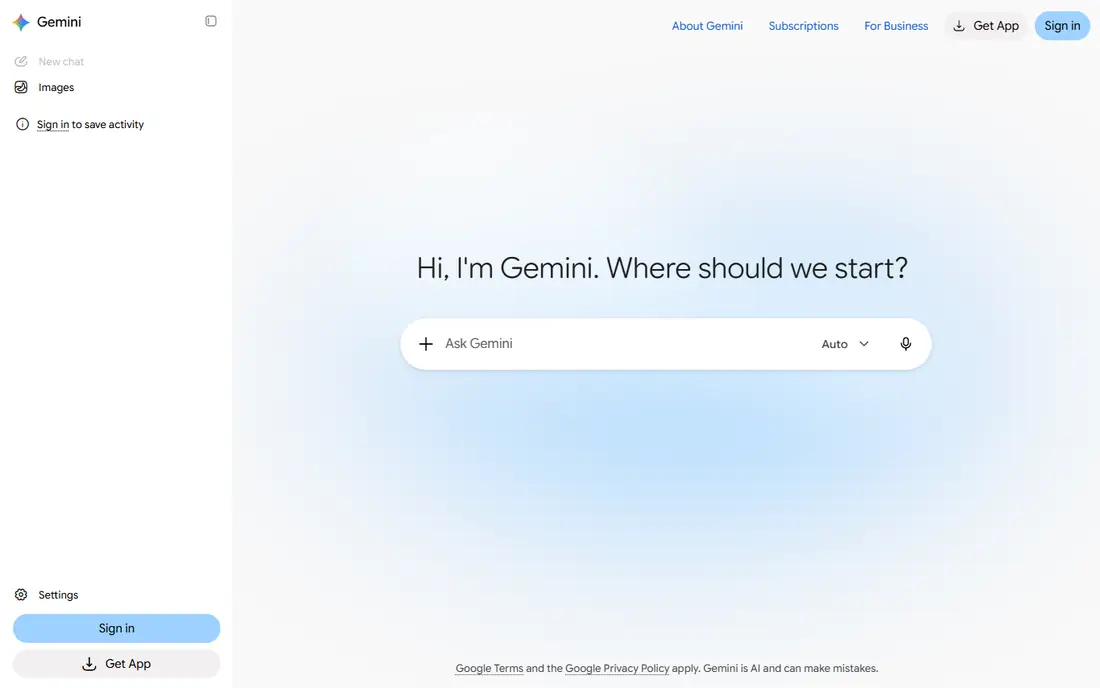
Gemini makes most sense if your work already lives in Google apps. It can help draft in Docs, summarize Gmail threads and work with Drive files, which saves the copy-and-paste step that other chat apps require. The free tier is generous for everyday questions, and the app is simple enough for people who just want to ask and get an answer.
The catch is that the integration benefit fades if you do not use Google services much. Gemini also shares the same core weakness as every chat app here: it can be wrong in a smooth, plausible way. Use it for drafting, planning and explaining, and verify facts, figures and quotes elsewhere. For Google households and Google Workspace users, it is the natural first choice.
- Deep links to Gmail, Docs and Drive
- Strong free tier
- Good for long documents and video work
- Best value depends on using Google services
- Answers still need checking
Microsoft Copilot is the chat app to pick if your day runs on Word, Excel, Teams and Outlook. The free web version answers general questions much like its rivals, while the paid Microsoft 365 version can draft documents, summarize meetings and help with spreadsheets inside the apps you already use. For office teams, that in-app help is more useful than a separate chat window.
The downside is pricing complexity. Free chat, Copilot Pro for individuals and Copilot for business plans cover different features, so check the current Microsoft pricing page before you buy. Copilot also needs the same verification habit as other tools, especially for numbers in spreadsheets and summaries of long threads. If Microsoft is your work home, Copilot fits better than a standalone app.
- Works inside Word, Excel and Outlook for subscribers
- Free web chat for everyday questions
- Business controls on paid plans
- Fullest value needs a Microsoft 365 subscription
- Feature names and plans can confuse buyers
Perplexity works more like a research assistant than a general chatbot. When you ask a question, it searches the web and presents an answer with links to sources, which makes it easier to check claims than a plain chat reply. That design suits current events, product comparisons, health questions in general terms and any topic where the date of the information matters.
It is less charming for creative writing, brainstorming or long personal drafts, where ChatGPT or Claude may feel more natural. The free tier covers casual research, while the paid plan raises limits and opens stronger models. If you often ask "is this true" or "what changed recently", Perplexity should be your research tool, even if another app handles your writing.
- Shows sources with answers
- Strong for current events and fact checking
- Clean search-style interface
- Less suited to open-ended creative writing
- Paid plan needed for heavier research use
DeepSeek is the best free-first option on this list for people who want solid chatting without paying. It handles general questions, explanations and coding help well, and it is a strong choice for students, hobby coders and anyone testing AI chat for the first time. The lack of a forced paid tier makes it easy to recommend as a second app alongside a paid main tool.
It does not match the wider feature set of ChatGPT or Gemini, with fewer integrations, voice tools and app connections. Users who need deep ties to Google or Microsoft, or who want image generation and voice chat in one place, may find it thin. For plain, capable chatting at no cost, though, DeepSeek is hard to beat.
- Free to use with no paid tier required for chat
- Strong on math, logic and coding help
- Simple interface
- Fewer consumer features and integrations
- App availability and limits can vary by region
Meta AI suits people who already spend time in Facebook, Instagram or WhatsApp and want quick answers without opening another app. You can ask questions, get explanations, brainstorm ideas and generate images from inside familiar apps, which lowers the barrier for casual users. There is no paid tier to weigh up, so the cost question is simple.
The trade-off is depth. Meta AI is better for short, everyday chats than for long reports, careful editing or complex coding help, where Claude or ChatGPT pull ahead. Privacy settings also deserve a look, since chats inside social apps sit close to your social account. If you want a free, always-at-hand chat helper, Meta AI does that job well.
- Free with no paid tier
- Built into Facebook, Instagram and WhatsApp
- Easy for casual questions
- Tied to Meta apps for fullest use
- Less suited to long professional document work
Poe solves a different problem: instead of picking one model, it lets you chat with many models from different providers in a single app. That makes it useful when you want to compare how two models answer the same question, or when you like one model for writing and another for coding. The interface keeps chats organized, and switching models takes seconds.
The catch is that Poe adds a layer on top of other models, so limits and costs depend on the plan and the model you choose. Heavy use of top models usually needs a paid subscription, so check current pricing before relying on it daily. If you are curious about models, or you want one app for comparison, Poe is a practical way to explore without juggling many accounts.
- Access to many models in one place
- Easy model switching
- Good for comparing answers
- Some models need a paid plan for heavy use
- Quality varies by model, not just by Poe
How we picked these
We compared official pricing pages, free tiers and product descriptions, plus public guidance on model strengths, in October 2026. We kept only general-purpose chat tools that are live, work for US users, and support everyday writing, learning and research. We excluded explicit, undressing and companion tools designed to imitate intimate relationships, and we did not claim hands-on testing. Prices change often, so confirm the current plan on the vendor site before you pay.
How to choose the right chat app
Start with where you already work. Google users get the most from Gemini, Microsoft users from Copilot, and everyone else can start with ChatGPT for breadth or Claude for writing. Add Perplexity if research and sources matter, and keep DeepSeek or Meta AI as a free backup. Try the free tier for a week of real tasks before paying, and note where each app helps and where it frustrates you.
Set simple safety habits from day one. Do not paste passwords, medical records, legal documents with personal details, or work data you are not allowed to share. Ask for sources on factual claims, and re-check dates, prices and quotes. A chat app is a strong drafting and brainstorming partner, but the final judgment, especially on money, health or legal topics, should stay with you or a qualified professional.
Frequently asked questions
What is the best ai chatting app for most people?
ChatGPT is our pick for most people, because it covers writing, planning, learning and coding help in one simple app with a free tier. If you write long documents often, try Claude. If you live in Google apps, try Gemini first.
What are the best ai chatting apps for research?
Perplexity is the strongest research pick, because it shows sources alongside answers. ChatGPT and Gemini also handle research questions, but you should still open the sources and check key claims yourself.
Is there a good free ai app for chatting?
Yes. DeepSeek and Meta AI offer free chatting without a paid tier, and ChatGPT, Claude, Gemini, Copilot and Perplexity all offer free tiers with limits. Free tiers suit casual use, while heavy daily use usually needs a paid plan.
Can AI chat apps replace a search engine?
Not fully. Chat apps are good for explanations, drafts and brainstorming, but search engines and source pages are better when you need the latest price, a legal text or a verified fact. Use chat for the draft and search for the check.
Are AI chat conversations private?
Privacy varies by provider and plan, and some providers may use chats to improve models unless you change settings. Avoid sharing sensitive personal, financial or work information, and review the privacy controls in your chosen app.
What is the best ai app for chatting on a phone?
ChatGPT, Gemini, Claude, Copilot, Meta AI and Poe all offer phone apps for iOS and Android, so the best phone pick follows the same logic as desktop: ChatGPT for breadth, Gemini for Google users, Copilot for Microsoft users, and Meta AI for social app users.
Sources
See where you really rank - block by block
ProMapRanker scans Google Maps across a grid of your service area. Simple monthly plans from $19, white-label on every plan.
Start freeKeep reading
 zscaler alternatives
Best Zscaler Alternatives in 2026
Looking for zscaler alternatives? We compare 9 SASE and zero trust platforms on architecture, data protection, pricing, and fit for your network and team.
Read → zapier alternatives free
Best Zapier Alternatives Free in 2026
Nine automation tools for zapier alternatives free in 2026, all with genuinely free tiers, plus free plan limits, starting prices and upgrade paths explained.
Read → which platform is best for online reputation
Which Platform Is Best for Online Reputation in 2026
Wondering which platform is best for online reputation? We compare 8 review, listing, and response tools for small and multi-location businesses and agencies.
Read →