 ProMapRanker
Best AI Background Removal Tools in 2026

Key takeaways
- Adobe Express is the strongest free option for single images, with no watermark on free background removal for static images in many workflows.
- remove.bg remains the fastest one-click cutout, but its free downloads are limited to preview resolution, and full resolution needs credits.
- PhotoRoom and Pixelcut suit online sellers best, because batch processing, product templates and AI backgrounds sit around the cutout itself.
- Canva suits teams that want to go from cutout to finished design without switching apps, while Photoshop suits work that needs manual edge control.
- Only use photos you own or have permission to edit, and avoid uploading private photos of other people to any online remover.
Quick comparison
| Pick | Great for | Pricing starts at | Free tier | |
|---|---|---|---|---|
 remove.bg | Fast single-image cutouts | Free | Yes | Visit |
 Adobe Express | Free watermark-free removal | Free | Yes | Visit |
 Canva | Cutout inside a full design workflow | Free | Yes | Visit |
 PhotoRoom | E-commerce product photos in batches | Free | Yes | Visit |
 Pixelcut | Mobile sellers wanting clean exports | Free | Yes | Visit |
 Fotor | Casual editing plus removal | Free | Yes | Visit |
 Clipping Magic | Precision work with manual refinement | $3.99 per month | Free trial | Visit |
 PicWish | High-volume catalog work on a budget | Free | Yes | Visit |
The best ai background removal tools
Background removal sounds simple until the subject has flyaway hair, fur, glass or a busy background. The tools in this list all use AI to find the subject and cut it out, but they differ on edge quality, batch speed, export resolution, watermarks and what happens after the cutout. This list covers fast web tools, design platforms, seller tools and one precision editor for work that automation alone cannot finish.
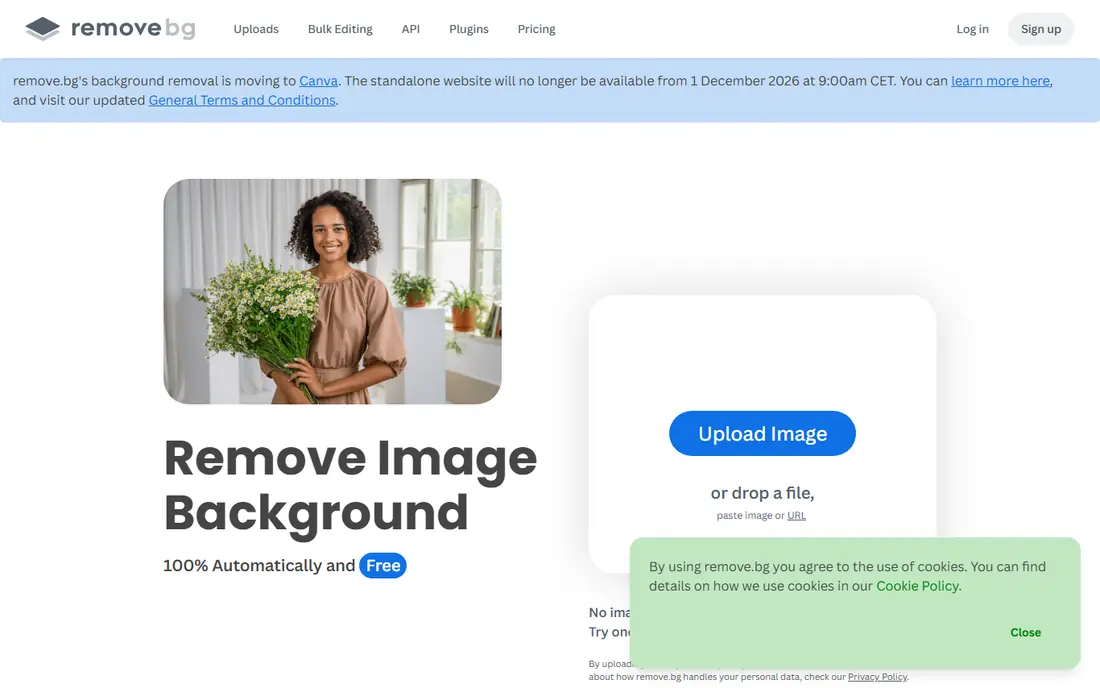
remove.bg popularized this category, and it still wins on speed. A user drops in a photo, the AI finds the subject, and a transparent PNG is ready in seconds, with no account needed for basic jobs. That speed makes it the first tool to try for a social graphic, a listing photo or a quick composite, especially when the subject is a person, pet or product against a clear background.
The free limit is resolution. Free downloads are preview resolution, which suits web and social use but not print, and full-resolution downloads require credits, with paid plans starting at $9 per month for a credit pack. Note also that remove.bg has been reported as moving its standalone background removal into Canva, which owns it, with the standalone site closing in December 2026, so long-term users should check current access before building a pipeline on the standalone site alone. For a fast, reliable cutout today, remove.bg still sets the standard.
- Fastest one-click workflow in this list
- Strong edge detection for people, animals and products
- API and batch desktop tools for pipelines
- Free downloads are preview resolution
- Full-resolution downloads need credits
- Weaker as a full design editor

Adobe Express offers the best free deal in this list for single images. The free background remover uses Adobe AI similar to the engine behind Photoshop Remove Background, and free exports do not carry a watermark on static images in the workflows most users need. A creator can remove a background, drop the cutout onto a new color or design, and export without paying for a subscription.
The main requirement is a free Adobe account, and some premium templates and assets sit behind paid plans. Adobe Express also does not replace Photoshop for manual mask refinement, but a user can save the PNG and open it in Photoshop for a final pass when edges need work. For a free, clean cutout with professional edge quality, Adobe Express is our first recommendation.
- Free background removal with no watermark on static images in many workflows
- Strong edge quality from Adobe AI
- Easy handoff to Photoshop
- Requires a free Adobe account
- Full design features beyond removal need a paid plan for some assets
- Web tool only, not a full Photoshop replacement

Canva is the best choice when the cutout is only the first step. A user can remove a background, then drop the subject onto a brand template, add text, adjust colors and export a finished social post, ad or listing image without switching apps. For marketing teams and small businesses that produce many graphics, that short workflow saves more time than a slightly better edge on a standalone tool.
The catch is plan access. Background Remover is included in Canva Pro, and free-tier access is limited, so a team that only needs occasional removal may prefer Adobe Express or remove.bg. Canva also offers less manual refinement than Photoshop or Clipping Magic for tricky edges. For teams already working in Canva, though, removal inside the design workflow is hard to beat.
- Background removal inside a full design editor
- Instant path to social graphics, presentations and listings
- Team templates and brand tools
- Background Remover is a Pro feature in many workflows, with limited free access
- Less manual edge control than Photoshop
PhotoRoom is built for sellers. A shop owner can photograph products at home, remove backgrounds in batches, place products on clean white or lifestyle backgrounds, and export listing images sized for marketplaces. Batch mode, product templates and AI-generated backgrounds turn a slow photo task into a repeatable workflow, which matters when a catalog has hundreds of items.
Free exports carry a watermark, so serious sellers need the Pro plan, starting at $12.99 per month, for clean exports and batch work. The separate API also has its own pricing for developers building pipelines. For a seller who needs volume, consistency and marketplace-ready images, PhotoRoom is one of the strongest tools in this list.
- Batch processing for up to 250 images at a time on paid plans
- AI backgrounds and product templates
- Strong hair and product edge quality
- Free exports are watermarked
- Pro starts at $12.99 per month
- API pricing is separate from the main app plans
Pixelcut is the mobile-first alternative to PhotoRoom, and it suits sellers who photograph and list from a phone. The app removes backgrounds, adds AI backgrounds, and exports product images sized for shops and social posts, all from the same device used to take the photo. Free exports are watermark-free in many workflows, which gives Pixelcut an edge over PhotoRoom for a seller testing the tool.
Pro starts at $10 per month, or $8 per month billed annually, and adds fuller features and higher-volume work. Pixelcut desktop workflow is thinner than PhotoRoom, and tricky subjects such as glass or fine mesh still need manual checks. For a mobile seller who wants clean exports without paying first, Pixelcut is a strong pick.
- Mobile-first workflow with watermark-free exports on the free tier in many cases
- AI backgrounds and product templates
- Affordable Pro plan
- Smaller desktop workflow than PhotoRoom
- Some advanced features need Pro
- Edge quality varies on complex subjects
Fotor suits casual users who want removal plus general editing, rather than a specialist pipeline. A user can remove a background, adjust brightness and color, add text or filters, and export a finished image from one free account. That breadth makes Fotor useful for social posts, blog graphics and quick product photos where perfect edges matter less than speed.
The free tier has limits. HD downloads on the free Basic tier carry a watermark, and ads and export limits apply, so users who need clean high-resolution exports should check Pro pricing, starting at $8.99 per month. Fotor also lacks the manual refinement of Clipping Magic or Photoshop for difficult edges. For everyday editing with removal included, Fotor is a friendly and capable option.
- Background removal plus general photo editing in one free tool
- Batch processing on paid plans
- Simple interface for casual users
- Free Basic tier watermarks HD downloads
- Ads and export limits on the free tier
- Less precision than specialist tools
Clipping Magic is the tool to open when automation leaves rough edges. Its editor shows the mask clearly and lets a user paint in or erase areas with brush tools, which helps with hair, fur, glass and subjects that blend into the background. For a designer who needs a clean edge for print or a client deliverable, that manual control is worth more than speed.
The cost is time and price. Clipping Magic offers a free trial but no permanent free plan, with paid plans starting at $3.99 per month, and each image takes longer than a one-click remover. It also has no design editor, so the cutout must be exported to another tool for finishing. For precision work where the edge itself is the deliverable, Clipping Magic is the best specialist in this list.
- Manual brush tools for refining edges automation misses
- Strong control over hair, fur and transparent areas
- Clear preview of the mask
- No permanent free plan, only a trial
- Slower than one-click tools
- No full design editor around the cutout
PicWish suits catalog work on a tight budget. The free tier covers basic removal, while Pro, starting at $4.99 per month billed annually, adds higher volume, better resolution and batch tools that help a small shop process many product photos without a large monthly bill. Enhancement, cropping and background tools sit alongside removal, so a basic listing workflow stays in one place.
Free limits on resolution and volume mean heavy users will need Pro, and edge quality, while good for most products, does not always match remove.bg or Adobe Express on the hardest subjects. The interface is also plain compared with Canva or PhotoRoom. For a seller or designer who needs volume at a low price, PicWish offers strong value.
- Free tier plus affordable Pro from $4.99 per month billed annually
- Batch and API options for catalog work
- Removal plus enhancement tools
- Free tier limits resolution and volume
- Edge quality is good but not always best-in-class
- Interface is utilitarian
How we picked these
We compared official feature pages, pricing pages and public reviews for background removal tools that are live in October 2026 and that handle people, products and pets with AI edge detection. We favored tools with clear free or trial terms, stated export limits and a distinct use case, from fast single cutouts to batch seller work and precision editing. We left out tools marketed for removing clothing from people or for non-consensual imagery, and we included a plain consent warning, because legitimate creative tools must only be used on photos the user owns or has permission to edit.
What to check before you pay
Start with a hard test set. Upload the same difficult images to each shortlisted tool, including flyaway hair, pet fur, a glass bottle and a product on a busy background, then zoom in on the edges at full size. That test reveals quality differences that a clean studio portrait hides, and it shows which tool needs manual cleanup on the subjects a business actually photographs.
Next, check export terms before building a workflow. Free tiers differ on resolution, watermarks, batch limits and commercial use, and a tool that looks free for one image can become costly for a catalog. Confirm whether exports are licensed for listings, ads and client work, and whether batch or API pricing is separate from the main app plan. Finally, avoid uploading sensitive or private photos to any online remover, and only edit photos of people with their permission.
Frequently asked questions
What is the best ai background removal tool?
Adobe Express is the best free pick for single images, remove.bg is the fastest one-click pick, PhotoRoom and Pixelcut are the best picks for sellers, and Clipping Magic is the best pick for precision work. The best tool depends on volume, export needs and how much manual edge control the work requires.
What is the best ai tool for background removal for product photos?
PhotoRoom suits sellers who need batch processing and marketplace templates, while Pixelcut suits mobile sellers who want clean free exports. Adobe Express and remove.bg suit smaller catalogs, and PicWish suits high-volume catalog work on a tight budget.
Is there a completely free background remover with no watermark?
Adobe Express is the strongest free option, with no watermark on free background removal for static images in many workflows, and Pixelcut free exports are watermark-free in many cases. remove.bg free downloads are preview resolution, and PhotoRoom free exports are watermarked, so check export terms for each tool.
Can I remove backgrounds from many images at once?
Yes. PhotoRoom batch mode handles up to 250 images at a time on paid plans, remove.bg and PicWish offer batch and desktop options, and Fotor processes batches on paid plans. Photoshop also supports actions for scripted batch work, but it is not listed here as a standalone remover because its pricing sits inside a Creative Cloud subscription.
Should I use an online remover for private photos?
Avoid uploading sensitive or unpublished photos to an online remover, and only edit photos of people with their permission. For private work, use an offline editor such as Photoshop, or check the provider privacy policy for retention and deletion terms before uploading.
Sources
See where you really rank - block by block
ProMapRanker scans Google Maps across a grid of your service area. Simple monthly plans from $19, white-label on every plan.
Start freeKeep reading
 zscaler alternatives
Best Zscaler Alternatives in 2026
Looking for zscaler alternatives? We compare 9 SASE and zero trust platforms on architecture, data protection, pricing, and fit for your network and team.
Read → zapier alternatives free
Best Zapier Alternatives Free in 2026
Nine automation tools for zapier alternatives free in 2026, all with genuinely free tiers, plus free plan limits, starting prices and upgrade paths explained.
Read → which platform is best for online reputation
Which Platform Is Best for Online Reputation in 2026
Wondering which platform is best for online reputation? We compare 8 review, listing, and response tools for small and multi-location businesses and agencies.
Read →