 ProMapRanker
Best AI Avatar App in 2026: 8 Apps Compared

Key takeaways
- Lensa is the best known choice for stylized avatar packs, but avatar packs cost extra on top of any subscription.
- Fotor is the easiest free starting point for a quick profile avatar made in a browser.
- Remini suits photo cleanup and more realistic portraits, while Lensa, Dawn AI, and ToonMe lean toward illustration and cartoon styles.
- Results vary a lot from photo to photo, so upload clear, well lit selfies and expect to discard some outputs.
- Use only your own photos, or photos you have clear permission to use, and never create an avatar of a real person without that person consent.
Quick comparison
| Pick | Great for | Pricing starts at | Free tier | |
|---|---|---|---|---|
 Lensa | Stylized avatar packs | $7.99 per month | Free trial | Visit |
 Fotor | Free browser avatars | Free | Yes | Visit |
 Remini | Realistic enhancement and portraits | $9.99 per month | Yes | Visit |
 PhotoDirector | Mobile editing plus avatar styles | See website | Yes | Visit |
 Dawn AI | Cartoon and illustrated avatars | See website | Yes | Visit |
 ToonMe | Cartoon portraits | See website | Yes | Visit |
 Reface | Face swaps and fun avatars | See website | Yes | Visit |
 Picsart | All round editing with avatar tools | See website | Yes | Visit |
The best ai avatar apps
We compared apps that turn your own photos into avatars, profile pictures, or illustrated portraits, and we left out any tool built for undressing or non consensual imagery. The best choice depends on whether you want art, a cartoon, or something close to a real photo.
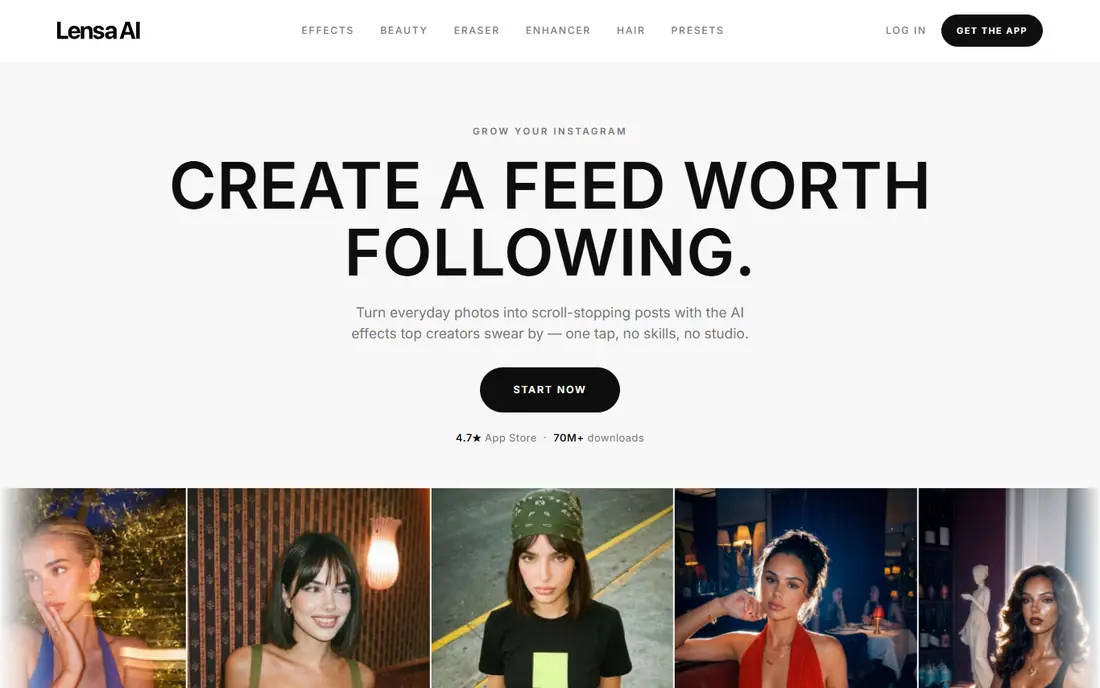
Lensa made AI avatars famous with its Magic Avatars feature. You upload a set of selfies, pick styles, and receive a pack of illustrated portraits in looks that range from fantasy to painted portraits. For a social profile, a gaming avatar, or a fun set of images to share with friends, it still produces some of the most varied results in this list.
The pricing needs care. A subscription covers editing tools, while avatar packs are often a separate purchase, with packs reported from around $3.99. Check the price shown in the app before you pay, and remember that a trial can renew if you do not cancel it. Lensa is a creative tool, not a headshot studio, so very formal portraits may look too stylized.
- Wide range of art styles
- Large avatar packs
- Strong social profile results
- Avatar packs cost extra
- Subscription and pack pricing can confuse new users
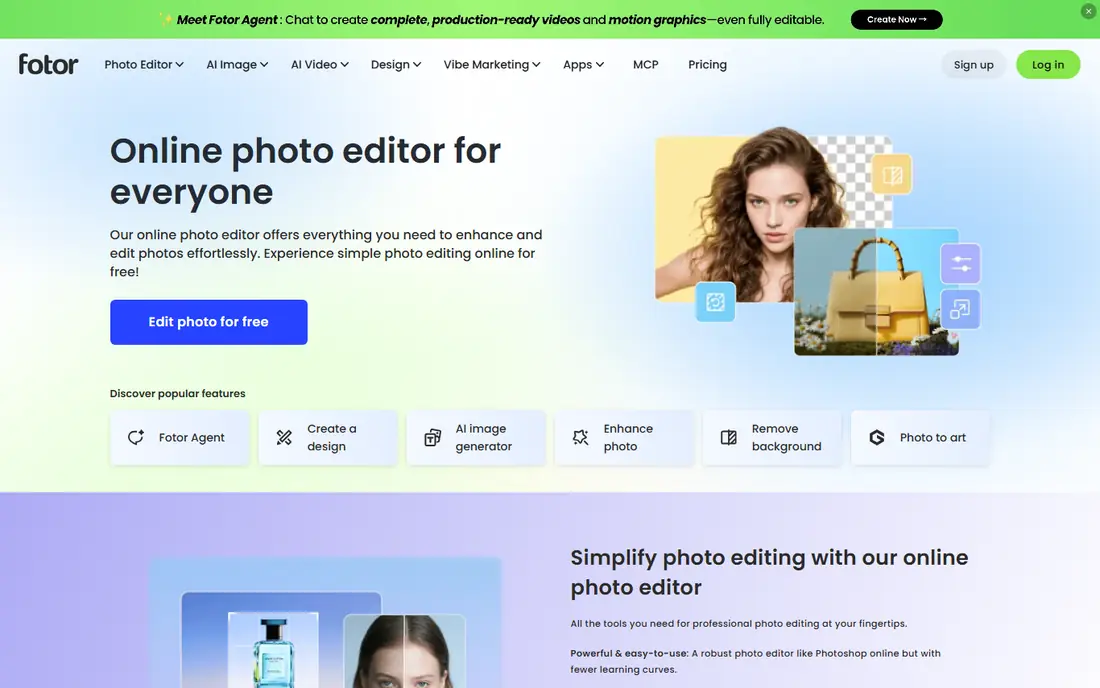
Fotor is our pick if you want to try an AI avatar without installing anything or paying first. Its browser tools let you generate avatars from a photo, then adjust, crop, or add text for a profile picture or social post. That low friction setup makes it a good first test before you spend money elsewhere.
Free results will not match a paid pack for detail, and some styles repeat the same look across different photos. Still, for a quick avatar for a forum, a team page, or a social account, Fotor gives you a usable result fast, and you can upgrade only if you want more styles or higher resolution files.
- Works in a browser without an app install
- Free options for quick avatars
- Editing tools in the same place
- Paid plans needed for higher quality exports
- Styles can look generic
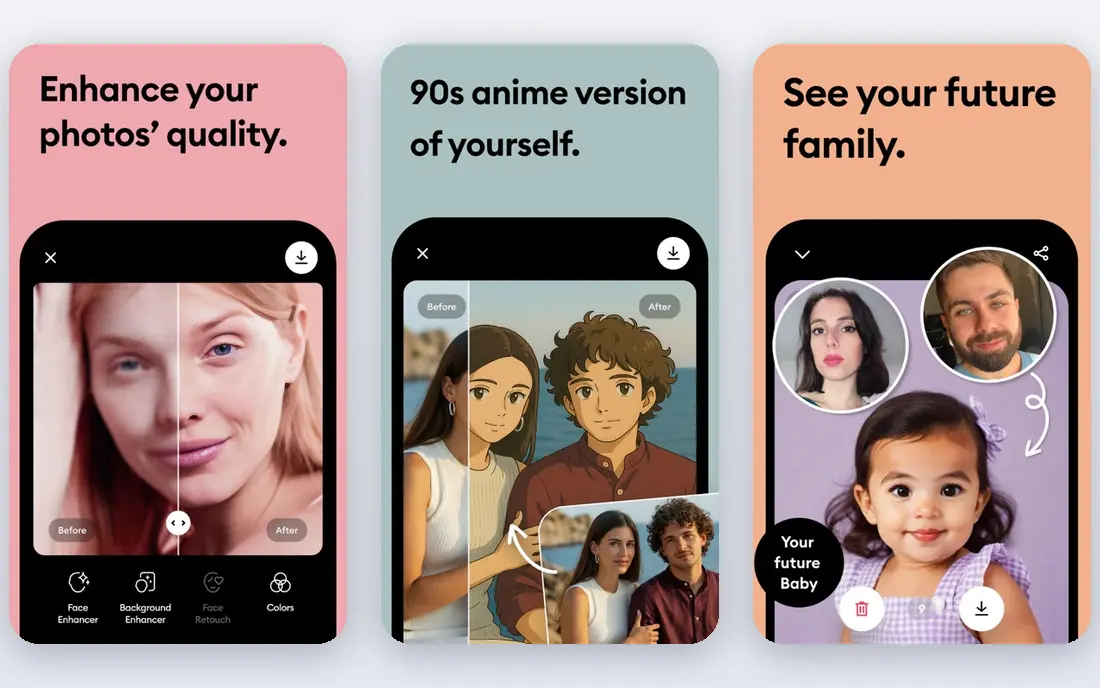
Remini started as a photo enhancer, and that history shows in its avatars. It sharpens blurry or old photos and produces portraits that look closer to a real photograph than the illustrated packs from Lensa or Dawn AI. If your goal is a cleaner profile photo rather than a cartoon character, Remini is the safer pick.
The free tier lets you process a limited number of photos per day, while paid plans remove watermarks and add batch work. At around $9.99 per month for a monthly plan, it costs more than a one off pack, so it suits people who also want regular photo cleanup, not just a single avatar set.
- Strong photo enhancement
- More realistic results than cartoon apps
- Batch processing on paid plans
- Monthly price is higher than some rivals
- Not built mainly for fantasy avatars
PhotoDirector from CyberLink is a photo editor first and an avatar tool second, which is a strength if you edit photos often. You can generate avatar style portraits, then retouch, change backgrounds, or adjust color in the same app. That workflow suits creators who want one app for both avatars and everyday edits.
The downside is focus. If you only want avatars, a dedicated app such as Lensa gives you more styles in one place. PhotoDirector is the better value when avatar creation is part of wider editing, and the free tier is enough to test whether its styles suit you.
- Full photo editor behind the avatar tools
- Good for users who edit often
- IPhone and Android apps
- Avatar styles are one feature among many
- Best features need a subscription
Dawn AI is a simple mobile app for turning selfies into illustrated avatars. Upload a few photos, choose a style, and the app returns a set of cartoon style portraits. The workflow is shorter than Lensa, which makes it a good pick for someone who wants a fun avatar in minutes rather than a large curated pack.
Likeness is the weak point. Some outputs will look like you, and some will look like a pleasant stranger, especially in the most stylized looks. Treat Dawn AI as a creative toy and a profile picture source, not as a tool for an official photo, and check in app prices before buying extra packs.
- Fast illustrated avatars
- Simple mobile workflow
- Good variety of cartoon styles
- Results can vary in likeness
- In app purchases add up
ToonMe does one thing well: it turns a photo into a cartoon portrait. The style is clean and readable at small sizes, which is why it works well for messaging apps, forums, and social profiles. You do not need editing skill to get a result, and the app guides you through photo choice and style selection.
The narrow focus is also the limit. If you want fantasy art, painted portraits, and realistic headshots, ToonMe will feel thin next to Lensa or Fotor. Choose it when a cartoon look is exactly what you want, and look elsewhere when you need variety.
- Clear cartoon style
- Easy to use
- Good for social profiles
- Narrow style range
- Paid features needed for full resolution
Reface is the playful entry on this list. It swaps your face into video clips, GIFs, and images, and it offers avatar style results for social sharing. For a birthday post, a team joke, or a short clip to send friends, it is fast and entertaining, and the template library keeps it fresh.
It is not a portrait tool. Results are meant to be fun, not accurate or professional, and the free tier limits quality and adds watermarks in some cases. Use Reface with your own face, or with permission from anyone else pictured, and keep it away from any use that could mislead people about who is in the image.
- Fun face swap videos and images
- Large template library
- Quick sharing
- Not suited for professional portraits
- Free tier has limits and watermarks
Picsart suits creators who want avatars as part of a larger editing kit. Alongside AI avatar tools, it offers photo editing, collage, stickers, and drawing tools, all in one mobile and web app. If you already edit social posts in Picsart, adding an avatar there saves switching apps and learning a new tool.
The breadth can overwhelm a first time user. The home screen pushes many features, and the best exports often need a paid plan. Picsart is the right pick when you will use the wider toolkit often, and a poorer pick when you only want one avatar pack and nothing else.
- Large editing toolkit
- Avatar and sticker tools in one app
- Strong for social creators
- Many features sit behind a subscription
- Interface can feel busy
How we picked these
We compared official feature pages, app store listings, and pricing pages for tools that create avatars from photos you own or have permission to use. We excluded tools built for undressing or non consensual imagery, and we gave weight to tools that state plainly how uploaded photos are handled. Prices were taken from vendor pages or app listings where available, and marked as See website where they could not be verified on the vendor site.
How to get a better avatar
Good input photos matter more than the app you choose. Use clear, front facing photos in good light, without sunglasses, heavy filters, or other people cropped out at the edge. Upload several different expressions and angles, since most tools use the set together to learn your features. If the first pack looks wrong, try different photos before you pay for a second pack.
Consent and honest use
Only use photos of yourself, or photos you have clear permission to use. Never create an avatar of a real person without that person consent, and never use an avatar to pretend to be someone else. Label AI images as AI made when the context could mislead people, such as a dating profile or a job application. For professional use, check whether the service allows commercial use of outputs before you publish them.
Pick by style, not by hype
Fantasy and painted looks suit social profiles and gaming. Cartoon looks suit messaging apps and casual profiles. Realistic enhancement suits a cleaner profile photo, but even the best realistic output can still show small errors in hands, ears, or text in the background. Decide which style you actually need, test a free option first, and only pay for a pack when the free results point in the right direction.
Frequently asked questions
What is the best ai avatar app for profile pictures?
Lensa is best for stylized packs, Fotor is best for a free browser start, and Remini is best when you want a more realistic result. For a cartoon profile picture, ToonMe or Dawn AI will be faster. Try a free option first, since likeness varies by photo set.
What are the best ai avatar tools right now?
The strongest current tools include Lensa, Fotor, Remini, PhotoDirector, Dawn AI, ToonMe, Reface, and Picsart. Lensa leads for variety, Fotor leads for free browser use, and Picsart leads for creators who also need editing. The right tool depends on style, budget, and whether you want art or a realistic photo.
What is the top ai avatar software for creative work?
Lensa and Fotor offer the widest creative styles for social and gaming profiles. PhotoDirector and Picsart add editing tools around the avatar, which helps creators who publish often. For video avatars or presenters, a dedicated video avatar service may fit better than a still image app.
Can I make an AI avatar for free?
Yes, Fotor, Dawn AI, ToonMe, Reface, and Picsart all offer free tiers or free trials, though exports may be limited in size or style. Free packs are a good test, but expect to pay for larger packs, higher resolution, or full style libraries. Check whether a free trial renews automatically before you start it.
Is it safe to upload my photos to an AI avatar app?
Read the privacy policy before you upload, and check how long photos are kept and whether they are used to train models. Use a reputable app, avoid uploading photos of children or other people without permission, and delete your data from the app when you finish if that option is offered. Never upload identity documents or sensitive photos to an avatar app.
Can I use someone else photo to make an avatar?
No, unless you have that person clear permission. Creating an avatar of a real person without consent can harm that person and may breach platform rules or the law. Use only your own photos, or photos you have permission to use, for every avatar tool on this list.
Sources
See where you really rank - block by block
ProMapRanker scans Google Maps across a grid of your service area. Simple monthly plans from $19, white-label on every plan.
Start freeKeep reading
 who has the best home internet service
Who Has the Best Home Internet Service in 2026
Who has the best home internet service in 2026? Compare fiber, cable, and 5G providers on speed, price, data caps, and availability at your address today.
Read → visio alternatives
Best Visio Alternatives in 2026
Compare 9 Visio alternatives for flowcharts, org charts, and network diagrams, with free plans, pricing, and the best pick for teams and solo users in 2026.
Read → top 10 logistics software
Top 10 Logistics Software in 2026
We compared the top 10 logistics software tools for transport, warehousing, visibility and shipping, for shippers, carriers and 3PL teams in 2026 today.
Read →