 ProMapRanker
Best AI Apps to Create Images in 2026

Key takeaways
- Midjourney leads for artistic and cinematic images, while Ideogram leads when readable text must appear inside the image.
- Adobe Firefly suits commercial work where licensing and brand safety matter, and it fits well with Adobe design tools.
- ChatGPT Images and Google Gemini suit everyday users who want to describe an image in chat and edit it in conversation.
- Leonardo AI and Recraft suit creators who need consistent characters, game assets, or editable brand graphics.
- Only create images you own or have permission to use, and never create an image of a real person without their consent.
Quick comparison
| Pick | Great for | Pricing starts at | Free tier | |
|---|---|---|---|---|
 Midjourney | Artistic and cinematic images | $10 per month | No | Visit |
 ChatGPT Images | Conversational image creation and edits | $20 per month | Yes | Visit |
 Adobe Firefly | Commercially safe creative work | $9.99 per month | Yes | Visit |
 Leonardo AI | Game art and consistent characters | $12 per month | Yes | Visit |
 Ideogram | Posters and text inside images | $20 per month | Yes | Visit |
 Canva AI | Design-ready social graphics | $15 per month | Yes | Visit |
 Recraft | Vector graphics and brand assets | $12 per month | Yes | Visit |
 Google Gemini | Everyday images and photo edits | See website | Yes | Visit |
 Microsoft Designer | Free everyday graphics | Free | Yes | Visit |
The best AI apps to create images
These are the best apps to create AI images for art, marketing, product mockups, and social posts. Each tool turns a written prompt into an image, and several also edit an existing image from a description. Prices below are starting paid prices where vendors publish them, and free plans vary in credits and limits.
Midjourney remains the reference point for look and feel. Its images often have strong lighting, composition, and style control, which suits concept art, editorial illustration, and campaign hero images. The web interface makes prompting easier than in its early Discord-only days, and higher plans add relaxed generation for heavier use.
The catch is cost and metering. There is no free tier, and the Basic plan limits fast generation time, so heavy users need a higher plan or extra time. Commercial terms also vary by plan and company size, so read them before client work. For pure image quality, Midjourney is still our first pick.
- Distinctive artistic range for illustration and mood boards
- Web and Discord workflows for prompting
- Clear plan ladder with relaxed generation on higher plans
- No free plan
- Fast generation time is metered by plan
ChatGPT Images suits people who think in conversation. You describe an image, ask for a change, and refine it in the same thread, which feels natural for social posts, blog art, and mockups. It also handles text inside images better than many older models, though results still need checking.
Free access is limited, and paid plans set the practical ceiling for frequent use. It is not a specialized illustration tool, so artists who need fine style control may prefer Midjourney or Leonardo AI. For everyday creation and fast edits, ChatGPT Images is the easiest starting point for most readers.
- Easy prompting and editing in chat
- Strong text handling in many images
- Useful for quick variations and revisions
- Free image access is limited
- Caps can vary with demand
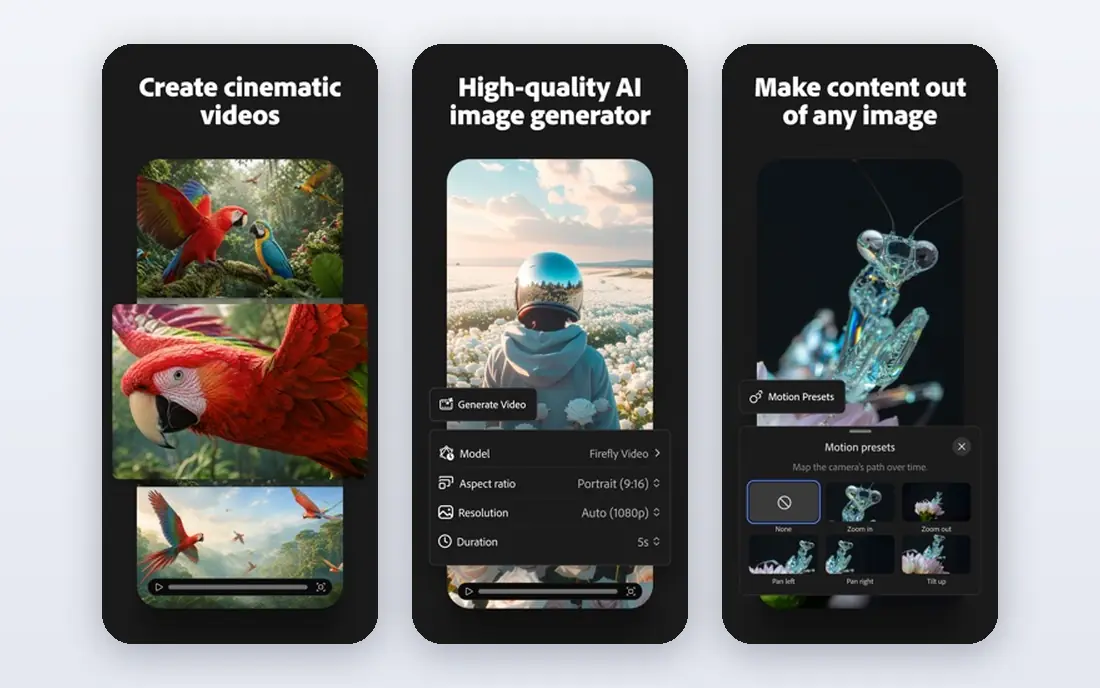
Adobe Firefly is the safe choice for client and brand work. Adobe positions its models around licensed and public domain training content, which helps teams that worry about rights and indemnity. It also connects with Photoshop generative fill and Adobe Express, so an image can move straight into a finished design.
The trade-off is style. Firefly images can feel cleaner and less surprising than Midjourney, which some artists see as a limit. Credit limits also matter on lower plans. For teams that need defensible commercial use and a smooth Adobe workflow, Firefly is a strong pick.
- Trained with a focus on licensed content for commercial use
- Fits Photoshop, Express, and other Adobe tools
- Free generations available on the free tier
- Style range can feel more controlled than Midjourney
- Credit limits apply on lower plans
Leonardo AI suits creators who make many images in a consistent style. Game developers, product mockup makers, and social creators can train or select models, keep characters consistent across images, and refine results in its canvas editor. The daily free token allowance also makes it easy to test before paying.
Token costs vary by model and image size, so budgeting takes a little practice. Free images may also be public, so check privacy settings before generating client work. For volume and consistency, Leonardo AI offers good value.
- Daily free tokens for regular creation
- Character and style consistency tools
- Canvas editor for refining images
- Token math takes time to learn
- Some features sit on paid plans
Ideogram earns its spot through typography. Many image models garble words, but Ideogram handles short headlines, poster text, and logo-style wording more reliably. That makes it useful for social graphics, event posters, and thumbnails where the words matter as much as the picture.
The limit is price and free allowance. Paid plans start at a higher monthly figure than some rivals, and free credits reset weekly in limited amounts. If your images rarely include text, another tool may offer better value. If text is the job, Ideogram is hard to beat.
- Strong readable text for posters, logos, and thumbnails
- Free weekly credits for testing
- Canvas tools for editing and extending images
- Paid plans start higher than some rivals
- Free credits are limited each week
Canva AI suits people who need a finished post, not just a raw image. You can generate an image, drop it into a template, add text, and resize it for several channels without leaving Canva. That workflow saves time for small businesses and social teams.
The catch is allowance. Free and lower paid plans limit AI uses, so heavy creators may need a higher plan or an AI pass. Specialist tools also offer more model control. For fast, finished graphics, Canva AI is a practical all-rounder.
- Images land inside a full design editor with templates
- Brand kits and resizing for social channels
- Easy for non-designers
- AI allowance limits heavy use on lower plans
- Less fine control than specialist generators
Recraft fills a gap that raster-only tools leave open. It can produce vector-style graphics that designers can edit, recolor, and scale without losing quality. That matters for icons, illustrations, and brand assets that must stay sharp at any size and match a brand palette.
It is not the best choice for photorealistic scenes, and free plan licensing needs checking before commercial use. For design teams that need editable assets rather than one-off pictures, Recraft is a useful specialist.
- Editable vector output for icons and illustrations
- Brand style tools for consistent assets
- Good for logos and product graphics
- Less suited to photorealistic scenes
- Free images have licensing limits to check
Google Gemini suits everyday users who already use Google services. You can ask for a new image or describe an edit to a photo, and the result arrives in chat without learning a specialist tool. That low friction makes it a good first tool for casual creators and small teams.
Free limits vary, and the paid route is through Google AI plans that include much more than image generation. Specialist tools still offer more style control for professional work. For quick, free, everyday images, Gemini is a strong option.
- Free image creation inside a Google account
- Strong photo edits from a description
- Easy sharing into Google tools
- Free limits can change
- Paid AI plans bundle many features beyond images
Microsoft Designer is the simplest free route to a finished graphic. It generates images and places them into templates for social posts, invitations, and marketing materials. People who need a quick graphic without learning a new tool will find it approachable.
The limit is depth. It does not match Midjourney for artistic range or Recraft for editable vectors, and its style can feel generic for high-end brand work. As a free everyday tool, though, it is easy to recommend, especially for Microsoft account holders.
- Free with a Microsoft account for everyday graphics
- Templates for social and marketing posts
- Simple editor for non-designers
- Less depth than specialist generators
- Output style can feel generic for premium brand work
How we picked these
We compared official feature and pricing pages, free tier terms, and public product descriptions for tools that are live in October 2026. We favored tools with clear pricing or free access, distinct strengths, and real use for art, marketing, or design. We did not claim hands-on testing, and we used See website where a vendor bundles image pricing inside a wider plan.
How to choose the right image tool
Start with the job, not the model. Choose Midjourney or Leonardo AI for artistic or consistent character work, Ideogram for text-heavy posters, Firefly for commercial client work, and Canva AI or Microsoft Designer for finished social graphics. If you only need a few images a week, a free plan may cover you, so test that before paying.
Check the license for every image you publish. Free images on some platforms are public or limited to personal use, and commercial rights vary by plan. Keep a note of which tool made each image and which plan you used, since that record helps if a client asks about rights later. Only create images you own or have permission to use, and never create an image of a real person without their consent.
Prompting tips that save time
Write prompts with subject, setting, style, and format in plain words, then change one element at a time when refining. Save prompts that work, and test the same prompt across two tools before committing to one, since style and text accuracy vary. Check text spelling closely, especially on posters, and export at the size your channel needs rather than upscaling a small image later.
Frequently asked questions
What is the best app to create AI images?
Midjourney suits artistic work, Ideogram suits text-heavy images, and ChatGPT Images suits everyday chat-based creation. The best app to create AI images depends on whether you need art, posters, product shots, or finished social graphics.
What is the best AI tool to create images for commercial use?
Adobe Firefly is a strong choice for commercial use because Adobe focuses its models on licensed content and offers terms for business use. Always check the current license for your plan, since free and paid terms differ.
What are the best AI tools to create images for free?
Google Gemini, Microsoft Designer, Leonardo AI, Ideogram, and Adobe Firefly all offer free tiers with limits. Free allowances change often, so check the current credit or daily limit on the vendor site before relying on one tool.
Can AI image apps edit my photos?
Yes, several tools on this list can edit a photo from a description, including ChatGPT Images, Google Gemini, and Adobe Firefly. Edits work best for backgrounds, objects, and style changes, and you should only edit photos you own or have permission to use.
Do I own the images I create with AI apps?
Ownership and commercial rights vary by tool and plan, and some free tiers limit commercial use or make images public. Check the license terms for your plan on the vendor site before using an image for client or paid work.
Sources
See where you really rank - block by block
ProMapRanker scans Google Maps across a grid of your service area. Simple monthly plans from $19, white-label on every plan.
Start freeKeep reading
 zoom alternatives for webinars
Best Zoom Alternatives for Webinars in 2026
Discover zoom alternatives for webinars in 2026, from browser-based rooms to sales-focused platforms, with pricing, audience limits and honest trade-offs.
Read → tipalti alternatives
Best Tipalti Alternatives in 2026
Compare the best tipalti alternatives for accounts payable, global payouts and bill pay, with pricing and free plans for small teams in 2026 for US teams.
Read → mixpanel alternatives
Best Mixpanel Alternatives in 2026
Compare the best mixpanel alternatives for product analytics, funnels and retention, with free tiers and current pricing for growing teams in 2026 for US teams.
Read →