 ProMapRanker
Best Affordable Web Scraping Services in 2026

Key takeaways
- Apify, ScrapingBee and ScrapingDog offer the lowest entry prices for developers, while Octoparse and Browse AI suit non-developers.
- Credit systems differ widely, so price a real workload, not just the monthly plan, before committing.
- Bright Data and Oxylabs offer scale and compliance depth, but their entry costs are higher than the cheapest API options.
- Collect data lawfully only, respect site terms and robots rules, and do not use scraping to bypass paid licensing or access controls.
Quick comparison
| Pick | Great for | Pricing starts at | Free tier | |
|---|---|---|---|---|
 Apify | Ready-made scrapers marketplace | $19 per month | Yes | Visit |
 ScrapingBee | Simple API for developers | $19 per month | Free trial | Visit |
 ScraperAPI | Beginner-friendly API | $49 per month | Free trial | Visit |
 ScrapingDog | Low-cost credits | $40 per month | Yes | Visit |
 Browse AI | No-code monitoring | $19 per month | Yes | Visit |
 Octoparse | Visual no-code scraping | $69 per month | Yes | Visit |
 ZenRows | Anti-bot handling | See website | Free trial | Visit |
 Oxylabs | Enterprise compliance | $49 per month | Free trial | Visit |
 Bright Data | Large-scale collection | See website | Yes | Visit |
The best affordable web scraping services
We compared official pricing pages and dated October 2026 price checks for scraping services that are still sold and supported. Collect data lawfully only. Respect site terms of service and robots rules, check whether data is licensed, and do not use scraping to bypass paid licensing, login walls or other access controls. When in doubt, ask the site owner for permission or use an official API or data feed.
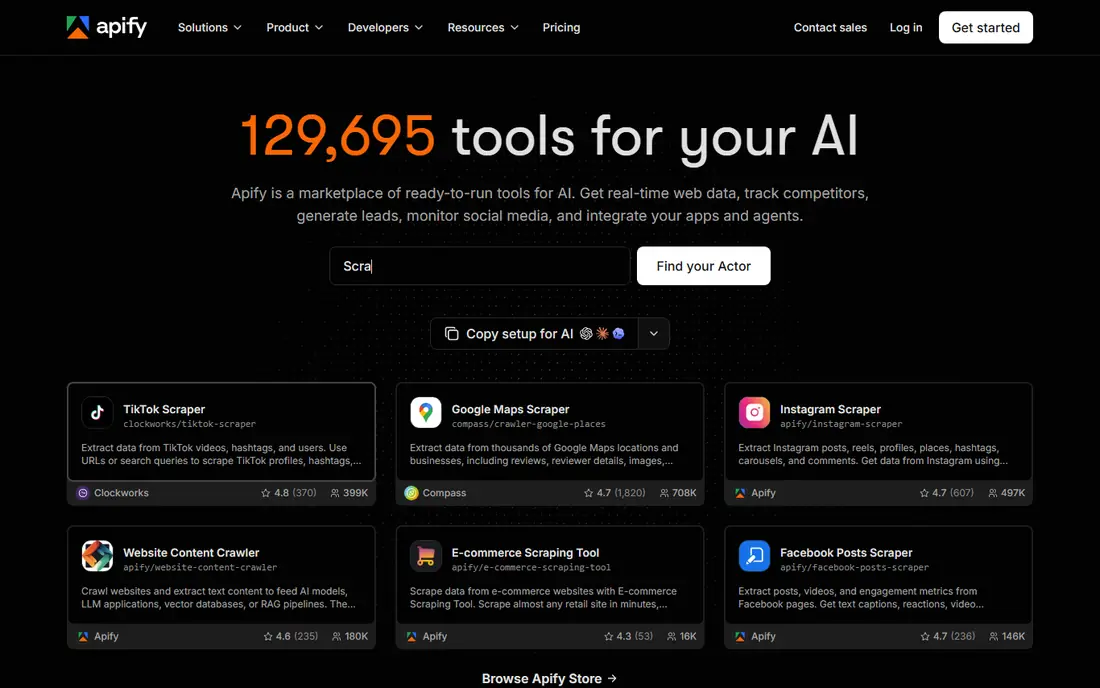
Apify is a platform where users run ready-made scrapers, called Actors, or build their own. The marketplace covers common targets such as job boards, shopping pages and social profiles, which helps teams that do not want to write a scraper from scratch. Cloud scheduling, storage and integrations make it possible to run jobs on a regular basis.
The cost model needs care. The starter plan provides platform usage credit, and compute consumption depends on the Actor and the workload, so two jobs can cost very different amounts. For teams that test a specific Actor on a small job first, Apify offers strong value and flexibility.
- Marketplace of ready-made scrapers
- Free plan with monthly platform credit
- Cloud runs and scheduling
- Costs are metered by compute, so per-page cost varies by scraper
- Pricing is less predictable than a fixed credit plan
ScrapingBee gives developers one API endpoint that handles proxies, JavaScript rendering and basic anti-bot handling. That simplicity appeals to small teams that want to send a URL and receive HTML or extracted data without managing proxy pools. Credits are the billing unit, and features such as rendering consume more credits.
Buyers should test with rendering on and off, because the default settings can burn credits faster than expected. For straightforward API scraping at modest volume, ScrapingBee is one of the cheapest credible options, especially at the hobby tier.
- Single API endpoint with rendering and proxies
- Simple credit system
- Screenshot and JavaScript support
- Rendering costs extra credits
- Higher plans are needed for large volumes
ScraperAPI also offers a single endpoint for scraping, with proxy rotation, headless rendering and handling for common blocks built in. New developers often find it easier to start with than a proxy service plus a separate parser, because the API returns a usable page with one call. A trial with several thousand credits helps teams test real targets before paying.
The entry price is higher than some rivals, and credit consumption depends on target difficulty, so a hard site can cost more than a simple one. For teams that want a beginner-friendly API and are willing to pay $49 per month, ScraperAPI is a dependable choice.
- Single endpoint with proxies and rendering
- Trial credits for testing
- Simple setup for new developers
- Entry price is higher than ScrapingBee
- Credit multipliers vary by target difficulty
ScrapingDog positions itself as a low-cost API for developers who need credits without enterprise pricing. The entry plan includes a large credit allowance, and a free tier lets teams test the API before committing. Not charging for failed requests in many cases also helps small budgets, since failed pages do not eat the allowance.
The trade is ecosystem depth. ScrapingDog has fewer ready-made scrapers and managed features than larger platforms, so teams may need to handle parsing and storage themselves. For developers who mainly need a cheap, simple API, it is a strong budget pick.
- Low entry price with a large credit allowance
- Free tier for testing
- Failed requests are not charged in many cases
- Smaller ecosystem than Apify or Bright Data
- Advanced parsing may need extra work
Browse AI lets non-developers train a robot by clicking the data they want on a page. Robots can then run on a schedule and monitor prices, listings or other changing pages. That approach suits analysts and small firms that need regular updates from a few pages, rather than a one-time bulk download.
Volume is the limit. Credits are consumed per run and per row, so large jobs can exhaust even a mid-tier plan quickly. For monitoring and small recurring jobs, Browse AI is easy to use and affordable. For bulk extraction, an API service is usually cheaper.
- Train a robot by clicking data on a page
- Monitoring and scheduled runs
- Simple credit model for small jobs
- Credits burn fast on large extraction jobs
- Best for monitoring, not bulk collection
Octoparse is a visual scraper for users who do not write code. Tasks are built by clicking data on a page, with support for pagination, login flows and scheduled cloud runs. Templates for job boards, shopping pages and other common targets help new users start faster. A free tier with local runs is enough to learn the tool.
Cost is the main drawback. Paid plans start higher than API services, and proxies and other add-ons are billed separately. For analysts who need a visual tool and can stay within the free or standard plan, Octoparse is a practical choice. Developers who only need an API should compare ScrapingBee or ScraperAPI first.
- Point-and-click task builder
- Templates for common sites
- Cloud scheduling and local runs
- Paid plans cost more than API rivals
- Proxies and add-ons can raise the total
ZenRows offers a scraping API designed for pages with stronger bot protection. It handles rendering, proxy rotation and anti-bot measures through a single endpoint, which can save developers time on difficult targets. A free trial lets teams test whether it succeeds on their specific pages before paying.
The price point is higher than the cheapest APIs, so it fits teams that have already hit blocks with simpler tools. Credit consumption also varies by feature, so a representative test matters. For protected public pages where lawful collection is allowed, ZenRows is a useful step up from a basic API.
- API with anti-bot handling and rendering
- Simple endpoint for protected pages
- Trial for testing
- Entry pricing has been reported at a higher level than budget APIs
- Credit use varies by feature
Oxylabs is a larger provider with a web scraping API and a large residential proxy pool. It emphasises compliance, documentation and enterprise support, which matters for firms that collect data at scale and need clear policies. A free trial helps teams test the API before a larger commitment.
Entry pricing does not tell the full story at scale. Usage tiers, proxy types and target difficulty can push costs well above the starting figure, so firms should price a real workload. For teams that need compliance depth and scale, Oxylabs is a credible enterprise-grade option.
- Large proxy pool and web scraping API
- Compliance credentials and documentation
- Enterprise support options
- Real-world costs at scale can be much higher than entry price
- Setup is more involved than a simple API
Bright Data is the largest-scale provider in this list, with a very large proxy network and a library of pre-built, site-specific scrapers. Its web scraper API bills by successfully delivered records, with a pay-as-you-go option and a free monthly record allowance. That model suits firms that need reliable collection from many sites at once.
Complexity and cost are the trade-offs. Paid plans and enterprise pricing can be much higher than budget APIs, and setting up zones and scrapers takes more time. For large, lawful collection programs, Bright Data offers scale that smaller APIs cannot match. For small jobs, a cheaper API is usually enough.
- Very large proxy network
- Library of pre-built scrapers
- Pay-as-you-go option for records
- Paid plans can be costly
- Setup and pricing are more complex than budget APIs
How we picked these
We compared official pricing pages and dated price checks from October 2026, and we kept only services that are still sold, with clear pricing or trial options. We mixed API services, no-code tools and larger platforms, because affordable means different things for a developer and a non-developer. We also excluded services tied to the banned or seized providers in our brief, and we favoured services with documented compliance and support pages.
What to check before you buy a scraping service
Start with permission and terms. Check the target site terms, robots file and any licence that covers the data, and use an official API when one exists. Lawful collection means collecting public data you are allowed to use, at a rate that does not harm the site, and storing personal data only when you have a lawful basis to do so.
Next, price a real workload. Run the same set of pages through a trial, with the same rendering and proxy settings you will use in production, and record credits or records consumed. Compare that result across two or three providers, because headline credits hide different consumption rules.
Finally, check data handling and maintenance. Ask how the service stores results, how often scrapers break when a site changes, and who fixes them. A cheap service that breaks every week can cost more in staff time than a slightly dearer service with managed scrapers and support.
Frequently asked questions
Is web scraping legal?
It depends on what you collect, how you collect it and what the site terms allow. Public data collected lawfully, at a reasonable rate and without bypassing access controls, is different from collecting private data, breaching terms or bypassing paid licensing. When in doubt, get legal advice for your specific use case.
What is the cheapest way to start web scraping?
For developers, a low-cost API such as ScrapingBee or ScrapingDog, or the free tier of Apify, is a cheap starting point. For non-developers, Browse AI and the free tier of Octoparse let you test a small job without code. Start with a trial and a small workload before paying.
How do scraping credits work?
Most APIs bill by credits, records or compute units, and features such as JavaScript rendering, premium proxies and screenshots consume more units. That is why the same plan can cover very different page counts across providers. Always test your hardest target pages during a trial.
Do I need proxies for web scraping?
Not always. Simple public pages may work with a basic API call, while protected or rate-limited pages may need proxy rotation and rendering. A scraping API usually manages proxies for you, while a no-code tool may charge for proxies as an add-on. Test without premium features first.
Can I scrape data behind a login or paywall?
You should not use scraping to bypass paid licensing, login walls or other access controls. If data sits behind a login or a paid product, use the official access route, ask the provider for a licence or API, or choose a different source. Scraping that bypasses controls can breach terms and create legal risk.
Sources
See where you really rank - block by block
ProMapRanker scans Google Maps across a grid of your service area. Simple monthly plans from $19, white-label on every plan.
Start freeKeep reading
 worlds best local seo company
8 Worlds Best Local SEO Companies for Map Pack Growth in 2026
Compare the worlds best local seo company options for Google Business Profile work, citations, reviews, and multi-location rankings and reporting in 2026.
Read → world's best web hosting company
World's Best Web Hosting Company in 2026
Searching for the world's best web hosting company? We compared 10 hosts on price, renewal rates, speed, and support to help you choose well today in 2026.
Read → who's got the best nanny tax services
Who's Got the Best Nanny Tax Services in 2026
We answer who's got the best nanny tax services, comparing full filing, back taxes, software, and pricing so families can handle nanny taxes correctly.
Read →