 ProMapRanker
Best Ad Design Services in 2026

Key takeaways
- Do-it-yourself editors suit teams that design in-house, while subscriptions suit teams that need a steady flow of finished ads without hiring.
- Canva, Adobe Express, and VistaCreate all offer free starting points, but stock assets, brand tools, and exports differ sharply between free and paid tiers.
- Subscription services differ in how they charge, with some selling unlimited requests and others selling daily output or designer hours.
- Design Pickle no longer publishes a starting price, so budget for a sales conversation if it is on your shortlist.
Quick comparison
| Pick | Great for | Pricing starts at | Free tier | |
|---|---|---|---|---|
 Canva | All-round in-house ad design | $15 per month | Yes | Visit |
 Adobe Express | Adobe users and quick social ads | $9.99 per month | Yes | Visit |
 VistaCreate | Budget template-led design | $10 per month | Yes | Visit |
 Penji | Unlimited requests for marketing teams | $995 per month | No | Visit |
 ManyPixels | Consistent daily output | $699 per month | No | Visit |
 Design Pickle | Template-heavy teams | See website | No | Visit |
 Kimp | Graphics plus video on one plan | See website | Free trial | Visit |
 Flocksy | Design plus copywriting | $1,199 per month | No | Visit |
 Superside | Enterprise creative teams | See website | No | Visit |
The best ad design services
Ad design services fall into two groups, and mixing them up is the most common budgeting mistake. Editors such as Canva and Adobe Express give your own team the tools to make ads, while subscription services such as Penji and ManyPixels give you designers who make the ads for you. This list covers both, so you can match the model to how much design work you actually have each week.
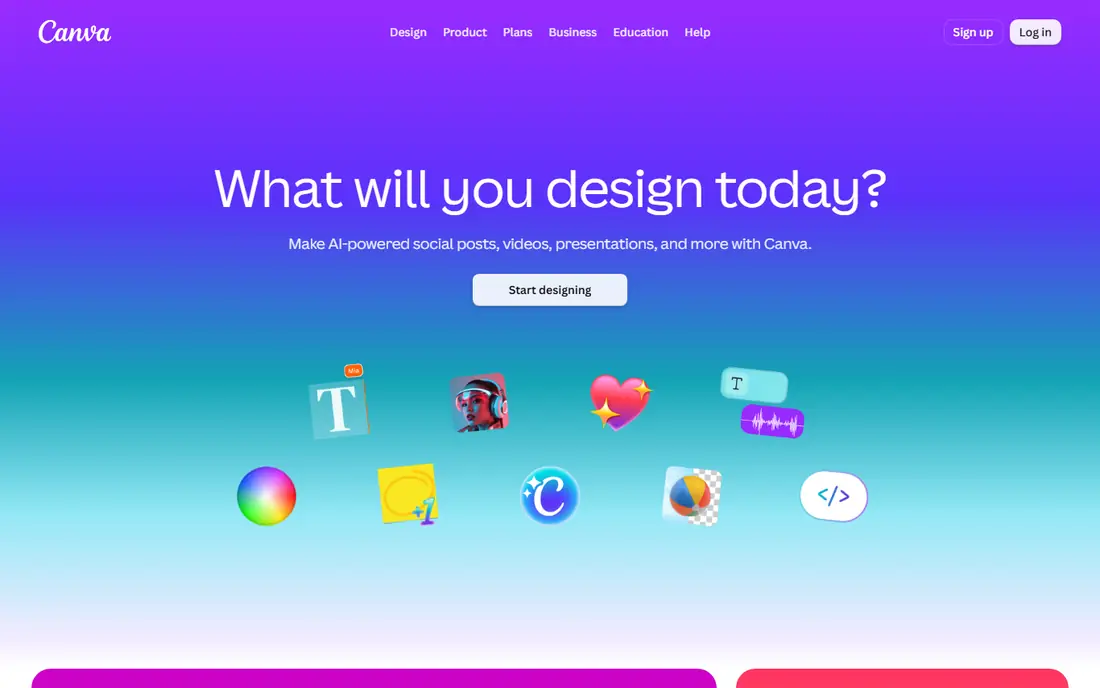
Canva is the default starting point for most small marketing teams, and the reason is practical rather than glamorous. Templates cover social ads, display banners, flyers, and short video ads, and resizing a design for another platform takes minutes rather than a rebuild. Brand kits on paid plans keep colours, fonts, and logos consistent, which matters when several people make ads. The free plan is genuinely useful for testing the editor before paying.
The limit is originality. When many advertisers start from the same templates, ads can start to look alike, so teams that need a distinct look must customise more or add their own photography. The free plan also restricts premium stock assets and some brand tools, which can push a growing team to Pro sooner than expected. Canva fits best when your team designs in-house, needs speed across formats, and is willing to adapt templates rather than expect a fully custom campaign look.
- Very large template library
- Brand kits on paid plans
- Easy resizing for different ad formats
- Free plan limits stock assets and brand tools
- Heavy template use can make ads look alike
- Print and video depth is limited
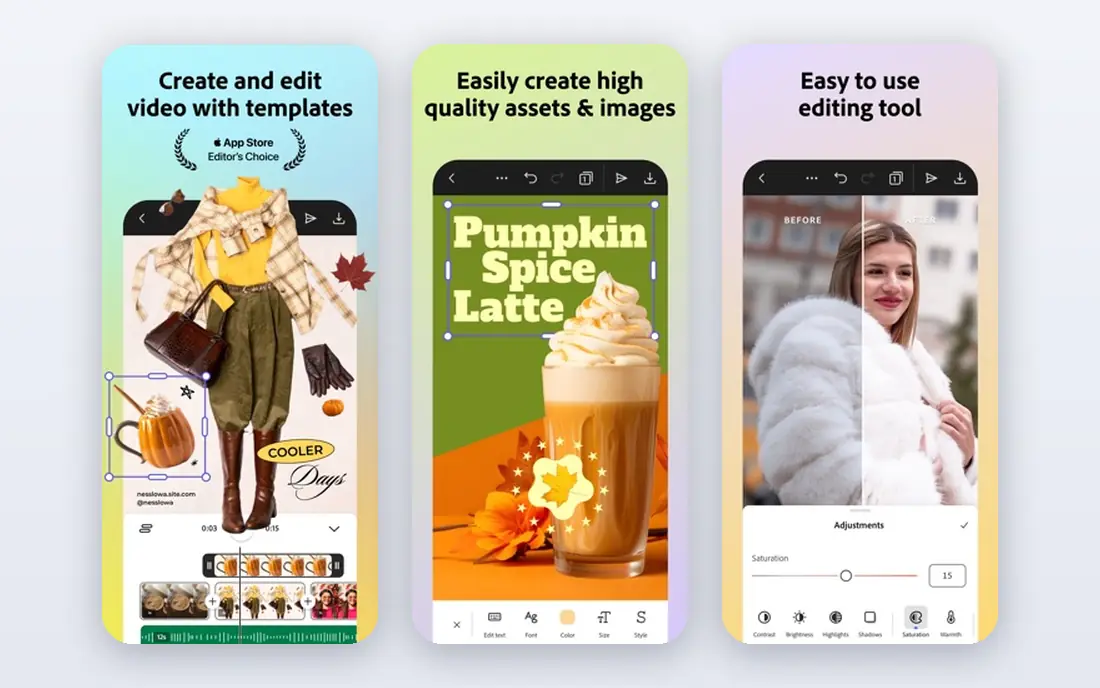
Adobe Express suits teams that already live in Adobe tools, since files, fonts, and stock assets move more easily between Express, Photoshop, and Illustrator. The editor is quick for social graphics, flyers, and short promotional videos, and its template range covers most everyday ad formats. A free plan lets you test the core editor, while the premium plan at 9.99 dollars a month adds more templates, stock assets, and generative features.
The honest weakness is depth. Video work stays at a simpler level than a dedicated video editor, and teams that need complex timelines will outgrow it. Social scheduling also feels less complete than tools built around publishing. Adobe Express is a strong pick when your team wants a fast, Adobe-connected editor for regular ad creative, and when you do not need advanced video or a full publishing suite in the same tool.
- Strong template and stock library
- Adobe Fonts access
- Good fit for Adobe Creative Cloud users
- Video editing is lighter than a dedicated editor
- Social scheduling is less polished than some rivals
- Premium features need the paid plan
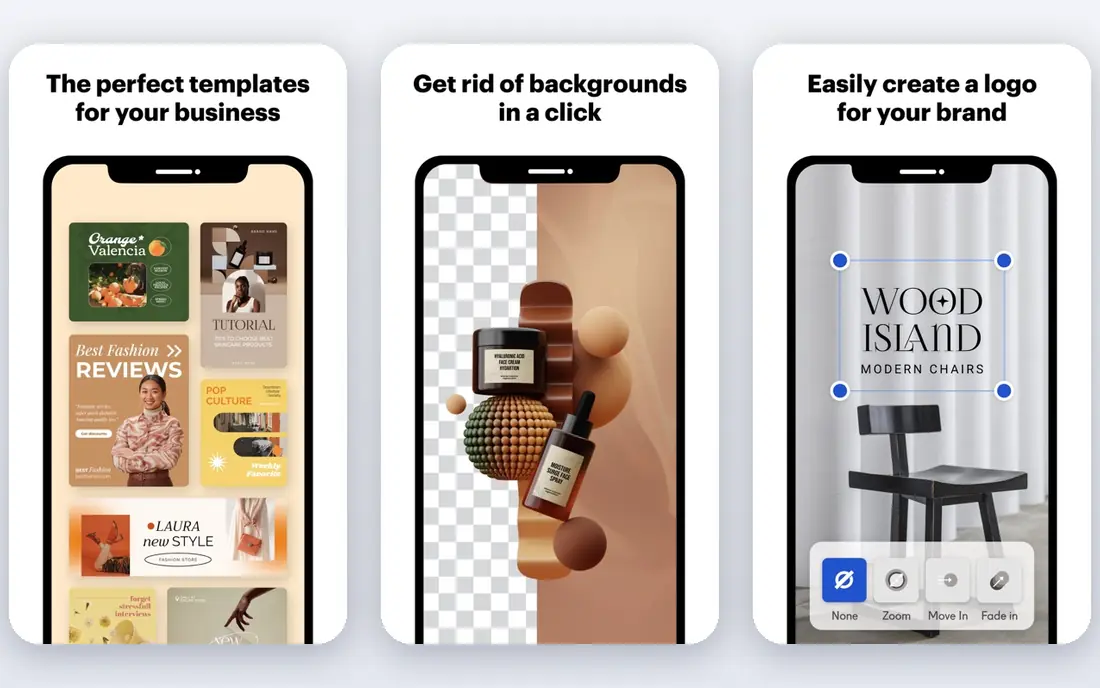
VistaCreate is the budget option that still feels complete for everyday ad work. Its editor will feel familiar to anyone who has used Canva, and its template library covers social posts, banners, and promotional graphics. The free plan includes background removal and a brand kit, which is generous at this price, while Pro at 10 dollars a month billed annually adds a much larger stock library, multiple brand kits, and unlimited storage.
The trade-offs are pace and depth. New templates arrive more slowly than on larger platforms, and video editing stays basic, so video-led campaigns will need another tool. Stock depth on the free plan is also smaller, which can matter for product-heavy ads. VistaCreate fits best when budget matters, your ads are mostly static, and you want a simple editor without paying for features you will not use.
- Low paid price
- Large template library
- Background removal on the free plan
- Template updates are slower than larger rivals
- Video tools are basic
- Smaller stock library on free
Penji suits marketing teams that need a lot of different design work every month and do not want to brief freelancers one job at a time. You submit unlimited requests, designers work through them, and most requests come back within one business day, with same-day delivery on higher plans. The service covers more than 120 design categories, so social ads, decks, print, and web graphics can sit under one subscription. An art director oversees quality, which helps when several designers touch your account.
The price is the barrier. At 995 dollars a month for the entry plan, Penji only makes sense when your monthly design volume would cost more through freelancers or an agency. Video and motion graphics are also not on the entry plan, so video-heavy teams must budget higher. Penji fits best when ad creative is constant, turnaround matters, and you want one subscription to replace a patchwork of freelancers.
- Unlimited requests and revisions
- Fast turnaround on most requests
- Broad design categories
- Entry price is high for small teams
- Video and motion need higher plans
- No free plan to test with
ManyPixels works differently from unlimited-request services, because it promises daily output rather than an open queue. Each business day you receive a completed batch, such as a set of social graphics, a logo draft, or a landing page draft, and complex projects get daily progress until they finish. A dedicated designer plan is available for teams that want one person who learns their brand, and a low-cost pause option helps seasonal businesses.
The limit is bulk speed. If you need ten different assets by Thursday morning, a daily-output queue will not deliver them all at once, and that kind of rush is better suited to a freelancer or an agency. ManyPixels fits best when your ad calendar is steady, you value consistency over rush delivery, and you want a named designer relationship without agency pricing.
- Daily output model is easy to plan around
- Dedicated designer option
- Pause option for quiet months
- Queue model limits same-day bulk delivery
- Complex projects take several days
- No free plan
Design Pickle is a long-running subscription service aimed at teams that need ongoing design production with a structured platform behind it. Its workflow tools, integrations with tools such as Slack and Teams, and scoped plans suit organisations that want design requests managed like tickets rather than email threads. For template-heavy teams that produce ads, social graphics, and decks at volume, that structure can be worth more than a lower headline price elsewhere.
The drawback is transparency. Design Pickle no longer publishes a starting price, so you cannot budget from its website alone and must go through a sales conversation to get a quote. That also makes direct price comparison harder, since plan scope is set on the call. Design Pickle fits best when your team values platform structure and integrations, and when you are comfortable buying through sales rather than self-serve checkout.
- Platform with integrations for team workflows
- Scoped plans for larger teams
- Broad design scope
- No published starting price
- Pricing requires a sales conversation
- No free plan or trial stated
Kimp appeals to teams that need both still ads and video ads without managing two vendors. Its plans cover graphic design and video together, which suits paid social teams that run image ads one week and short video ads the next. A trial period lets you test turnaround and communication before committing, and its Canva-oriented workflow suits teams that already build in Canva and want designer support on top.
The caution is pricing clarity. Comparison pages quote different starting figures for Kimp, so we list the price as See website and recommend confirming the current rate on its pricing page before budgeting. Designer quality can also vary, as with any pooled service, so the trial is worth using properly. Kimp fits best when your ad mix genuinely spans graphics and video, and when you want one subscription for both rather than separate freelancers.
- Graphics and video under one subscription
- Canva-friendly workflow option
- Trial to test the service
- Published prices vary across comparison pages, so confirm the current rate
- Quality can vary by designer
- Queue limits apply
Flocksy sells designer time rather than unlimited requests, which changes how you should judge it. Plans give you a set number of designer hours each day, and unused hours carry over for 30 days, which helps when workload rises and falls across a month. The same plan covers graphic design, web, motion, video, and copywriting, so an ad campaign that needs both visuals and ad copy can stay with one team. That breadth is the main reason to pick it over a graphics-only service.
The hourly model is also its weakness, since you must track hours and prioritise work, and a heavy month can burn through the allowance quickly. Pricing is 1,199 dollars a month billed annually, or 1,699 dollars a month billed monthly, which puts it out of reach for very small teams. Flocksy fits best when your campaigns need copy as well as design, and when you prefer a time-based plan with rollover over an unlimited-request queue.
- Design, video, motion, and copywriting in one plan
- Unused hours carry over for 30 days
- US-based team emphasis
- Hourly model needs careful tracking
- Entry price is high
- Monthly rate is higher without annual billing
Superside is not a small-team subscription, and it should not be judged as one. It provides a larger creative team, including strategy and production, for companies running many campaigns at once across markets. That structure suits global brands that need consistent creative direction as well as output, and that already spend at agency levels. The monthly scope is flexible within the subscription, which helps when campaign volume shifts.
The barrier is price and commitment. Published comparisons in 2026 report enterprise-level monthly pricing with a long commitment and an additional software fee, but figures vary, so we list the price as See website and recommend a direct quote. Small teams will get better value from Penji, ManyPixels, or an in-house editor. Superside fits only when creative is a core, always-on function and the budget already matches agency spending.
- Large creative team with strategy input
- Suits global brands with many campaigns
- Flexible monthly scope
- Enterprise pricing only
- Long commitments reported
- Far beyond small-team budgets
How we picked these
We compared official pricing pages, plan descriptions, and public comparisons that quoted those pages in October 2026. We included both do-it-yourself editors and done-for-you services, because the phrase ad design services covers both, and readers need to see the cost difference clearly. Where published prices conflicted across sources, we listed See website rather than picking a figure we could not verify. We also checked that each service was still operating and that its homepage matched the product named.
How to choose between an editor and a subscription
Start by counting how many finished ads you need each month, and how much of that work is repetitive. If the number is low and your team can spare a few hours a week, an editor such as Canva, Adobe Express, or VistaCreate will cost far less and keep control in-house. Test the exact export you need on the free plan first, since stock limits, brand tools, and file formats differ between free and paid tiers. If the number is high and deadlines are constant, a subscription may cost less than freelancers once you add briefing, revision, and management time.
Next, look at how the subscription charges. Unlimited requests sound generous, but work still moves through a queue one or two items at a time. Daily output models are easier to plan around, while hourly models need active prioritising. Ask for turnaround times, revision rules, source file ownership, and what happens when you pause or cancel. For enterprise needs, ask if strategy is included or if the plan covers production hours only. The right choice is the one whose workflow matches your campaign calendar, not the one with the longest feature list.
Frequently asked questions
What is the best ad design platform for a small business?
For most small businesses, an editor such as Canva or VistaCreate is the best starting point, because the cost is low and your team keeps control. If you need a steady flow of finished ads and cannot spare design time in-house, a subscription such as ManyPixels or Penji may be better. Count your monthly ad volume first, since that decides which model saves money.
Do I need a designer, or can I design ads myself?
You can design ads yourself when templates, brand kits, and stock assets cover your needs, and when you have time to learn the editor. A designer helps when you need original concepts, consistent campaign work at volume, or video and motion skills your team lacks. Many teams start with an editor and add a subscription once volume grows.
Are free plans enough for paid ads?
Free plans can be enough for testing and for low-volume organic posts, but paid ads often need premium stock, brand kits, and higher-quality exports. Test the exact ad format and export you plan to run before relying on a free plan. If a premium asset or brand tool is missing, the paid tier is usually worth it.
How do unlimited design subscriptions work?
You submit requests through a platform, designers work through them in a queue, and you request revisions until you are happy. Unlimited usually refers to requests and revisions, not to simultaneous output, so turnaround depends on plan level. Check how many active requests your plan allows before signing up.
What should I check before signing a design subscription?
Check turnaround times, revision rules, source file ownership, pause and cancellation terms, and whether video or copywriting is included. Also confirm whether pricing is monthly or annual, since annual billing can be much lower. Use a trial or money-back period to test communication and quality on real briefs.
Is Superside worth it for a small team?
Superside is built for enterprise teams with large, always-on creative needs, and its pricing reflects that. Most small teams will get better value from an editor or a mid-priced subscription. Consider Superside only when your creative volume and budget already match agency-level spending.
Sources
- https://www.canva.com
- https://www.adobe.com/express
- https://create.vista.com
- https://penji.co
- https://www.manypixels.co
- https://designpickle.com
- https://www.kimp.io
- https://flocksy.com
- https://www.superside.com
- https://penji.co/best-graphic-design-services/
- https://www.manypixels.co/blog/get-a-designer/design-pickle-alternatives
See where you really rank - block by block
ProMapRanker scans Google Maps across a grid of your service area. Simple monthly plans from $19, white-label on every plan.
Start freeKeep reading
 worlds best local seo company
8 Worlds Best Local SEO Companies for Map Pack Growth in 2026
Compare the worlds best local seo company options for Google Business Profile work, citations, reviews, and multi-location rankings and reporting in 2026.
Read → world's best web hosting company
World's Best Web Hosting Company in 2026
Searching for the world's best web hosting company? We compared 10 hosts on price, renewal rates, speed, and support to help you choose well today in 2026.
Read → who's got the best nanny tax services
Who's Got the Best Nanny Tax Services in 2026
We answer who's got the best nanny tax services, comparing full filing, back taxes, software, and pricing so families can handle nanny taxes correctly.
Read →