 ProMapRanker
Best Accounting Software for Small Businesses in 2026

Most US small businesses · Pricing starts at: $38 per month
Key takeaways
- QuickBooks Online remains the safest US default, because most accountants and integrations assume it.
- Xero wins when several people need access, because every plan includes unlimited users.
- FreshBooks suits service businesses that bill by time or project, while Wave and Zoho Books suit very small budgets.
- Entry plan limits matter more than headline prices, especially invoice caps, user caps, and bank feed rules.
- This is general business information, not tax or accounting advice, so check tax rules with a qualified professional for your situation.
Quick comparison
| Pick | Great for | Pricing starts at | Free tier | |
|---|---|---|---|---|
| QuickBooks Online | Most US small businesses | $38 per month | Free trial | Visit |
 Xero | Teams and multi-currency work | $25 per month | Free trial | Visit |
 FreshBooks | Service businesses and freelancers | $23 per month | Free trial | Visit |
 Wave | Solo operators on a free core plan | Free | Yes | Visit |
 Zoho Books | Cost-conscious Zoho users | Free | Yes | Visit |
 Sage 50 | Desktop-style accounting with subscription | See website | Free trial | Visit |
 FreeAgent | Small businesses and freelancers | See website | Free trial | Visit |
 Patriot Accounting | Simple US payroll-linked accounting | See website | Free trial | Visit |
 AccountEdge | Single-user desktop-style accounting | $20 per month | Free trial | Visit |
The best accounting software for small businesses
The right accounting tool is the one your accountant can open, your bank feeds can fill, and your team will keep current through the year.
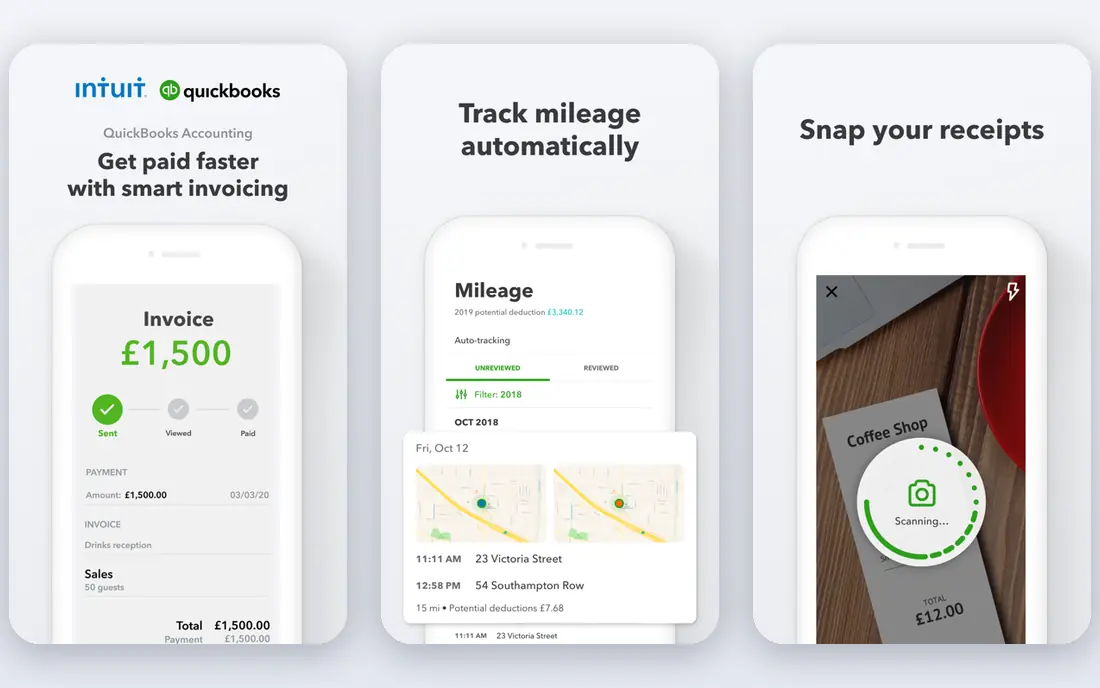
QuickBooks Online is the default for most US small businesses for a practical reason: accountants know it, banks connect to it, and apps integrate with it. Simple Start is listed at $38 per month in recent September 2026 price checks, with Essentials, Plus, and Advanced above it adding users, inventory, projects, and deeper reporting. Invoicing, payments, bank feeds, and reporting cover the core bookkeeping job well.
The cost to watch is users. Simple Start covers one user, so a team of three or five must move up, and Plus and Advanced prices rise accordingly. If your accountant already works in QuickBooks, that familiarity often outweighs the price, because year-end cleanup gets faster and cheaper.
- Widest US accountant network
- Broad integration list
- Inventory, projects, and time on higher plans
- Higher cost as users grow
- Entry plan covers one user
- Learning curve is steeper than Wave or FreshBooks
Xero is the cleanest rival to QuickBooks for teams, because every plan includes unlimited users, so adding a bookkeeper, a manager, and an accountant does not force a tier jump. Early is listed at $25 per month in recent checks, with Growing and Established above it adding bills, projects, expenses, and multi-currency. Bank reconciliation is a particular strength, with clear matching and rules.
The entry cap is the catch: Early limits monthly invoices and bills, so a busy business outgrows it fast. US payroll also runs through partners rather than native Xero payroll. For teams with several users, or businesses trading in more than one currency, Xero often wins on value despite those limits.
- Unlimited users on every plan
- Clean bank reconciliation
- Strong multi-currency support on higher plans
- Entry plan caps invoices and bills
- Payroll in the US runs through partners such as Gusto
- Inventory is basic
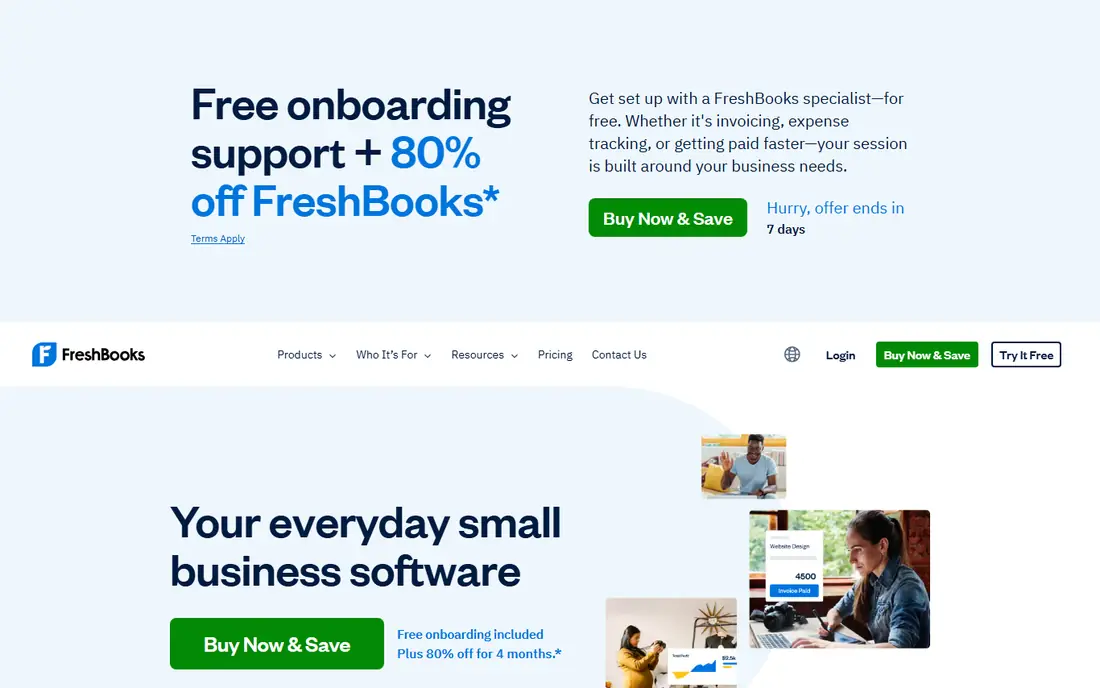
FreshBooks suits freelancers, agencies, and service businesses that bill clients by hour or project. Lite is listed at $23 per month in recent checks, with Plus and Premium above it adding more billable clients and features. Invoices look professional, clients can pay online, and time tracking feeds directly into billing, which cuts the gap between work done and money collected.
FreshBooks is not a full accounting suite in the QuickBooks sense, especially on lower tiers, where bank reconciliation and double-entry depth are lighter. If you sell products with inventory, or need deep general ledger reporting, QuickBooks or Xero fits better. For service billing, FreshBooks is the most pleasant tool here.
- Excellent invoicing and client experience
- Time tracking for billable work
- Simple setup for service firms
- Entry plan limits billable clients
- No full double-entry depth on lower tiers
- Inventory is limited
Wave is the best free starting point for a solo operator or side business, because core accounting, invoicing, and expense tracking cost nothing in its Starter plan. That is real double-entry accounting, not a spreadsheet dressed up as software, so year-end records stay clean. Paid Pro, listed around $19 per month in recent checks, adds features such as automatic bank import.
The limits are scale and automation. Bank feeds, payroll, and advanced features need paid plans or add-ons, and the integration list is smaller than QuickBooks or Xero. For a one-person business with simple income and expenses, Wave covers the job at no monthly cost, which is hard to argue against.
- Free core accounting with real double-entry
- Invoicing and expense tracking included
- Simple for solo owners
- Automatic bank import needs a paid plan in recent checks
- Payroll is an add-on
- Fewer integrations than QuickBooks
Zoho Books offers a free tier for small businesses under about $50,000 in annual revenue, with 1,000 invoices per year in recent checks, which suits a bootstrapped founder with modest volume. Paid plans start around $20 per month, adding users, automation, and deeper features. Workflows, recurring invoices, and client portals cover the daily bookkeeping job well.
The trade-off is ecosystem fit. Zoho Books shines inside the Zoho suite, with CRM, inventory, and project links, and it feels less central if you use no other Zoho apps. For a Zoho user on a tight budget, it is the natural pick, and the free tier lets you prove the fit before paying.
- Free tier for businesses under about $50,000 revenue
- Automation and workflows
- Strong Zoho ecosystem links
- Free tier caps invoices per year
- Full value needs other Zoho apps
- US payroll needs separate tools
Sage 50, formerly Peachtree, suits small businesses that prefer desktop-style accounting with strong inventory, job costing, and payroll links. Recent price checks list Pro around $128 per month with an annual commitment, rising through Premium and Quantum tiers, so we list See website and advise checking the live Sage page for your region and plan. That price reflects a deeper, more traditional accounting product, not a light invoicing app.
The honest catch is that Sage 50 is not a cheap web-native tool, and its interface feels older than QuickBooks Online or Xero. For product, manufacturing, or job-costing businesses that already know Sage, the depth justifies it. For a new service business, a web tool will feel faster.
- Familiar desktop-style accounting
- Strong inventory and job costing on higher tiers
- Established small business base
- Subscription pricing with annual commitment in recent checks
- Interface feels older
- Cloud access differs from web-native tools
FreeAgent gives freelancers and small companies a clear view of cash, invoices, expenses, and tax estimates in one dashboard. That clarity helps owners who want to know what they owe and what is coming in, without opening five reports. FreeAgent is strong in the UK and also serves US small businesses, with bank feeds, invoicing, and time tracking in the core product.
The limit is US ecosystem depth. Fewer US accountants default to FreeAgent than to QuickBooks, and inventory and payroll depth are lighter. For a small service business that values a simple dashboard over a vast integration list, FreeAgent is a calm, capable choice, with a free trial to test the fit.
- Clear dashboard for cash, tax, and invoices
- Simple for freelancers and small companies
- UK and US coverage
- Pricing varies by region and partner
- Less US accountant depth than QuickBooks
- Inventory is basic
Patriot Accounting suits very small US businesses that want accounting and payroll from one simple vendor. Its accounting covers income, expenses, invoicing, and reports, while its payroll product handles tax filings and direct deposit, which keeps two core jobs in one login. That pairing helps owners with a handful of employees who do not want to stitch tools together.
The trade-off is breadth. Patriot has fewer third-party integrations and less reporting depth than QuickBooks or Xero, and it suits small firms better than growing companies with complex inventory or multi-entity needs. For a simple US employer, that simplicity is the point.
- Simple US accounting and payroll pairing
- Clear pricing structure
- Good for very small employers
- Fewer integrations than QuickBooks or Xero
- Reporting depth is lighter
- Best fit is small US firms
AccountEdge suits a single owner who wants desktop-style control over accounts, payroll, and inventory without a web-first workflow. Pro is listed at $20 per month in recent checks, with a Hosted option around $50 per month for remote access. That structure appeals to owners who keep books on one machine and want familiar, local control.
The limit is collaboration. AccountEdge is built for one user at a time, and multi-user or accountant access needs the hosted route or file sharing. For a solo owner with inventory or payroll who prefers desktop software, AccountEdge remains a live, credible option in 2026.
- Single-user desktop-style control
- Payroll and inventory features
- One-time-style Pro pricing in recent checks
- Single-user limit on base plans
- Mac and Windows versions differ
- Cloud collaboration is limited
How we picked these
We compared vendor pricing pages and September 2026 price checks, and we kept tools that are live for US small businesses, that handle invoicing, expenses, bank feeds, and reporting, and that cover different budgets and business types. We marked See website where regional pricing or plan changes made a single figure unreliable, rather than printing a guess. We also noted entry-plan caps, because those caps decide real cost more than headline prices do.
How to choose the right accounting tool
Start with your accountant, your user count, and your billing model. If your accountant works in QuickBooks, that alone often settles the choice. If several people need access, Xero unlimited users change the math. If you bill time, FreshBooks invoicing matters most, and if budget is zero, Wave or Zoho Books free tiers let you start today.
Check the entry plan against real volume
Count monthly invoices, bills, users, and bank transactions, then compare those counts with the entry plan caps. A $25 plan that caps invoices at 20 per month is not cheaper than a $38 plan with room to grow. Trial with a full month of real transactions, and check how bank matching, payroll, and year-end reports behave before you commit.
Frequently asked questions
What is the best accounting software for small businesses?
QuickBooks Online is the best overall pick for most US small businesses, because accountants and integrations assume it. Xero is the best pick when several users need access or multi-currency matters, while FreshBooks leads for service billing. Wave and Zoho Books lead for very small budgets, with free tiers that cover core bookkeeping.
What is the best small business software accounting option for freelancers?
FreshBooks suits freelancers who bill by time or project, while Wave suits freelancers with simple income and expenses at no monthly cost. Zoho Books free tier also suits freelancers under about $50,000 revenue. Pick FreshBooks for client billing polish, and Wave or Zoho Books for lowest cost.
Is free accounting software good enough?
Yes, for simple businesses. Wave free core accounting and Zoho Books free tier cover invoicing, expenses, and reports for low-volume owners. Free plans limit bank automation, users, and invoice volume, so growing businesses usually move to a paid plan. Start free, then upgrade when a cap starts costing you time.
Do I still need an accountant if I use accounting software?
Software records transactions, but an accountant helps with tax rules, entity choice, payroll compliance, and year-end close. Many owners keep software for daily books and use an accountant for review and tax filing. This guide is general information, not tax advice, so confirm tax treatment with a qualified professional.
Can I switch accounting software later?
Yes, but switching takes planning, because chart of accounts, open invoices, and bank history must move cleanly. Export data, close a month-end before you move, and run both tools in parallel for one cycle where possible. Ask your accountant to review the opening balances in the new tool before you close the old one.
Sources
- https://quickbooks.intuit.com
- https://www.xero.com
- https://www.freshbooks.com
- https://www.waveapps.com
- https://www.zoho.com/books/
- https://www.sage.com
- https://www.freeagent.com
- https://www.patriotsoftware.com
- https://www.accountedge.com
- https://gatpsolutions.com/blog/bookkeeping-software-for-small-business/
- https://saascompared.com/blog/xero-vs-quickbooks-vs-freshbooks-2026
See where you really rank - block by block
ProMapRanker scans Google Maps across a grid of your service area. Simple monthly plans from $19, white-label on every plan.
Start freeKeep reading
 outreach alternatives
Outreach Alternatives in 2026
Compare outreach alternatives for 2026, from Salesloft and Apollo to HubSpot and Lemlist, with pricing, channels, features, limits, and honest trade-offs.
Read → best web conference tools
Best Web Conference Tools in 2026
Compare the best web conference tools for meetings, webinars and team calls, with current pricing, free plans and honest limits for each option here today.
Read → best voice cloning tools
Best Voice Cloning Tools in 2026
Compare the best voice cloning tools in 2026, from ElevenLabs and Descript to Resemble and Cartesia, with consent rules, pricing, licenses, and limits.
Read →