 ProMapRanker
Best Accounting Practice Management Software in 2026


Email-driven firm workflows · Pricing starts at: $59 per user per month
Key takeaways
- Karbon suits firms where client work runs through email, while TaxDome suits firms that want one portal for clients, documents and billing.
- Financial Cents and Jetpack Workflow suit smaller firms that want workflows running fast, without a full suite on day one.
- Canopy suits tax-heavy practices, especially firms handling tax resolution work alongside regular compliance.
- Watch billing models: TaxDome bills annually upfront, Canopy uses add-ons, and Karbon tiers differ on reminders and API access.
- Trial with real client work, not a demo file, since setup time and daily workflow feel matter more than a feature list.
Quick comparison
| Pick | Great for | Pricing starts at | Free tier | |
|---|---|---|---|---|
| Karbon | Email-driven firm workflows | $59 per user per month | Free trial | Visit |
 TaxDome | All-in-one client portal | $800 per seat per year | No | Visit |
 Canopy | Tax practices and resolution | $74 per user per month | No | Visit |
 Financial Cents | Small firms that want fast setup | $19 per month | Free trial | Visit |
 Jetpack Workflow | Recurring task tracking | $40 per user per month | Free trial | Visit |
 Pixie | Flat workspace pricing | $129 per month | Free trial | Visit |
 Uku | Profitability on advisory work | $19 per member per month | Free trial | Visit |
 Tidyflow | Full client-work loop at lower price | $39 per user per month | No | Visit |
 Xero Practice Manager | Firms already on Xero | See website | Free trial | Visit |
The best accounting practice management software
Accounting practice management software runs client work in one place: recurring jobs, deadlines, documents, signatures, billing and who owns each task. It sits beside tax software and client ledgers, not inside them. This list covers full suites and focused workflow tools, with a plain note on pricing and billing terms. We left out Senta, since it closed to new customers in 2024 and cannot be bought today.

Karbon suits firms where client work starts in email. A shared inbox, tasks, client requests and workflows sit together, so a team can see who owns a job without hunting through separate inboxes. That email-first view helps growing firms where work arrives from many clients at once and deadlines overlap.
Pricing starts at $59 per user per month for Team when billed yearly, with Business at $89 per user per month adding deeper automation and API access. Check the current pricing page, since tier limits affect reminders and integrations. Firms that mainly need simple recurring checklists may find Jetpack Workflow cheaper, but firms that live in email will find Karbon worth the step up.
- Shared inbox and workflow in one view
- Strong collaboration and client tasks
- Good for growing teams
- Team plan lacks some automation and API access
- E-signatures may need an add-on
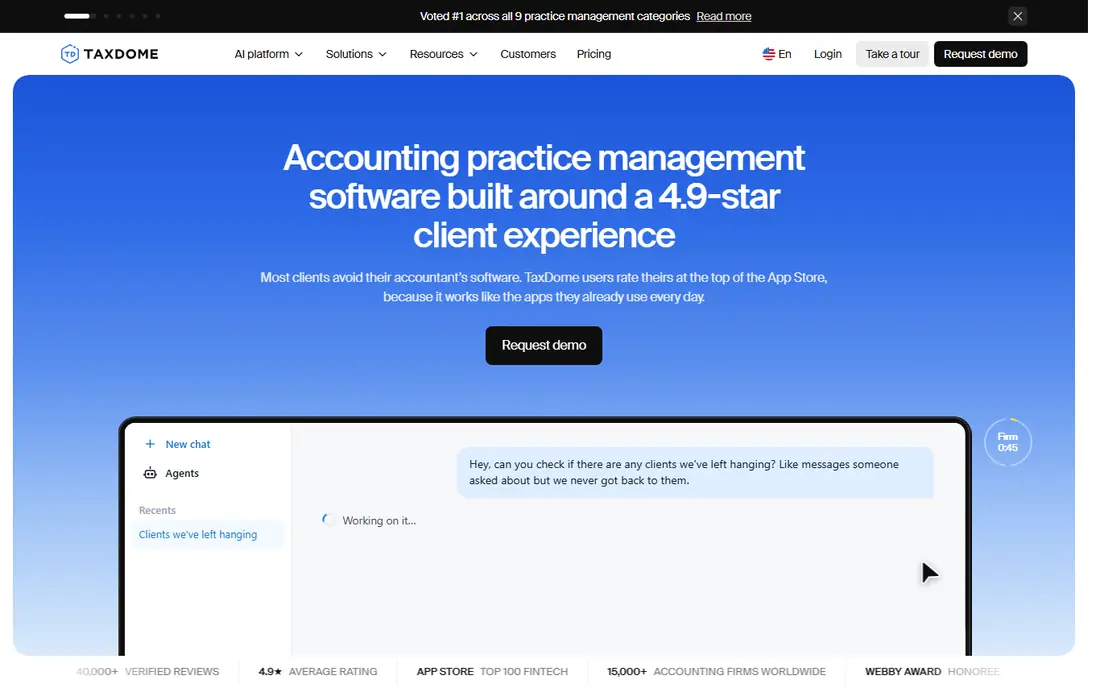
TaxDome suits tax and accounting firms that want one system for clients, documents, signatures, proposals and payments. A branded portal gives clients one place to upload documents, sign forms and pay, while workflow templates cover common tax and bookkeeping jobs. That all-in-one scope reduces the need for separate portal, signature and billing tools.
The commitment is the main caution. Essentials starts at $800 per seat per year, with Pro at $1,000, billed upfront with no monthly option in published plans. Setup also takes time, especially for firms moving from spreadsheets or a simpler tool. Firms that want the full portal experience and can commit for a year will find TaxDome strong value. Firms that need monthly flexibility should look at Financial Cents or Tidyflow.
- CRM, portal, e-signatures, billing and workflows in one suite
- Branded client experience
- Strong tax workflow templates
- Annual upfront billing with no monthly option
- Setup can take weeks without paid onboarding

Canopy suits tax practices that handle resolution work, notices and IRS-facing tasks alongside regular returns. Its tools cover client management, document requests, transcripts and AI-assisted preparation, with a portal for client communication. That tax focus sets it apart from general workflow tools that treat tax as one job type among many.
Pricing starts from $74 per user per month for Standard when billed yearly, but workflow, document and billing features sit in separate modules in some bundles, so confirm the full suite price before signing. Firms with light tax work may find Karbon or TaxDome simpler. Firms with heavy tax resolution work will find Canopy's specialist tools worth the modular cost.
- Tax resolution tools and AI-assisted prep
- Client portal and billing
- Good for IRS-heavy work
- Modular pricing means add-ons raise the real total
- Training and setup can add cost
Financial Cents suits small firms that want workflows running this week, not after a long implementation. Templates for common jobs, a client portal and clear task ownership give a small team a working system fast. Solo pricing at $19 per month, with Team at $49 per user per month when billed yearly, keeps entry cost low.
The limits appear at larger scale. E-signature support is more limited than in TaxDome, and some firms report that reporting and customization feel simpler than Karbon. For a solo accountant or a small team, that simplicity is a strength. For a mid-size firm with complex reviews, Karbon or Canopy may offer more depth.
- Fast setup with workflow templates
- Client portal and task tracking
- Low solo entry price
- E-signature options are limited compared with TaxDome
- Larger firms may outgrow some views
Jetpack Workflow suits firms that mainly need reliable recurring task tracking without a full suite. Jobs repeat on a schedule, deadlines stay visible, and managers can see workload across the team. That focus makes it easy to learn and hard to break, which matters for firms moving off spreadsheets.
The trade-off is scope: there is no client portal, billing or e-signature tool, so firms need separate tools for client-facing work. Pricing starts at $40 per user per month when billed yearly. If your firm needs a portal and billing in one place, TaxDome or Financial Cents fit better. If you only need workflow discipline, Jetpack Workflow is the simplest strong pick.
- Simple recurring jobs and deadlines
- Clear team workload view
- Fast to learn
- No client portal
- No built-in billing or e-signatures
Pixie suits small firms that want predictable pricing by client count rather than by seat. At $129 per month for up to 250 clients in published plans, a growing team can add staff without a per-seat jump. Workflows, a client portal and email integration cover the core practice loop for bookkeeping and accounting firms.
The limits are in billing and e-signature depth, which are thinner than in TaxDome. Pixie also has a stronger UK base, so US tax firms should check tax workflow fit before choosing it. For small firms that value flat pricing and a simple portal, Pixie offers a clear and fair model.
- Workspace pricing by client count, not seats
- Client portal and workflows
- Good for small UK firms
- Limited e-signature and billing depth
- Less suited to large US tax firms
Uku suits firms that want to see profitability by client and service, especially as advisory work grows alongside compliance. Workflows, time tracking and client views help a firm price work, track effort and spot low-margin clients. Solo pricing at $19 per member per month when billed yearly keeps entry cost low for small firms.
The ecosystem is smaller than Karbon or TaxDome, so integrations and templates may feel thinner for specialist tax work. Firms that mainly need compliance workflows may prefer Financial Cents or Jetpack Workflow. Firms that want profitability insight with their workflow will find Uku a useful and affordable pick.
- Profitability views for advisory and client work
- Workflow and time tracking
- Low solo entry price
- Smaller ecosystem than Karbon or TaxDome
- Some firms may need a separate portal for complex client needs
Tidyflow suits growing firms that want Karbon-style depth at a lower price. At $39 per user per month, it covers the full client-work loop: portal, workflows, time, billing and signatures, without the modular add-on pattern of some rivals. Setup is designed to be fast, which helps firms that cannot afford a long implementation.
As a newer vendor, Tidyflow has a smaller community and fewer third-party write-ups than Karbon or TaxDome. There is no free plan, so use the trial with real client work before committing. For firms that want a full suite without enterprise pricing, Tidyflow is a strong value pick to test alongside Financial Cents.
- Client portal, workflows, billing and e-signatures in one tool
- Lower price than Karbon Business
- Fast setup
- Newer vendor with a smaller community
- No free plan, so trials matter more
Xero Practice Manager suits firms already committed to Xero. Job tracking, time and invoicing tie directly to Xero data, and Silver and above partners get it included, which makes it a low-cost starting point. For a Xero-first bookkeeping firm, that integration removes duplicate data entry.
The main limit is client-facing depth: there is no built-in client portal, so firms need a separate tool for document collection and signatures. Tax-heavy firms may also need a specialist suite alongside it. Check current partner pricing, since Bronze and new partners face a monthly fee. For Xero firms that only need workflow and time, it is a practical pick.
- Included for Silver and above Xero partners
- Job and time tracking tied to Xero
- Good for Xero-first firms
- No built-in client portal
- Less depth than full suites for tax-heavy firms
How we picked these
We compared official pricing pages, product documentation and public comparisons, and we favored tools that are actively sold to accounting firms in October 2026. We looked for workflow coverage, client portal and document handling, billing and signature support, and a pricing model a firm can test. We did not claim hands-on testing; our comparison rests on published features, pricing and documented limits. We excluded Senta because it closed to new customers in 2024.
What to check before you buy
Trial with real work, not a demo file. Import a real client list, set up three recurring jobs and run one full job from request to invoice during the trial. That test reveals setup time, email handling and portal friction faster than any feature sheet. Involve the staff who will use the tool daily, since their workflow feel decides adoption more than a partner demo.
Check total cost, not just the headline tier. Add seats for seasonal staff, e-signature add-ons, training and any module fees, then compare the yearly total across vendors. Confirm billing terms in writing: monthly or annual, upfront or monthly, and what happens to client data if you leave. A low monthly headline can hide a high annual total once add-ons are included.
Plan migration and client communication before signing. Export client data, documents and job history from your current system, and tell clients what will change in the portal and document process. A short client guide and a two-week overlap period prevent missed documents during tax season. If migration help is paid, get the scope and timeline in writing before the busy season starts.
Frequently asked questions
What is the best accounting practice management software for a small firm?
Financial Cents and Tidyflow are strong small-firm picks, with fast setup and prices from $19 and $39 per user per month. Jetpack Workflow suits firms that only need recurring task tracking at $40 per user per month. Trial each with real client work, since daily workflow feel matters more than a feature list.
What are the top accounting practice management software options?
Top options in this list include Karbon for email-driven teams, TaxDome for an all-in-one portal, Canopy for tax practices and Financial Cents for small firms. Xero Practice Manager suits Xero-first firms, while Pixie and Uku suit firms that want flat or profitability-focused pricing. Compare total yearly cost, including add-ons, before choosing.
How much does accounting practice management software cost?
Most full suites in this list sit between $39 and $89 per user per month, with TaxDome at $800 to $1,000 per seat per year. Solo and workspace plans start lower, at $19 per month for Financial Cents Solo and Uku Solo, and $129 per month for Pixie. Confirm add-ons and billing terms, since they change the real total.
Does TaxDome offer monthly billing?
No, in published plans TaxDome bills annually upfront, with no monthly option. Essentials starts at $800 per seat per year and Pro at $1,000. Firms that need monthly flexibility should consider Financial Cents, Tidyflow or Jetpack Workflow, which offer monthly or annual billing options.
Is Senta still available for new firms?
No, Senta closed to new customers in 2024, so it cannot be bought today. Existing users should check current vendor guidance, while new firms should pick from active tools in this list. Karbon, TaxDome and Financial Cents cover similar workflow and portal needs for new buyers.
Should I pick a full suite or a workflow-only tool?
Pick a full suite if clients need a portal, signatures and billing in one place, and pick a workflow-only tool if you only need recurring jobs and deadlines. Full suites cost more and take longer to set up, while workflow tools are faster but need separate portal tools. Start with your main gap, portal or workflow, and choose from there.
Sources
See where you really rank - block by block
ProMapRanker scans Google Maps across a grid of your service area. Simple monthly plans from $19, white-label on every plan.
Start freeKeep reading
 zscaler alternatives
Best Zscaler Alternatives in 2026
Looking for zscaler alternatives? We compare 9 SASE and zero trust platforms on architecture, data protection, pricing, and fit for your network and team.
Read → zapier alternatives free
Best Zapier Alternatives Free in 2026
Nine automation tools for zapier alternatives free in 2026, all with genuinely free tiers, plus free plan limits, starting prices and upgrade paths explained.
Read → which platform is best for online reputation
Which Platform Is Best for Online Reputation in 2026
Wondering which platform is best for online reputation? We compare 8 review, listing, and response tools for small and multi-location businesses and agencies.
Read →