 ProMapRanker
Best 3D Parts Catalog Software in 2026

Key takeaways
- A good 3D parts catalog turns a CAD model and a bill of materials into an exploded view that a dealer or customer can click, identify, and order from.
- Partful and Components Engine are the clearest fits for manufacturers that sell spare parts through dealers, while 3Dfindit and 3D ContentCentral suit teams that publish large CAD libraries.
- Most enterprise tools in this group do not publish prices, so plan for a demo and a quote, and test the catalog with one real product before you sign.
- Offline and PDF output still matters for field teams, and it is one of the main differences between the tools below.
- The best choice depends on your source data: clean CAD and bill of materials data makes setup far faster than a catalog built from PDFs and spreadsheets.
Quick comparison
| Pick | Great for | Pricing starts at | Free tier | |
|---|---|---|---|---|
 Partful | OEMs selling spare parts online | See website | No | Visit |
 Components Engine | Interactive 2D and 3D spare parts catalogs | See website | No | Visit |
 CDS Visual | Product configuration and visualization | See website | No | Visit |
 3Dfindit | Publishing searchable CAD parts libraries | See website | No | Visit |
 3D ContentCentral | SolidWorks parts libraries | See website | No | Visit |
 Intelli Catalog | Automotive and equipment parts catalogs | See website | No | Visit |
 Documoto | Equipment parts catalogs with ordering | See website | No | Visit |
 Catalog Machine | Simple online parts catalogs | See website | No | Visit |
 Cortona3D RapidAuthor | Authoring 3D technical documentation | See website | No | Visit |
The best 3D parts catalog software
We compared tools that publish interactive parts catalogs from engineering data, not generic product catalogs. The list below favors tools built for spare parts lookup, exploded views, and ordering.

Partful is built for manufacturers that want dealers and customers to find the right spare part without calling support. It turns existing CAD data into a 3D model that users can explode, rotate, and zoom, then click a part to see its name, number, and price details where the manufacturer chooses to show them. Ordering controls let a team limit who sees prices, who can order, and who can use discounts, which matters when dealers and end users share the same catalog.
The trade off is that Partful is a sales led product with no published price, so smaller firms should ask for a quote early and confirm what is included for catalog creation, hosting, and support. It also works best when the engineering data is already in good shape. If your bill of materials does not match your CAD model, expect cleanup work before the catalog looks as clean as the demos.
- Builds catalogs from CAD and bill of materials data
- Exploded 3D views with click to order
- Browser based for dealers and end users
- Pricing is not published
- Setup quality depends on clean CAD and bill of materials data

Components Engine is one of the most established names in this niche, and its strength is flexibility in how a catalog is published. A team can put the same catalog online for dealers, offer an offline version for field use, and still produce a PDF for customers who want a printed reference. That range is useful for equipment makers whose service teams do not always have a reliable connection.
Its PLM links are a practical advantage for larger manufacturers, since revision updates can flow into the catalog instead of being retyped by hand. The downside is the usual one for this category: pricing and onboarding are handled through sales, and the product rewards teams that already understand spare parts data. Smaller firms should ask for a full demo using their own parts before committing.
- Online, offline, and PDF catalog output
- Exploded views tied to bills of materials
- Warranty claims handling in newer versions
- Pricing is not published on the main site
- Interface and setup feel geared to experienced catalog teams
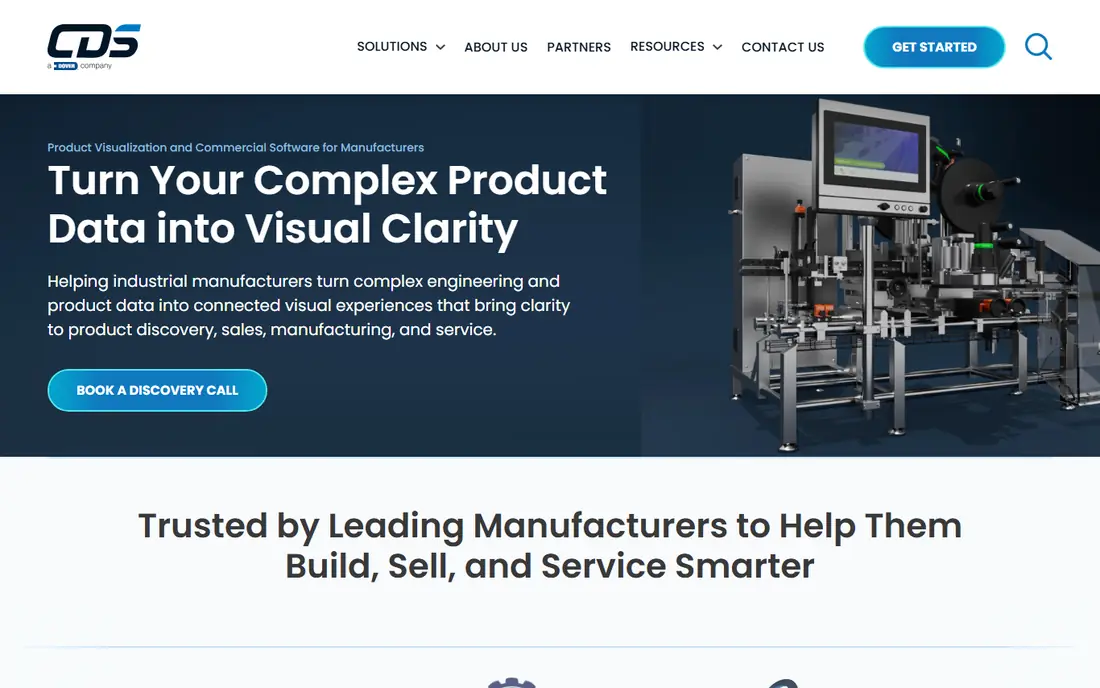
CDS Visual sits at the boundary between a parts catalog and a product configurator. It repurposes existing CAD assets into interactive visuals, so a customer can change options and see the product change, rather than reading a long specification sheet. For makers of configurable equipment, that can cut down on clarification calls and wrong orders.
It is less of a pure spare parts tool than Partful or Components Engine, so teams that mainly need after sales parts lookup should check how exploded views, part numbers, and ordering are handled in a demo. Pricing is quote based, which makes it hard to compare on cost alone. Ask how configuration rules are built, who maintains them, and what happens when a model changes.
- Visual configuration from CAD assets
- Customer facing product visualization
- Broad CAD format support
- Pricing is not published
- Complex configurations may need extra customization work
3Dfindit, from CADENAS, is best understood as a parts library and discovery tool. Engineers and buyers can search for a part, check its geometry and data, and download it in a CAD format that fits their design tool. For component suppliers, publishing on 3Dfindit puts parts where engineers are already looking, which can shorten the path from discovery to specification.
The fit for a spare parts catalog is narrower. It is strong for finding and reusing parts during design, and less focused on dealer ordering, pricing controls, and warranty handling. If your main job is after sales support, pair it with a dedicated catalog tool or test its configurator carefully. If your main job is getting specified by engineers, it belongs near the top of the list.
- Large searchable library of manufacturer parts
- CAD download in many formats
- Configurator options for suppliers
- Pricing is not published
- It is a library and configurator more than an after sales ordering system
3D ContentCentral is Dassault Systemes community library for 3D CAD models, with a natural fit for SolidWorks users. Designers can search for supplier parts, preview models, and download them for use in assemblies, which saves redrawing common components. The breadth of the library is the main draw, since it covers many suppliers and part types in one place.
Quality varies because models come from different suppliers, so a team should check dimensions and data before using a model in production. It also does not replace a dealer parts catalog with ordering, pricing rules, and service workflows. Use it for design reuse and supplier discovery, and choose a dedicated catalog tool for after sales.
- Large library of supplier models
- Strong fit for SolidWorks users
- Free community access for many models
- Library quality varies by supplier
- Not a full after sales parts ordering platform
Intelli Catalog is aimed at OEMs that manage large spare parts catalogs across dealers and regions. Its interactive illustrations let a user click a part in a drawing and see its details, which is the core interaction that cuts misordering. Multilingual support helps manufacturers that sell the same machine in several markets without rebuilding the catalog for each one.
The vendor also describes AI assisted search, including visual and voice options, but those features matter less than the basics: accurate part data, fast search by part number or VIN where relevant, and clean updates when a part changes. Pricing is quote based, so ask for a pilot with a real product family and measure how long updates take.
- Interactive 2D and 3D illustrations with part highlighting
- Multilingual catalog support
- AI assisted search features described by the vendor
- Pricing is not published
- Vendor claims about AI search should be tested in a demo with your own catalog
Documoto is built for equipment manufacturers that need parts catalogs, service content, and ordering in one place. Dealers can look up a part in context, see related documentation, and place an order without switching systems. That combination helps after sales teams, since the catalog is part of a service workflow rather than a standalone viewer.
The trade off is scope. Documoto is strongest for equipment and heavy machinery makers, and general manufacturers may find simpler tools faster to set up. As with most tools here, pricing is handled through sales. Ask about data migration, ERP links, and how dealer permissions are managed before you compare it with a lighter catalog tool.
- Parts catalogs tied to ordering workflows
- Dealer and customer portals
- Content management for technical documentation
- Pricing is not published
- Best fit is equipment makers rather than general manufacturers
Catalog Machine is a simpler option for teams that need an online parts catalog without a full engineering platform. It suits smaller parts ranges and firms that want customers to browse, search, and order without a long implementation project. The web based approach keeps access simple for dealers and end users.
It is not the strongest pick for large, complex 3D exploded catalogs with deep PLM links, and teams with hundreds of assemblies should test performance and data handling first. Pricing is not published, so request a quote tied to your catalog size. For a first catalog, or a replacement for PDFs, its simplicity is a real advantage.
- Straightforward online catalog creation
- Useful for smaller parts ranges
- Web based access for customers
- Less depth for large 3D exploded catalogs
- Pricing is not published
Cortona3D RapidAuthor is an authoring tool, not a hosted storefront, and that distinction matters. It lets technical authors turn CAD data into 3D illustrations, parts breakdowns, and step by step procedures that can be reused across manuals, training, and catalogs. Teams that already produce detailed service documentation will get the most from it.
If you need a dealer portal with ordering and pricing controls, RapidAuthor alone will not cover that, and you may need to pair it with a catalog or commerce tool. Pricing is quote based. It is the right pick when documentation quality and reuse matter more than a quick online catalog, and when your team has authors who will use it regularly.
- Creates 3D parts illustrations and procedures from CAD
- Supports technical documentation workflows
- Reusable content for catalogs and manuals
- Authoring focused rather than a hosted dealer catalog
- Pricing is not published
How we picked these
We compared official product pages, category listings, and public vendor descriptions for tools that publish 3D parts catalogs from CAD and bill of materials data. We kept tools that exist and work in October 2026, that truly fit parts lookup and ordering or parts documentation, and that publish interactive 3D or 2D catalogs rather than static PDFs alone. We did not include generic product catalog or ecommerce tools that lack parts specific features. Where a vendor does not publish a price, we wrote See website rather than guessing.
What to check before you buy
Start with your data, not the demo. Gather one complete product family, including CAD files, bill of materials, part numbers, prices, and supersession history, and ask each vendor to build a sample catalog from it. Watch how long updates take, how a part change flows through, and how search handles a partial part number or an old number.
Check who will use the catalog and where. Dealers may need pricing and ordering, end users may need only identification, and field technicians may need offline access. Confirm permissions, language support, and mobile use on a tablet, since a catalog that only works well on a desktop will fail in the field. Finally, confirm hosting, data ownership, and exit terms, so your catalog data remains usable if you change vendors.
Questions to ask in a demo
Ask how CAD and bill of materials updates are handled, whether pricing and stock can be linked, and how warranty or superseded parts are shown. Ask who maintains configuration rules and illustrations, and what training your team will need. A vendor that answers with your own parts, rather than a polished sample, is giving you a far better signal.
Frequently asked questions
What is 3D parts catalog software?
It is software that turns CAD models and bill of materials data into interactive catalogs where users can view exploded assemblies, click a part, and see its number, description, and ordering details. It replaces static PDFs and printed diagrams for dealers, service teams, and customers.
How much does 3D parts catalog software cost?
Most enterprise tools in this category do not publish prices and charge by catalog size, users, or implementation scope. Expect a quote after a demo, and ask what is included for setup, hosting, data updates, and support so you can compare vendors fairly.
Do I need clean CAD data to use these tools?
Clean data helps a great deal, but it is not always a blocker. Vendors can work with imperfect data, yet the catalog will only be as accurate as the source files. Budget time to fix mismatches between CAD models and bills of materials before launch.
Can customers order parts directly from a 3D catalog?
Some tools, including Partful and Documoto, support ordering and dealer permissions, while others focus on identification and documentation. If ordering matters, confirm it in a demo, including pricing visibility, discounts, and ERP links.
What is the difference between a 3D parts catalog and a product configurator?
A parts catalog helps users identify and order spare parts for an existing product, while a configurator helps buyers build a new product variant. Some tools cover both, but most are stronger in one area, so choose based on your main job.
Sources
- https://partful.io
- https://www.componentsengine.com
- https://www.cdsvisual.com
- https://www.3dfindit.com
- https://www.3dcontentcentral.com
- https://www.intellinetsystem.com
- https://www.documoto.com
- https://www.catalogmachine.com
- https://www.cortona3d.com
- https://slashdot.org/software/3d-parts-catalog/in-usa/
- https://www.g2.com/discussions/which-3d-parts-catalog-software-is-highest-rated-for-post-sale-customer-support-and-parts-discovery
See where you really rank - block by block
ProMapRanker scans Google Maps across a grid of your service area. Simple monthly plans from $19, white-label on every plan.
Start freeKeep reading
 zscaler alternatives
Best Zscaler Alternatives in 2026
Looking for zscaler alternatives? We compare 9 SASE and zero trust platforms on architecture, data protection, pricing, and fit for your network and team.
Read → zapier alternatives free
Best Zapier Alternatives Free in 2026
Nine automation tools for zapier alternatives free in 2026, all with genuinely free tiers, plus free plan limits, starting prices and upgrade paths explained.
Read → which platform is best for online reputation
Which Platform Is Best for Online Reputation in 2026
Wondering which platform is best for online reputation? We compare 8 review, listing, and response tools for small and multi-location businesses and agencies.
Read →