 ProMapRanker
Best 3D CAD Software in 2026

Key takeaways
- Autodesk Fusion is our pick for most makers and small teams, combining CAD, CAM and simulation in one subscription.
- FreeCAD is the best truly free 3D CAD software for parametric modelling, with no subscription or feature paywall.
- SOLIDWORKS remains the benchmark for professional mechanical design, drawings and large assemblies, at a professional price.
- Onshape is the best cloud option for teams that need real-time collaboration and version control in a browser.
- For 3D printing, check STL and 3MF export, mesh repair and slicer integration, not just modelling tools.
Quick comparison
| Pick | Great for | Pricing starts at | Free tier | |
|---|---|---|---|---|
 Autodesk Fusion | Makers and small teams | $57 per month | Yes | Visit |
 SOLIDWORKS | Professional mechanical design | See website | No | Visit |
 FreeCAD | Free parametric modelling | Free | Yes | Visit |
 Onshape | Cloud team collaboration | $1,500 per year | Yes | Visit |
 Rhino | Freeform surface modelling | See website | No | Visit |
 SketchUp | Fast concept modelling | See website | No | Visit |
 Autodesk Inventor | Autodesk mechanical design | See website | No | Visit |
 Solid Edge | Mid-range mechanical design | See website | No | Visit |
 Tinkercad | Absolute beginners | Free | Yes | Visit |
 Shapr3D | Tablet and iPad modelling | See website | Yes | Visit |
The best 3D CAD software
These tools cover parametric engineering design, freeform surfaces, concept modelling and 3D printing preparation, and they differ in price, platform and learning curve. Free options here mean a genuinely usable free tier or open-source licence, not a short trial. Check system requirements and file compatibility with your manufacturer, client or slicer before committing to a tool.

Autodesk Fusion, formerly Fusion 360, is the most complete single package for makers, startups and small engineering teams. It combines parametric modelling, freeform form modelling, sheet metal, rendering, simulation and CAM toolpaths for machining in one subscription, so a part can move from sketch to toolpath without changing software. For 3D printing, STL and 3MF export and direct send to many slicers keep the workflow short.
A free personal use licence covers qualifying hobbyists with limits on active documents and some features, while paid plans start at around $57 per user per month on current listings. The cloud link is the catch: Fusion needs periodic online licence checks, so it is less suited to fully offline work than FreeCAD. If you make physical products and want one tool for design and manufacture, Fusion is the best value professional option here.
- Integrated CAD, CAM and simulation
- Free personal use licence for qualifying hobbyists
- Good 3D printing export
- Cloud-connected licence needs periodic online checks
- Large assemblies can strain the platform
SOLIDWORKS is the benchmark for professional mechanical design, and that status matters for careers and client work. Its parametric engine, drawing standards, sheet metal tools and large assembly handling are deeper than most rivals, and its file formats are widely accepted by manufacturers. Certification through the CSWA and CSWP exams is also recognised by employers, which adds career value beyond the software itself.
Cost and platform are the barriers. Professional subscriptions run into thousands of dollars per year depending on tier, and desktop SOLIDWORKS runs on Windows only, which excludes Mac-based teams unless they use a virtual machine or a cloud desktop. Students can access a free education edition in many cases, and a makers edition costs far less for personal projects, so check those routes before paying full price.
- Industry-standard parametric modelling
- Strong drawings and large assembly tools
- Widely recognised certification
- Windows only
- Professional subscription price is high for individuals and small firms
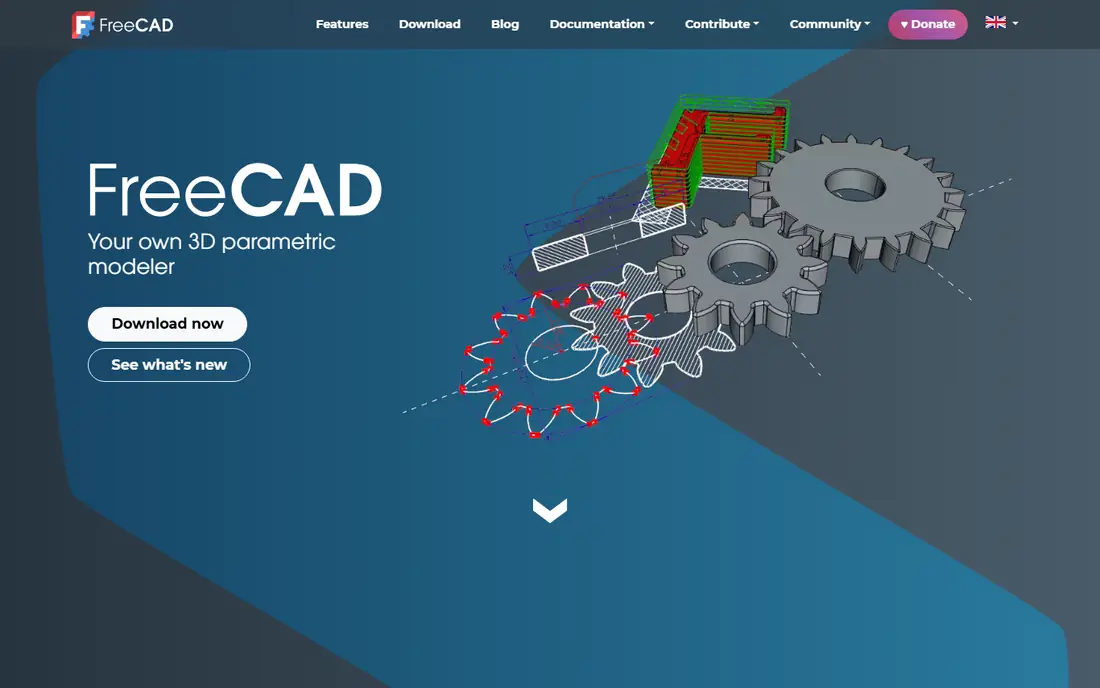
FreeCAD is the best free 3D CAD software for serious parametric work, and the only tool here with no price, licence expiry or feature paywall at all. It models parts with editable features, supports assemblies through workbenches, and exports STL and other common formats for 3D printing and manufacture. Because it is open source, your files and workflow are not tied to a vendor subscription.
Polish is where it trails paid rivals. The interface is functional rather than refined, assembly workflows take more setup, and tutorial quality varies since the community, not a single vendor, produces most learning material. For hobbyists, students and small shops on a tight budget, those trade-offs are worth it. For a professional team with deadlines and client file requirements, Fusion or SOLIDWORKS will usually save more time than FreeCAD saves money.
- Fully free and open source
- Parametric modelling with no subscription
- Runs offline on Windows, Mac and Linux
- Interface and assembly workflow feel less polished
- Learning resources vary in quality
Onshape is the best cloud CAD option for teams. Because it runs in a browser, there is nothing to install, no file version chaos, and several engineers can work on the same design at once with built-in version history and branching. That collaboration model suits distributed teams and education, where students on different devices need the same current model without licence management headaches.
The free plan is the catch for private work: free documents are public and non-commercial, so commercial users need a paid plan, with Standard plans listed at around $1,500 per user per year. Onshape also lacks the built-in CAM depth of Fusion, so machining teams may need a separate tool. If collaboration and version control matter more than CAM, Onshape is the cleanest choice here.
- Runs in a browser on any operating system
- Real-time multi-user editing
- Built-in version control
- Free plan documents are public
- Professional plans cost more than Fusion for small teams
Rhino, from Robert McNeel and Associates, is the freeform specialist on this list. Its NURBS modelling gives precise control over curved surfaces for product design, jewellery, architecture and marine work, where boxy parametric tools feel limiting. It runs on Windows and Mac, offers a perpetual licence rather than subscription-only pricing, and supports a wide add-on ecosystem for rendering, CAM and analysis.
Parametric history and large assembly management are lighter than in SOLIDWORKS or Fusion, so engineers who need strict feature trees and drawing automation may find Rhino a complement rather than a replacement. Many designers pair Rhino for form with a parametric tool for manufacturing detail. A trial is available, so test its surface tools on a real project before buying.
- Precise NURBS surface modelling
- Perpetual licence option
- Runs on Windows and Mac
- Parametric and assembly tools are lighter than SOLIDWORKS
- Rendering and CAM need add-ons for full workflows
SketchUp is the fastest route from an idea to a credible 3D model, which is why architects, interior designers, woodworkers and set designers use it so widely. The push-pull modelling style is easy to learn in an afternoon, the 3D Warehouse offers ready-made components, and extensions add rendering, estimating and fabrication features. For concept work and client visualisation, speed matters more than engineering precision, and SketchUp wins on speed.
Mechanical engineers should note its limits. SketchUp is not a parametric engineering tool, so dimension-driven parts, assemblies with mates and manufacturing drawings are weaker than in Fusion, SOLIDWORKS or Onshape. A free web version exists for basic modelling, while paid plans add desktop tools, import and export options and professional features. Use SketchUp for concepts, and a parametric tool for parts that must fit to tight tolerances.
- Very fast to learn
- Strong for architecture, interiors and concept models
- Large extension and warehouse library
- Less precise for mechanical engineering
- Parametric control is limited compared with Fusion or SOLIDWORKS
Autodesk Inventor is Autodesk's professional mechanical design tool, sitting above Fusion in depth for large assemblies, sheet metal, frame design and manufacturing documentation. It integrates with AutoCAD for 2D work and Vault for data management, which suits engineering firms already inside the Autodesk ecosystem. For teams that need Inventor-level assembly and drawing control without leaving Autodesk, it is the natural step up from Fusion.
Hobbyists and small makers will usually find Fusion better value, since Inventor's subscription price and Windows-only platform target professional firms. Education licences are available for eligible students and teachers, which makes Inventor a good learning choice for engineering students who want an Autodesk professional skill. Check current pricing on the Autodesk site, since it varies by plan and region.
- Strong parametric mechanical design
- Good for large assemblies
- Integrates with Autodesk Vault and AutoCAD
- Windows only
- Subscription price suits firms more than individual hobbyists
Solid Edge, from Siemens, offers a middle path between Fusion and SOLIDWORKS for mechanical design teams. Its Synchronous Technology lets you edit imported geometry directly without rebuilding a full feature tree, which helps when working with customer files or legacy parts. Sheet metal, assembly and drafting tools are solid, and a free community edition exists for personal use.
The community around Solid Edge is smaller than around SOLIDWORKS or Fusion, so tutorials, forums and hiring pools are thinner. It also runs on Windows only. For a small or mid-size firm that wants professional mechanical tools at a lower price point than SOLIDWORKS, and values direct editing of imported parts, Solid Edge deserves a trial alongside Fusion.
- Synchronous Technology blends parametric and direct editing
- Strong sheet metal and assembly tools
- Community edition available
- Windows only
- Smaller community and learning resources than SOLIDWORKS
Tinkercad, also from Autodesk, is where most beginners should start if they have never used CAD before. It runs in a browser, costs nothing, and teaches 3D thinking by combining and subtracting simple shapes, which is enough to design brackets, cases, stands and classroom projects for 3D printing. Teachers use it widely because students can open it on any school computer without installation.
Its simplicity is also its ceiling. There is no parametric history, no real assembly system and no engineering drawing workflow, so anyone designing functional mechanical parts will outgrow it quickly. Treat Tinkercad as a first step: learn shapes, scale and STL export here, then move to FreeCAD or Fusion when you need precise dimensions and editable features.
- Completely free and browser-based
- Easiest first CAD experience
- Good STL export for 3D printing
- Too simple for engineering parts
- No parametric history or assemblies
Shapr3D is the best CAD option for people who sketch and model with a pen. Its iPad app turns an Apple Pencil into a precise modelling tool, and the same software runs on Mac and Windows for desk work. It exports STL for 3D printing and STEP for manufacture, and its interface feels modern and direct compared with traditional desktop CAD.
The free tier covers basic modelling, but professional features, including full export options and advanced tools, require a paid subscription, so check the current plan page before relying on it for client work. Parametric history has improved, but it is still less deep than Fusion or SOLIDWORKS for complex engineering assemblies. Shapr3D suits designers, makers and students who model on the move and value touch input over a full engineering suite.
- Excellent pen and touch modelling on iPad
- Runs on Mac, Windows and iPad
- Exports STL, STEP and other formats
- Full features require a paid plan
- Parametric history is newer and less deep than desktop rivals
How we picked these
We compared 3D CAD tools on modelling approach, parametric control, 3D printing export, platform support, collaboration, learning curve and price, using vendor product pages, pricing pages and public user reviews. We included free, maker and professional tiers so readers at different budgets can find a fit, and we favoured tools that are actively maintained in 2026 with clear export paths to slicers and manufacturers. Prices are given where we could verify them, with See website used where pricing varies by plan, region or licence type.
How to choose 3D CAD software for 3D printing
Start with your output. For 3D printing, you need clean STL or 3MF export, control over wall thickness and tolerances, and a slicer workflow that accepts your files without repair work. FreeCAD, Fusion, Onshape, Tinkercad and Shapr3D all export printable files, but parametric tools give you more control when a printed part needs a dimension change after a test print.
Next, match the tool to your skill and budget. Beginners should start free with Tinkercad or FreeCAD, makers should try Fusion's personal licence, and students should check education licences for SOLIDWORKS, Inventor and Onshape before paying anything. Professionals should weigh file compatibility with clients and manufacturers more heavily than price, since a file that a supplier cannot open costs more than a subscription saves.
Finally, test on a real part. Model something you actually need, export it, slice it and print it, and note where the workflow breaks. A tool that feels good in a demo but exports messy meshes or loses dimensions in translation will frustrate you on every project. Keep your source files in an editable format, not just STL, so you can revise dimensions later without remodelling from scratch.
Frequently asked questions
What is the best 3D CAD software for 3D printing?
Autodesk Fusion is the best overall choice for 3D printing because it combines parametric modelling with STL and 3MF export and direct slicer integration. FreeCAD is the best free option for printable parametric parts, while Tinkercad is the easiest starting point for beginners. The best choice depends on whether you need precise dimensions, assemblies or just simple shapes.
What is the best free 3D CAD software?
FreeCAD is the best free 3D CAD software for serious work, since it is open source with no subscription, no feature paywall and full parametric modelling. Tinkercad is the best free option for absolute beginners, and Fusion and Onshape offer free tiers with limits for hobbyists and non-commercial users. Choose FreeCAD if you want a free tool you can keep using without licence limits.
What is the best software for 3D CAD for beginners?
Tinkercad is the easiest first tool, with a browser-based interface and no installation. SketchUp is also fast to learn for concept models, while Fusion's personal licence is the best next step for beginners who want to grow into professional mechanical design. Start simple, then move to a parametric tool when you need editable dimensions.
Is SOLIDWORKS or Fusion better for product design?
SOLIDWORKS is better for professional mechanical design with strict drawings, large assemblies and industry file acceptance, while Fusion is better for makers and small teams who want CAD, CAM and simulation in one lower-cost subscription. Many professionals use both at different stages, with Fusion for early design and manufacture and SOLIDWORKS for formal engineering documentation.
Can I use 3D CAD software on a Mac?
Yes, for many tools. Fusion, Rhino, FreeCAD, Onshape, SketchUp and Shapr3D all run on Mac or in a browser, while SOLIDWORKS, Inventor and Solid Edge are Windows only. If you work on a Mac, narrow your list to the Mac-compatible tools first, or plan for a Windows machine or cloud desktop for the Windows-only options.
Sources
See where you really rank - block by block
ProMapRanker scans Google Maps across a grid of your service area. Simple monthly plans from $19, white-label on every plan.
Start freeKeep reading
 zscaler alternatives
Best Zscaler Alternatives in 2026
Looking for zscaler alternatives? We compare 9 SASE and zero trust platforms on architecture, data protection, pricing, and fit for your network and team.
Read → zapier alternatives free
Best Zapier Alternatives Free in 2026
Nine automation tools for zapier alternatives free in 2026, all with genuinely free tiers, plus free plan limits, starting prices and upgrade paths explained.
Read → which platform is best for online reputation
Which Platform Is Best for Online Reputation in 2026
Wondering which platform is best for online reputation? We compare 8 review, listing, and response tools for small and multi-location businesses and agencies.
Read →