 ProMapRanker
Best 1099 Software for Small Business in 2026

Key takeaways
- Tax1099 and Avalara 1099 and W-9 give the clearest volume pricing, with lower per-form rates as your count grows.
- Small filers with only a handful of contractors should weigh the first-band price first, since that is where most of the cost sits.
- TIN matching and address checks matter more than a small price gap, because a rejected form costs time in January.
- State filing, recipient mailing, and corrections are often priced apart from federal e-filing, so check the full checkout total.
- This is general information, not tax advice. Check current IRS deadlines and rules for your form types before you file.
Quick comparison
| Pick | Great for | Pricing starts at | Free tier | |
|---|---|---|---|---|
 Tax1099 | Volume filers who want validation | $2.99 per form | No | Visit |
 Avalara 1099 and W-9 | Accounting software users | $3.10 per form | No | Visit |
 TaxBandits | Firms managing many clients | $2.75 per form | No | Visit |
 Yearli | Payers who want print and mail handled | See website | No | Visit |
 1099Online | Small businesses on a budget | $0.69 per form | No | Visit |
 eFileMyForms | Simple low-volume filing | See website | No | Visit |
 Sovos 1099Pro Cloud | Larger compliance teams | See website | No | Visit |
 FileYourTaxes.com | Filers who want a long-running service | See website | No | Visit |
 eFile4Biz | Small businesses filing a few forms | See website | No | Visit |
The best 1099 software for small business
We compared tools on form coverage, import options, validation, state filing, recipient delivery, and the price for a small batch. The list below starts with the strongest all-round options for small businesses and firms.
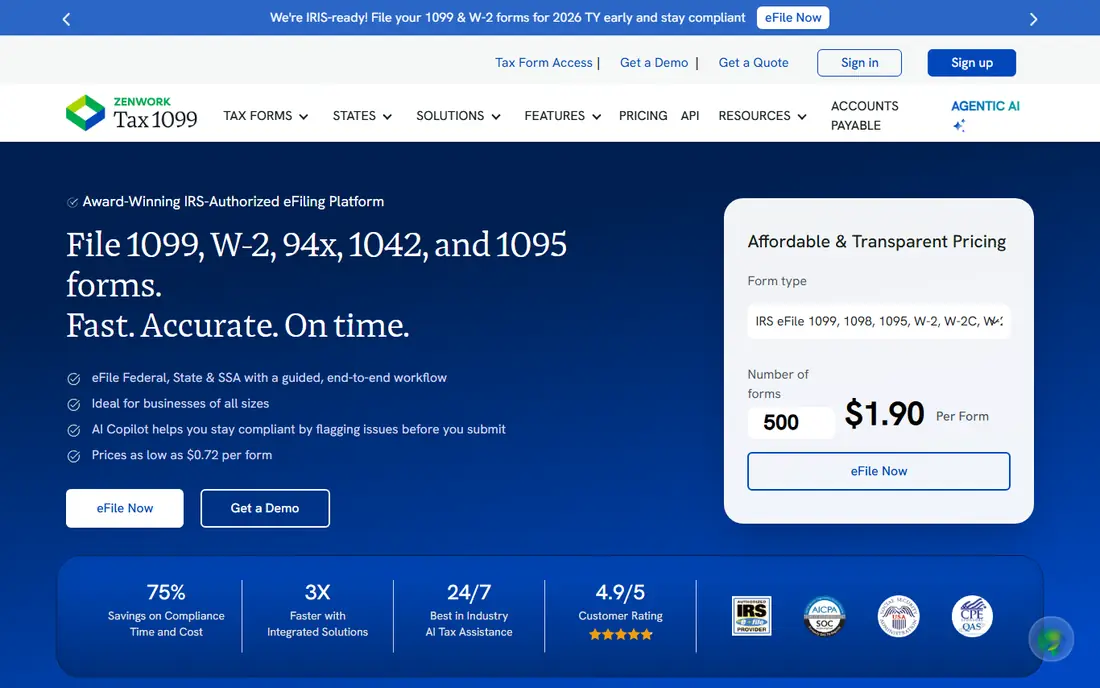
Tax1099 suits a business that files more than a few forms each year and wants checks before anything goes to the IRS. Its published tiers start at $2.99 per form for the first 20 forms, then fall to $2.30, $1.31, and $0.68 as volume rises, with custom pricing above 1,000 forms. That shape rewards firms that file for many clients, while a business with five contractors pays the top rate.
We like the validation focus. TIN matching and address checks catch the errors that lead to notices and corrections, and the W-9 collection tools help a business gather contractor details without chasing paper forms. Bulk import by spreadsheet and integrations with accounting tools also cut manual entry. The trade-off is choice: the full form catalog can confuse a filer who only needs 1099-NEC forms, so start with that form type and ignore the rest.
- Tiered pricing that falls with volume
- Real-time TIN match
- W-9 and W-8 collection tools
- First-band price is higher than some rivals
- The range of form types can feel large for a first-time filer

Avalara 1099 and W-9, formerly Track1099, fits teams that already keep contractor data in accounting software. Imports from QuickBooks, Xero, Bill, and NetSuite mean less retyping, and the platform flags state filing needs and tracks B-notices. Published pricing starts at $3.10 per form for the first 15 forms, then falls to $2.30, $1.30, and $0.63 at higher volumes, with an annual subscription option for larger operations.
For a small business, the appeal is the tidy workflow from W-9 collection to recipient delivery in one place. The catch is the small-batch price, which is a touch above Tax1099 at the lowest tier, and state e-filing is a separate charge. If you file in several states, add those fees before you compare headline rates. Larger filers get the better deal here, and the API option helps teams that want filing built into their own systems.
- Imports from QuickBooks, Xero, and NetSuite
- TIN validation
- Secure recipient e-delivery
- Small batches pay the highest per-form rate
- State filing costs extra

TaxBandits is a strong pick for accountants and bookkeepers who file for several businesses. The dashboard keeps clients apart, the W-9 manager stores contractor details for reuse, and corrections can be handled without starting over. Federal filing is published from $2.75 per form, which sits below the first-band rates of the two tools above it for a small batch.
That starting rate is attractive, but it is not the whole bill. State filing, postal mailing, and extra services can add to the total, so run a full test batch at checkout before you commit. For a single small business with ten contractors, the simplicity of the flow matters as much as the rate, and TaxBandits keeps the steps plain. Firms that value a correction wizard and a filing summary report will get the most from it.
- Multi-client dashboard
- Correction tools
- W-9 manager and spreadsheet upload
- Add-on fees can lift the total
- The interface packs in many form types
Yearli, from Greatland, suits a payer who still needs paper recipient copies without running a mail merge at home. It covers W-2, 1099, and ACA forms, and it offers print and mail services alongside e-filing. That makes it a practical choice for businesses with contractors who prefer paper, or for firms that want one vendor for payroll-year forms and information returns.
Pricing is package-based, so check the current Yearli pricing page for your form count and delivery mix before you judge it against per-form rivals. E-delivery alone will usually cost less elsewhere, but the value here is the handled mailing and the single place to track both paper and electronic copies. If most of your recipients accept email delivery, a per-form tool may save money.
- Same-day print and mail options
- Covers W-2, 1099, and ACA forms
- Accounting integrations
- Published starting rates vary by package
- Less suited to a filer who only needs e-delivery
1099Online draws attention with a published starting rate as low as $0.69 per form. For a small business watching every dollar in January, that headline deserves a close look, because tiered pricing often reserves the lowest rate for larger batches. Still, the feature set covers the basics well: bulk import, TIN matching, and support by chat and phone.
We would shortlist it for a straightforward filing with no complex state mix and no need for a deep client dashboard. Enter your real contractor count, add state filing and mailing if you need them, and compare that total with Tax1099 and TaxBandits. If the total stays low, it is a sensible budget pick. If add-ons push it up, the larger tools may offer better validation for a similar total.
- Low published starting rate
- Bulk import
- TIN match
- Free technical support
- The lowest rate may reflect a high-volume tier
- Check what your batch size actually costs
eFileMyForms fits a small business that wants a plain path from contractor list to filed forms, without a firm dashboard or API. It covers the common 1099 forms, offers recipient copies, and supports state filing. That scope is enough for many sole traders and small companies that pay a handful of contractors each year.
The main caution is verification. Pricing and validation features change, so confirm the current per-form price and whether TIN matching is included or priced apart. For a simple batch, the lack of extra tools is a benefit, not a gap, because there is less to learn under deadline pressure. Larger firms with many clients will likely want a dashboard tool instead.
- Plain filing flow for common 1099 forms
- Recipient copies
- State filing options
- Fewer published details on validation tools
- Check form coverage before you start
Sovos 1099Pro Cloud is the enterprise end of this list, aimed at teams with larger volumes, multiple entities, or complex information reporting needs. It brings cloud filing, correction handling, and the backing of a large compliance vendor. That depth helps when a business files many form types or needs consistent controls across offices.
For a small business with ten forms, it is usually more tool than needed, and package pricing may cost more than a per-form rival. It earns its place here for growing firms that expect volume to rise sharply, or for teams that already use Sovos for other tax reporting. Check the current package terms, including any form-count caps and overage charges, before you sign.
- Built for higher volumes and complex reporting
- Cloud access
- Correction support
- Pricing is package-based and can be high for a tiny batch
- Setup takes more time
FileYourTaxes.com appeals to filers who value a long-running transmitter and a guided flow with tutorials. It covers W-2, 1099, and 1098 series forms, and it stores filings for later reference. That steadiness suits a small business that files the same forms each year and wants a familiar routine.
The drawback is that pricing is harder to compare from roundups alone, so go to the vendor pricing page with your form count in hand. A dated interface is a fair trade if the filing steps are clear and support answers quickly, but a team that wants modern bulk import and API access should look at the tools higher on this list first.
- Long history as an IRS transmitter
- Tutorials
- Secure storage of filings
- Pricing is less transparent in roundups
- Interface may feel dated next to newer tools
eFile4Biz rounds out the list for the smallest filers. It handles common 1099 and W-2 forms with a simple flow, which is all many micro-businesses need. Recipient delivery options cover both electronic and paper copies, depending on the package chosen.
Roundups have quoted different starting rates for this service, so treat any single figure with care and confirm the current price on the vendor site. For a batch of five or ten forms, the deciding factor is often support speed in late January rather than a small per-form difference. Test the import step early, keep contractor TINs ready, and file before the deadline rush.
- Simple filing for small batches
- Covers common 1099 and W-2 forms
- Recipient delivery options
- Published starting rates in roundups vary
- Confirm current pricing before filing
How we picked these
We compared official pricing pages, form coverage, import and validation features, and public roundups of 1099 filing tools. We kept only tools that still offer 1099 e-filing in October 2026, cover the common 1099-NEC use case for small businesses, and publish enough detail to judge cost. We did not claim hands-on filing for every tool, and we used See website where a price could not be verified from a current vendor page.
What to check before you file
Start with your contractor list. Confirm each payee name, address, and TIN, and confirm which form type applies to each payment. A 1099-NEC covers nonemployee compensation, while other 1099 forms cover rent, interest, and other payments, and mixing them up creates corrections later. Gather W-9 forms before you open any filing tool, and use TIN matching where it is offered.
Next, price the whole job. Add federal e-filing, state filing for each state where you must file, recipient e-delivery or postal mailing, and any correction fees. A low federal rate can look less attractive once state and mailing fees are added. Finally, file early enough to fix a rejection. Rejections in late January leave little room to chase a contractor for a corrected TIN, so aim to submit with time to spare.
Frequently asked questions
What is the best 1099 software for accountants?
Tax1099, Avalara 1099 and W-9, and TaxBandits suit accountants best, because they offer multi-client handling, bulk import, and validation tools. A firm should test the dashboard with two or three clients before moving a full client list across.
How much does 1099 software cost for a small business?
Most tools charge per form, with lower rates at higher volumes. Small batches often cost around $2 to $3 per form for federal filing, plus state and mailing fees. Always price your exact batch, including add-ons, rather than trusting a headline rate.
Does 1099 software file state forms too?
Many tools do, but state coverage and fees vary. Check each state where you have filing duties, and confirm whether direct state filing, combined filing, or a separate state submission applies to your forms.
Can I e-deliver 1099 forms to contractors?
Yes, most tools offer secure recipient e-delivery, but recipients must consent to electronic delivery under IRS rules. Keep a paper mailing option for contractors who do not consent or who do not open the electronic copy.
What happens if a TIN is wrong?
A wrong TIN can lead to a filing rejection or a B-notice later. TIN matching before filing reduces that risk, and correction tools in most of these services let you amend a filed form, often for an extra fee.
Sources
See where you really rank - block by block
ProMapRanker scans Google Maps across a grid of your service area. Simple monthly plans from $19, white-label on every plan.
Start freeKeep reading
 zscaler alternatives
Best Zscaler Alternatives in 2026
Looking for zscaler alternatives? We compare 9 SASE and zero trust platforms on architecture, data protection, pricing, and fit for your network and team.
Read → zapier alternatives free
Best Zapier Alternatives Free in 2026
Nine automation tools for zapier alternatives free in 2026, all with genuinely free tiers, plus free plan limits, starting prices and upgrade paths explained.
Read → which platform is best for online reputation
Which Platform Is Best for Online Reputation in 2026
Wondering which platform is best for online reputation? We compare 8 review, listing, and response tools for small and multi-location businesses and agencies.
Read →