 ProMapRanker
Best Articulate 360 Alternatives in 2026


Software simulations and detailed interactions · Pricing starts at: $39.99 per month
Key takeaways
- iSpring Suite suits PowerPoint teams that want fast conversion to SCORM courses, while Adobe Captivate suits software simulations and detailed interactions.
- Easygenerator and 360Learning suit subject experts and teams that need simple, browser based authoring without a steep learning curve.
- Elucidat, Lectora, dominKnow, and Gomo suit larger teams that need brand control, accessibility work, or multi format publishing.
- H5P is the low cost open source option, but it needs a host platform and some technical setup to reach its full value.
- Check SCORM, xAPI, and cmi5 output, plus review and translation workflows, before you commit to a seat based plan.
Quick comparison
| Pick | Great for | Pricing starts at | Free tier | |
|---|---|---|---|---|
| Adobe Captivate | Software simulations and detailed interactions | $39.99 per month | Free trial | Visit |
 iSpring Suite | Turning PowerPoint into full courses | $770 per year | Free trial | Visit |
 Elucidat | Large teams that need brand and scale control | See website | No | Visit |
 Lectora | Accessibility and compliance training | See website | Free trial | Visit |
 dominKnow ONE | Publishing one course in many formats | See website | Free trial | Visit |
 Easygenerator | Subject experts who author their own courses | See website | Free trial | Visit |
 Gomo | Mobile first cloud courses | See website | No | Visit |
 H5P | Free interactive content for web platforms | Free | Yes | Visit |
 360Learning | Collaborative learning built by teams | See website | Free trial | Visit |
The best articulate 360 alternatives
We compared elearning authoring tools on course building, standards output, collaboration, and price, for teams moving away from Articulate 360.
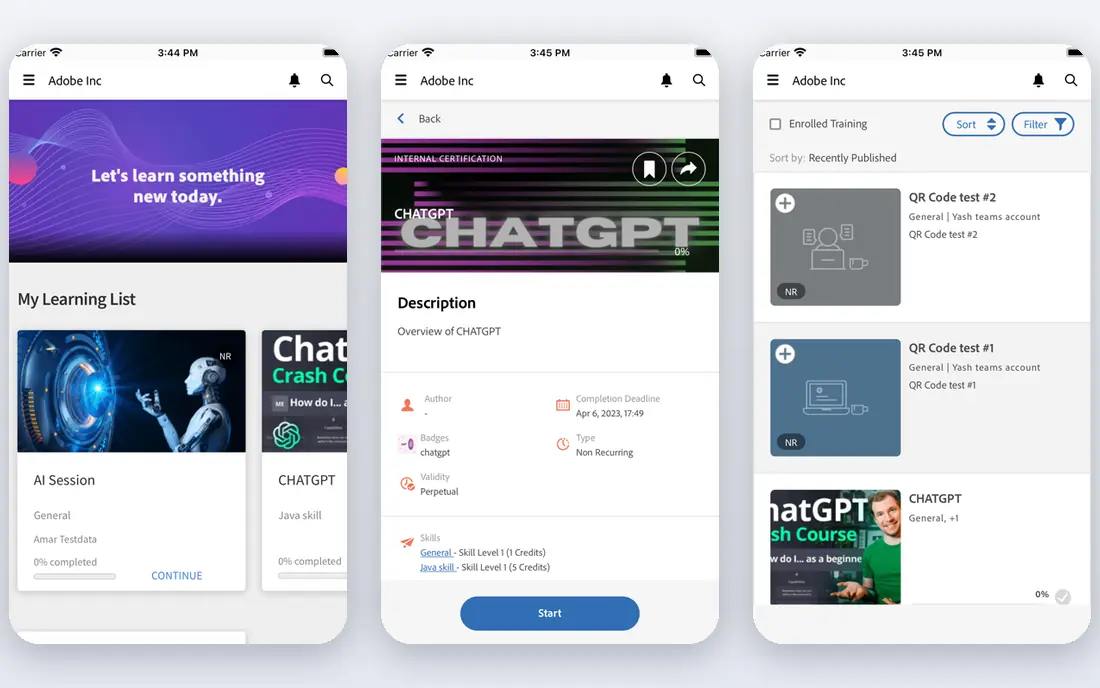
Adobe Captivate is the closest desktop rival if you need software simulations, screen recordings, and precise control over learner actions. It can record a software workflow, add interactive steps, quizzes, and branching, and publish to SCORM and xAPI for a learning management system. That depth suits technical training, compliance simulations, and product onboarding where learners must practice steps, not just read slides.
The trade off is learning time. Captivate takes longer to master than a block based cloud tool, and its desktop focus suits solo authors or small teams more than large cloud coauthoring. It fits teams that already use Adobe tools, or that need simulation depth that browser tools cannot match. Budget for training time, not just the subscription.
- Strong simulation recording
- Detailed triggers and variables
- SCORM and xAPI output
- Steeper learning curve
- Desktop focus
- Subscription cost adds up

iSpring Suite suits teams that already build training in PowerPoint and want to turn slides into tracked courses without learning a new editor. As a PowerPoint add in, it adds quizzes, role play scenarios, branching, video, and interactions to decks you already know. Publishing to SCORM, xAPI, and cmi5 means courses can run in most learning systems with completion tracking.
The limit is platform. The core Suite is Windows based, so Mac only teams should check the cloud options and AI plan carefully. The higher AI plan adds cloud authoring and AI course creation, at a higher per author price. iSpring fits corporate trainers, sales enablement teams, and anyone with a large slide library to convert.
- Familiar PowerPoint workflow
- Strong quizzes and role plays
- SCORM and xAPI output
- Windows based PowerPoint add in
- AI plan costs more

Elucidat, now sold under Create by Confirm in some listings, suits large firms that need many authors to produce consistent courses. Its cloud editor uses templates and brand controls, so courses from different teams still look and feel alike. Review, translation, and variant tools help global teams ship the same course in many languages without rebuilding each version.
The catch is price and scale. Pricing is quoted, and the product is built for enterprise use, so a small team may find it more than it needs. Elucidat fits learning teams with many authors, strict brand rules, and global audiences, where consistency and review control matter more than a low entry price.
- Cloud authoring
- Brand and template control
- Translation and review workflows
- Quote based pricing
- Enterprise focus may be heavy for small teams
Lectora has long been a pick for accessibility focused training, with tools to support WCAG and Section 508 style requirements, plus actions, variables, and conditional paths for complex courses. It offers desktop and online authoring, and ReviewLink style review tools for stakeholder feedback. That mix suits government, health, finance, and other regulated training where access and audit trails matter.
The trade off is ease. Lectora takes more learning than a simple block editor, and its interface can feel dense to new authors. It fits teams that must meet accessibility standards, build branching compliance courses, and publish to SCORM, AICC, and xAPI. If accessibility is a must, put Lectora high on the list and test its output with your own checks.
- Strong accessibility support
- Actions and variables
- Desktop and cloud options
- Steeper learning curve
- Pricing is quoted
dominKnow ONE suits teams that need the same content as a full course, a microlearning piece, and a printable guide, without rebuilding each time. Its Flow mode handles responsive, web style courses, while Claro mode handles more traditional, slide style layouts. Shared assets, collaboration, and review tools help teams reuse content across projects.
The limit is complexity. Getting full value takes time to learn both modes and set up asset libraries. Pricing is quoted, so small teams should compare it against simpler cloud tools first. dominKnow fits larger learning teams, agencies, and firms that publish a lot of content in varied formats from one source.
- Two authoring modes
- Single source publishing
- Shared assets and collaboration
- Pricing is quoted
- Learning curve for full feature use
Easygenerator suits subject experts who need to build a course without becoming a full time course developer. Its block based editor is easy to learn, with templates, questions, scenarios, and AI help for drafting content. Cloud collaboration lets reviewers comment, and publishing to SCORM and xAPI keeps tracking in your learning system.
The catch is depth. Easygenerator will not match Captivate for software simulations, or Storyline style custom logic for very complex branching. It fits small teams, fast compliance updates, and expert led courses where speed and simplicity matter most. Check author and learner limits on your plan, since those caps shape the real cost.
- Simple block editor
- AI writing help
- Cloud collaboration and review
- Less depth for complex simulations
- Author limits on some plans
Gomo suits teams whose learners mainly use phones, such as retail, field, and frontline staff. Its cloud editor builds courses that work well on small screens, with offline style access in some setups, and multi language tools for global teams. Multi author projects with topic locking help larger teams work on one course without overwriting each other.
The limit is pricing transparency. Gomo is quote based, with a minimum term in some plans, so small teams should get a written quote for their author count and learner needs. It fits mobile first training, global rollouts, and teams that need cloud authoring without a desktop install.
- True mobile first design
- Multi language support
- Cloud multi author work
- Quote based pricing
- Minimum term in some plans
H5P is the low cost option for teams that already run Moodle, WordPress, Drupal, or a similar platform. It offers interactive videos, quizzes, timelines, branching scenarios, and many other content types, all free and open source. That breadth makes it a strong fit for schools, nonprofits, and small teams with technical help.
The trade off is support and setup. H5P needs a host, SCORM export often needs a plugin, and there is no vendor team to call for help. It fits teams with developer or admin support, and who want to build interactive pieces rather than buy a full authoring suite. For a team with no technical help, a cloud tool may save more time than H5P saves in fees.
- Free and open source
- Many interactive content types
- Works with common learning platforms
- Needs a host platform
- SCORM export needs plugins
- No vendor support team
360Learning suits firms that want employees and experts to build courses together, not just a central learning team. Its collaborative tools let authors, reviewers, and learners shape courses, with peer feedback and social learning features built in. That model helps firms capture internal knowledge fast, especially for onboarding and process training.
The limit is simulation depth. 360Learning will not replace Captivate for software practice, or a desktop tool for very custom interactions. It fits teams that value speed, collaboration, and internal expertise, and who want courses that feel current because the people who do the work help build them. Check seat pricing for your team size before you commit.
- Collaborative authoring
- Peer learning features
- SCORM and xAPI support
- Pricing varies by plan
- Less suited to deep simulation work
How we picked these
We compared official feature pages, pricing pages, and standards documentation, and we kept only tools that work in October 2026 and truly fit elearning authoring. We excluded Articulate 360 itself, since this list is for alternatives, and we kept a mix of desktop, cloud, and open source options. Where pricing was quoted or varied by region, we wrote See website rather than guessing a rate.
How to choose an authoring tool without regret
Start with your course types, not the feature list. List your next ten courses and note if they need simulations, branching, quizzes, video, translation, or accessibility checks. A tool that excels at slides may fail at simulations, and a simulation tool may slow simple courses to a crawl. That list will quickly narrow the field to two or three tools worth a trial.
Next, test publishing, not just editing. Build a short test course, publish it to your learning system, and check tracking, completion, mobile display, and accessibility output. Test review too, since stakeholder feedback often causes more delay than authoring itself. Finally, check total cost per author, including AI credits, learner limits, and support, since seat prices alone can mislead.
A practical shortlist method
Shortlist one desktop tool, one cloud tool, and one low cost tool, then run the same test course through each. Score them on author time, learner experience on mobile, tracking accuracy, and review ease. The winner is rarely the tool with the most features, but the one your actual authors will use well each week.
Frequently asked questions
What is the best alternative to Articulate 360?
iSpring Suite is best for PowerPoint teams, Adobe Captivate is best for simulations, and Easygenerator is best for simple expert authoring. For large enterprise teams, Elucidat and dominKnow offer stronger brand and multi format control. Match the tool to your course types first.
Are there free Articulate alternatives?
H5P is free and open source, if you have a host platform and technical support. Most commercial tools offer a free trial, not a free plan, including Captivate, iSpring, and Easygenerator. Trial length and limits vary, so check them before you start a real project.
Is Adobe Captivate better than Articulate 360?
Captivate is stronger for software simulations and detailed control, while Articulate 360 is often easier for general course building with Storyline and Rise. The better pick depends on if your courses need simulation depth or faster general authoring and collaboration.
Do these tools support SCORM and xAPI?
Most do, including Captivate, iSpring, Elucidat, Lectora, dominKnow, Easygenerator, and 360Learning. H5P supports xAPI natively, while SCORM export often needs a plugin. Always test publishing to your own learning system, since standards support can vary by version and setup.
Can subject experts build courses without a learning team?
Yes, with the right tool. Easygenerator and 360Learning are built for expert authoring and collaboration, with templates and guided editors. Desktop tools such as Captivate and Lectora need more training, so they suit dedicated learning teams more than occasional expert authors.
Sources
See where you really rank - block by block
ProMapRanker scans Google Maps across a grid of your service area. Simple monthly plans from $19, white-label on every plan.
Start freeKeep reading
 zscaler alternatives
Best Zscaler Alternatives in 2026
Looking for zscaler alternatives? We compare 9 SASE and zero trust platforms on architecture, data protection, pricing, and fit for your network and team.
Read → zapier alternatives free
Best Zapier Alternatives Free in 2026
Nine automation tools for zapier alternatives free in 2026, all with genuinely free tiers, plus free plan limits, starting prices and upgrade paths explained.
Read → which platform is best for online reputation
Which Platform Is Best for Online Reputation in 2026
Wondering which platform is best for online reputation? We compare 8 review, listing, and response tools for small and multi-location businesses and agencies.
Read →