 ProMapRanker
Best Archive.ph Alternatives in 2026

Key takeaways
- The Wayback Machine is the best starting point for old pages, while Perma.cc is the best choice for links you need to cite in academic or legal work.
- Archive.today, archive.is and archive.ph are the same service on different domains, so switching between those mirrors is not a real alternative.
- Private tools such as ArchiveBox, SingleFile and ArchiveWeb.page keep copies on your own storage, which suits research you do not want to publish.
- No archive captures every page perfectly, especially login pages and complex interactive sites, so save a copy early and check what was captured.
Quick comparison
| Pick | Great for | Pricing starts at | Free tier | |
|---|---|---|---|---|
 Wayback Machine | Historical page lookup | Free | Yes | Visit |
 Ghostarchive | Social and news captures | Free | Yes | Visit |
 Perma.cc | Citable academic and legal links | Free | Yes | Visit |
 ArchiveBox | Self hosted personal archive | Free | Yes | Visit |
 SingleFile | Private single page saves | Free | Yes | Visit |
 ArchiveWeb.page | Interactive page capture and replay | Free | Yes | Visit |
 Pagefreezer | Regulated compliance archiving | See website | Free trial | Visit |
 Common Crawl | Large scale web datasets | Free | Yes | Visit |
 Stillio | Scheduled screenshots | See website | Free trial | Visit |
The best archive.ph alternatives
We compared official product pages, documentation and public feature lists for tools that save, replay or cite web pages and are live in October 2026. Our pick for most people is the Wayback Machine, because it holds a vast public history and lets you browse old versions by date, while Perma.cc is our pick when a link must stay citable.

The Wayback Machine, run by the Internet Archive, is the largest public web archive most people will use. You can enter a URL, pick a date on the calendar, and view how a page looked at that time. The Save Page Now feature also lets you request a fresh capture of a live page, which is useful for preserving a page before it changes or disappears.
Coverage is not perfect. Some sites block archiving, some pages need a login, and dynamic content may not replay fully. For historical research, journalism and checking what a page said in the past, the Wayback Machine should still be your first check, before any smaller archive.
- Vast public archive of web history
- Save Page Now for new captures
- Calendar browsing by date
- Some pages are missing or incomplete
- Captures depend on crawl timing and site permissions

Ghostarchive offers free public snapshots of web pages, with a focus on social media and news content that changes quickly. You can save a page and share a public link, which helps when you need a third party copy that others can open without an account.
Its archive is smaller than the Wayback Machine, and some users report regional access problems from time to time. For a quick public copy of a news article or social post, Ghostarchive is a useful second option, especially when the Wayback Machine has no capture for that date.
- Free public snapshots
- Useful for social media and news pages
- Video capture support
- Smaller archive than the Wayback Machine
- Availability can vary by region
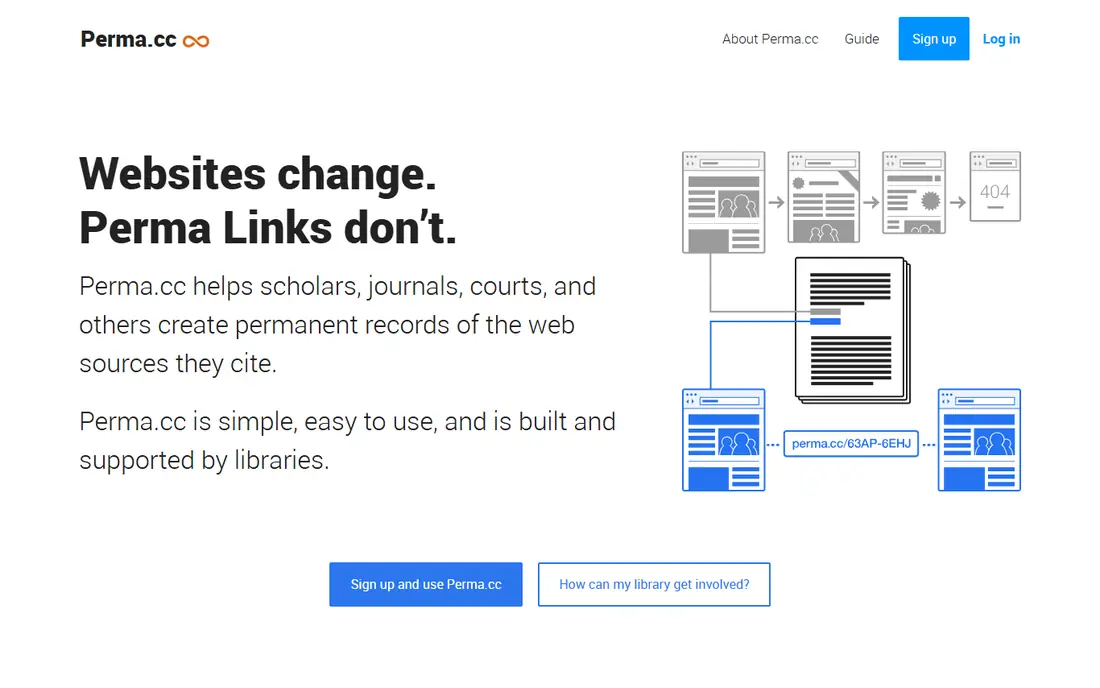
Perma.cc is run with support from the Harvard Law School Library and partner libraries, and it is designed for links that must stay citable. You create a Perma Link, and the service stores a capture that readers can open even if the original page changes or disappears. That permanence makes it popular with scholars, journalists and lawyers.
Free accounts are limited in the number of links they can create, and Perma.cc is not built for bulk crawling of whole sites. If you need to cite a handful of key pages in a paper, brief or article, Perma.cc gives you a more durable citation than a standard web link.
- Permanent links backed by libraries
- PDF and screenshot capture
- Trusted for citations
- Free accounts have link limits
- Best for selected links, not bulk archiving
ArchiveBox is an open source tool you run on your own server or computer. It takes a list of URLs and saves each page in several formats, including HTML, PDF, screenshots and media files, and builds a searchable index you can browse locally. That control suits researchers, journalists and teams with private material.
You are responsible for hosting, storage and maintenance, which is a real ongoing task. ArchiveBox is not a public archive, so others cannot open your copies unless you share them. For personal and team archives where privacy and control matter, it is a strong and cost effective choice.
- Free open source self hosting
- Saves HTML, PDF, screenshots and media
- Full control of your data
- Setup needs technical skill
- You manage storage, updates and backups
SingleFile is a free browser extension that saves the page you are viewing as a single self contained HTML file, including images and styles where possible. You keep the file on your own computer or cloud storage, open it offline, and share it as a file rather than a public link. That privacy suits sensitive research and personal records.
It is a manual tool, so it does not crawl whole sites or monitor pages for changes. Large pages with video can produce large files, and some interactive elements will not work in the saved copy. For saving one important page at a time, SingleFile is simple, free and reliable.
- Free browser extension
- Saves a full page as one HTML file
- Works offline after saving
- Manual saving, page by page
- Large media heavy pages can create large files
ArchiveWeb.page, from the Webrecorder project, records pages as you browse them, including interactions such as scrolling, clicking and playing media, and saves them as WARC or WACZ archives. You can replay those archives in the browser, which preserves dynamic pages better than a flat screenshot or HTML save.
The format takes some learning, and you manage storage and sharing yourself, since ArchiveWeb.page is not a public archive by default. For researchers and archivists who need faithful captures of interactive pages, it is one of the best free tools available.
- Free browser extension
- Captures interactive pages in WARC format
- Replay in the browser
- Learning curve for WARC files
- Storage and sharing are your responsibility
Pagefreezer is built for organisations that must keep defensible records of websites and social media, such as government bodies, law firms and regulated firms. It captures pages on a schedule, stores metadata and timestamps, and produces records that can support legal and compliance work. Social media archiving is a core strength.
Pricing is business level and there is no permanent free plan, so it is not a casual replacement for a free snapshot service. If you need scheduled, auditable captures for compliance, Pagefreezer is a serious option. If you only need an occasional public copy, a free tool in this list will do.
- Scheduled captures with metadata
- Legal grade records for compliance
- Social media archiving
- Business pricing, no free plan
- Overkill for casual personal use
Common Crawl is a nonprofit that crawls the web and publishes the results as free datasets for researchers, developers and analysts. You can search its indexes and download large collections of page data for text analysis, link research and machine learning work. It is a major source for large scale web research.
It is not a simple alternative for looking up one page on one date. Working with Common Crawl data needs code and storage, and a specific page may or may not appear in a given crawl. For bulk research, it is unmatched and free. For a quick snapshot of a single page, use the Wayback Machine or Ghostarchive instead.
- Free large crawl datasets for research
- Covers billions of pages
- Useful for bulk analysis
- Not a page lookup tool for casual users
- Data is in bulk files, not a simple calendar view
Stillio takes automatic screenshots of web pages on a schedule you set, daily, weekly or at another interval, and stores them for years while your subscription is active. That suits teams tracking competitor pages, prices or public notices, where a visual record of change matters more than a full replayable archive.
Screenshots do not preserve underlying code, links or interactive elements, so Stillio is not a full archive replacement. It also has no permanent free plan. If your need is visual change tracking over time, Stillio is simple and effective. If you need a replayable page, pair it with a tool such as ArchiveBox or ArchiveWeb.page.
- Automatic screenshots on a schedule
- Long term screenshot storage
- Easy sharing
- Screenshots only, not full page archives
- Paid plans needed for regular captures
How we picked these
We compared official product pages, documentation and public feature lists for tools that save, replay, cite or monitor web pages and are live in October 2026. We kept only tools with a clear archiving function, and we excluded archive.today mirrors, since they are the same service as archive.ph under a different domain. Where pricing was business only or varied by plan, we wrote See website.
What to check before you buy
Start by deciding what the copy is for. A public citation needs a durable link, such as Perma.cc. Historical research needs a large public archive, such as the Wayback Machine. Private research needs a local tool, such as ArchiveBox or SingleFile. Compliance work needs scheduled captures with metadata, such as Pagefreezer.
Check what was actually captured, not only that a link was created. Open the saved page, test key links and images, and save a second copy in another format for important pages. Respect copyright and privacy law, and do not archive login only pages, private messages or personal data without a lawful basis and permission where needed.
Frequently asked questions
What are alternatives to archive.ph for saving a page?
The Wayback Machine, Ghostarchive and Perma.cc are the main public alternatives to archive.ph for saving a page. The Wayback Machine suits historical lookup, Ghostarchive suits quick public snapshots, and Perma.cc suits citations that must stay stable over time.
Is archive.today the same as archive.ph?
Yes. Archive.today, archive.is and archive.ph are domains for the same archiving service, so switching between them does not give you a different archive or a different set of captures. If that service is blocked or missing a page, use a genuinely different tool from this list.
Which archive is best for legal or academic citations?
Perma.cc is the best choice for most legal and academic citations, because it is backed by libraries and designed to produce permanent links. Pagefreezer suits regulated organisations that need scheduled, metadata rich records. For general references, a Wayback Machine link is also widely accepted.
Can I archive a page privately?
Yes. ArchiveBox, SingleFile and ArchiveWeb.page let you keep copies on your own computer or server, without publishing them. That suits private research, client work and sensitive material, provided you respect copyright and privacy rules for the content you save.
Why do some pages not archive correctly?
Pages that need a login, load content through complex scripts, or block automated capture often archive incompletely. Video, maps and interactive widgets are common gaps. If a capture looks broken, try a different tool, save the page as a PDF or screenshot as well, and note the capture date and method.
Sources
See where you really rank - block by block
ProMapRanker scans Google Maps across a grid of your service area. Simple monthly plans from $19, white-label on every plan.
Start freeKeep reading
 zscaler alternatives
Best Zscaler Alternatives in 2026
Looking for zscaler alternatives? We compare 9 SASE and zero trust platforms on architecture, data protection, pricing, and fit for your network and team.
Read → zapier alternatives free
Best Zapier Alternatives Free in 2026
Nine automation tools for zapier alternatives free in 2026, all with genuinely free tiers, plus free plan limits, starting prices and upgrade paths explained.
Read → which platform is best for online reputation
Which Platform Is Best for Online Reputation in 2026
Wondering which platform is best for online reputation? We compare 8 review, listing, and response tools for small and multi-location businesses and agencies.
Read →