 ProMapRanker
Best AppSheet Alternatives in 2026

Key takeaways
- Glide is our pick for most teams that want a polished app from a spreadsheet without learning a complex builder.
- Bubble suits builders who need custom logic and a full web product, not just a data front end.
- Adalo and FlutterFlow suit teams that need real native mobile apps in the app stores.
- Microsoft Power Apps suits organisations already on Microsoft 365 and Azure.
- Retool suits engineering teams building internal admin tools on existing databases.
Quick comparison
| Pick | Great for | Pricing starts at | Free tier | |
|---|---|---|---|---|
 Glide | Polished apps from spreadsheets | $25 per month | Yes | Visit |
 Bubble | Custom web apps with logic | See website | Yes | Visit |
 Adalo | Native mobile apps | $36 per month | Yes | Visit |
 Softr | Portals on Airtable and Sheets | See website | Yes | Visit |
 Microsoft Power Apps | Microsoft 365 internal apps | $20 per user per month | Free trial | Visit |
 Zoho Creator | Low code business apps | See website | Free trial | Visit |
 Retool | Internal admin tools | $10 per month | Free trial | Visit |
 FlutterFlow | Native apps with code export | $39 per month | Yes | Visit |
 Airtable | App like views on a database | $20 per seat per month | Yes | Visit |
The best appsheet alternatives
AppSheet turns spreadsheets and databases into business apps with workflow automation, especially inside Google Workspace. These alternatives cover the same ground with different strengths, from fast spreadsheet apps to full custom products and native mobile apps.
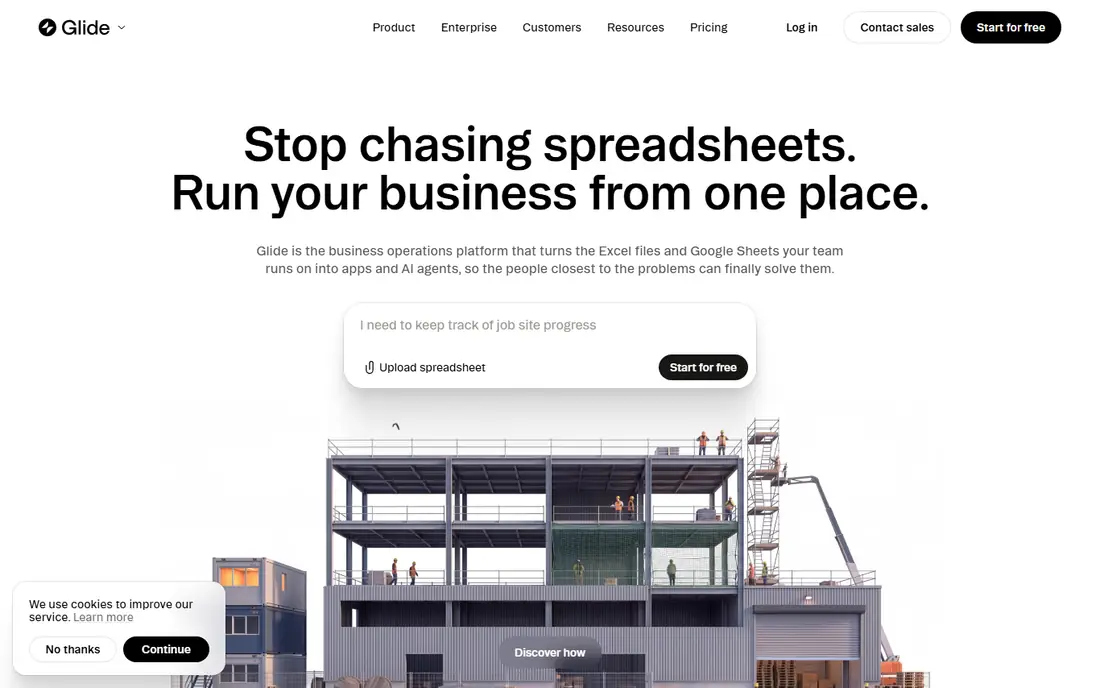
Glide is the fastest route from a spreadsheet to an app that looks finished. Connect a Google Sheet, an Airtable base, or Glide Tables, pick a template, and you have a mobile friendly app for field teams, inventories, or internal requests. The visual output is strong for a no code tool, which matters when staff will use the app every day.
The limit appears with complexity. Multi step logic, heavy relational data, and very large datasets can strain Glide, and design control is narrower than Bubble or FlutterFlow. For a data driven internal app, Glide is hard to beat. For a custom customer product, look further down this list.
- Turns Sheets, Airtable, or Glide Tables into a working app fast
- Polished mobile design
- Many templates
- Complex logic and very large datasets push past its comfort zone
- Design customisation is limited
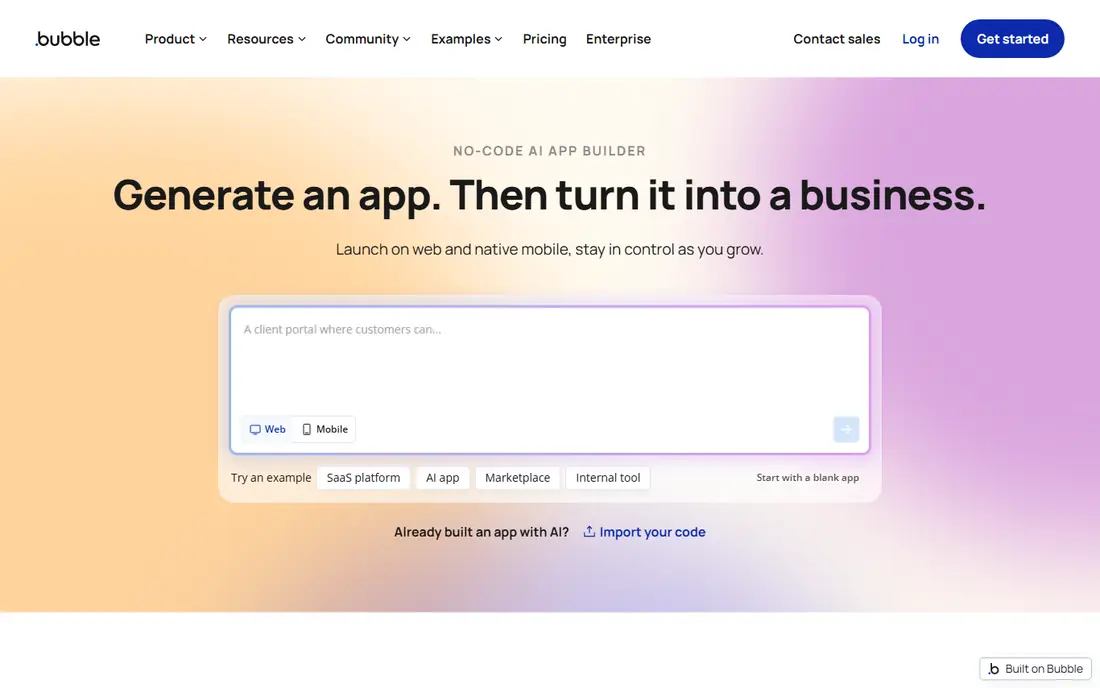
Bubble is the choice when the app itself is the product. Its visual editor builds databases, workflows, user accounts, and pages with custom logic, and its plugin marketplace adds payments, maps, and integrations. Startups have built full SaaS products on Bubble without writing backend code, which AppSheet was never designed to do.
That power brings a learning curve and a pricing model that needs care. Workload units measure how much work your app does, so a popular app can cost more than the entry price suggests. Bubble suits a founder or product team willing to learn the builder in exchange for a truly custom web app.
- Visual workflow builder for real app logic
- Large plugin and template ecosystem
- Full database included
- Learning curve is steep
- Workload based pricing can be hard to predict

Adalo suits a builder who wants a real native app in the Apple App Store and Google Play without learning native development. The drag and drop editor builds mobile screens, connects to Adalo collections or external APIs, and publishes to the stores from one canvas. For a simple consumer or internal mobile app, that direct route is a clear advantage over a web only builder.
Scaling is the limit. Large datasets, complex logic, and high user counts can strain Adalo, and custom design options are narrower than FlutterFlow. It fits a first mobile app or a focused internal app, not a large scale consumer product with heavy data needs.
- Native iOS and Android publishing
- Drag and drop mobile editor
- Simple database included
- Struggles with heavy data and scaling
- Fewer customisation options than code based tools
Softr turns Airtable or Google Sheets into a client portal, directory, or internal tool faster than almost any tool in this list. Prebuilt blocks handle lists, details, forms, and membership, and permissions control who sees what. For a team that already runs its data in Airtable, Softr feels like adding a front door to that base.
The limit is customisation. Softr does not offer a free canvas for fully custom layouts, and complex multi step flows are harder than in Bubble. It is a portal builder first, so choose it when the data already exists and the job is to present it well to clients or staff.
- Fast portals from Airtable or Google Sheets
- Prebuilt blocks for directories and membership
- User permissions
- No canvas for fully custom design
- Multi step workflows are limited
Microsoft Power Apps is the natural AppSheet alternative for organisations that run on Microsoft 365. It builds internal apps on SharePoint, Dataverse, SQL, and other Microsoft data sources, with formulas that feel familiar to spreadsheet users and governance tools that IT teams expect. Apps can sit inside Teams and other Microsoft apps where staff already work.
Per user pricing is the catch. At 20 dollars per user per month for premium apps, a large workforce can make the total cost high, and the value drops sharply outside the Microsoft ecosystem. Inside that ecosystem, though, Power Apps is often the safest enterprise choice.
- Deep Microsoft 365 and Azure integration
- Low code with formulas
- Enterprise governance
- Per user pricing adds up
- Best value only inside the Microsoft ecosystem
Zoho Creator suits a business that already uses Zoho for CRM, mail, or accounting and wants custom apps on the same platform. The drag and drop builder handles forms, reports, and workflows, while Deluge scripting adds custom logic when a visual builder is not enough. Integrations across Zoho apps reduce duplicate data entry.
The interface is less modern than Glide or Softr, and pricing depends on users, apps, and records, so a growing team should model the tier it will actually need. For a Zoho centred business, the integration value outweighs the older feel.
- Drag and drop builder with scripting
- Wide Zoho app integrations
- Good for business workflows
- Interface feels dated in places
- Pricing tiers depend on users and apps
Retool is built for internal tools, not for public products. Engineering teams connect it to databases, APIs, and warehouses, then drag components into admin panels, dashboards, and approval workflows. That database first model suits operations teams that need a tool on real company data this week, not a prototype on a spreadsheet.
Public customer apps are a weaker fit, because Retool pricing and design are aimed at internal users. A team that needs a customer facing portal should pick Softr, Glide, or Bubble instead. For internal admin work, Retool is often the fastest serious option.
- Builds on existing databases and APIs
- Drag and drop components for admin screens
- Strong for engineering teams
- Not built for public customer apps
- Pricing depends on builders and end users
FlutterFlow suits builders who want native mobile apps and want to own the code. It builds Flutter apps visually, integrates with Firebase for auth and data, and lets you export the generated code for developers to extend. That export option matters for a team that worries about being locked into a no code platform long term.
The learning curve is steeper than Glide or Adalo, because FlutterFlow expects some understanding of app structure, state, and Firebase. Non technical builders should trial it on a small app first. For a team with some technical skill, the native output and code ownership justify the extra learning.
- Native iOS and Android apps
- Flutter code export
- Firebase integration
- Closer to development than pure no code
- Learning curve for non technical builders
Airtable is not a full app builder in the Bubble sense, but it belongs in this list because many AppSheet users only need app like views on data they already manage. Interfaces turn a base into dashboards, forms, and record views for staff, while automations handle simple workflows. For a team that lives in Airtable, that may be enough without adding a separate builder.
The limit is logic. Airtable Interfaces handle presentation and simple actions well, but a custom product with complex workflows, payments, and user accounts needs a dedicated builder such as Bubble or Glide. Use Airtable when the database is the app, and add a builder when the app outgrows the base.
- Flexible database with views, forms, and interfaces
- Many templates
- Strong integrations
- Not a full app builder
- Complex app logic needs another tool
How we picked these
We compared official product pages, pricing pages, and current no code builder comparisons, and we kept only builders that are live in October 2026 and that turn data into working apps without full code development. We balanced spreadsheet apps, native mobile builders, internal tool builders, and full product builders, because AppSheet users split across all four jobs. Where pricing conflicted across sources, we wrote See website rather than presenting a disputed figure as fact.
What to check before you pay
Start with the app type, not the builder hype. A field app on a spreadsheet, a client portal on Airtable, an internal admin tool on a database, and a customer SaaS product are four different jobs, and each builder in this list leads on one of them. Build a small version of your real app on a trial, with your real data, before you commit to a paid plan.
Next, check users, data, and export. Count how many people will use the app, how many records it will hold, and what happens to your data and design if you stop paying. A builder with code export or a standard database gives you a safer exit than a builder that locks both data and design inside its own format. Finally, test on a phone. Many no code apps look fine on a desktop builder but feel cramped on a real phone, and your users will judge the app on that phone experience.
Frequently asked questions
Is Glide a direct replacement for AppSheet?
For spreadsheet based internal apps, yes, Glide is often the closest match in speed and polish. AppSheet still leads for deep Google Workspace automation and offline field workflows, so teams with those needs should trial both on the same use case.
Can no code builders publish to the App Store?
Yes, with the right tool. Adalo and FlutterFlow publish native apps to the Apple App Store and Google Play, while Glide and Softr mainly produce web apps that work on mobile browsers. Check store publishing on the plan you intend to buy, because it is often gated by tier.
Do I need to know code to use Bubble?
No, for the core builder, but Bubble rewards builders who understand databases, workflows, and app logic. Expect a learning period, and use templates and tutorials for your first app rather than building a complex product from a blank canvas.
What happens to my app if I stop paying?
It depends on the builder. Some builders keep a read only version, some suspend the app, and some allow code or data export. Check the export and downgrade terms before you build a business critical app on any no code platform.
Which builder is best for internal tools?
Retool leads for database backed internal admin tools, Power Apps leads inside Microsoft 365, and Glide leads for spreadsheet backed field apps. Pick by data source first, because the builder that connects cleanly to your existing data will ship fastest.
Sources
See where you really rank - block by block
ProMapRanker scans Google Maps across a grid of your service area. Simple monthly plans from $19, white-label on every plan.
Start freeKeep reading
 zoro.to alternatives
Best Zoro.to Alternatives in 2026
We compare the best zoro.to alternatives in 2026, listing only legal licensed anime streaming services, from Crunchyroll to free options for fans today.
Read → zip alternatives
Best Zip Alternatives in 2026
We compare the best zip alternatives for buy now, pay later in 2026, covering pay-in-4 plans, fees, spending limits, and credit reporting options today.
Read → yesware alternatives
Best Yesware Alternatives in 2026
Compare the best yesware alternatives for sales email tracking, templates, and sequences, with current pricing and honest tradeoffs for small sales teams.
Read →