 ProMapRanker
Best Android Alternatives in 2026

Key takeaways
- iOS is the only mainstream alternative that needs no technical setup, but it requires an iPhone and keeps you inside Apple's closed system.
- GrapheneOS offers the strongest security hardening here, yet it only supports Google Pixel phones.
- /e/OS and CalyxOS give a more forgiving daily experience on a wider range of phones, with microG standing in for some Google services.
- Linux phone systems such as Ubuntu Touch and Sailfish OS suit tinkerers, but app choice is far smaller than on Android or iOS.
- KaiOS is not a smartphone system at all: it is for smart feature phones, and it fits budget or minimal-use buyers best.
Quick comparison
| Pick | Great for | Pricing starts at | Free tier | |
|---|---|---|---|---|
 iOS | Mainstream phone without Google services | See website | No | Visit |
 GrapheneOS | Strongest security hardening | Free | Yes | Visit |
 /e/OS | De-Googled phone for everyday use | Free | Yes | Visit |
 CalyxOS | Balanced privacy and daily usability | Free | Yes | Visit |
 LineageOS | Reviving older phones | Free | Yes | Visit |
 Ubuntu Touch | Full Linux phone experience | Free | Yes | Visit |
 Sailfish OS | Gesture-driven independent Linux phone | Free | Yes | Visit |
 KaiOS | Affordable smart feature phones | Free | Yes | Visit |
 HarmonyOS | Huawei device owners | See website | No | Visit |
The best android alternatives
This guide treats Android alternatives as phone operating systems, not Android apps. That distinction matters, because switching systems usually means changing phones, reinstalling apps, or accepting a smaller app catalog. We compared official project pages and documentation for systems that are actively maintained in October 2026.
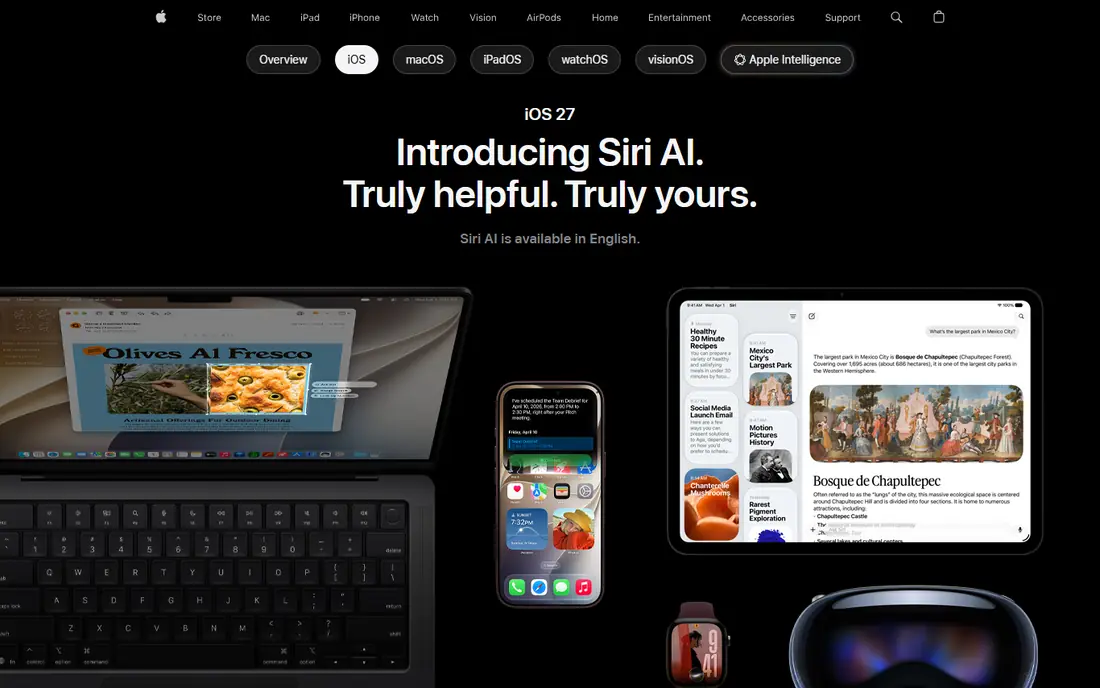
iOS is the practical alternative for most people who want to leave Android without learning a new way of using a phone. It ships on iPhones, receives updates for years, and offers nearly every major app a typical user expects, from banking to maps to messaging. Default settings limit cross-app tracking more than stock Android does, and Apple's hardware security features are well documented.
The price of that ease is control. You cannot install iOS on a phone you already own, you cannot reshape the system the way open projects allow, and you trade Google's data collection for Apple's ecosystem instead. For readers who want a phone that simply works, with a huge app store and predictable updates, iOS remains the default answer. For readers whose goal is open software, the projects below are a better match.
- Long update support on iPhones
- Large, polished app catalog
- Strong default privacy controls
- Only runs on Apple hardware
- No sideloading freedom in the US
- Closed source, so independent audit is limited
GrapheneOS is built on the Android Open Source Project with added exploit protections, including a hardened allocator, stricter permissions and network and sensor toggles per app. It replaces Google servers for connectivity checks, ships its own browser, and lets users add sandboxed Google Play in a separate profile if an app needs it. That design gives strong security without handing Google system-level privileges.
Support is narrow by design. Only Pixel phones meet the project's hardware security bar, and the project warns that some apps with strict integrity checks may not work. Installation is guided by a web installer, but users should back up data and check device compatibility first. If security is the top priority and a Pixel is acceptable, GrapheneOS is the strongest option in this guide.
- Hardened memory allocator and sandboxing
- Bootloader can be relocked
- Sandboxed Google Play is optional
- Pixel phones only
- Some banking and work apps may refuse to run
- Setup takes care and reading
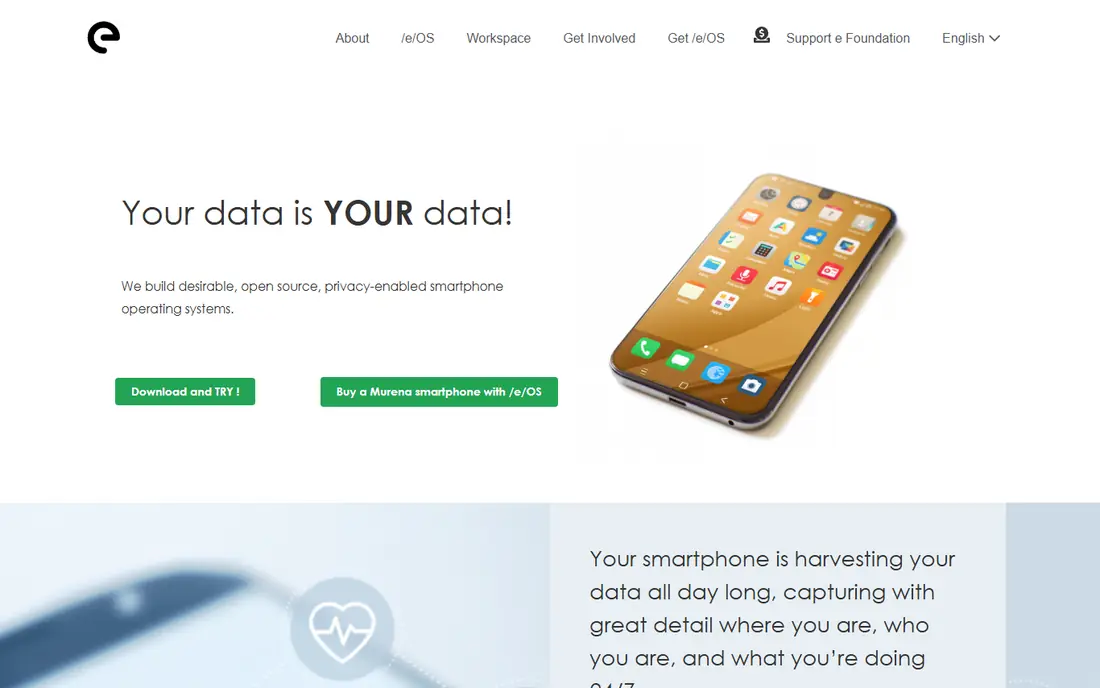
/e/OS, from the e Foundation, aims to feel like a normal phone while removing Google services. It includes microG, a free replacement for parts of Google Play Services, plus its own cloud services, app store and privacy ratings for apps. Murena sells phones with /e/OS preinstalled, which removes the flashing step entirely for buyers who want a ready-made device.
The trade-off is security depth. /e/OS supports many devices, including Fairphone models, but it does not match GrapheneOS hardening, and its patch timing varies by device. Users who value a familiar, privacy-respecting daily phone over maximum hardening will like it. Users who need verified boot with a relocked bootloader should look at GrapheneOS or CalyxOS instead.
- Polished interface close to stock Android
- MicroG built in for many apps
- Sold preinstalled on Murena phones
- Security patches can lag behind Pixel releases
- Bootloader usually stays unlocked
- Some Google-dependent apps fail
CalyxOS sits between GrapheneOS and /e/OS. It keeps Android's standard security model, supports relocking the bootloader on supported Pixel phones, and ships microG as an option for apps that expect Google services. It also includes a firewall, privacy-focused default apps and SeedVault for encrypted backups. For many users, that balance of security and usability is the sweet spot.
Device support is the limit. Pixels are the main target, with some Fairphone, Motorola and SHIFTphone models in various support categories, so check the official device list before buying a phone for CalyxOS. The project resumed work after a 2025 pause and began an Android 17 rollout in October 2026, so release timing varies by model. If your phone is supported, CalyxOS is a strong, practical privacy choice.
- Relockable bootloader on supported Pixels
- MicroG optional
- SeedVault backup support
- Smaller device list than LineageOS
- Project had a hiatus in 2025
- Some apps need microG tuning
LineageOS is the long-running community system for keeping phones usable after the maker stops updating them. It supports hundreds of device models across many brands, offers a clean interface close to stock Android, and lets users add Google apps or microG separately if they wish. For an older phone that still has good hardware, LineageOS can add years of useful life.
Security is the honest catch. Most LineageOS builds run with an unlocked bootloader, which weakens verified boot compared with stock Android or GrapheneOS. Update frequency depends on the volunteer maintainer for each device, so two phones on LineageOS can have very different patch levels. Treat LineageOS as a life-extension and customization choice, not as a hardening project.
- Very wide device support
- Long life for phones vendors abandoned
- Clean Android experience
- Bootloader usually stays unlocked
- Update speed varies by maintainer
- Google apps are a separate install
Ubuntu Touch, maintained by UBports after Canonical ended its own work, brings a Linux desktop heritage to phones. Its Lomiri interface is touch-first, and convergence lets a phone drive a desktop-style display with compatible hardware. Devices include Fairphone models, Volla phones and a range of community ports, which gives buyers more choice than a single-vendor system.
App choice is the main limit. Native apps cover browsing, messaging, calls and basic productivity, but the catalog is far smaller than Android or iOS, and Android app compatibility through a container is not a full replacement. Hardware features such as cameras may work better on some ports than others. Ubuntu Touch suits Linux fans and second-phone experiments more than a first phone for someone who needs every mainstream app.
- Maintained by the UBports community
- Convergence features for desktop use
- Supports Fairphone and Volla phones
- Small native app catalog
- Android app support is limited
- Camera and hardware support varies by device
Sailfish OS from Jolla is a Linux system with a gesture-first interface and strong multitasking. Apps stay visible as cards, and swiping replaces many buttons, which feels different from both Android and iOS after a short adjustment period. On supported devices, an Android compatibility layer runs many Android apps, which softens the app gap that affects most independent systems.
The limits are practical. Official device support is narrow, and some features require a license on certain devices, so check pricing for your exact model before committing. The native app store is small, and setup suits users who are comfortable with flashing and troubleshooting. For privacy-minded power users who want a truly independent system, Sailfish OS remains a distinctive and serious option.
- Distinct gesture interface
- Android app compatibility layer on supported devices
- Independent of Google and Apple
- Limited device support
- Paid license needed for full features on some devices
- Smaller app store
KaiOS is the outlier here, and that is its strength. It runs on smart feature phones with keypads and small screens, using web-based apps for calls, messaging, navigation and media. Battery life is far longer than a typical smartphone, prices are low, and the system suits people who want a simpler phone, a backup device, or an affordable first phone.
Buyers should not expect smartphone performance. There is no large native app catalog, multitasking is basic, and modern games or advanced productivity apps are out of reach. KaiOS proves that leaving Android does not have to mean buying a flagship phone. For minimal use, travel, or a digital reset, a KaiOS phone is a legitimate and low-cost alternative.
- Very low hardware cost
- Long battery life
- Essential apps such as messaging, maps and video
- Not a smartphone system
- Web-based apps only
- No full app store or advanced camera features
HarmonyOS is Huawei's own system, developed after the company lost access to Google services on new phones. It offers a polished interface, shared features across Huawei devices, and an app store that covers many popular services in its home markets. For someone who already owns Huawei hardware, it is the natural system rather than a project to install elsewhere.
Outside Huawei phones, HarmonyOS is not a realistic install choice for most readers, and Google apps require workarounds rather than official support. App availability also varies by region, so check the specific apps you need before switching. HarmonyOS belongs in this list because it is a complete, shipping alternative to Android, but it is a hardware-bound choice, not a free system for any phone.
- Tight integration across Huawei phones, tablets and wearables
- Large app gallery in supported regions
- Polished interface
- Only practical on Huawei hardware
- Google apps are not built in
- App availability varies outside China
How we picked these
We compared official project and vendor pages for phone operating systems that are actively maintained in October 2026, with a focus on device support, app availability, update practice and privacy design. We included one mainstream option, several de-Googled Android variants, Linux systems and one feature-phone system, so readers can match a system to their tolerance for setup work. We excluded discontinued systems such as Firefox OS and DivestOS, and we did not treat Android apps as operating system alternatives.
How to choose without regret
Start by listing the apps you cannot live without, then check each system for those exact apps, not just for a general app store claim. Banking, work, transit and messaging apps are the usual deal-breakers, and some refuse to run on unlocked or modified systems. Next, check device support for the exact phone model you own or plan to buy, since support varies by model even within one brand.
Finally, be honest about setup tolerance. iOS needs no flashing, /e/OS and Murena phones need almost none, and GrapheneOS, CalyxOS, LineageOS and the Linux systems need reading, backups and patience. A system you can maintain and update is better than a stronger system you abandon after a month. Keep your old phone until the new setup is proven for daily use.
Frequently asked questions
What are the best alternatives to Android?
iOS is the easiest mainstream switch, GrapheneOS is the strongest for security on Pixel phones, and /e/OS is the most forgiving de-Googled option for daily use. The best choice depends on whether you value ease, privacy, device choice or open software most.
What are phone OS alternatives to Android?
Phone OS alternatives include iOS, GrapheneOS, /e/OS, CalyxOS, LineageOS, Ubuntu Touch, Sailfish OS, KaiOS and HarmonyOS. Each runs as the phone's main system, unlike launcher apps or Android skins that still sit on top of Google services.
Can I install an Android alternative on any phone?
No. GrapheneOS supports Pixel phones, CalyxOS supports a smaller list, LineageOS supports the widest range, and Linux systems support specific ports. Always check the official supported-device list for your exact model before buying or flashing.
Is a de-Googled phone practical for daily use?
Yes for many users, with limits. Calls, browsing, messaging and many common apps work well, especially with microG or sandboxed Play, but some banking, payment and work apps may refuse to run. Test your must-have apps on a spare phone first if you can.
Which Android alternative is best for privacy?
GrapheneOS leads on hardening, followed by CalyxOS for a balance of security and usability, then /e/OS for a polished de-Googled experience. No system removes all tracking on its own, so app choices and permissions still matter.
Do alternative phone systems get security updates?
It varies. GrapheneOS and iOS update quickly, CalyxOS and /e/OS update on project schedules that differ by device, and LineageOS depends on each device maintainer. Check the update history for your model rather than trusting a general claim.
Sources
See where you really rank - block by block
ProMapRanker scans Google Maps across a grid of your service area. Simple monthly plans from $19, white-label on every plan.
Start freeKeep reading
 zscaler alternatives
Best Zscaler Alternatives in 2026
Looking for zscaler alternatives? We compare 9 SASE and zero trust platforms on architecture, data protection, pricing, and fit for your network and team.
Read → zapier alternatives free
Best Zapier Alternatives Free in 2026
Nine automation tools for zapier alternatives free in 2026, all with genuinely free tiers, plus free plan limits, starting prices and upgrade paths explained.
Read → which platform is best for online reputation
Which Platform Is Best for Online Reputation in 2026
Wondering which platform is best for online reputation? We compare 8 review, listing, and response tools for small and multi-location businesses and agencies.
Read →