 ProMapRanker
Best Alternatives to Salesforce CRM in 2026

Key takeaways
- HubSpot gives small teams the strongest free starting point, with contacts, deals, and email tracking at no cost.
- Zoho CRM and Freshsales offer the most features per dollar for teams that want paid plans under 15 dollars per user per month.
- Pipedrive suits teams that live in a pipeline view and want fast setup with little admin work.
- Capsule and Less Annoying CRM are the calmest options for teams that found larger systems too complex.
- Switching costs come from custom fields, automations, and integrations, so export a full data sample before you commit.
Quick comparison
| Pick | Great for | Pricing starts at | Free tier | |
|---|---|---|---|---|
 HubSpot CRM | Small teams that also do marketing | Free | Yes | Visit |
 Zoho CRM | Value and depth on a budget | $14 per user per month | Yes | Visit |
 Pipedrive | Pipeline focused sales teams | $14 per user per month | Free trial | Visit |
 Freshsales | Built in phone and email on a budget | $9 per user per month | Yes | Visit |
 monday Sales CRM | Visual boards and flexible workflows | $12 per user per month | Free trial | Visit |
 Insightly | CRM plus project delivery | $29 per user per month | Free trial | Visit |
 Capsule | Simple contact management | Free | Yes | Visit |
 Close | Outbound calling teams | $9 per user per month | Free trial | Visit |
 Copper | Google Workspace teams | $9 per user per month | Free trial | Visit |
The best alternatives to Salesforce CRM
These are the top alternatives to salesforce crm for teams that want lower cost, faster setup, or a simpler daily workflow. We ranked them on price transparency, core CRM features, and how well each one fits a specific kind of team.
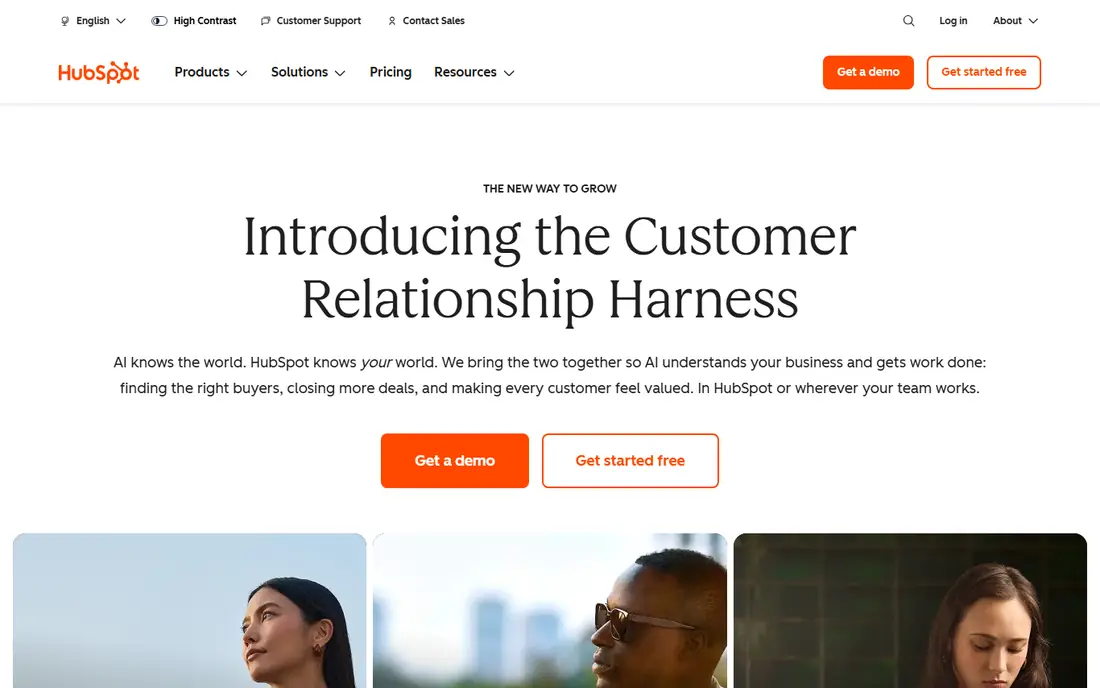
HubSpot is our pick for most small teams leaving a larger CRM. The free plan covers contacts, companies, deals, email tracking, and meeting scheduling, which is enough for many teams to run daily sales work without paying. It also connects sales to marketing tools, so a lead that fills out a form can move into a pipeline without manual copying.
The catch is the price path. Starter plans start at 15 dollars per seat per month, but Professional plans cost far more, and features such as sequences and custom reporting move up with them. If your team needs deep automation at scale, check the Professional price before you migrate. For teams that want a free start and room to grow, HubSpot is still hard to beat.
- Strong free CRM
- Marketing and service tools in one place
- Large integration library
- Paid tiers jump sharply in price
- Advanced automation sits on higher plans
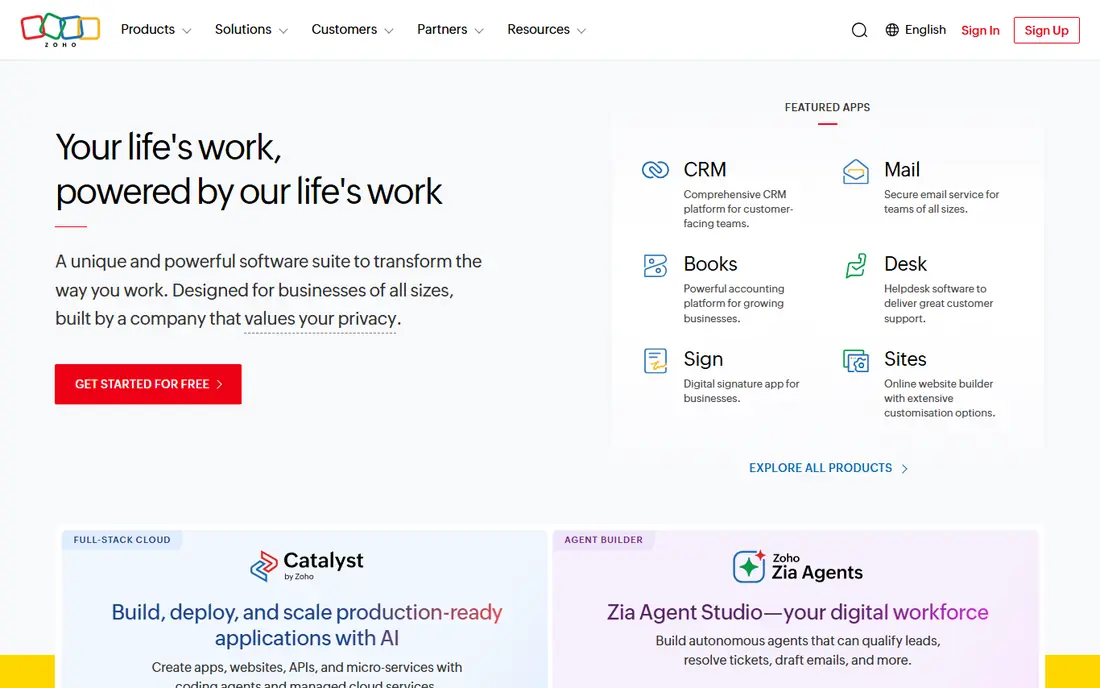
Zoho CRM gives budget teams a lot for the money. Standard plans start at 14 dollars per user per month, with workflow automation, email integration, and forecasting tools that other vendors reserve for higher tiers. The free plan for up to three users makes it a fair test for a tiny team before any payment.
The trade off is polish. Menus run deep, and new users may need a few days to settle on a clean layout. Once it is set up, though, Zoho handles custom fields, pipelines, and reports with a depth that suits growing teams. It is a strong choice when price matters and your team is willing to learn the system.
- Free plan for up to 3 users
- Wide feature set for the price
- Strong customization
- Interface feels busy at first
- Some setup takes patience
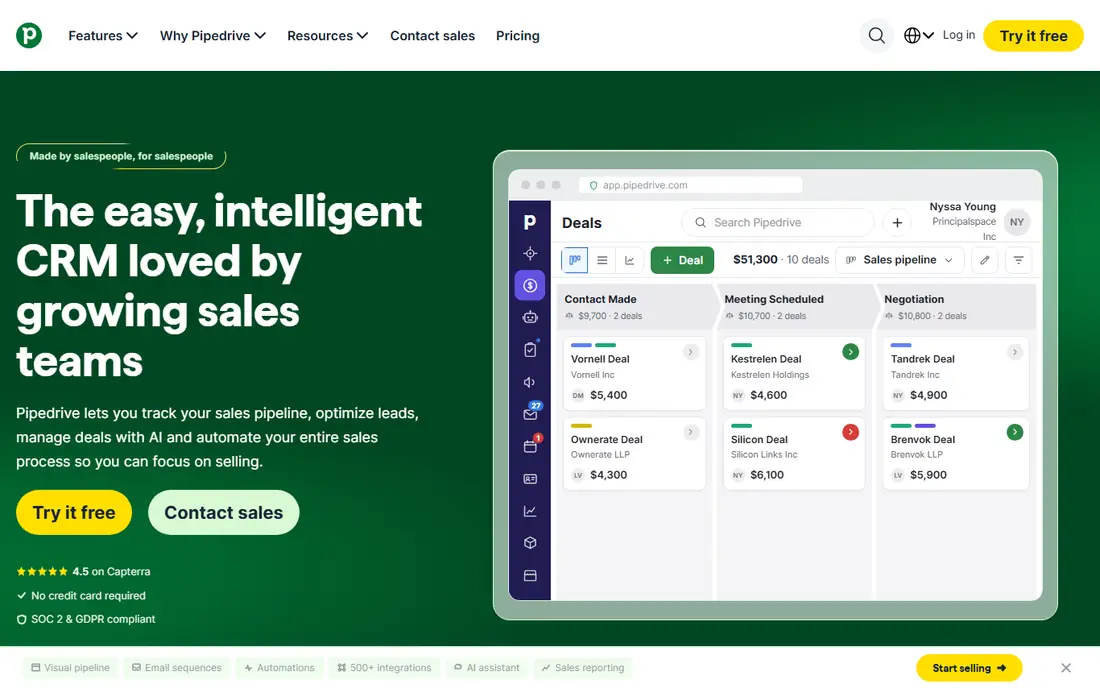
Pipedrive is built around one idea: move deals from left to right. The visual pipeline is easy to read at a glance, and reps can update a deal, log a call, or set a follow up in a few clicks. That focus makes onboarding quick, even for reps who disliked heavier CRMs.
It is less suited to teams that want full marketing automation in the same tool. Email campaigns and landing pages are thinner here than in HubSpot or Zoho. If your main job is closing deals and keeping follow ups on track, Pipedrive keeps that work front and center without extra clutter.
- Clear visual pipeline
- Fast setup
- Useful mobile app
- No free plan
- Marketing features are limited
- Add ons raise the cost
Freshsales, from Freshworks, is a good fit for teams that call and email from inside the CRM. The Growth plan starts at 9 dollars per user per month, and it includes built in phone tools, email tracking, and AI features that help rank leads. A free plan for up to three users lets a small team try the core workflow first.
Its ecosystem is smaller than HubSpot or Zoho, so check any niche integration before you switch. For straightforward sales teams that want calling, email, and pipeline views in one place at a low price, Freshsales offers clear value.
- Low Growth plan price
- Built in telephony
- AI assisted lead scoring
- Smaller integration ecosystem
- Higher tiers needed for deeper automation
monday Sales CRM suits teams that think in boards and columns. You can build pipelines, track onboarding, and manage post sale work in the same workspace, which helps small firms where one person wears several hats. Basic plans start at 12 dollars per user per month, with a three seat minimum.
The flexibility can also be a weakness. Because you can build almost anything, a team without a clear owner may end up with messy boards. Give one person charge of structure, and monday becomes a practical, visual alternative for teams that want sales and operations side by side.
- Highly flexible boards
- Good for sales plus operations
- Easy to customize views
- Three seat minimum on paid plans
- Can feel like a work tool rather than a pure CRM
Insightly stands out when a sale does not end at the signature. It links opportunities to projects, tasks, and milestones, so a team can hand work from sales to delivery without losing context. That makes it useful for agencies, consultants, and service firms that track work after the deal closes.
The starting price of 29 dollars per user per month is higher than most options here, and there is no free plan. If you only need contacts and a pipeline, cheaper tools will do. If project handoff is a daily pain, Insightly earns its price by keeping that handoff in one record.
- Links deals to projects
- Solid reporting
- Good for service based firms
- Higher starting price
- No free plan
- Interface is less modern
Capsule is for teams that want a CRM and nothing more. The free plan covers up to 250 contacts for two users, and paid plans start at about 18 dollars per user per month. Contacts, tasks, and a simple pipeline are easy to find, and new staff can learn it in an afternoon.
It will not replace a large platform for complex automation or deep reporting. For freelancers, small agencies, and owner led firms, that simplicity is the point. Capsule keeps customer history tidy without asking the team to manage a system on top of selling.
- Real free plan
- Clean and simple layout
- Quick to learn
- Fewer advanced automation tools
- Limited for large enterprise needs
Close is built for teams that sell by phone. Reps can call, text, and email from one inbox, power through lists, and log activity without switching apps. The Solo plan starts at 9 dollars per user per month, which makes it easy to test for a single rep or a small outbound pod.
It is not a full marketing platform, and call and SMS credits sit on top of the subscription on some plans. If your team books most revenue through outbound calls, Close removes friction from that exact workflow. If you need campaigns and landing pages too, pair it with a marketing tool or pick a broader CRM.
- Built in calling, SMS, and email
- Fast outbound workflow
- Call transcription on higher plans
- No marketing hub
- Call and SMS credits add cost
- Less suited to long account management
Copper is the natural pick for teams that already live in Gmail, Calendar, and Drive. It adds CRM records inside Gmail, captures contacts from email, and keeps pipeline updates close to the inbox where reps already work. Starter plans start at 9 dollars per user per month.
Outside Google Workspace, its appeal drops. Teams on Microsoft 365 or mixed tools may find other CRMs a better fit. For a Google first team that wants a CRM without leaving the inbox, Copper keeps adoption high because reps do not need to learn a separate home base.
- Lives inside Gmail and Google apps
- Automatic contact capture
- Simple pipeline views
- Weaker outside Google Workspace
- Higher tiers needed for automation
How we picked these
We compared official feature pages, pricing pages, and app store listings for each CRM, and we focused on current plans, free tiers, and the daily workflow each tool supports. We left out tools that are hard to buy, hard to set up for a small team, or priced only on custom quotes. We also kept the list to products that a small or mid sized team can run without a dedicated admin.
What to check before you switch CRMs
Start with your data, not the demo. Export contacts, deals, notes, and custom fields from your current system, and check how clean that export really is. Duplicates, missing owners, and old pipeline stages will follow you into any new tool, so clean them before migration rather than after.
Next, list the five workflows your team uses every week. That list might include lead capture, follow up reminders, quotes, reporting, and handoffs to delivery. Test each workflow in a trial with real records, not sample data. A tool that looks good in a sales demo can still slow down a specific step your team repeats daily.
Finally, price the full setup, not just the headline plan. Add seats, automation tiers, phone credits, and any integration you need. A cheap starting plan that forces an upgrade in month two is not cheap. Ask for the renewal price in writing, and check whether annual billing is required to get the price shown.
Frequently asked questions
What is the best Salesforce alternative for a small business?
HubSpot is the safest starting point for most small businesses because its free CRM covers core sales work and it grows with the team. Zoho CRM is a strong second choice when budget is tight and you want more depth at a low price. Pick based on whether marketing tools or pure sales depth matter more to your team.
Is there a free alternative to Salesforce CRM?
Yes. HubSpot, Zoho CRM, Freshsales, and Capsule all offer free plans with limits on users, contacts, or features. Free plans work well for tiny teams and for testing a workflow. Larger teams usually need a paid plan for automation, reporting, and higher contact limits.
Which alternative is easiest to set up?
Pipedrive and Capsule are among the easiest to set up because their pipelines and contact records are simple to read. monday Sales CRM is also quick if you start from a template rather than building boards from scratch. Complex tools take longer mainly because they offer more options to configure.
Can I migrate my data from Salesforce to another CRM?
Most tools on this list offer import tools, CSV imports, or migration help for contacts, companies, and deals. Notes, attachments, and custom automation often need extra work, so export a test batch first. Keep your old system readable until you confirm that key records, owners, and deal values moved correctly.
What is the best salesforce crm alternative for Google Workspace users?
Copper is built for Google Workspace, with CRM tools inside Gmail and automatic capture from email. HubSpot and Zoho CRM also integrate with Google apps, but Copper feels most native for a team that rarely leaves Gmail. Check its automation limits on higher plans before you commit.
Sources
See where you really rank - block by block
ProMapRanker scans Google Maps across a grid of your service area. Simple monthly plans from $19, white-label on every plan.
Start freeKeep reading
 zscaler alternatives
Best Zscaler Alternatives in 2026
Looking for zscaler alternatives? We compare 9 SASE and zero trust platforms on architecture, data protection, pricing, and fit for your network and team.
Read → zapier alternatives free
Best Zapier Alternatives Free in 2026
Nine automation tools for zapier alternatives free in 2026, all with genuinely free tiers, plus free plan limits, starting prices and upgrade paths explained.
Read → which platform is best for online reputation
Which Platform Is Best for Online Reputation in 2026
Wondering which platform is best for online reputation? We compare 8 review, listing, and response tools for small and multi-location businesses and agencies.
Read →