 ProMapRanker
Best Alternatives to Packer in 2026

Key takeaways
- AWS EC2 Image Builder and Azure Image Builder are the simplest picks for teams that live in one cloud.
- Ansible, Chef, and Puppet suit teams that want the same configuration applied across images and running servers.
- Terraform and Vagrant help when infrastructure definitions and local test machines matter as much as the image itself.
- Docker fits container image work, but it does not replace a full virtual machine image pipeline on its own.
Quick comparison
| Pick | Great for | Pricing starts at | Free tier | |
|---|---|---|---|---|
 AWS EC2 Image Builder | AWS machine images | See website | No | Visit |
 Azure Image Builder | Azure machine images | See website | No | Visit |
 Google Cloud custom images | Google Cloud images | See website | No | Visit |
 Ansible | Configuration inside images | Free | Yes | Visit |
 Chef Infra | Policy driven configuration | See website | No | Visit |
 Puppet | Large fleet configuration | See website | No | Visit |
 Terraform | Infrastructure definitions | Free | Yes | Visit |
 Vagrant | Local test machines | Free | Yes | Visit |
 Docker | Container images | Free | Yes | Visit |
The best alternatives to Packer
Packer builds machine images from templates, and the right replacement depends on where those images run and how much control you need. We compared official feature pages, pricing pages, documentation, and public reviews to build this list, and we left Packer itself off it.
AWS EC2 Image Builder is the natural first look for AWS heavy teams. It builds, tests, and distributes Amazon Machine Images through pipelines, with components for software install, patching, and validation. Distribution across accounts and regions is handled inside the service, which cuts down on custom scripts.
The limit is scope. It is built for AWS, so teams that also run Azure, Google Cloud, or on premises machines will still need another path for those images. Pricing is based on the resources used during a build, so check the AWS pricing page for the current build and storage costs.
- Managed build pipelines for Amazon Machine Images
- Built in testing and distribution
- AWS security integrations
- AWS only
- Less portable than a multi cloud template
Azure Image Builder suits teams that already standardize on Azure. It builds Windows and Linux images, applies customizations with shell or PowerShell steps, and publishes to Azure Compute Gallery or managed images. Cleanup and build infrastructure are managed for you, which lowers the day to day burden.
The trade-off is portability. An Azure centered pipeline is efficient inside Azure, but it does not produce images for other clouds in the same run. Teams with a multi cloud estate should pair it with a portable configuration tool, or keep a separate builder for each cloud.
- Managed Azure image builds
- Direct Compute Gallery distribution
- Azure DevOps and GitHub Actions links
- Azure focused
- Customization options are narrower than a fully custom pipeline
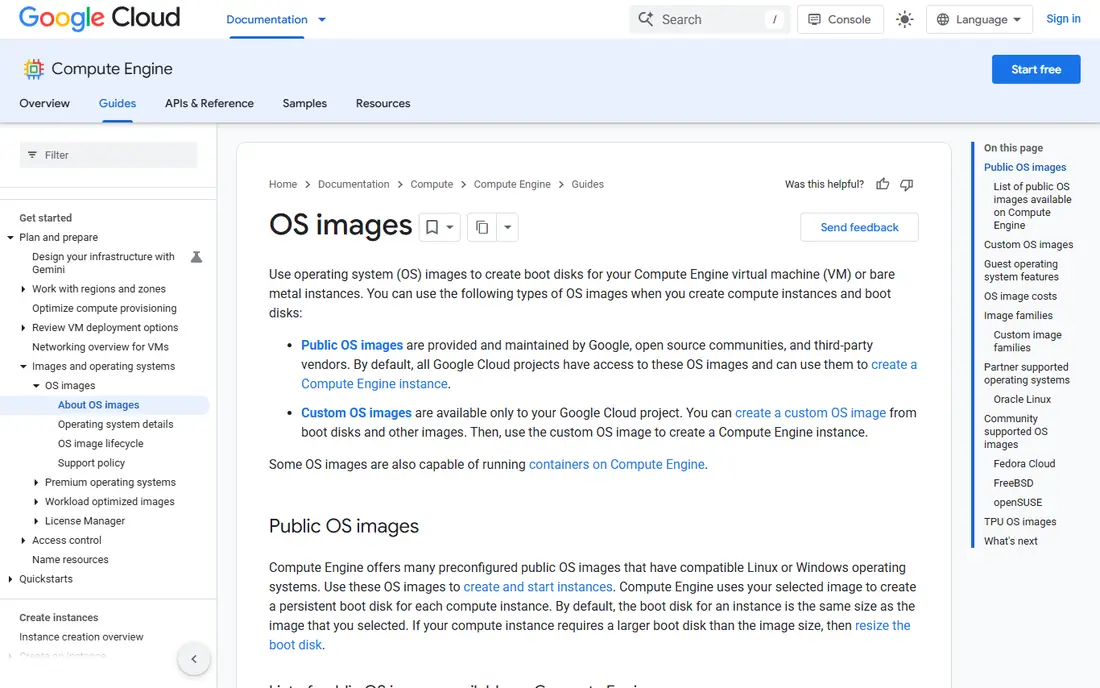
Google Cloud custom images work well for teams that run Compute Engine as their main platform. You can build an image from a disk, an instance, or another image, then share it across projects and use image families to track versions. That native link to Compute Engine keeps the workflow short and clear.
For a full pipeline, you will likely add Cloud Build, Terraform, or a configuration tool on top. Google Cloud handles the image itself, but testing, patching schedules, and distribution rules need to be designed around it. Check current compute and storage pricing before planning frequent rebuilds.
- Native Google Cloud image creation
- Family and version handling
- Strong integration with Compute Engine
- Google Cloud focused
- Pipeline automation needs extra tooling
Ansible is often paired with an image builder rather than replacing it outright. Its playbooks install software, set configuration, and apply security settings in a readable form, and the same playbook can configure a live server later. That shared approach reduces drift between the image and the running machine.
The catch is that Ansible does not capture the final machine image on its own. You still need a cloud image service, a virtualization tool, or a script to snapshot the configured machine. Teams that accept that split gain a clear, version controlled configuration layer.
- Agentless automation with readable playbooks
- Large module set
- Works on images and live servers alike
- Not a machine image builder by itself
- Needs a builder or cloud tool to capture the image
Chef Infra fits teams that want configuration treated as code with clear policies. Cookbooks define the desired state, and nodes converge to that state on a schedule, which helps keep images and running servers consistent over time. Test tools in the Chef ecosystem support checking a cookbook before it reaches production.
The learning curve is real, especially for teams new to Ruby style recipes and Chef server concepts. Smaller teams may find Ansible faster to adopt, while larger fleets gain more from Chef policy controls and reporting. Check current Chef licensing and pricing before planning a rollout.
- Strong policy and cookbook model
- Good for large, repeatable fleets
- Test driven workflow
- Steeper learning curve
- Needs server or hosted setup for full use
Puppet has long been used to keep large fleets in a known state. Manifests describe the desired configuration, agents apply it, and reports show drift and failures across the estate. That model pairs well with image builds, since the same manifests can prepare an image and then manage the machine after launch.
The cost is infrastructure and learning. Puppet Server, agents, and its own language take time to set up well, and small teams may not need that depth. For large, long lived fleets, the reporting and enforcement features can justify the effort.
- Mature desired state model
- Strong reporting
- Proven at large scale
- Needs Puppet infrastructure
- Language learning curve for new teams
Terraform is a strong companion to image tools, and a partial replacement when the main need is repeatable infrastructure. It defines networks, instances, and image references in code, so an environment can be rebuilt in a known form. Providers cover the major clouds and many services beyond them.
Terraform alone does not create a custom operating system image. It launches an instance from an image you already have, then can run provisioners or hand off to a configuration tool. Teams that need custom images should pair Terraform with a cloud image builder and a configuration tool.
- Clear infrastructure as code
- Wide provider set
- Good for repeatable cloud environments
- Does not build machine images by itself
- Needs an image source and a provisioner
Vagrant helps teams test the same provisioning steps that will later build a production image. A Vagrantfile defines a base box, a provider, and provisioners, so a developer can spin up a matching local machine in minutes. That local loop catches configuration errors early.
Vagrant is not a production image factory. It is designed for development and testing, and production images still need a cloud builder or a capture step. Used in that role, it saves time and makes image work easier to review.
- Fast local virtual machines from simple files
- Good for testing images and provisioners
- Wide box set
- Built for local development, not production image pipelines
- Needs a provider such as VirtualBox or VMware
Docker is the right tool when the delivery unit is a container rather than a virtual machine. Dockerfiles describe each layer, builds are repeatable, and images can be shared through registries with version tags. For application teams, that workflow is often simpler than a full machine image pipeline.
The limit matters for this topic. A container image does not include a full guest operating system kernel in the same way a virtual machine image does, and some workloads still need virtual machines for isolation or legacy systems. Choose Docker when containers are the target, and a cloud image builder when virtual machines are the target.
- Fast, repeatable container image builds
- Huge ecosystem
- Clear Dockerfile format
- Container images are not virtual machine images
- Host and runtime differences still matter
How we picked these
We compared official documentation, feature pages, pricing pages, and public reviews for tools that build, configure, or support machine and container images. We kept only tools that are live in October 2026 and that fit a real part of the Packer workflow, from cloud image services to configuration and local testing. We left Packer itself off the list.
How to choose the right replacement
Start by naming the target. If all workloads run in one cloud, use that cloud image builder and add a configuration tool for software setup. If workloads span clouds, keep configuration portable with Ansible, Chef, or Puppet, and use each cloud native builder only for the final capture step.
Also separate image work from infrastructure work. Terraform manages the environment around the image, while Docker manages container images, and Vagrant helps with local testing. A clean split here avoids a tool being forced into a job it was not built for, and it makes rebuilds easier to audit.
Frequently asked questions
What is the closest alternative to Packer?
AWS EC2 Image Builder is the closest managed match for AWS teams, and Azure Image Builder is the closest for Azure teams. For multi cloud work, there is no single perfect match, so most teams pair a cloud builder with Ansible, Chef, or Puppet for portable configuration.
Can Terraform replace Packer?
Terraform can replace the infrastructure part of a Packer workflow, but it does not build a custom machine image by itself. It launches instances from an existing image and can run provisioners, so pair it with a cloud image builder when a custom image is required.
Is Ansible a Packer alternative?
Ansible is a partial alternative, since it handles the software and configuration steps inside an image. It does not capture the final machine image, so it works best alongside AWS EC2 Image Builder, Azure Image Builder, or a virtualization capture step.
Should I use Docker instead of Packer?
Use Docker when your target is a container image and your runtime supports containers. Use a virtual machine image builder when you need a full guest operating system, stronger isolation, or a legacy workload that cannot run as a container.
Which Packer alternative is free?
Ansible, Terraform, Vagrant, and Docker all offer free open source or free tier options for core use. Cloud image builders charge for the compute, storage, and network resources used during builds, so check the vendor pricing page for current rates.
Sources
See where you really rank - block by block
ProMapRanker scans Google Maps across a grid of your service area. Simple monthly plans from $19, white-label on every plan.
Start freeKeep reading
 zyte alternatives
Best Zyte Alternatives in 2026
These zyte alternatives cover managed scraping APIs, proxy networks and no code tools for lawful collection from your own or consented sources only in 2026.
Read → zerto alternatives
Best Zerto Alternatives in 2026
Compare the best zerto alternatives for disaster recovery and replication, with recovery targets, cloud options and honest trade-offs for teams in 2026.
Read → zerofox alternatives
Best ZeroFox Alternatives in 2026
We compared 9 zerofox alternatives for brand protection, phishing takedowns, dark web monitoring, and social impersonation, with clear coverage notes.
Read →