 ProMapRanker
Best Alternatives to KACE in 2026


Cloud endpoint management for distributed teams · Pricing starts at: See website
Key takeaways
- This article covers Quest KACE, the systems management appliance and endpoint platform, and lists endpoint and systems management alternatives only.
- Atera and Syncro suit MSPs that want per-technician pricing, while ManageEngine Endpoint Central suits organizations that need deep patching control.
- Microsoft Intune starts at $8 per user per month and fits organizations already centered on Microsoft 365.
- Most enterprise endpoint pricing is quote-based, so a pilot on real devices matters more than a public price page.
Quick comparison
| Pick | Great for | Pricing starts at | Free tier | |
|---|---|---|---|---|
| NinjaOne | Cloud endpoint management for distributed teams | See website | Free trial | Visit |
 ManageEngine Endpoint Central | Deep patching and policy control | See website | Free trial (30 days) | Visit |
 Atera | Per-technician pricing for MSPs | $149 per technician per month | Free trial (30 days) | Visit |
 Ivanti Endpoint Manager | Enterprise endpoint and security control | See website | Free trial | Visit |
 Microsoft Intune | Microsoft-centered device management | $8 per user per month | Free trial | Visit |
 Hexnode UEM | Affordable per-device management | $1 per device per month | Free trial | Visit |
 SuperOps | Modern MSP platform with AI help | See website | Free trial (21 days) | Visit |
 Datto RMM | Cloud RMM for MSPs | See website | Free trial | Visit |
 ConnectWise Automate | Deep scripting for large MSPs | See website | Free trial | Visit |
The best alternatives to KACE
Quest KACE, from Quest Software, is a systems management platform built around an appliance model, with patching, inventory, software distribution, and service desk features for desktops, servers, and mobile devices. The tools below cover the same endpoint and systems management work, from cloud-native consoles to enterprise policy platforms. Our pick for most teams moving away from an appliance model is NinjaOne, because it delivers patching, inventory, and remote access from a cloud console without dedicated management hardware.
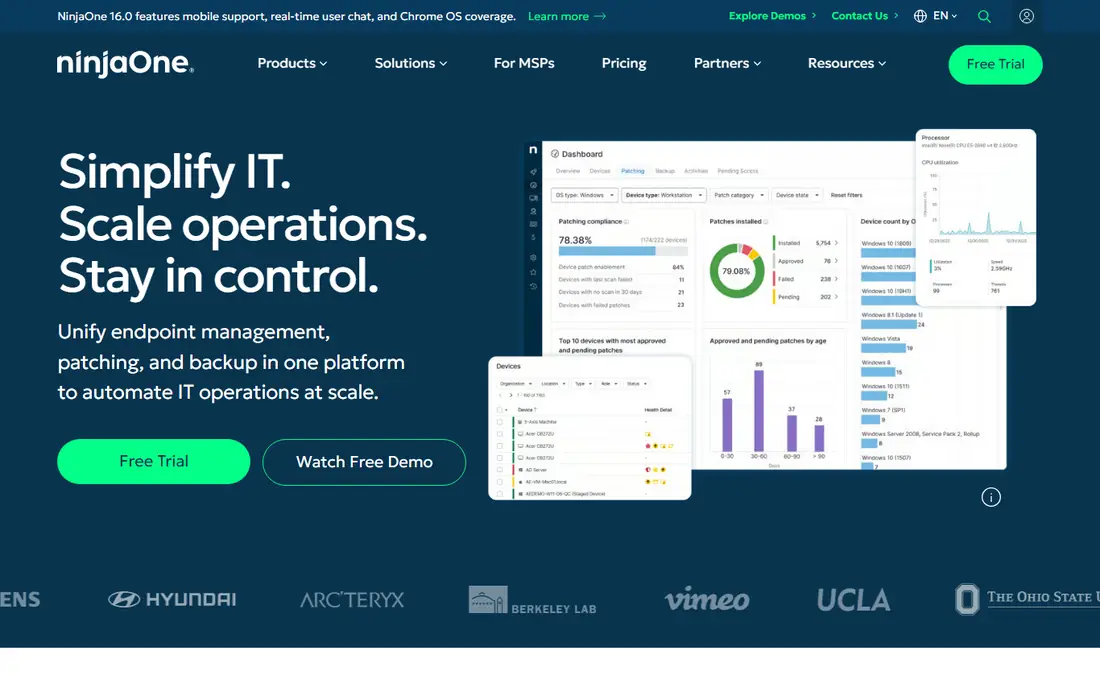
NinjaOne fits a distributed team that wants to retire appliance hardware and manage endpoints from anywhere. The console covers patching, inventory, software deployment, monitoring, and remote support for Windows, macOS, and Linux devices, with mobile device management alongside. Deployment is fast compared with an appliance rollout, which matters for teams with staff in many locations.
The catch is pricing transparency. NinjaOne uses per-device, quote-based pricing, so a team should request a quote for its exact endpoint count and contract term. For a team that values a modern cloud console over an on-premises appliance, it is the most direct KACE replacement here.
- Cloud-native console with no appliance to maintain
- Autonomous patching for operating systems and apps
- Remote access and backup in one platform
- Pricing is quote-based
- Some advanced features need higher tiers
ManageEngine Endpoint Central fits an IT department that needs tight control over a large fleet. It handles automated patching, asset intelligence, software deployment, and attack surface controls from one console, and it covers desktops, servers, and mobile devices. For organizations that valued KACE inventory and compliance reporting, Endpoint Central is a close match on features.
The trade-off is polish. The interface is functional rather than modern, and setup takes time. A team that prioritizes control and patching depth over a sleek console will find it a strong value.
- Patching for operating systems and third-party apps
- Asset inventory and software deployment
- Strong policy and device controls
- Interface feels dated next to cloud-native rivals
- Larger deployments need a quote
Atera fits an MSP or internal IT team managing many endpoints with few technicians. The platform combines monitoring, patching, ticketing, and remote access, so a team can replace several tools with one subscription. Unlimited endpoints per technician keeps costs predictable as a client list grows.
The catch is the per-technician price. A small team with few endpoints may pay less on a per-device plan, so count endpoints per technician before choosing. For an MSP replacing KACE across many clients, the pricing model is a clear advantage.
- Per-technician pricing with unlimited endpoints
- RMM and ticketing in one platform
- Patching, automation, and remote access included
- High entry price for a solo technician
- Reporting depth varies by tier
Ivanti Endpoint Manager fits a larger, mature IT department that needs enterprise policy control alongside patching. It covers a wide range of operating systems, enforces configuration and privilege policies, and ties endpoint management to security controls. That breadth suits organizations with compliance requirements and mixed fleets.
The honest catch is complexity. Setup and configuration take longer than on cloud-native rivals, and some users report confusing documentation. A team with the staff to run it gains a deep platform, while a small team may prefer a simpler console.
- Management for Windows, macOS, Linux, and mobile devices
- Patching plus security and privilege controls
- Strong enterprise policy options
- Setup can be complex and time-consuming
- Documentation can be hard to follow across versions
Microsoft Intune fits an organization already committed to Microsoft 365. Plan 1 starts at $8 per user per month and covers enrollment, policy enforcement, app deployment, and compliance for Windows, macOS, iOS, and Android. Conditional access links device health to access to company apps, which strengthens a security posture without extra tools.
The limit is scope. Intune is a unified endpoint management platform, not an MSP RMM with ticketing and billing, and it assumes Microsoft identity licensing. For a Microsoft-centered organization replacing KACE, it is a natural fit.
- Deep integration with Microsoft 365 and Entra ID
- Per-user pricing suits one-device-per-person fleets
- Compliance and conditional access controls
- Less suited to MSP multi-tenant billing than specialist RMM tools
- Works best inside the Microsoft ecosystem
Hexnode UEM fits a mid-sized team with a diverse device fleet that needs clear per-device pricing. The entry tier starts at $1 per device per month on annual billing, and the console covers enrollment, policy enforcement, app distribution, and remote actions for Windows, macOS, iOS, Android, and other platforms. That breadth at a low entry price is rare.
The trade-off is depth at the entry tier. Kiosk controls, advanced automation, and deeper reporting sit on higher plans, so a team should map needed features to tiers before buying. For straightforward fleet management on a budget, Hexnode is a strong pick.
- Low per-device starting price
- Covers desktops and mobile devices
- Policy, app, and content management in one console
- Advanced features need higher tiers
- Smaller ecosystem than the largest rivals
SuperOps fits a modern MSP that wants endpoint management, ticketing, and documentation in one place. The platform supports Windows, macOS, Linux, iOS, and Android, bundles remote access, and uses AI assistance for ticket triage and patch risk. That combination suits an MSP replacing an appliance plus a separate helpdesk tool.
The catch is maturity. SuperOps is newer than NinjaOne, Ivanti, and ConnectWise, so a team that needs a long public track record should run a careful pilot. For a growing MSP open to a newer stack, it is worth testing.
- RMM and PSA ticketing in one modern platform
- AI help with ticket triage and patch risk
- Bundled remote access included
- Newer platform with a shorter track record
- Pricing varies by license type
Datto RMM fits an MSP that already uses Datto backup or other Kaseya products. The cloud console monitors endpoints, deploys patches, and automates remediation, while ransomware detection flags suspicious behavior. Integration with backup lets a technician move from an alert to a recovery plan without switching vendors.
The trade-off is pricing transparency and ecosystem fit. Quote-based pricing makes early comparison harder, and the best value appears when several Kaseya products are bundled. Ask for a per-endpoint quote on a realistic fleet size.
- Cloud-native console with no server to maintain
- Ransomware detection in monitoring
- Tight integration with Datto backup tools
- Quote-based pricing
- Strongest value inside the wider Kaseya stack
ConnectWise Automate fits a larger MSP that needs deep customization. The scripting engine automates complex remediation, patching, and maintenance routines, and the agent model covers servers and workstations across many clients. Integration with ConnectWise PSA ties monitoring to ticketing and billing for a full MSP workflow.
The catch is complexity and cost structure. Automate rewards teams that invest in scripting, and smaller teams may find simpler RMM tools faster to run. For a large MSP that valued KACE automation, Automate is a capable successor.
- Deep scripting and automation engine
- Agent-based monitoring for servers and workstations
- Large MSP ecosystem with PSA integration
- Steep learning curve
- Pricing is quote-based and per-endpoint
How we picked these
We compared official feature pages, pricing pages, and public reviews for endpoint and systems management tools that match KACE core work: inventory, patching, software distribution, policy control, and remote management. We favored tools actively sold in October 2026 that support Windows and macOS at minimum, and we excluded tools focused only on mobile devices or only on remote access with no patching or inventory.
Moving from an appliance to a cloud console
An appliance model means hardware, updates, and backups for the management server itself, while a cloud console moves that burden to the vendor. Before migrating, export inventory, patch policies, software packages, and ticket history, and check how agents deploy on each operating system. Run both systems in parallel for a pilot group, and confirm patching and reporting match before retiring the appliance.
What to test in a pilot
Test patching on Windows, macOS, and Linux devices, confirm software deployment works for line-of-business apps, and check remote access without end user friction. Review reporting for compliance audits, and confirm how the platform handles offline devices that return after weeks away. A pilot on a real mix of devices reveals gaps that a sales demo will not.
Frequently asked questions
Is this article about Quest KACE or another product called Kace?
This article is about Quest KACE, the endpoint and systems management platform from Quest Software. Other products share similar names, but the alternatives here cover systems management, patching, and inventory, which is the KACE use case.
Can I migrate KACE inventory and policies to a new tool?
Inventory exports and policy settings usually need rebuilding in a new console, because each vendor stores them differently. Export reports and package lists from KACE first, then rebuild policies in the new tool during a pilot, and keep KACE running until the pilot passes.
Which KACE alternative is cheapest?
Hexnode UEM has the lowest published starting price here at $1 per device per month, and Microsoft Intune starts at $8 per user per month. The cheapest option depends on devices per user and the features a team actually needs, so model both on a real fleet count.
Do these tools support mobile devices as well as desktops?
Most tools here cover Windows and macOS, and many cover iOS, Android, and Linux. Mobile management depth varies, so confirm enrollment, app distribution, and policy controls for each device type before buying.
Is a cloud console secure enough for endpoint management?
Cloud consoles from established vendors use encrypted agent traffic, role-based admin access, and audit logs. A team should still review data residency, single sign-on support, and backup of policies and scripts, and enable multi-factor authentication for all admin accounts.
Sources
See where you really rank - block by block
ProMapRanker scans Google Maps across a grid of your service area. Simple monthly plans from $19, white-label on every plan.
Start freeKeep reading
 zoro.to alternatives
Best Zoro.to Alternatives in 2026
We compare the best zoro.to alternatives in 2026, listing only legal licensed anime streaming services, from Crunchyroll to free options for fans today.
Read → zip alternatives
Best Zip Alternatives in 2026
We compare the best zip alternatives for buy now, pay later in 2026, covering pay-in-4 plans, fees, spending limits, and credit reporting options today.
Read → yesware alternatives
Best Yesware Alternatives in 2026
Compare the best yesware alternatives for sales email tracking, templates, and sequences, with current pricing and honest tradeoffs for small sales teams.
Read →