 ProMapRanker
Best Alternatives to Enterprise SSO Leaders in 2026

Key takeaways
- OneLogin and JumpCloud give mid-market teams a simpler, cheaper path to single sign-on than the largest enterprise platforms.
- Keycloak and WSO2 Identity Server suit teams that want open-source control and are comfortable hosting and maintaining the software themselves.
- Auth0 is the strongest choice here for customer-facing login, while PingOne and CyberArk Identity suit large, regulated organisations.
- Prices range from free open-source software to about $11 per user per month for JumpCloud SSO, so the right tier depends on directory and device needs.
- We list alternatives only in this guide, and we do not list the two largest enterprise providers themselves as products.
Quick comparison
| Pick | Great for | Pricing starts at | Free tier | |
|---|---|---|---|---|
 PingOne | Large enterprise federation | See website | Free trial | Visit |
 OneLogin | Mid-market simplicity | $4 per user per month | Free trial | Visit |
 JumpCloud | Cloud directory plus SSO | $11 per user per month | Yes | Visit |
 Keycloak | Open-source self-hosted identity | Free | Yes | Visit |
 Auth0 | Customer-facing login | $35 per month | Yes | Visit |
 CyberArk Identity | Privileged and workforce security | See website | Free trial | Visit |
 Frontegg | SaaS customer identity | See website | Free trial | Visit |
 WorkOS | Developer-friendly enterprise SSO | See website | Free trial | Visit |
 WSO2 Identity Server | Open-source enterprise identity | Free | Yes | Visit |
The best alternatives to enterprise sso leaders
Single sign-on lets staff sign in once and reach many apps, but the biggest platforms are not the only way to get there. These nine alternatives cover mid-market teams, developers, and large organisations that want a different balance of price, control, and features.
PingOne, from Ping Identity, is built for organisations with many apps, partners, and identity sources to connect. It supports common federation standards, so a company can link internal directories, partner systems, and cloud apps under one set of access policies. That breadth is why large enterprises choose it when a simpler SSO tool runs out of room.
The trade-off is effort and cost. Pricing is quoted, and a full rollout usually needs identity expertise on staff or from a partner. Smaller teams will find the setup heavier than they need. For a large organisation replacing or complementing a market leader, PingOne is a serious, proven alternative.
- Deep federation and standards support
- Strong for complex enterprise environments
- Mature admin and policy controls
- Sales-led pricing
- Implementation can be a project, not a quick setup
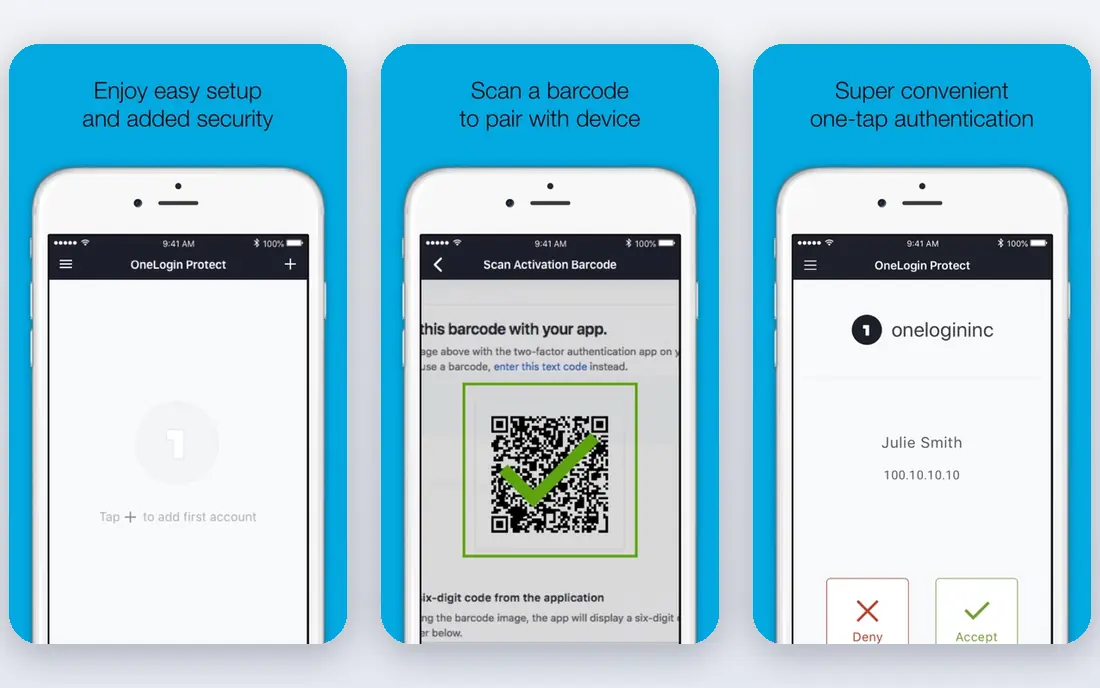
OneLogin is our pick for mid-market teams that want SSO live quickly. It offers thousands of pre-built connectors, so common apps like Salesforce, Google Workspace, and Slack can be connected without custom work. Pricing starts at $4 per user per month on its entry workforce plan, and adaptive authentication helps flag risky logins without annoying every user.
OneLogin is less of a full device and directory replacement than JumpCloud, so teams that also need device management will need another tool. Some advanced provisioning features also sit on higher tiers. For focused SSO and multi-factor authentication, it hits a good balance of price and simplicity.
- Large catalogue of pre-built app connectors
- Adaptive multi-factor authentication
- Straightforward admin console
- Higher tiers are needed for advanced lifecycle features
- Support quality varies by plan
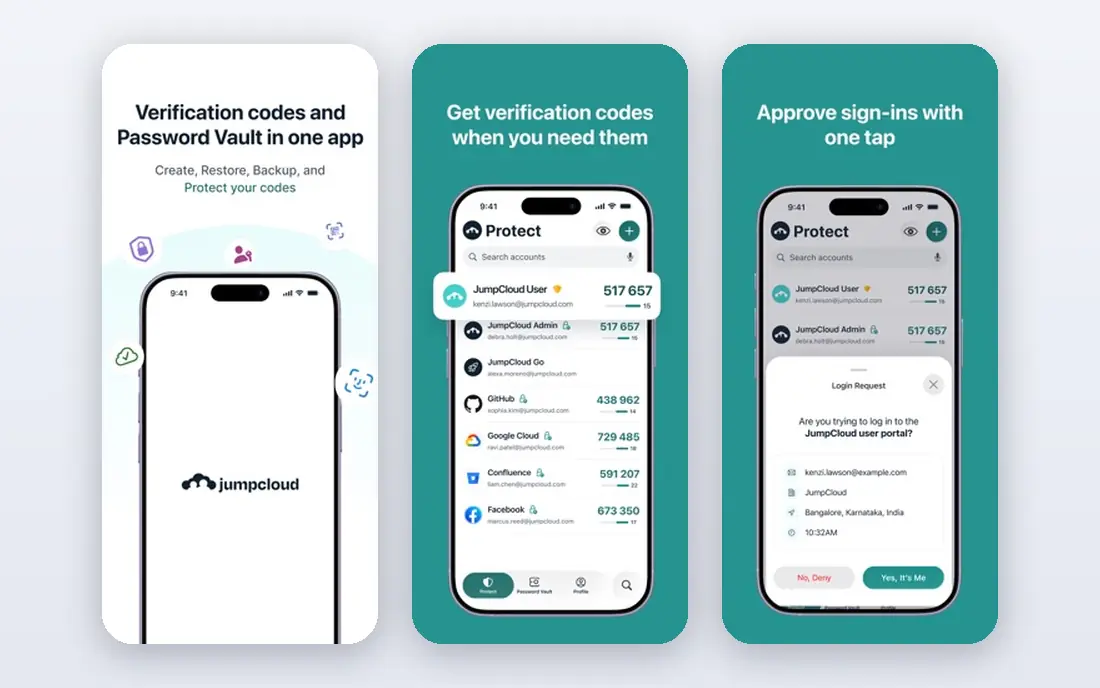
JumpCloud replaces an on-premises directory as well as providing SSO, which makes it attractive to companies without Active Directory in the office. Staff get one identity for apps, devices, WiFi, and VPN, and IT manages it all from one console. The SSO plan starts at $11 per user per month billed annually, and a free tier covers very small teams.
The cost adds up as headcount grows, and teams that only need SSO may pay for directory features they do not use. JumpCloud also asks more of IT than a pure SSO add-on, since it becomes the core directory. For distributed teams on mixed devices, that consolidation is often worth it.
- Combines directory, SSO, and device management
- Works across Windows, macOS, and Linux
- Free tier for small teams
- Per-user price climbs as you add device features
- Directory insights could be richer
Keycloak is the open-source option that many engineering teams reach for first. It provides single sign-on, social login, user federation, and admin consoles, and it runs on your own servers or cloud infrastructure. There is no licence fee, which makes it appealing for startups, internal tools, and projects with tight budgets.
The real cost is time. Your team owns hosting, upgrades, backups, and security patching, and a production setup needs care around availability and monitoring. Keycloak also lacks the vendor support contract that larger buyers often require, unless you buy support separately. If you have the engineering capacity, it is a capable and flexible alternative.
- Free and open source
- Supports SSO, social login, and federation
- Large community and documentation
- You host, patch, and scale it yourself
- Setup needs technical skill
Auth0, now part of Okta as a separate product, is best known for customer identity: login, sign-up, social login, and passwordless options for apps and websites. Developers can add authentication with SDKs and pre-built login pages, and the free tier covers early-stage products. Paid plans start at $35 per month.
Auth0 is less suited as a pure workforce directory replacement, since its strength is customer-facing apps rather than managing staff devices. Costs also rise with monthly active users, so a fast-growing consumer app should model that growth before committing. For product teams shipping customer login, it remains a strong pick.
- Fast developer setup for customer apps
- Social and enterprise connections
- Free tier for getting started
- Pricing grows with monthly active users
- Workforce SSO is not its main focus
CyberArk Identity brings SSO together with the company's strength in privileged access and credential security. That background appeals to banks, healthcare organisations, and other regulated teams that need tight control over who reaches sensitive systems. It offers adaptive authentication and lifecycle management alongside SSO.
Pricing is quoted, and the wider CyberArk platform can feel like more than a small team needs if the goal is only SSO for a handful of apps. For security-led buyers who already care about privileged accounts, though, the combination of workforce SSO and privileged controls in one vendor is a genuine advantage.
- Strong security and privileged access heritage
- SSO plus adaptive multi-factor authentication
- Good for regulated sectors
- Sales-led pricing
- Broader platform can feel heavy for simple SSO needs
Frontegg solves a different problem from most tools here: it gives your SaaS product enterprise-ready login for its business customers. That means your customers can use their own SSO, manage their team roles, and review audit logs, without your team building all of that from scratch. It is aimed at B2B SaaS companies that keep losing deals because they lack enterprise login features.
Frontegg is not the tool for managing your own employees' access to internal apps, so do not buy it for that job. Pricing is also quoted rather than self-serve. If you sell software to companies and need customer SSO fast, it is a focused and practical choice.
- Built for SaaS teams serving business customers
- Enterprise SSO, roles, and audit logs for end customers
- Developer-friendly setup
- Not a workforce directory for your own staff
- Pricing is quoted
WorkOS gives developers the building blocks for enterprise features inside their own product, including SSO, directory sync, and audit logs. Its documentation and APIs are designed for engineering teams that want to ship enterprise readiness without building SAML integrations app by app. That developer focus is its main appeal.
WorkOS is a set of APIs for your product, not a console where your own staff sign in to office apps, so the use case matters. Pricing is quoted and tied to usage, which makes early cost estimates harder. For SaaS teams that need enterprise SSO for customers, it is one of the cleanest developer options here.
- Clean APIs and documentation for enterprise SSO
- Supports SAML and directory sync
- Built for product teams
- Pricing is usage-based and quoted
- Not a standalone workforce directory
WSO2 Identity Server is another open-source identity server, with a longer enterprise heritage than many community projects. It supports SSO, federation, access management, and API security, and it can be deployed on-premises or in a private cloud. Organisations that want source-code control without licence fees often shortlist it alongside Keycloak.
As with Keycloak, the work does not disappear: your team handles deployment, upgrades, and support unless you pay WSO2 for help. The admin experience is also more technical than a polished SaaS console. For engineering-led organisations with compliance or hosting constraints, that control is exactly the point.
- Free open-source core with enterprise features
- Strong standards support
- Can run on-premises or in the cloud
- Needs technical staff to run well
- Vendor support is a separate paid option
How we picked these
We compared official feature pages, pricing pages, and documentation for identity providers that offer single sign-on, and we kept only products that exist and work today and genuinely serve as alternatives to the leading enterprise providers. We weighed SSO protocol support, directory and lifecycle features, multi-factor authentication, deployment options, pricing transparency, and free or trial availability. We did not list the two leading providers themselves as products, per the brief for this article. We did not claim hands-on testing we did not do.
Choosing the right SSO alternative
Start by naming who will sign in. Workforce SSO for your own staff, customer login for your product's users, and customer SSO for business clients are three different jobs, and the best tool changes with each one. OneLogin and JumpCloud suit staff SSO, Auth0 suits customer login, and Frontegg and WorkOS suit customer SSO inside a SaaS product.
Next, check protocol and app coverage. Confirm the tool supports SAML and OpenID Connect, and that your most important apps have a pre-built connector or a tested custom setup. Ask about directory sync, automated provisioning and deprovisioning, and adaptive multi-factor authentication, since those features decide how much manual admin work remains after launch. Finally, pilot with one department or one customer before a company-wide rollout, and measure login failures and help-desk tickets during the pilot.
For small and mid-market teams
OneLogin or JumpCloud will usually get SSO live fastest, with clear per-user pricing. Keycloak is the budget option if you have engineering time and no need for a vendor support contract.
For large or regulated organisations
PingOne and CyberArk Identity offer the depth, federation, and policy controls that complex environments need. Expect a quoted price and a planned implementation rather than a same-day setup.
For SaaS product teams
Auth0 covers customer login, while Frontegg and WorkOS cover enterprise SSO for your business customers. Choose based on whether your buyers need simple login or full enterprise connections with directory sync.
Frequently asked questions
What is single sign-on, in simple terms?
Single sign-on lets a person sign in once and then access many apps without entering a separate password for each one. It usually pairs with multi-factor authentication, so that one login is checked more strictly than a password alone.
Why would a company switch away from a leading SSO provider?
Common reasons include price, contract terms, a need for a different feature set, or a preference for open-source control. Some teams also switch because their main need changed, for example from staff SSO to customer login, and a different product fits that job better.
Is open-source SSO safe for a business?
Open-source SSO can be safe when it is kept patched, backed up, and monitored, and when access policies are reviewed regularly. The risk comes from running it without ownership: an unpatched identity server is a serious security gap, so assign a clear owner before you deploy one.
Do these alternatives support multi-factor authentication?
Yes, the commercial options here include multi-factor authentication, and Keycloak and WSO2 Identity Server support it as part of their feature sets. Check whether adaptive or risk-based authentication is included on your plan, since some vendors reserve it for higher tiers.
Can I migrate users without resetting every password?
In many cases, yes, by federating with your existing directory or importing users, but the exact method depends on your current provider and directory. Plan the migration in stages, test with a small group, and keep a rollback plan for the cutover week.
Which alternative is best for a small business?
OneLogin is the simplest paid starting point for staff SSO, and JumpCloud adds directory and device management if you need it. Keycloak is the lowest-cost option, but only if someone on your team can run and maintain it.
Sources
See where you really rank - block by block
ProMapRanker scans Google Maps across a grid of your service area. Simple monthly plans from $19, white-label on every plan.
Start freeKeep reading
 galaxy.ai alternatives with lifetime access
Best Galaxy.ai Alternatives With Lifetime Access in 2026
Looking for galaxy.ai alternatives with lifetime access? We compare 7 pay-once AI tools for chat, writing, images, video and SEO work in 2026, in detail.
Read → best workforce management software
Best Workforce Management Software in 2026
Compare the best workforce management software for scheduling, time tracking, and payroll, with prices, free plans, and picks by team size and industry.
Read → best wms software
Best WMS Software in 2026: 8 Systems Compared
Compare the best WMS software for warehouses of every size in 2026, from enterprise systems like SAP and Manhattan to mid-market options for growing brands.
Read →