 ProMapRanker
Best AI Alternatives in 2026

Key takeaways
- Claude is our pick for long writing and coding, while Gemini fits best if your work already lives in Google apps.
- Perplexity is the strongest choice when every answer needs sources you can check.
- DeepSeek and Meta AI are the most useful free options, with no paid plan needed for DeepSeek chat.
- Mistral Le Chat has the lowest paid entry price here, at $14.99 per month.
- Most assistants now offer a free plan, so test two or three with your real tasks before paying.
Quick comparison
| Pick | Great for | Pricing starts at | Free tier | |
|---|---|---|---|---|
 Claude | Long writing and coding | $20 per month | Yes | Visit |
 Gemini | Google Workspace users | $19.99 per month | Yes | Visit |
 Perplexity | Research with sources | $20 per month | Yes | Visit |
 Microsoft Copilot | Microsoft 365 users | $19.99 per month | Yes | Visit |
 Mistral Le Chat | Low-cost paid plan | $14.99 per month | Yes | Visit |
 DeepSeek | Free reasoning and coding | Free | Yes | Visit |
 Grok | Real-time news and social topics | See website | Yes | Visit |
 Meta AI | Help inside social apps | Free | Yes | Visit |
 Poe | Using many models in one app | $4.99 per month | Yes | Visit |
The best AI alternatives
This article covers alternatives to ChatGPT-style AI chat assistants: tools you can talk to, ask questions, and use for writing, coding and research. Each one has a different strength, and the right pick depends more on where your work lives than on any single benchmark.
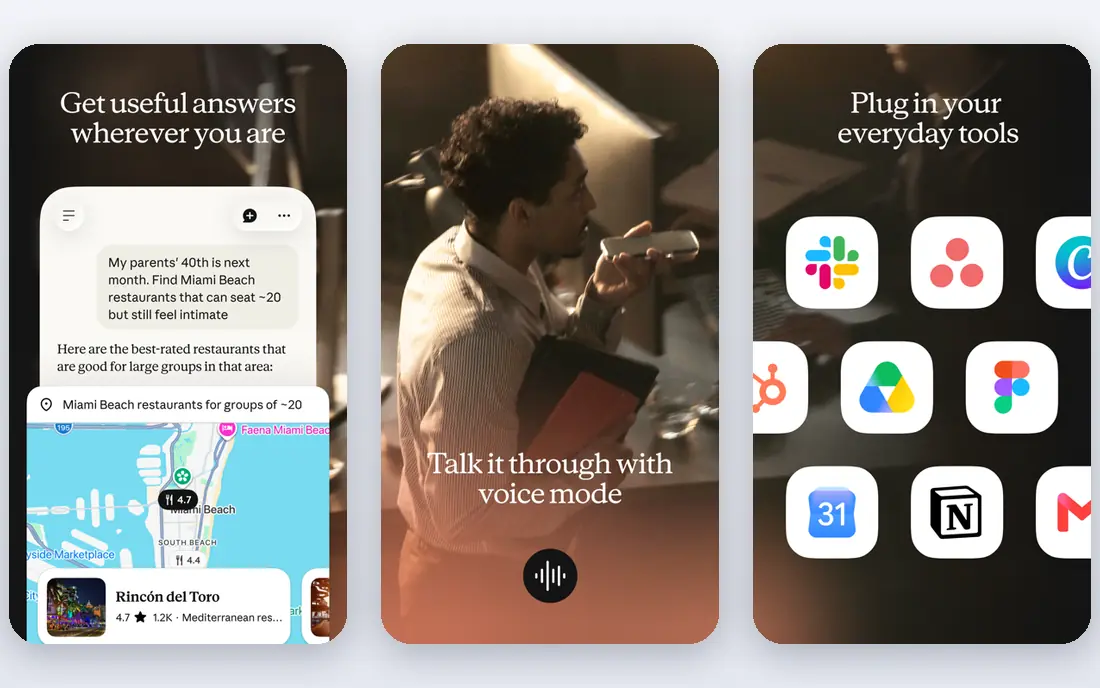
Claude, from Anthropic, is the assistant we would pick first for writing that needs structure. It holds a thread across a long document better than most chat tools, and it is careful with nuance in analysis and code review. Pro costs $20 per month, or less per month on annual billing, and the free plan is enough to test it on real drafts.
The limits are clear. If image generation or video is a daily need, Claude is not the best single tool for that job, and heavy users will hit free limits quickly. For prose, analysis and code, though, it is the most consistent alternative in this list.
- Strong on long documents and careful writing
- Pro at $20 per month
- Good coding help
- No built-in image or video generation on the same level as some rivals
- Free plan has usage limits
- Higher tiers start at $100 per month
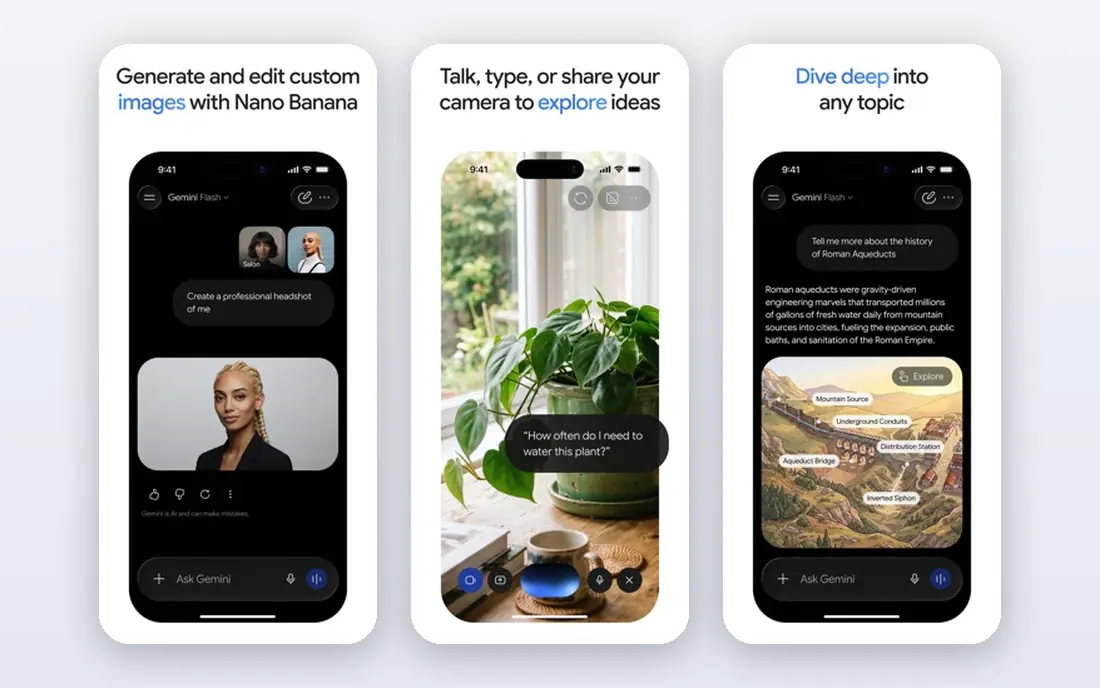
Gemini is the natural alternative if your documents, mail and files already live with Google. The free plan covers chat, image generation and research tools without a card, and Google AI Pro at $19.99 per month adds Gemini inside Gmail and Docs plus extra storage and video tools. That integration saves copy-and-paste time every day.
Outside Google apps, the advantage fades. A user who works mainly in Word or standalone tools may get more from Copilot or Claude, and the higher Google tiers are much more expensive than Pro. Pick Gemini when Google is already your home base.
- Free plan is generous
- Sits inside Gmail, Docs and Chrome on paid plans
- Strong multimodal help
- Best value only inside Google apps
- Paid tiers can climb sharply
- Privacy controls need checking
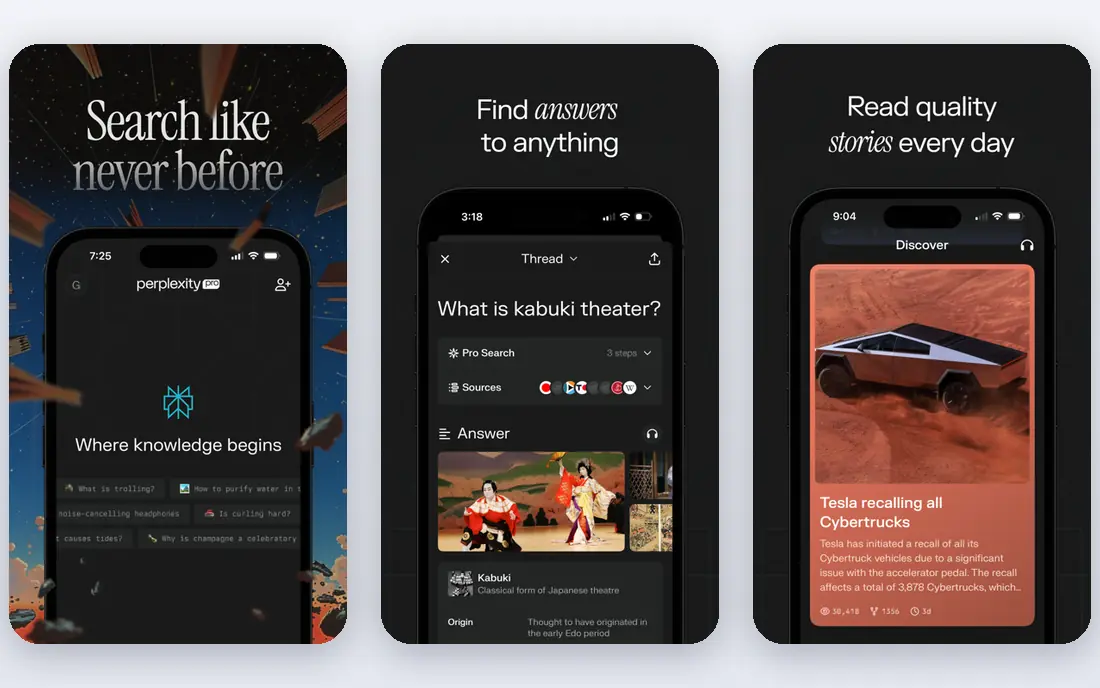
Perplexity is less a general chat tool and more a research assistant. Every answer comes with sources, which makes it easier to check a claim before you repeat it in a report or a post. Pro costs $20 per month and adds deep research and model choice, while the free plan covers everyday questions.
It is not the best pick for drafting a long essay or building a story from scratch. Use it when the question matters and the source matters more: market facts, product comparisons, news background and anything you will need to cite later.
- Answers include citations
- Pro at $20 per month adds deep research
- Lets you pick models on Pro
- Weaker for long-form writing
- Not built for image or video work
- Free plan limits Pro searches
Microsoft Copilot is the sensible alternative for anyone whose workday runs on Word, Excel, Outlook and Teams. The free chat handles general questions, and the paid Microsoft 365 route at $19.99 per month for consumers puts Copilot inside those apps, where it can draft, summarise and rework documents in place.
The catch is the subscription stack. The business version of Microsoft 365 Copilot costs more per user, and Copilot does not offer the same model-hopping freedom as Poe. If your files are in Microsoft apps, though, that in-app help is worth more than a slightly better chat window elsewhere.
- Free chat for everyday questions
- Works inside Word, Excel and Outlook on paid plans
- Windows integration
- Fullest value needs a Microsoft 365 subscription
- Business Copilot pricing is higher
- Model choice is limited
Mistral Le Chat, from the French company Mistral AI, is the budget paid option that still feels like a full assistant. Pro costs $14.99 per month, under the $20 level set by Claude and Perplexity, and the free plan covers everyday chat and coding help. Its open-weight models also appeal to users who care about where models come from and how they can be run.
The trade-off is breadth. You will find fewer built-in integrations and less polish around documents and media than with Google or Microsoft. For chat, coding and quick analysis at a lower monthly price, Le Chat is a strong, honest choice.
- Pro at $14.99 per month, the lowest paid price here
- Fast responses
- European company with open-weight models
- Smaller ecosystem than Claude or Gemini
- Fewer app integrations
- Image and video tools are thinner
DeepSeek stands out because its chat product is free. There is no paid chat subscription to compare, and the assistant handles reasoning, maths and coding tasks well for a free tool. Developers can also use its API at low per-token prices, though that is a separate product from the chat app.
The limits show in everyday polish. DeepSeek does not match Gemini or Copilot inside office apps, and its media and browsing features are less developed. If budget is the main constraint and your work is reasoning or code, start here before paying for anything else.
- Chat is free with no paid chat tier
- Strong on reasoning, maths and code
- Open-weight models
- Fewer app integrations
- Web search and media features are thinner
- Availability can vary by region
Grok, from xAI, is the pick when the topic is happening now. It draws on live posts and news, so questions about a breaking story, a sports result or a trending debate get fresher answers than a model trained months ago. The free tier covers casual use, and paid tiers add higher limits.
For formal writing, reports or careful analysis, Claude or Perplexity will usually serve you better, and Grok's paid pricing varies by plan and channel, so we list it as See website. Use Grok as a second assistant for live topics, not as your only writing tool.
- Free tier for everyday chat
- Strong on live events and social posts
- Distinct, direct style
- Paid pricing is not always published clearly
- Tone can be less suited to formal work
- Fewer office integrations
Meta AI is the assistant most people will meet without signing up for anything new, because it sits inside WhatsApp, Instagram and Facebook, and on the web at meta.ai. It answers everyday questions, drafts short messages and helps with ideas, all for free. That reach is its main strength.
It is not the tool for a long report, a complex codebase or cited research. If you need depth, pair it with Claude, Perplexity or DeepSeek, and keep Meta AI for quick help inside the apps you already open. Check privacy settings in each app, since chat handling can differ by product.
- Free to use
- Built into WhatsApp, Instagram and Facebook apps
- Quick for everyday questions
- Less depth for long documents and code
- Tied to Meta apps
- Paid tier availability varies by region
Poe solves a different problem: model choice. Instead of picking one lab, you can ask the same question across models from several providers inside one app, and compare the answers. Paid plans start from $4.99 per month, which makes it the cheapest paid entry here, and the free plan lets you test the idea.
The downside is that Poe is a front end, not a lab of its own. Limits depend on the model you pick, and it does not integrate with Gmail, Docs or Word the way Gemini and Copilot do. It is best for curious users who want to compare models, or for teams that have not yet settled on one provider.
- One subscription covers many models
- Paid plans from $4.99 per month
- Easy to compare answers side by side
- You still depend on other labs' models
- Limits vary by model
- Less deep integration with office apps
How we picked these
We compared official pricing pages, free plans and feature pages for chat assistants that are live in October 2026, and we kept only tools a US consumer can open and use today. We favoured a mix of single-lab assistants and multi-model tools, and we checked that each free plan is real rather than a short trial. We did not list ChatGPT itself, since this article covers alternatives to that style of assistant, and we used See website where paid pricing was not published clearly.
How to choose an AI alternative
Match the tool to the task you do most. For long writing and code, start with Claude or DeepSeek. For research you must verify, start with Perplexity. For work inside Google or Microsoft apps, the assistant built into that suite will save more time than a marginally better chat window.
Then check the privacy settings before you paste anything sensitive. Read how each provider handles chat data, whether chats are used for training, and how to turn that off. Never paste passwords, private client data or unpublished business material into a chat assistant unless you have checked that policy and your employer allows it.
Finally, test with your own work for a week. Ask each finalist to draft, summarise and check the same three tasks, and keep the one whose answers need the least fixing. A free plan is enough for that test on most tools here, so there is no need to pay before you know which style fits you.
Frequently asked questions
What is the best alternative to ChatGPT?
Claude is the best all-round alternative for writing and coding, Gemini is best inside Google apps, and Perplexity is best for research with sources. The right answer depends on whether you write, research or work inside office apps most often.
Are there free AI alternatives to ChatGPT?
Yes. DeepSeek chat is free, Meta AI is free, and Claude, Gemini, Perplexity, Copilot, Mistral Le Chat, Grok and Poe all offer free plans. Free plans have usage limits, so heavy daily use may still need a paid plan.
Which AI alternative is best for research?
Perplexity, because it puts citations under its answers and offers deep research on Pro. Gemini and Copilot also search the web, but Perplexity makes checking each claim faster, which matters when accuracy counts.
Which AI alternative is cheapest?
Poe has the lowest paid entry here, from $4.99 per month, followed by Mistral Le Chat Pro at $14.99 per month. DeepSeek and Meta AI cost nothing for chat, so they are cheapest if you do not need a paid tier at all.
Can I use more than one AI assistant?
Yes, and most people benefit from it. Use one for writing, one for research and one inside your office apps, and keep sensitive material out of any tool you have not checked. Running two free plans side by side costs nothing and shows which style you prefer.
Do AI assistants use my chats for training?
Policies differ by provider and plan, and some allow you to opt out or exclude chats from training. Check the privacy settings for each tool before pasting personal or work material, and do not share passwords or private client data in any chat assistant.
Sources
See where you really rank - block by block
ProMapRanker scans Google Maps across a grid of your service area. Simple monthly plans from $19, white-label on every plan.
Start freeKeep reading
 zoho inventory alternatives
6 Alternatives to Zoho Inventory, Compared on Price and Fit
Zoho Inventory alternatives: 6 tools compared on price, free plans and fit. Katana leads the list for manufacturers. Fit and flaws are laid out for each entry.
Read → zoho crm alternatives
Best Zoho CRM Alternatives (2026)
Need Zoho CRM alternatives? We compare 7 tools on cost, free access and who each suits. Every pick gets a straight assessment. Built for quick decisions.
Read → zelle alternatives
Best Zelle Alternatives in 2026
Compare the best Zelle alternatives for sending money to friends, paying sellers and moving funds abroad, with honest notes on fees, speed and safety in 2026.
Read →