 ProMapRanker
Adobe Captivate Alternatives in 2026


Professional learning teams · Pricing starts at: $1,449 per user per year
Key takeaways
- Articulate 360 is the closest match for teams that need both slide-based interactivity and fast responsive courses.
- iSpring Suite suits PowerPoint users who want a short path from existing decks to tracked courses.
- Easygenerator and Mindsmith suit subject experts who need to publish without a long design process.
- ActivePresenter is the value pick for software training, with screen recording and tracked quizzes in one tool.
- Camtasia is best when the output is video first, not a tracked course with branching and scoring.
Quick comparison
| Pick | Great for | Pricing starts at | Free tier | |
|---|---|---|---|---|
| Articulate 360 | Professional learning teams | $1,449 per user per year | Free trial | Visit |
 iSpring Suite | PowerPoint-based course teams | $970 per author per year | Free trial | Visit |
 Elucidat | Large branded course programs | See website | Free trial | Visit |
 dominKnow ONE | Reusable multi-format content | $997 per author per year | Free trial | Visit |
 Easygenerator | Expert-led course creation | $1,399 per year | Yes | Visit |
 ActivePresenter | Software simulations and tracked quizzes | $199 one-time | Yes | Visit |
 Camtasia | Polished training videos | $179.88 per year | Free trial | Visit |
 Mindsmith | Fast AI-assisted course drafts | See website | Yes | Visit |
The best adobe captivate alternatives
We compared authoring tools that publish tracked courses, support quizzes and branching, and still work with common learning management systems. The list below covers the main trade-offs: depth of interactivity, speed of production, price, and platform.

Articulate 360 is the most direct replacement for Captivate for teams that build custom interactions. Storyline 360 gives authors slide-based control over triggers, states, layers, and variables, which covers the kind of branching and feedback that Captivate users often rely on. Rise 360 covers the other side of the work: responsive courses built from blocks, with no need to design each screen by hand.
The cost is the main barrier. At $1,449 per user per year for the Personal plan, it is a serious purchase for a single author, and the Teams plan costs more. Teams that publish often, reuse templates, and need both tools in one subscription get the most value from it. Solo authors who publish only a few courses a year may find a cheaper tool covers their needs.
- Storyline 360 and Rise 360 in one plan
- Strong interaction controls
- Large template and asset library
- High annual cost for solo authors
- Storyline 360 runs on Windows

iSpring Suite turns PowerPoint into a course authoring tool. Authors keep their slides, animations, and transitions, then add quizzes, branching scenarios, dialogue simulations, and narration. For teams with a library of existing decks, this path is faster than rebuilding each course in a separate tool. The published output works with most learning management systems through SCORM and xAPI.
The limits follow from the PowerPoint base. Authors who work on a Mac, or who want a browser-based workspace for co-authoring, will feel the constraint. It also does not include hosting or a storefront, so teams still need a learning management system or course platform to deliver and track the courses. Within those bounds, it is a practical and well-priced option for corporate training.
- Works inside PowerPoint
- Quizzes, role-plays, and video lessons included
- SCORM and xAPI publishing
- Requires Windows and PowerPoint
- Less suited to fully custom screen layouts
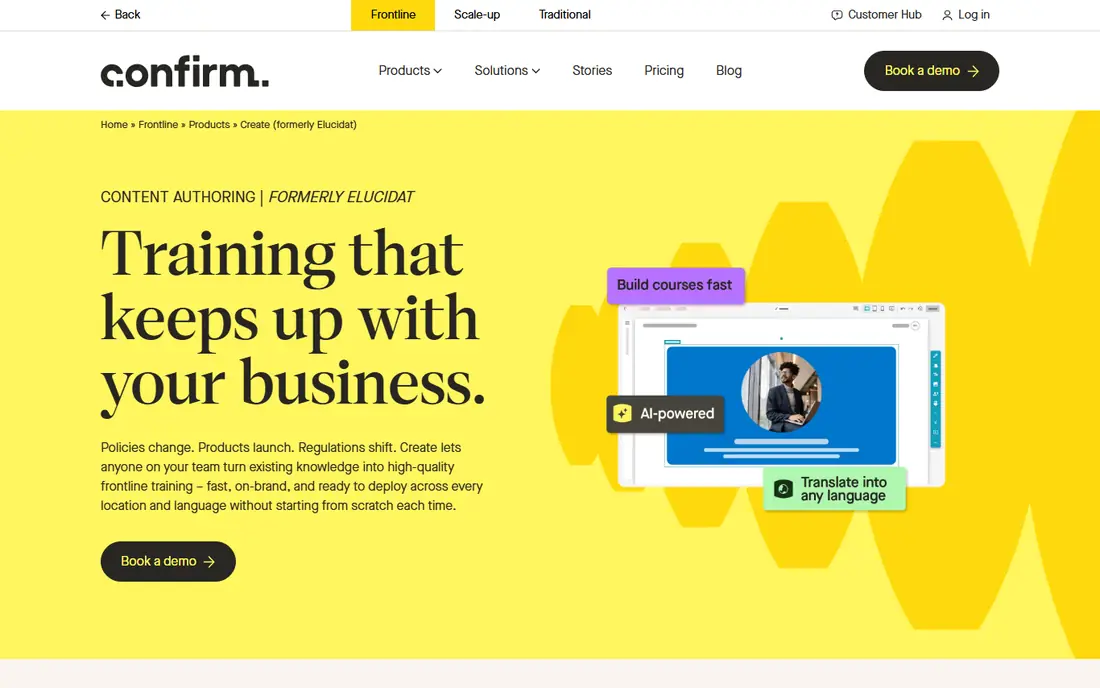
Elucidat is built for teams that produce many courses with a consistent brand. Authors work in a browser, reviewers can comment in the same workspace, and the Variations Manager helps teams keep translated versions in step. That structure matters when a course must ship in several languages or across several regions with the same layout and wording.
The trade-off is price transparency and depth. Elucidat does not publish a simple price list, so small teams must request a quote before they can budget with confidence. It is also not the strongest choice for screen-capture software training, where a tool with dedicated simulation recording fits better. For large programs with distributed authors, the control and consistency justify a closer look.
- Cloud-based co-authoring
- Strong branding and localization controls
- SCORM and xAPI output
- Pricing is not published
- Less suited to detailed software simulations
dominKnow ONE treats content as reusable material, not as a single course file. A team can author once, then publish the same material as a tracked course, a searchable web page, a print document, or a presentation. That reuse saves real time when product details change and every format must be updated. The platform also includes a dedicated tool for software simulations.
New authors should expect a learning period. The interface carries more options than a simple block editor, and teams that only need short courses may not use the full reuse system. For regulated or complex programs, where one change must reach many outputs without errors, the structure is a genuine advantage.
- One source for courses, documents, and web pages
- Collaborative authoring
- SCORM, AICC, and xAPI publishing
- Learning curve for new authors
- Higher tiers cost much more per author
Easygenerator is designed for subject experts, not only for instructional designers. Authors build courses from blocks, add questions and scenarios, and share drafts for review without installing software. The built-in analytics show learner progress and question results, which helps small teams spot weak sections without a separate reporting tool.
The Pro plan, at $1,399 per year for one author, is limited to 10 courses and 100 learners, so growing teams will need the Team plan. Authors who need deep branching, custom variables, or detailed simulations will also hit the ceiling sooner. For internal training written by the people who know the topic, the speed and simplicity are hard to beat.
- Simple block editor
- Built-in analytics and review tools
- AI-assisted course drafting
- Pro plan limits courses and learners
- Advanced interactivity is limited
ActivePresenter is the strongest low-cost option for software training. Authors record a screen, edit the video, add annotations, and turn steps into interactive simulations with quizzes and branching. The Pro edition, at $399 for a one-time license, adds HTML5, SCORM, and xAPI publishing, which covers most learning management system needs. The Standard edition, at $199, is limited to video work.
The interface packs many controls into a small space, so new users need time to find their way around. Video editing also moves more slowly than in Camtasia, which is built for video first. For teams that need tracked, interactive software training on a modest budget, ActivePresenter offers strong value.
- Screen recording and editing in one tool
- Full HTML5 and SCORM output on Pro
- One-time license
- Interface can feel crowded
- Video editing is slower than in a dedicated video editor
Camtasia is a video tool, and it shows in the best way. Recording, cutting, annotating, and adding captions is quick, and the asset library covers music, icons, and intros that make a training video look finished. Teams that deliver training as video, or that embed video inside another course tool, will move faster here than in a full authoring suite.
It is not a full Captivate replacement for tracked courses. Camtasia has no native SCORM or xAPI export, and its quiz and branching options are thin compared with Storyline or ActivePresenter. Buy it when video quality and speed matter most, and pair it with an authoring tool when tracking and scoring are required.
- Fast screen recording and video editing
- Large asset library
- Simple sharing to video platforms
- No native SCORM or xAPI export
- Limited quiz and branching depth
Mindsmith suits teams that need a usable first draft fast. Authors can start from a document or a prompt, then edit the generated course, add questions, and publish to a learning management system with SCORM. The free plan lets small teams test the workflow before committing, and sharing links make review simple.
The cost of speed is control. Authors who need detailed triggers, custom states, or complex simulations will want a deeper tool. Mindsmith is best as a rapid authoring option for straightforward courses, or as a way to turn source material into a structured draft that a designer then refines.
- Quick course generation from documents or prompts
- SCORM publishing
- Simple sharing links
- Less control over custom interactions
- Newer product with a smaller template base
How we picked these
We compared official feature pages, pricing pages, app and platform listings, and public reviews for each tool. We required a live product in October 2026, a real path to tracked or shareable course output, and a clear fit for the work Captivate users do: interactive lessons, quizzes, software training, or video-led instruction. We did not claim hands-on testing. Prices are list prices shown on vendor or review pages at the time of writing, and they can change, so confirm the current figure before buying.
What to check before you switch
Start with the output your learning management system needs. If tracking, scoring, and completion records matter, confirm SCORM, xAPI, or cmi5 support before you shortlist anything. A tool that exports only video or web pages will not replace Captivate for compliance training, even if the courses look good.
Next, match the tool to the author. PowerPoint teams move fastest in iSpring Suite. Distributed experts move fastest in Easygenerator or Mindsmith. Designers who need custom interactions need Storyline, dominKnow ONE, or ActivePresenter. Video-led teams need Camtasia, with a second tool for tracking when required.
Budget and migration
Count authors, not learners, for most of these tools, since author seats drive the bill. Check course and learner limits on lower tiers, and check whether AI features need separate credits. For migration, export a sample Captivate course as SCORM or video first, then rebuild one short module in each shortlisted tool. That single test reveals more than a feature list: how long a build takes, how the output looks on a phone, and how cleanly the learning management system records completion.
Frequently asked questions
Can I import Captivate courses into these tools?
Most tools do not offer a direct Captivate import that preserves triggers and variables. Plan to rebuild interactive courses, and reuse source text, images, and video where you can. Video and slide material transfers more easily than complex branching.
Which alternative is closest to Captivate for interactivity?
Articulate 360, through Storyline 360, is the closest match for custom triggers, states, and branching. ActivePresenter and dominKnow ONE also cover interactive simulations and tracked quizzes, at a lower cost.
Which alternative is cheapest for a solo author?
ActivePresenter has the lowest entry cost here, with a free edition for non-commercial use and a one-time Standard license from $199. Mindsmith and Easygenerator also offer free plans, but with limits on courses and features.
Do these tools work with my learning management system?
Most of the tools here publish SCORM or xAPI packages that work with common learning management systems. Camtasia is the exception, since it is video-first and lacks native SCORM export. Always test one published package in your own system before committing.
Can I author on a Mac?
Rise 360, Elucidat, dominKnow ONE, Easygenerator, and Mindsmith run in a browser and work on a Mac. Storyline 360 needs Windows, and iSpring Suite needs Windows with PowerPoint. ActivePresenter and Camtasia offer Mac versions, with some feature differences from Windows.
Sources
See where you really rank - block by block
ProMapRanker scans Google Maps across a grid of your service area. Simple monthly plans from $19, white-label on every plan.
Start freeKeep reading
 zoro.to alternatives
Best Zoro.to Alternatives in 2026
We compare the best zoro.to alternatives in 2026, listing only legal licensed anime streaming services, from Crunchyroll to free options for fans today.
Read → zip alternatives
Best Zip Alternatives in 2026
We compare the best zip alternatives for buy now, pay later in 2026, covering pay-in-4 plans, fees, spending limits, and credit reporting options today.
Read → yesware alternatives
Best Yesware Alternatives in 2026
Compare the best yesware alternatives for sales email tracking, templates, and sequences, with current pricing and honest tradeoffs for small sales teams.
Read →