 ProMapRanker
Acuity Scheduling Alternatives in 2026


Meetings and lead routing · Pricing starts at: $10 per seat per month
Key takeaways
- Calendly is the best swap for meeting scheduling, while Setmore and Square Appointments fit service businesses that take payments at booking.
- Cal.com suits technical teams that want control and self-hosting options, and its free plan covers a solo user well.
- The pricing unit decides the real bill: per-seat tools grow with headcount, while per-account tools stay flat as staff are added.
- Free plans vary widely, from one event type on Calendly to four users on Setmore, so match the free tier to your actual booking volume.
Quick comparison
| Pick | Great for | Pricing starts at | Free tier | |
|---|---|---|---|---|
| Calendly | Meetings and lead routing | $10 per seat per month | Yes | Visit |
 Cal.com | Technical teams and control | $12 per user per month | Yes | Visit |
 Setmore | Small service teams | $5 per user per month | Yes | Visit |
 Square Appointments | Businesses using Square payments | Free | Yes | Visit |
 SimplyBook.me | Multi-service booking | $11.90 per month | Yes | Visit |
 Zoho Bookings | Zoho users | $6 per user per month | Yes | Visit |
 Doodle | Group availability polls | See website | Yes | Visit |
 YouCanBookMe | Calendar-driven booking pages | $7.20 per month | Yes | Visit |
 TidyCal | Solo hosts on a budget | $29 one-time | Yes | Visit |
The best Acuity Scheduling alternatives
Acuity Scheduling, now part of Squarespace, works well for many service businesses, but it is not the only way to take bookings online. Some teams need meeting routing, some need a point of sale, and some need a free plan that covers a small team. These nine alternatives cover those needs, and Acuity itself is not listed here because this is an alternatives list. Our pick for most people is Calendly for meetings and Setmore for service bookings.

Calendly is the clearest Acuity alternative for consultants, sales teams, and coaches who book meetings rather than services. A host shares a link, the guest picks a time, and the event lands on the calendar with reminders handled automatically. Paid plans add routing forms, round robin assignment, and deeper integrations that suit a sales or support team.
The per-seat price is the main watch point. A solo host pays little, but a team of six pays per seat, which can exceed a per-account tool like Acuity at the same headcount. Start on the free plan to test the flow, then price the team plan for your real seat count before switching.
- Fast setup for meeting links
- Strong routing and team scheduling on paid plans
- Wide calendar and CRM integrations
- Free plan covers only one event type
- Per-seat pricing grows quickly with a large team

Cal.com suits teams that want to own their scheduling setup rather than rent a fixed page design. The open source edition can be self-hosted, and the cloud plans add team features, workflows, and integrations while keeping the booking experience clean. Developers appreciate the API and the control over branding and routing.
Cal.com is less plug-and-play than Calendly for a non-technical user. The free plan is generous for one person, but team features, single sign-on, and compliance options move to paid tiers. Choose it when control and customization matter more than the fastest possible setup.
- Open source core with self-hosting options
- Strong customization and workflow controls
- Good free plan for a solo user
- Advanced compliance features sit on higher organization plans
- Setup takes more care than a simple link tool
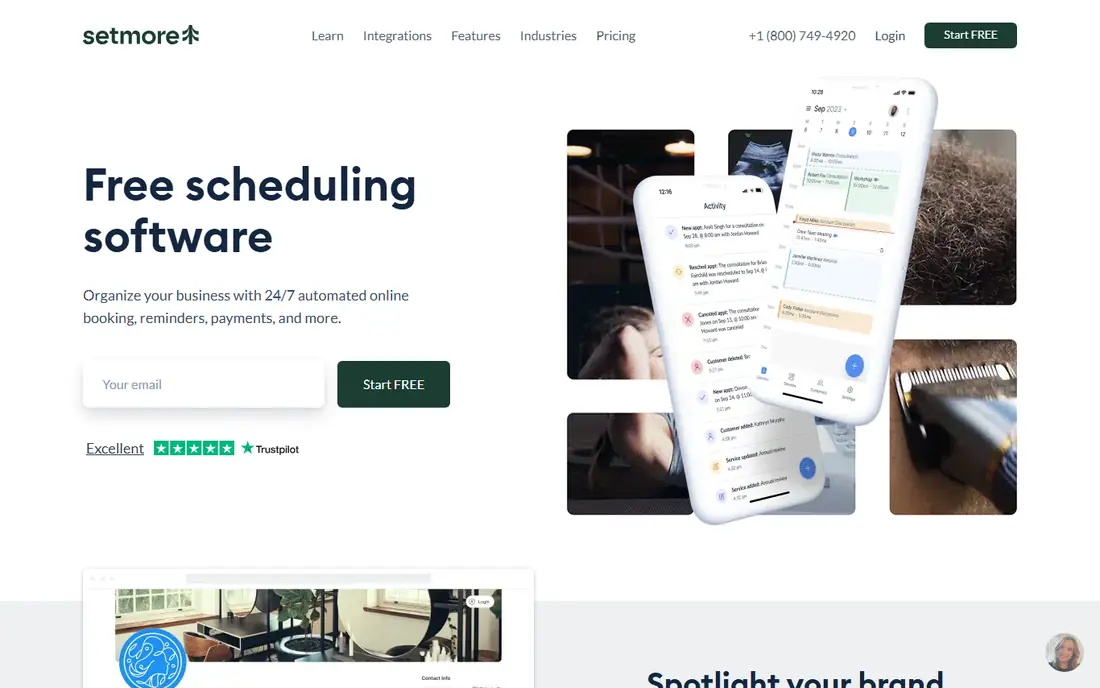
Setmore is the budget pick for salons, clinics, tutors, and other service businesses with a small staff. The free plan is unusually generous, covering four users with unlimited appointments, which lets a small team run real bookings before paying anything. Paid plans add reminders by text, payment options, and more staff capacity at a low per-user price.
Setmore does not have the polished meeting-routing depth of Calendly, and its design will not win awards. For a service business that books by staff member and service, rather than by sales rep, those limits rarely matter. Price it per user and compare it directly with your current Acuity bill at your real headcount.
- Free plan covers up to four users
- Low paid price per user
- Payments, reminders, and staff calendars in one place
- Interface feels dated in places
- Some advanced features need the paid plan
Square Appointments makes sense the moment a business already takes card payments through Square. Bookings, payments, customer records, and the till sit in one system, so a salon or barbershop does not reconcile two tools at the end of the day. The free plan covers a single location with core booking, which is enough for many solo operators.
The per-location pricing of the paid plan is the catch for a business with several sites. A single-location shop will find the free or Plus plan good value, while a multi-site chain should total the location fees before switching. If Square is not already your payment tool, the case is weaker.
- Free plan for a single location
- Booking tied to Square point of sale and payments
- Customer records and no-show protection on paid plans
- Paid Plus plan is priced per location, which adds up for multi-site businesses
- Best value depends on already using Square
SimplyBook.me fits businesses with a varied menu: classes, memberships, packages, deposits, and multiple providers. Its add-on system lets a business switch on only the features it needs, from intake forms to gift cards, rather than paying for a fixed bundle. The free plan gives a small business room to test real bookings.
That flexibility also makes the price harder to predict. Booking caps rise with each tier, and add-ons stack on top, so a busy business should map its monthly bookings and required features before choosing a tier. For a straightforward meeting link, a simpler tool will be faster.
- Free plan with 50 bookings a month
- Many add-on features for classes, memberships, and packages
- Client and admin apps
- Feature add-ons and booking caps make pricing harder to compare
- Setup takes time for a complex service menu
Zoho Bookings is the obvious alternative for a business already running Zoho CRM or Zoho Mail. Bookings can feed customer records and follow-up workflows without a third-party connector, and the per-user price is low. The booking pages are clean, and calendar sync covers Google and Microsoft calendars.
Outside Zoho, the pitch is thinner. It still works as a standalone scheduler, but a team that does not use Zoho apps will not get the integration benefit that justifies choosing it over Calendly or Setmore. If Zoho is already your stack, the low price and native fit make it an easy switch.
- Low price per user
- Native fit with Zoho CRM, Mail, and other Zoho apps
- Clean booking pages and calendar sync
- Best value is inside the Zoho ecosystem
- Standalone users get less benefit from the integrations
Doodle earns its place for a specific job: finding a time when many people are free. A poll lets each person mark availability, and the organizer picks the slot with the most votes, which beats a long email thread. Doodle also offers standard booking pages for one-to-one meetings, so it covers both group and individual scheduling.
Doodle is not a full service-booking suite. It lacks the payment, package, and staff-calendar depth that a salon or clinic needs, so a service business should look at Setmore or Square instead. For teams, teachers, and community groups, the poll is the feature that matters.
- Polls find a time that suits a whole group
- Simple booking pages for one-to-one meetings
- Familiar tool for teams and classrooms
- Less depth for paid service bookings, deposits, and staff calendars than Setmore or SimplyBook.me
- Paid pricing varies by plan
YouCanBookMe suits freelancers who have outgrown a simple link but do not need a service suite. Its booking pages follow the connected calendar closely, so availability stays accurate, and paid plans add team pages, group sessions, and payment options. The price is modest for a solo host or small team.
The extra charge for SMS reminders is worth noting, since many clients expect a text reminder. A business that relies on texts should add that cost to the plan price before comparing. For email-reminder workflows, YouCanBookMe is a clean and affordable Acuity swap.
- Free plan with one calendar and one booking page
- Clean calendar-driven setup
- Group sessions in the same slot on paid plans
- SMS reminders cost extra on every plan
- No packages or classes like a full service suite
TidyCal is the cheapest long-term option for a solo coach, consultant, or creator who sells sessions. The individual lifetime price is a one-time payment rather than a monthly bill, and the free plan already connects a calendar and collects payments. Paid tiers add group bookings and an AI booking assistant.
The limits matter for larger or regulated teams. There is no native mobile app, no HIPAA agreement, and no built-in Salesforce or HubSpot sync, so a sales team or clinic should choose another tool. For a solo host, TidyCal removes the monthly subscription worry entirely.
- One-time lifetime pricing for solo hosts
- Free plan with one calendar and payment collection
- Group bookings on paid tiers
- No native mobile app
- No HIPAA business associate agreement
- Fewer CRM integrations than Calendly
How we picked these
We compared scheduling tools that are live in October 2026 and that can replace Acuity for meetings or service bookings, using vendor pricing pages and recent pricing comparisons. We kept tools with distinct strengths, such as meeting routing, service payments, low team cost, or one-time pricing, and we noted the pricing unit for each tool because that unit decides the bill at different team sizes. Acuity itself is not listed, since this article covers alternatives to it.
How to choose an Acuity alternative
Start with the booking you actually take. A meeting with a client needs routing and calendar sync, while a paid service needs staff calendars, deposits, and reminders. Choosing by booking type first prevents a tool that looks good on price but misses the core job.
Price your real team, not one seat
Multiply the per-seat or per-user price by your real headcount, and add location fees where they apply. A $10 per seat tool costs $60 a month for six hosts, while a per-account tool may cost a flat $16 to $27 for the same team. That arithmetic often decides the winner.
Test the guest experience
Book a test appointment as a guest on your phone. Check how many taps it takes, whether reminders arrive, and whether payment or deposit collection works cleanly. A booking page that confuses guests will cost appointments no matter how good the admin view looks.
Check reminders and payments before you migrate
Confirm whether text reminders are included or charged extra, which payment processors are supported, and whether deposits and no-show protection are included. Those three items cause most migration surprises, so settle them before moving live bookings.
Frequently asked questions
What are the best Acuity alternatives?
Calendly is best for meetings, Setmore and Square Appointments are best for service bookings, and Cal.com is best for technical teams. The right pick depends on if you book meetings, services, or both.
Is there a free alternative to Acuity Scheduling?
Yes. Calendly, Cal.com, Setmore, Square Appointments, SimplyBook.me, Zoho Bookings, Doodle, YouCanBookMe, and TidyCal all offer free plans, with different limits. Setmore covers up to four users free, while Calendly free covers one event type.
What is the cheapest Acuity alternative?
TidyCal has the lowest long-term cost for a solo host, with a $29 one-time individual price. For a small team, Setmore free or $5 per user per month on paid plans is usually the cheapest monthly option.
Which Acuity alternative is best for salons and clinics?
Setmore, Square Appointments, and SimplyBook.me fit salons and clinics best, because they handle staff calendars, services, payments, and reminders. Calendly fits better when the booking is a consultation or meeting rather than a paid service.
Can I migrate bookings from Acuity to another tool?
Most alternatives let you rebuild booking pages and import customer lists, but live future bookings usually need manual handling or a careful cutover date. Export your Acuity data first, set up the new pages, and switch the public links only after a test booking works end to end.
Sources
See where you really rank - block by block
ProMapRanker scans Google Maps across a grid of your service area. Simple monthly plans from $19, white-label on every plan.
Start freeKeep reading
 zscaler alternatives
Best Zscaler Alternatives in 2026
Looking for zscaler alternatives? We compare 9 SASE and zero trust platforms on architecture, data protection, pricing, and fit for your network and team.
Read → zapier alternatives free
Best Zapier Alternatives Free in 2026
Nine automation tools for zapier alternatives free in 2026, all with genuinely free tiers, plus free plan limits, starting prices and upgrade paths explained.
Read → which platform is best for online reputation
Which Platform Is Best for Online Reputation in 2026
Wondering which platform is best for online reputation? We compare 8 review, listing, and response tools for small and multi-location businesses and agencies.
Read →