 ProMapRanker
Best Active Collab Alternatives in 2026

Key takeaways
- Asana and ClickUp are the most flexible starting points for small teams that need tasks, timelines, and shared work in one place.
- Teamwork.com is our pick for client-service teams because it ties projects to time tracking and billing more directly than most general tools.
- Trello and Basecamp suit teams that want less setup and fewer features, while monday.com suits teams that want visual boards and automations.
- Free plans vary a lot, so check task limits, guest access, and time tracking before moving a whole team.
Quick comparison
| Pick | Great for | Pricing starts at | Free tier | |
|---|---|---|---|---|
 Asana | Flexible team task work | See website | Yes | Visit |
 ClickUp | All-in-one task hub | See website | Yes | Visit |
 monday.com | Visual boards and workflows | See website | Yes | Visit |
 Teamwork.com | Client projects and billing | See website | Yes | Visit |
 Wrike | Structured larger projects | See website | Yes | Visit |
 Trello | Simple kanban boards | See website | Yes | Visit |
 Basecamp | Simple team communication | See website | No | Visit |
 Notion | Docs plus tasks in one place | See website | Yes | Visit |
 Zoho Projects | Budget project tracking | See website | Yes | Visit |
The best active collab alternatives
ActiveCollab is known for simple project tracking with time and invoicing for small teams, so the tools below cover that same ground in different ways. We compared official pricing and feature pages and public reviews, without claiming hands-on testing we did not do. Where pricing depends on seat count, billing term, or a sales quote, we write See website rather than printing a figure that may not match your team size.
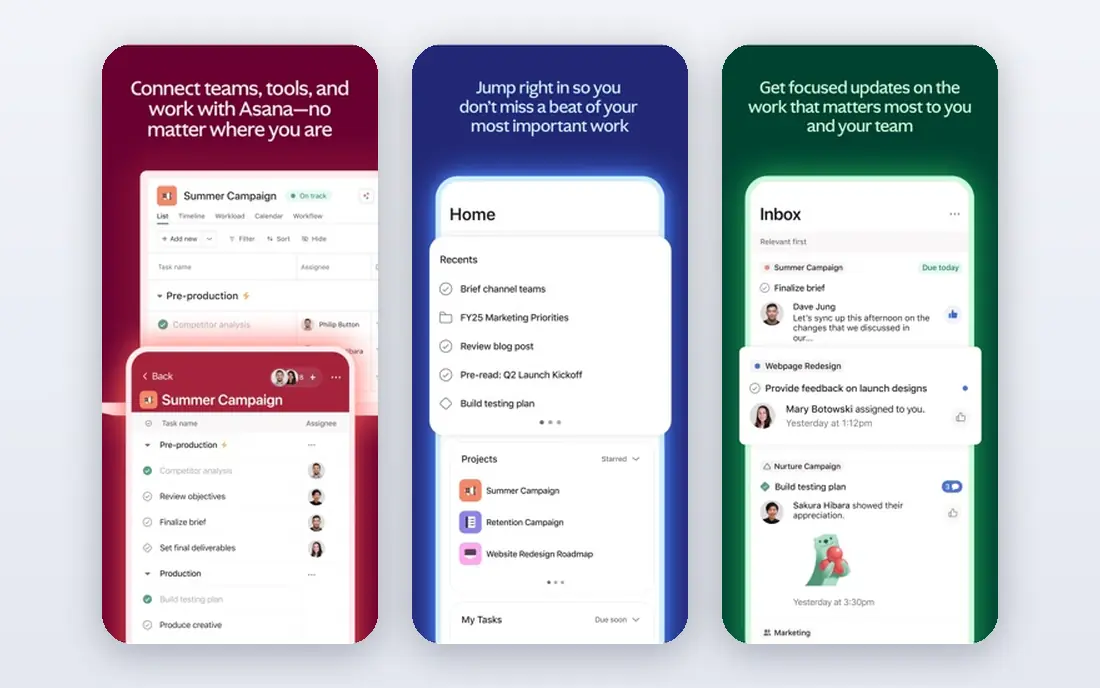
Asana is a calm, reliable default for teams moving from spreadsheets or a simpler tracker. Tasks, subtasks, due dates, and assignees are easy to grasp, and timeline and board views let managers see the same work in different ways without rebuilding it. Integrations with common tools such as Slack, Google Drive, and Microsoft Teams help it sit inside a normal workday.
The catch is that some features ActiveCollab users take for granted, such as built-in time tracking, are less central here. Asana works best when the team values clarity and shared task lists over deep billing workflows, and when a manager is willing to set up projects with consistent naming and templates.
- Clear task, list, board, and timeline views
- Strong integrations
- Easy onboarding for new team members
- Time tracking and advanced reporting need higher plans or add-ons
- Large workspaces need care to stay tidy
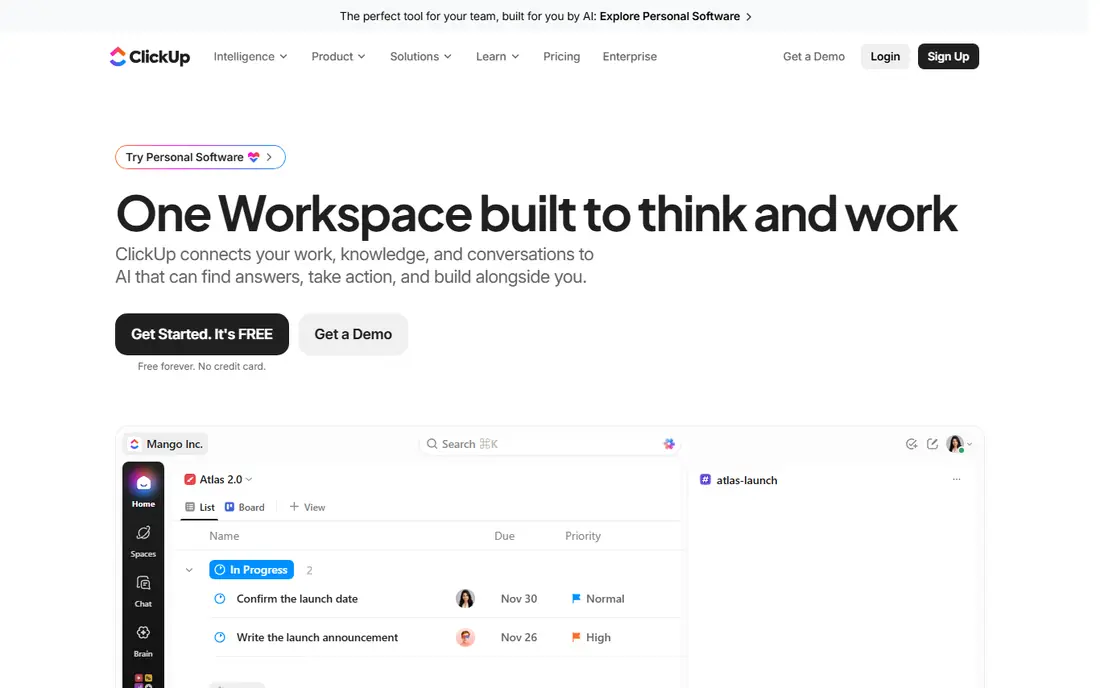
ClickUp tries to replace several tools at once, and for teams that want that, it is a strong alternative. Tasks, docs, whiteboards, goals, and time tracking live in the same workspace, so a small team can run projects, notes, and simple reporting without paying for three separate products. The free plan is genuinely useful for trying the core workflow.
That breadth is also the risk. New users can face too many options, and a workspace without agreed rules can become messy fast. ClickUp suits teams that will invest a day in setup, templates, and a short guide for how work should be entered, rather than teams that want the simplest possible board.
- Many views, docs, goals, and time tracking in one tool
- Generous free plan
- Wide automation options
- The sheer number of features can overwhelm new users
- Setup takes time to get right
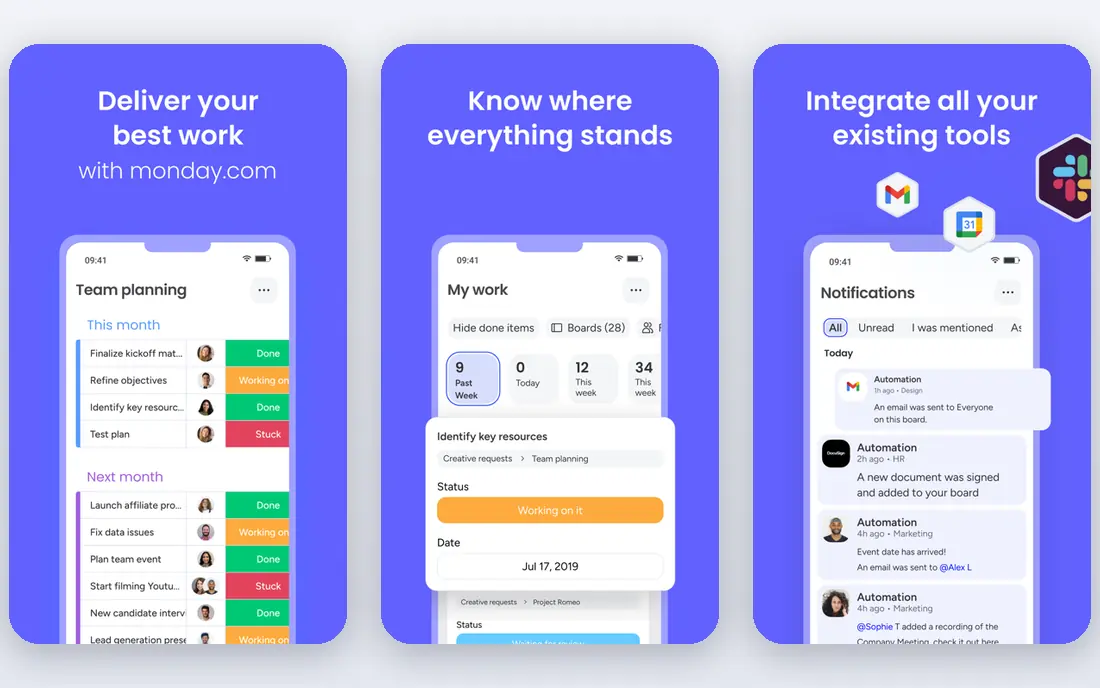
monday.com appeals to teams that think in boards and columns. Projects are easy to scan at a glance, status updates are visual, and automations can move work forward without manual chasing. Templates for marketing, sales, product, and operations work help a team start without building every board from scratch.
Cost is the main watch point. Per-seat pricing adds up as a team grows, and some features that look central in demos sit on higher tiers. For a team that will use boards daily and values visual status, it is worth it, but a team that only needs a task list may find it more than it needs.
- Highly visual boards
- Strong automations
- Many templates for common project types
- Pricing is per seat and can rise quickly
- Simpler needs may not need this much structure
Teamwork.com is the closest fit in this list for agencies and client-service teams. It combines project tasks with time tracking, milestones, and billing-related reporting, which mirrors the ActiveCollab workflow more closely than a pure task tool does. Client users can be given limited access, so a team can share progress without exposing internal discussion.
The interface carries more options than simpler tools, so a new team should expect a short learning period. For internal-only work, that extra structure may feel heavy, but for teams that bill by project or by hour, the link between tracked time and project costs is a real advantage.
- Project, time, and billing features fit agencies
- Client access controls
- Clear workload views
- Interface feels busier than Trello or Basecamp
- Best value needs a paid plan for a real team
Wrike suits teams that run larger, multi-stage projects with dependencies and approvals. Its reporting, workload views, and custom workflows help managers see bottlenecks across teams, and it handles the kind of structured work that simple boards struggle with. Larger organisations often value its permission controls and audit-friendly reporting.
For a five-person team, Wrike can feel like too much system. The payoff comes when projects span departments, dates depend on each other, and reporting matters to clients or leadership. If your projects are short and simple, start with a lighter tool and revisit Wrike only when structure becomes the bottleneck.
- Strong reporting and workload tools
- Good for cross-team projects
- Custom workflows
- Setup is heavier than Asana or Trello
- Smaller teams may find it overbuilt
Trello is the simplest tool in this list, and that is its strength. A board with lists and cards is easy to explain to a new hire, a client, or a volunteer, and most teams can start using it in an afternoon. For editorial calendars, simple pipelines, and personal team task lists, it is often all that is needed.
Its limits appear with scale. Reporting, time tracking, and dependencies are not Trello's core strengths, and larger projects need add-ons or careful board design. If your work is mostly moving cards from to-do to done, Trello is a fine, low-friction alternative, but if you need billing or deep reporting, look at Teamwork.com or Wrike instead.
- Very easy to learn
- Boards, lists, and cards are intuitive
- Useful free plan
- Limited built-in time tracking and reporting
- Large projects need Power-Ups and care
Basecamp takes a different approach: instead of endless task views, each project gets a home with to-dos, messages, files, a schedule, and chat in one place. That structure suits teams that are tired of work scattered across email, chat, and a task app, and it keeps client communication close to the work itself. Its flat pricing can also be cheaper for larger teams than per-seat tools.
The trade is flexibility. Basecamp does not try to match the custom workflows, automations, or reporting depth of the larger platforms, and time tracking is not its focus. Teams that want a calm, shared project home will like it, while teams that need detailed time and billing data should look elsewhere.
- Projects combine tasks, messages, files, and schedules
- Flat pricing model
- Calm, simple interface
- No native time tracking focus
- Fewer custom views than ClickUp or monday.com
Notion fits teams whose projects live inside documents, specs, and shared knowledge. A project page can hold the brief, the task database, meeting notes, and reference material together, which reduces the need to jump between a docs tool and a task tool. Templates for roadmaps, content calendars, and project trackers make setup faster.
As a pure project tracker, Notion is less strong. Reporting, workload views, and time features lag behind Asana, Teamwork.com, and Wrike, and heavy databases need thoughtful design. Choose Notion when docs and tasks must live together, and choose a dedicated tracker when deadlines, time, and billing drive the work.
- Docs, wikis, databases, and tasks in one workspace
- Flexible templates
- Good for knowledge-heavy teams
- Project reporting is weaker than dedicated PM tools
- Time tracking needs integrations
Zoho Projects is a practical, budget-friendly alternative for teams that already use Zoho products or want solid tracking without a premium price. It covers tasks, Gantt charts, milestones, time logs, and issue tracking, which is a strong set for the price. Small teams can start on the free plan and move up only when they need more projects or users.
The interface is functional rather than polished, and teams used to Asana or monday.com may notice the difference. If price and a complete feature set matter more than visual polish, Zoho Projects is a sensible pick, especially inside a Zoho-based workflow.
- Task, Gantt, time, and issue tracking at a modest price
- Fits other Zoho tools well
- Free plan for small teams
- Interface feels dated next to Asana or monday.com
- Some integrations are narrower
How we picked these
We looked for tools that cover the core ActiveCollab job: shared projects, tasks, deadlines, and team visibility, with time or client features where relevant. We compared official pricing and feature pages and public reviews, and we excluded tools that are only chat apps, only invoicing apps, or only personal to-do lists, since they do not replace a project tracker. We used See website where pricing depends on seats or a quote, so the figures you see at checkout match your team rather than a guessed number in this article.
What to check before you switch project tools
Start by listing the features you actually use each week, not the features on a sales page. If time tracking, client access, Gantt charts, or recurring tasks matter, test those exact workflows in a trial with a real project, not a demo project. A tool can look good in a tour and still slow down the one report your team needs every Friday.
Next, check migration and guest rules. Can you import tasks, files, and comments from your current tool, and can clients or contractors see only their own projects. Also check the free plan limits: project counts, storage, and guest seats often decide whether a free plan is workable or just a trial in disguise.
Finally, agree on how work will be entered before you invite the whole team. Decide on project templates, status names, and who owns due dates, then write a one-page guide. Most project tools fail not because the software is weak, but because each person uses it differently, and a short shared guide prevents that.
Frequently asked questions
Which ActiveCollab alternative is best for agencies?
Teamwork.com is the strongest fit for agencies in this list because it links projects, time, and billing-related reporting in one workspace. Asana and ClickUp can work for agencies too, but they usually need add-ons or careful setup for the same billing view.
Is there a free alternative to ActiveCollab?
Yes. Asana, ClickUp, Trello, Notion, Zoho Projects, and monday.com all offer free plans, though limits on projects, users, and features differ. Test the free plan with a real project before assuming it will cover a whole team.
Can I track time in these tools?
Teamwork.com, ClickUp, and Zoho Projects include time tracking more directly. Asana, Trello, and Notion usually need an integration or a higher plan for full time features, so check the pricing page for the plan you intend to buy.
How hard is it to migrate from ActiveCollab?
Migration difficulty depends on how much history you need to keep. Tasks and files usually import through CSV or an integration, but comments, time logs, and custom fields may need manual work. Export a backup first and test the import with one project before moving everything.
Do these tools work for remote teams?
Yes, all of them are cloud-based with mobile apps and shared workspaces. The bigger question is process: agree on status updates, due dates, and where discussion happens, so remote work does not fragment across email and chat.
Sources
See where you really rank - block by block
ProMapRanker scans Google Maps across a grid of your service area. Simple monthly plans from $19, white-label on every plan.
Start freeKeep reading
 zoro.to alternatives
Best Zoro.to Alternatives in 2026
We compare the best zoro.to alternatives in 2026, listing only legal licensed anime streaming services, from Crunchyroll to free options for fans today.
Read → zip alternatives
Best Zip Alternatives in 2026
We compare the best zip alternatives for buy now, pay later in 2026, covering pay-in-4 plans, fees, spending limits, and credit reporting options today.
Read → yesware alternatives
Best Yesware Alternatives in 2026
Compare the best yesware alternatives for sales email tracking, templates, and sequences, with current pricing and honest tradeoffs for small sales teams.
Read →