 ProMapRanker
Best Zendesk Knowledge Base Alternatives in 2026

Key takeaways
- A dedicated knowledge base often beats a suite add-on when help articles are the main product, since search, versioning, and analytics get proper attention.
- Helpjuice and Document360 suit teams that need a polished public help center with strong search and AI answers.
- GitBook and HelpDocs suit smaller teams that want fast setup, with GitBook stronger for developer docs and HelpDocs stronger for simple help centers.
- Help Scout, Confluence, and Notion work best when the knowledge base must sit close to support tickets, internal wikis, or everyday docs.
Quick comparison
| Pick | Great for | Pricing starts at | Free tier | |
|---|---|---|---|---|
 Helpjuice | Polished public help centers | $249 per month | Free trial | Visit |
 Document360 | Versioned and audited docs | See website | Free trial | Visit |
 GitBook | Developer and product docs | $65 per site per month | Yes | Visit |
 Help Scout Docs | Support teams with an inbox | $25 per user per month | Yes | Visit |
 Confluence | Internal team wikis | $5.42 per user per month | Yes | Visit |
 Notion | Teams already writing in Notion | $10 per user per month | Yes | Visit |
 Guru | Agent facing knowledge | See website | Free trial | Visit |
 KnowledgeOwl | Simple searchable help centers | $100 per month | Free trial | Visit |
 HelpDocs | Fast simple help centers | $129 per month | Free trial | Visit |
The best Zendesk knowledge base alternatives
Zendesk Guide, the knowledge base inside Zendesk Suite, works well when a team already lives in Zendesk. The alternatives below make sense when a team wants a standalone help center, better search, cleaner theming, or a lower cost for readers who do not need support seats. None of them require Zendesk, and most offer migration help from Guide.

Helpjuice is a dedicated knowledge base first, not a support suite with a docs tab added on. Teams get a branded help center, article versioning, search analytics, and AI powered search that can answer from the articles themselves. Multilingual support and custom theming help companies that serve customers in several languages or need a help center that matches their site.
The price is the main barrier. At $249 per month for the entry knowledge base plan, a small team with few articles may find cheaper tools enough. Helpjuice also does not include ticketing, so a team that wants inbox and docs together will need another tool or an integration. For a customer facing help center that must look polished and deflect tickets, it is a strong pick.
- Strong search and AI answers
- Custom theming and multilingual support
- Migration help from Zendesk
- Entry price is high for small teams
- No ticketing included
- AI features sit on higher tiers
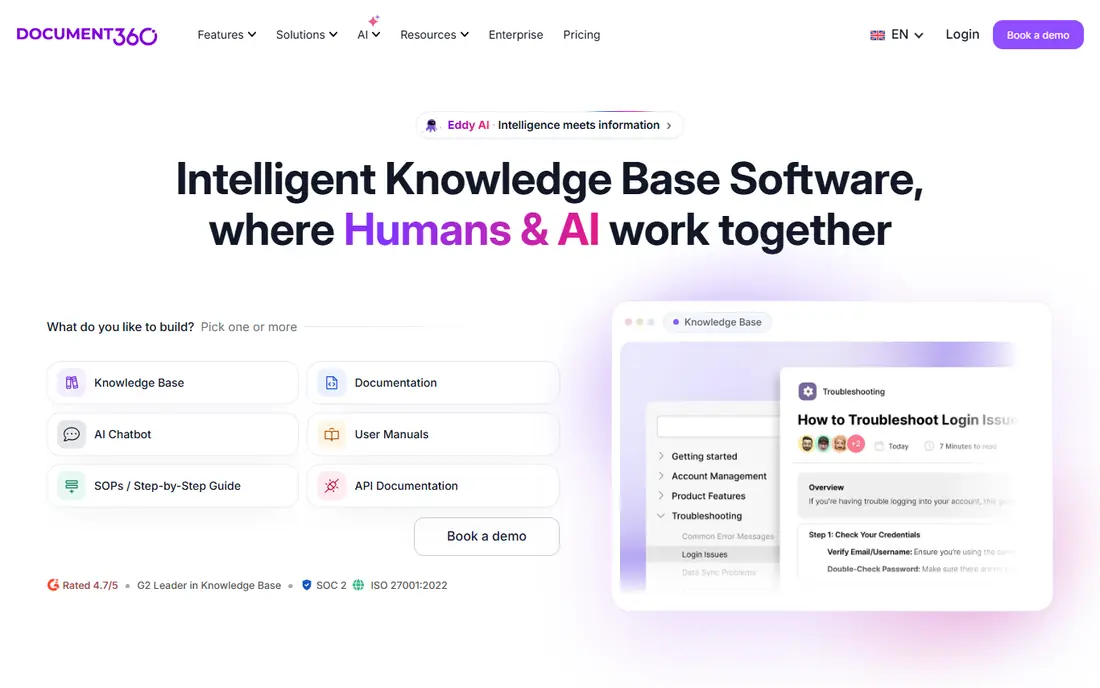
Document360 suits teams that treat documentation like a product, with versions, reviews, and audit trails. It supports public help centers and internal docs, renders API references, and tracks what readers search for and where they get stuck. That analytics layer helps a docs team fix the articles that cause the most tickets.
Quote based pricing is the drawback. A small team cannot see a simple monthly price and must talk to sales, which slows a quick decision. The feature set can also feel heavy when a team only needs twenty simple articles. For regulated products, developer docs, or large help centers with many authors, the control is worth the process.
- Version control and audit trails
- API reference support
- Strong search analytics
- Pricing is quote based
- Setup can feel heavy for a tiny team
- Some AI features need higher tiers
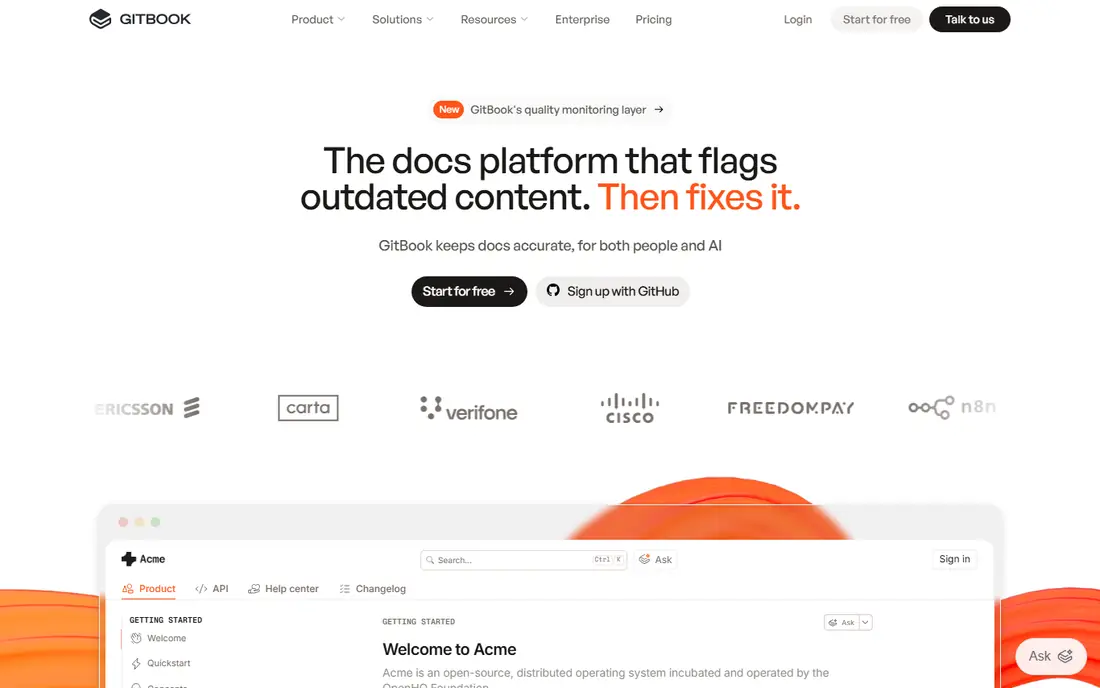
GitBook started as a developer docs tool and still shines there. Content can sync with Git, which lets engineering teams review docs in pull requests and keep docs beside code releases. Public sites look clean, search works well, and OpenAPI references render with try it consoles that developers expect.
The pricing model needs a careful read. The base rate is per site, plus a per user charge for editors, so a team with many authors pays more than the headline suggests. GitBook is also less focused on ticket deflection analytics than Helpjuice or Document360. For product and developer documentation, it is one of the best choices in this list.
- Git sync and Markdown friendly
- Strong API docs
- Clean public docs sites
- Per site plus per user pricing adds up
- Less suited to a classic support help center
- AI chat needs higher tiers
Help Scout Docs is the docs site inside Help Scout, a support platform built around a shared inbox. That closeness helps support teams: agents can insert article links into replies, see which articles customers open, and update docs when the same question repeats. The authoring experience is simple, and theming does not need a developer.
A team that only wants a knowledge base may pay for inbox features it does not use, and per user pricing means costs rise as the support team grows. AI answers and some advanced features also sit on higher plans. For a small to mid size support team that wants docs and inbox in one place, Help Scout is a practical Zendesk alternative.
- Docs sit beside a shared inbox
- Simple authoring and theming
- AI answers available on higher plans
- Docs are part of a support suite, not standalone only
- Per user pricing grows with agents
- Advanced AI costs extra
Confluence is Atlassian's wiki for internal knowledge, team pages, and project docs. It works well for onboarding guides, process pages, and engineering notes, especially for teams already using Jira. Templates, page trees, and permissions help a growing company keep internal knowledge organised without a separate tool.
As a public help center, Confluence is weaker. Theming and customer facing search are not as polished as Helpjuice or Document360, and large spaces can become hard to navigate without strict organisation. It is best used for internal knowledge, with a dedicated tool handling the public help center if both are needed.
- Strong internal wiki structure
- Deep Atlassian integration
- Low entry price
- Public help center theming is weaker
- Search can feel noisy in large spaces
- Admin setup takes time
Notion is a flexible workspace where teams already write notes, plans, and internal guides. Turning a Notion workspace into a public docs site is possible, and small teams often do it because the content is already there. Authoring is fast, databases can organise articles, and the free plan covers a small team.
The limits show at scale. Notion lacks the search analytics, ticket deflection reporting, and feedback loops of a dedicated help center, and public sites can feel like a wiki rather than a support destination. Permissions and export also need care when a team grows. For an early stage team, Notion is a fine start. For a mature help center, plan a move to a dedicated tool.
- Flexible pages and databases
- Easy authoring
- Free plan for small teams
- Public docs lack help center analytics
- Permissions need care
- Export can be messy for large sites
Guru focuses on knowledge for support and sales agents, rather than on a public help center alone. Verified cards, reminders to review stale content, and a browser extension put answers inside the tools agents already use. That reduces the habit of answering from memory or from old chat threads.
Guru is less suited to a team whose main need is a beautiful public help center. Pricing is also harder to compare at a glance, since plans and seat minimums matter. For a support team whose problem is agents giving different answers, Guru addresses the workflow directly, while a public docs tool can sit alongside it.
- Knowledge inside agent workflows
- Verification reminders
- Browser extension for quick answers
- Pricing is not simple to compare
- Public help centers are not the focus
- Setup needs content ownership
KnowledgeOwl offers a straightforward help center with search, categories, version history, and reader feedback, at a price that sits below Helpjuice. It suits a team that wants a dedicated help center without paying for a large suite or a complex docs platform. Setup is quick, and the editor does not demand technical skills.
Theming and design flexibility are more limited than in higher priced rivals, and the integration ecosystem is smaller. AI search features are also less deep than Document360 or Helpjuice. For a team that values a clean, searchable help center at a predictable monthly price, KnowledgeOwl is a solid middle option.
- Clear per plan pricing
- Semantic search
- Versioning and reader feedback
- Theming is less flexible than Helpjuice
- Smaller ecosystem
- AI features are limited
HelpDocs is built to be a standalone knowledge base without paying for a support suite. Pricing is flat per month, readers do not need seats, and migration from Zendesk Guide is a stated focus. That model helps a team with many readers and few authors, since the cost does not rise with customer traffic.
The feature set is narrower than Document360, especially for API docs and deep versioning, and there is no inbox. Custom design work may need developer help for advanced theming. For a team that wants a fast, simple, and fairly priced help center, HelpDocs is an easy trial.
- Flat monthly pricing
- Readers are free
- Fast setup and migration from Zendesk
- Feature set is narrower than Document360
- Customisation needs care
- No inbox included
How we picked these
We compared official pricing pages, product documentation, and public comparisons, and we checked each homepage named above. We kept tools that are live in October 2026 and that offer a real knowledge base, not just a notes app with a share link. We excluded Zendesk itself, since this guide lists alternatives, and we excluded tools that only offer internal chat without a readable help center.
We weighed audience. A public help center, an internal wiki, and agent facing knowledge are different jobs, so the list mixes all three and says which job each tool fits. Prices are starting prices where published, and we marked quote based tools as See website rather than guessing a number.
What to check before you switch
Start with search. Type the ten questions your support team hears most into each trial help center and see whether the right article appears first. Good search matters more than a pretty theme, since customers who cannot find an answer will open a ticket anyway. Check search analytics too, so you can see failed searches after launch.
Next, test migration. Export a sample of Zendesk Guide articles, including images and categories, and import them into the trial. Watch for broken images, lost categories, and articles that need reformatting. A tool with a clean import will save days of manual cleanup.
Finally, check who can edit and who can read. Readers should not need paid seats, authors should have review and version controls, and internal articles should stay separate from public ones. Confirm custom domain support and analytics before launch, since changing domains later can break links customers have saved.
Frequently asked questions
What is the best Zendesk knowledge base alternative?
Helpjuice is a strong all round choice for a polished public help center, while Document360 leads for versioned and audited docs. HelpDocs and KnowledgeOwl suit smaller budgets, and GitBook leads for developer docs. The best choice depends on audience, author count, and whether you need an inbox too.
Can I migrate from Zendesk Guide?
Yes, most dedicated tools in this guide offer migration help or import tools for Zendesk Guide. Export articles, categories, and images first, test a sample import, and check links and images before switching the custom domain. Keep Zendesk running until the new help center is checked.
Do readers need paid seats?
In most dedicated tools, no. Readers can view public articles for free, and you pay for authors, editors, or support agents. HelpDocs states this model plainly, and other tools follow a similar pattern. Confirm the seat model in the trial, since suite tools can differ.
Is a dedicated knowledge base better than a suite add-on?
It is better when help articles are a core channel and ticket deflection matters. Dedicated tools usually offer stronger search, analytics, versioning, and theming. A suite add-on wins when the team wants docs, inbox, and chat in one login and does not need deep docs features.
How much does knowledge base software cost?
Entry prices here run from $5.42 per user per month for Confluence and $10 per user per month for Notion, to $100 to $249 per month for dedicated help centers. Quote based tools such as Document360 and Guru need a sales quote for a fair comparison at your author count.
Sources
See where you really rank - block by block
ProMapRanker scans Google Maps across a grid of your service area. Simple monthly plans from $19, white-label on every plan.
Start freeKeep reading
 zoho books alternatives
Best Zoho Books Alternatives in 2026
Compare the best zoho books alternatives for small business accounting, from QuickBooks Online and Xero to FreshBooks, Wave, and Sage in 2026, with pricing.
Read → zluri alternatives
Best Zluri Alternatives in 2026
Compare zluri alternatives for 2026, with SaaS management platforms for app discovery, spend tracking, renewals, and automation for IT, finance and procurement.
Read → zerobounce alternatives
Best ZeroBounce Alternatives in 2026
Best zerobounce alternatives for list hygiene: compare 8 email verification tools for bulk cleaning, real-time checks and catch-all handling in 2026 today.
Read →