 ProMapRanker
Best WorkFlowy Alternatives in 2026

Key takeaways
- Dynalist and Logseq come closest to the plain WorkFlowy outline, with Logseq adding backlinks and a daily journal.
- Obsidian and Anytype suit people who want local files and long term control over their notes.
- Notion suits teams that need databases, shared pages, and comments in the same workspace as their outlines.
- Roam Research and RemNote suit researchers and students who build linked notes, but they cost more to learn and to run.
Quick comparison
| Pick | Great for | Pricing starts at | Free tier | |
|---|---|---|---|---|
 Notion | Teams that need outlines plus databases | Free | Yes | Visit |
 Obsidian | Local Markdown notes and linking | Free | Yes | Visit |
 Logseq | Open source daily outlining | Free | Yes | Visit |
 Roam Research | Linked research and writing | See website | No | Visit |
 RemNote | Students who study from outlines | Free | Yes | Visit |
 Dynalist | A direct WorkFlowy replacement | Free | Yes | Visit |
 Checkvist | Keyboard driven lists and tasks | Free | Yes | Visit |
 Anytype | Private local-first notes and objects | Free | Yes | Visit |
The best workflowy alternatives
WorkFlowy keeps notes as nested bullets, and that simple shape is hard to replace. These eight options keep some of that outline feel while adding databases, links, local files, or study tools.

Notion turns an outline into a workspace. You can start with bullets, then turn a page into a table, a board, or a calendar when a project grows. That flexibility is the main reason many former WorkFlowy users move here, even though the feel is different from a bare outline.
The catch is control. Your notes are stored in the cloud, and offline access covers recent pages rather than a full local copy. If your main need is a fast private outline, Notion may feel heavy. If you share work and track projects, the extra structure is worth the trade.
- Strong databases and sharing
- Large template library
- Works on web, desktop, and mobile
- Offline use is limited
- Large workspaces can feel slow
- Notes live on Notion servers

Obsidian stores each note as a file you own. That matters if you have used WorkFlowy for years and worry about export, because you can open the files in any text editor. Links between notes build a graph, and plugins add calendars, tasks, and canvases.
The starting app is spare, and that is both the point and the problem. You will spend time choosing plugins and settings before it feels finished. People who enjoy that setup get a fast, offline tool. People who want a ready made team workspace should look at Notion first.
- Notes are plain Markdown files on your device
- Large plugin library
- Graph view shows links
- Sync and publishing cost extra
- Setup takes time
- Sharing with a team is not built in
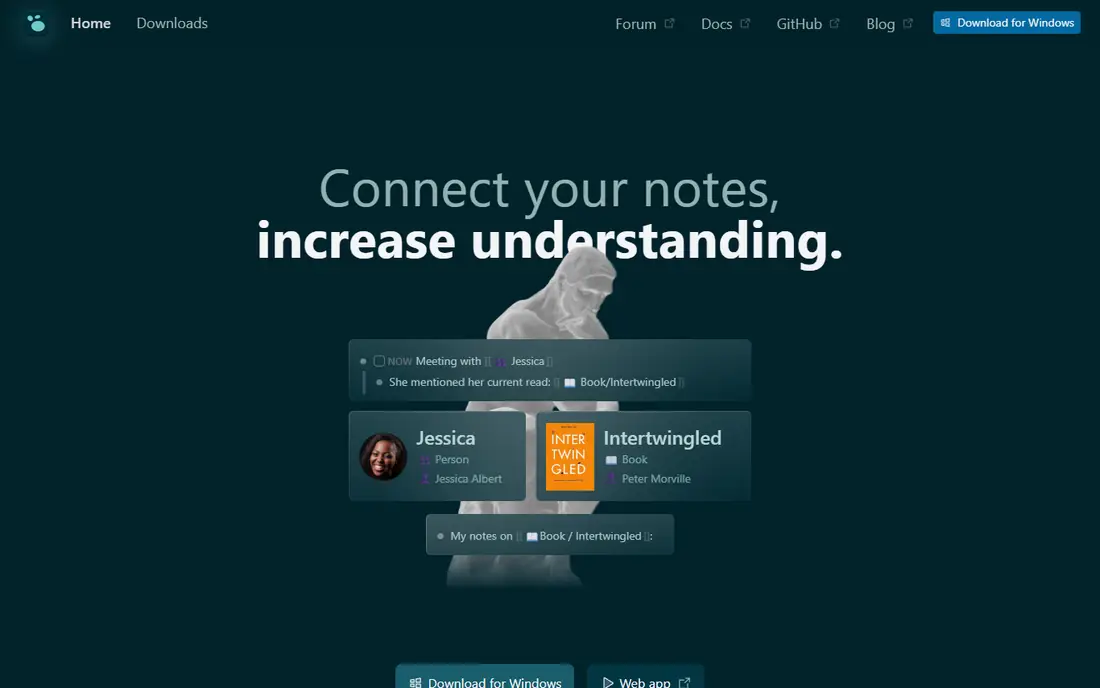
Logseq is the closest free option to WorkFlowy in daily use. You open a journal page, type bullets, and link pages and blocks as you go. Tags, queries, and flashcards grow from that same outline, so research and study notes stay in one place.
The trade is polish. The desktop app is strong, but mobile editing and sync need more care than a paid service. If you want a free, private outliner and you mainly work on a computer, Logseq is a strong first try.
- Block based outlining like WorkFlowy
- Open source
- Local files and daily journal pages
- Mobile apps can feel rough
- Very large graphs can slow down
- Team sharing is limited
Roam Research helped make block linking popular. Every bullet can be referenced elsewhere, so a single idea can appear in a daily note, a project page, and a draft at the same time. Researchers who connect many sources often find this structure hard to leave.
The price and learning curve are real barriers. Roam asks you to learn its way of working, and its interface packs a lot into each page. Try the other free options first unless linked research is your main job.
- Block references and daily notes
- Strong for connected research
- Mature linking model
- Paid only for most users
- Interface feels dense
- Export needs care
RemNote starts from the same outline idea and adds study tools on top. You can turn bullets into flashcards, then review them on a spaced schedule without moving notes to a second app. That makes it a natural pick for students who already outline lectures and readings.
The app tries to do a lot, so menus and panels can crowd a small screen. It still suits solo study better than team project work. If your notes exist mainly to help you remember material, RemNote earns its place.
- Built in flashcards and spaced repetition
- Outline first design
- PDF annotation
- Interface can feel busy
- Advanced features sit behind paid plans
- Collaboration is basic
Dynalist feels familiar from the first minute. You get nested bullets, zoom into a bullet, tags, dates, and internal links, with a cleaner editor and more formatting than WorkFlowy offers. Moving an existing outline across is usually straightforward.
The main worry is momentum. Dynalist has changed less in recent years than Notion or Obsidian, and its feature set is narrower. If you want the closest like for like switch and little else, that narrow focus is a plus, not a flaw.
- Very similar outline, zoom, and tagging
- Fast on web and mobile
- File and image attachments
- Development pace has been slow
- Fewer databases and plugins
- Paid plan needed for full features
Checkvist is built for speed. You can create, move, complete, and tag bullets without touching the mouse, which suits long task lists and meeting notes. Due dates and filters turn an outline into a workable daily list.
It will not win on looks. The design is plain, and rich pages with images or databases belong elsewhere. If you type fast and value a list that stays out of your way, Checkvist is easy to recommend.
- Fast keyboard shortcuts
- Tags, due dates, and task lists
- Simple export options
- Plain visual design
- Limited rich media
- Mobile experience is basic
Anytype pairs a WorkFlowy style outline with a structured note system. Notes become objects with types and relations, so a person, a project, and a meeting can link in a consistent way. Data stays on your device first, with peer to peer sync when you want it.
The learning curve comes from its terms. Objects, sets, and spaces take a few days to feel natural. Once they click, Anytype gives you more structure than a plain outliner without handing all your notes to a cloud service.
- Local first storage with encryption
- Objects and relations for structured notes
- Works offline
- New vocabulary to learn
- Smaller plugin range
- Sharing is less mature than Notion
How we picked these
We compared official feature pages, pricing pages, app store listings, privacy policies, and public reviews for each option. We kept only tools that are live in October 2026, offer a real outline or linked note workflow, and let you create and organize notes today. We left out tools that had shut down, tools that only handle tasks with no note structure, and tools whose main job is document publishing rather than outlining.
What to check before you choose
Start with where your notes live. Local tools such as Obsidian, Logseq, and Anytype give you files on your own device, while Notion and RemNote keep notes in the cloud. Local storage helps with export and offline work, but you take on sync and backup yourself. Cloud tools make sharing easier, but check their export format before you move years of notes.
Next, test the outline itself. Zoom into a bullet, move a branch, add a tag, and link to another page. A tool can look good in a demo and still feel slow when you reorder a long list. Try that test with a real project, not a sample page, and pay attention to mobile editing if you capture notes on a phone.
Finally, match the tool to the job. A student needs flashcards and review, a team needs sharing and permissions, and a researcher needs block links and search. A single app rarely wins on all three, so pick the strength you use daily and accept a weaker second feature.
A final check helps before you pay. Run a small pilot with real data, confirm export and cancellation terms, and ask support a hard question before you need help in a crisis. That short test often reveals limits that a feature list hides, and it gives your team a clear reason to pick one option over the others.
Frequently asked questions
Can I import my WorkFlowy notes into these apps?
Most options accept Markdown, plain text, or OPML import, and Dynalist and Logseq handle outlines most directly. Check the import guide for your chosen app before you cancel WorkFlowy, and keep a backup export of the original outline until you confirm links and tags survived.
Which WorkFlowy alternative is free?
Logseq and Obsidian are free for personal use, with paid options for sync and publishing. Notion, RemNote, Dynalist, Checkvist, and Anytype also offer free plans, though some features and storage limits apply. Roam Research is the paid only option in this list for most users.
Which option works best offline?
Obsidian, Logseq, and Anytype work well offline because notes live locally. Notion offers limited offline access to recent pages, so it suits teams with steady internet more than travelers. Test offline editing on your own devices before you rely on it for field notes.
Is Dynalist still a good WorkFlowy replacement?
Yes, if you want a close match and do not need databases or a large plugin library. Dynalist keeps the zoom, tags, and fast outline editing that WorkFlowy users know. Its slower development pace matters more if you want frequent new features.
Which alternative is best for teams?
Notion is the best team pick here, with shared pages, comments, databases, and permissions in one workspace. Anytype and Obsidian can work for small groups, but sharing and access control are less developed. Choose Notion when several people edit the same notes each week.
Sources
See where you really rank - block by block
ProMapRanker scans Google Maps across a grid of your service area. Simple monthly plans from $19, white-label on every plan.
Start freeKeep reading
 zoho books alternatives
Best Zoho Books Alternatives in 2026
Compare the best zoho books alternatives for small business accounting, from QuickBooks Online and Xero to FreshBooks, Wave, and Sage in 2026, with pricing.
Read → zluri alternatives
Best Zluri Alternatives in 2026
Compare zluri alternatives for 2026, with SaaS management platforms for app discovery, spend tracking, renewals, and automation for IT, finance and procurement.
Read → zerobounce alternatives
Best ZeroBounce Alternatives in 2026
Best zerobounce alternatives for list hygiene: compare 8 email verification tools for bulk cleaning, real-time checks and catch-all handling in 2026 today.
Read →