 ProMapRanker
Best WorkflowMax Alternatives in 2026

Key takeaways
- WorkflowMax was retired by Xero in 2024 and later relaunched under new ownership, so many former users are still choosing a replacement with a clearer future.
- The best replacement depends on your trade: field service tools suit trades, while agency tools suit professional services that bill by project.
- Quoting, scheduling, time tracking and invoicing in one tool saves the most admin time, so check the full job cycle rather than one feature.
- Xero and QuickBooks integration matters for most buyers here, since job costs must flow into accounting without manual re-entry.
Quick comparison
| Pick | Great for | Pricing starts at | Free tier | |
|---|---|---|---|---|
 simPRO | Trade and field service jobs | See website | No | Visit |
 Jobber | Small field service teams | See website | Free trial | Visit |
 Accelo | Professional services automation | See website | Free trial | Visit |
 Scoro | End-to-end agency management | See website | Free trial | Visit |
 Paymo | Work management with invoicing | Free | Yes | Visit |
 Productive | Agency profitability tracking | See website | Free trial | Visit |
 Avaza | Projects, time and invoicing | See website | Yes | Visit |
 Tradify | Trade job management | See website | Free trial | Visit |
 Projectworks | Services resourcing and billing | See website | Free trial | Visit |
The best workflowmax alternatives
WorkflowMax combined lead management, quoting, job tracking, time sheets and invoicing for service businesses. Xero announced its retirement in 2023, closed the original product in June 2024, and the brand was later acquired and relaunched. That history left many users looking for a stable replacement. The tools below cover the same job cycle from different angles. We compared official feature pages, pricing pages, app store listings and public reviews to build this list.
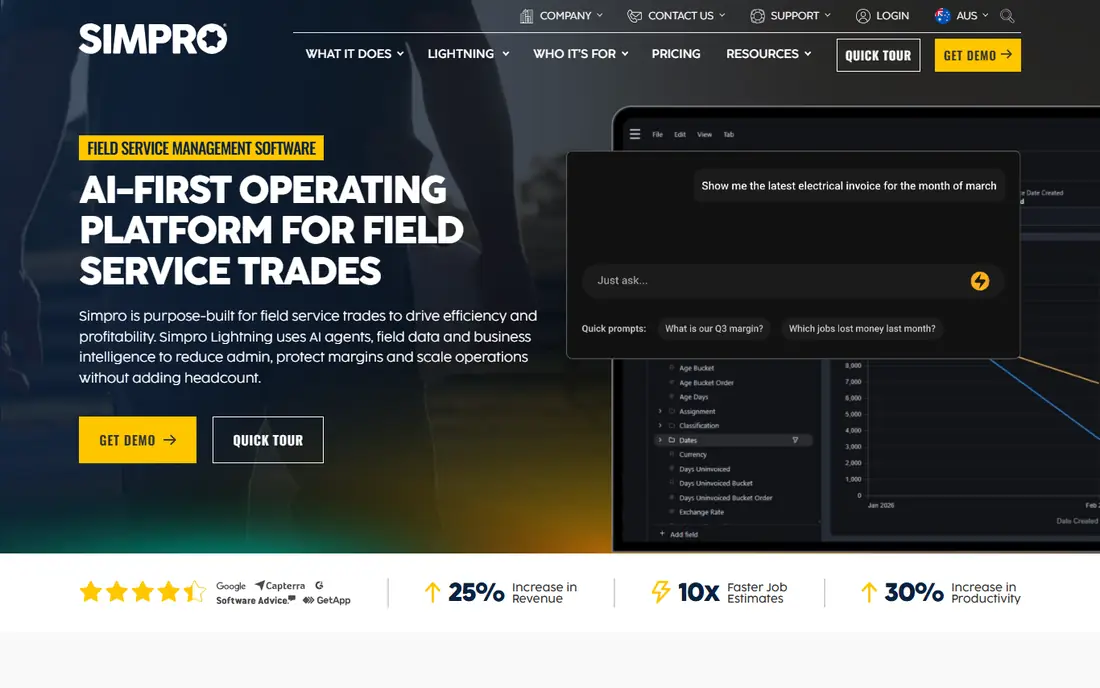
simPRO is the heavyweight trade option in this list. It handles quotes, scheduling, dispatch, job costing, inventory and invoicing for service, maintenance and project contractors. Field staff get mobile job details, while the office sees job progress, costs and margins in one place.
The trade-off is scale and price. simPRO is quote-based and suits established trade businesses rather than a two-person startup. Implementation and training take real time, especially for firms moving years of job history. If your business runs field teams and complex jobs, simPRO is the most complete replacement here.
- End-to-end trade job management
- Quotes, scheduling, dispatch and inventory
- Strong Xero integration
- Quote-based pricing
- Implementation takes time for larger firms

Jobber targets smaller field service businesses such as cleaning, lawn care, plumbing and HVAC firms. Quotes turn into jobs, jobs turn into schedules, and schedules turn into invoices with card payments attached. Client reminders and online booking cut the phone tag that eats office time.
Jobber is less suited to long, multi-stage projects with heavy cost tracking, where simPRO or Accelo fit better. It also gates some reporting and automation behind higher tiers. For a small team that wants to look professional and get paid faster, Jobber is one of the friendliest picks here.
- Easy quoting, scheduling and invoicing
- Client reminders and online booking
- Mobile app for field staff
- Less suited to large project work
- Advanced reporting sits on higher plans

Accelo suits professional services firms that juggle retainers, projects and support tickets at once. It tracks time against clients, forecasts profitability and ties sales, delivery and billing together. That breadth helps agencies, consultancies and IT services firms that found WorkflowMax too job-focused and too light on retainer work.
Accelo pricing is quoted, and setup rewards careful configuration of service lines and rates. Smaller firms may find it more than they need. If your revenue mixes retainers and projects, and you want profitability by client rather than just hours logged, Accelo deserves a trial.
- Retainers, projects and tickets in one system
- Profitability tracking
- Strong integrations
- Quote-based pricing
- Setup needs care for complex service lines
Scoro aims to run an entire agency or consultancy from one platform: CRM, quoting, project planning, resourcing, time tracking and billing. Dashboards show project profitability and team utilisation in real time, which helps managers spot troubled projects before they lose money. It is a strong fit for agencies that outgrew a patchwork of tools.
Scoro is priced at a premium, and small teams will pay for features they rarely touch. It fits mid-size agencies and consultancies that want one system of record. Trial it with a live project, including resourcing and billing, rather than judging it on a demo alone.
- Quotes, projects, resourcing and billing in one platform
- Real-time profitability dashboards
- CRM included
- Premium pricing
- Smaller teams may not use the full suite
Paymo is the value pick for teams that want project management, time tracking and invoicing together. Its free plan covers unlimited users with time tracking and invoicing, and paid plans add scheduling, resource planning and advanced reporting at modest prices. That combination suits small agencies and studios moving from WorkflowMax on a budget.
Paymo lacks the trade-specific dispatch and inventory features of simPRO, so field service firms should look elsewhere. Its interface can also feel dense until you learn its layout. For office-based service teams, Paymo covers the full job cycle at the lowest entry cost here.
- Free plan with time tracking and invoicing
- Task planning and scheduling
- Solid reporting
- Less trade-specific than simPRO or Jobber
- Interface can feel dense at first
Productive is built for agencies that need to know whether each project actually made money. It combines project management, time tracking, resourcing, budgets and invoicing, with profitability views that link hours, rates and costs. Integrations with Xero, QuickBooks, Slack and HubSpot keep financial data flowing.
Productive pricing is largely quoted, so small firms should confirm entry costs early. It is also agency-shaped rather than trade-shaped, so field dispatch features are thin. Agencies that want a WorkflowMax replacement with stronger profitability insight will find Productive a natural upgrade.
- Budgets, resourcing and profitability by project
- Xero and QuickBooks integrations
- Modern interface
- Pricing is quoted for most plans
- Best for agencies, not trades
Avaza bundles project management, time tracking, expense tracking, quoting and invoicing at a price that undercuts many rivals. Its free plan suits freelancers and tiny teams, while paid plans add resource scheduling and advanced invoicing. Integrations with Xero, QuickBooks and Stripe cover the accounting basics.
Avaza's reporting is simpler than Accelo or Scoro, so firms that live by utilisation dashboards may want more. It also lacks trade dispatch features. For small professional services teams that want one affordable tool for the whole job cycle, Avaza is a strong, low-risk trial.
- Projects, timesheets, expenses and invoicing in one tool
- Free plan available
- Xero and QuickBooks sync
- No free plan on higher feature tiers
- Reporting is simpler than Scoro or Accelo
Tradify is a trade-focused job management app used by tens of thousands of tradespeople. It covers enquiries, quotes, scheduling, staff timesheets, job tracking and invoicing, with Xero integration to keep accounts in sync. Its mobile app suits field staff who need job details and timesheets on site.
Tradify is less suited to agency or consultancy project work, where retainers and multi-stage deliverables matter more than job dispatch. Pricing also varies by region, so confirm your local plan. For trade businesses that want a WorkflowMax replacement without enterprise complexity, Tradify is a practical, proven pick.
- Built for trades with enquiries, quotes and scheduling
- Timesheets and invoicing
- Xero sync
- Pricing varies by region and plan
- Less suited to agency project work
Projectworks serves professional services firms in consulting, engineering, software and architecture. It combines project tracking, resourcing, leave management, revenue forecasting and invoicing, with a focus on capacity and gross margin per project. Integrations with Xero, QuickBooks, HubSpot and Jira fit typical services stacks.
Some reviewers note limits in reporting flexibility and invoice templating, so test those areas with your real data. Projectworks fits services firms that outgrew simple job tracking and want resourcing and margin insight without moving to a full enterprise suite.
- Resourcing, forecasting and margin tracking for services firms
- Xero and QuickBooks integrations
- Leave management
- Reporting templates can feel limited
- Invoice customisation draws some criticism
How we picked these
We compared official feature pages, pricing pages, app store listings and public reviews for job management tools that cover WorkflowMax's core cycle: quoting, scheduling, time tracking and invoicing. We kept only tools that are live and actively sold in October 2026, and we mixed trade and agency tools because WorkflowMax served both audiences. Where pricing is quoted or region-dependent, we say so instead of publishing a figure that would not hold for every reader.
What to check before you switch
Map your current job cycle end to end before trialling anything: lead, quote, job, schedule, timesheet, invoice and payment. A tool that handles quoting beautifully but exports poorly to Xero will cost you hours every month. Check accounting integration with your real chart of accounts, not just the marketing claim.
Also test with a real job, including a variation or extra charge, since that is where job tools usually break. Check mobile behaviour for field staff, including offline access, before committing. Finally, confirm data export and migration support: moving years of client and job history is the hidden cost in any switch.
Frequently asked questions
Is WorkflowMax still available?
The original Xero-owned WorkflowMax was retired in June 2024, and the brand was acquired by BlueRock with a relaunched product. Many former users still compare replacements, since the relaunch differs from the original tool they knew.
What is the best WorkflowMax alternative for trades?
simPRO suits larger trade and field service businesses, while Tradify and Jobber suit smaller trade teams. Choose by team size and job complexity rather than by feature count alone.
What is the best WorkflowMax alternative for agencies?
Accelo, Scoro and Productive suit agencies and professional services firms, with stronger retainer, resourcing and profitability features than trade tools. Paymo and Avaza suit smaller agencies on tighter budgets.
Do these tools integrate with Xero?
Yes, most tools here integrate with Xero, and several also support QuickBooks. Check whether the integration syncs invoices, payments and contacts both ways, since depth varies by tool.
How hard is it to migrate from WorkflowMax?
Migration effort depends on your data: clients and contacts move easily, while job history, timesheets and custom fields need mapping. Ask each vendor about import tools and support before you sign.
Sources
See where you really rank - block by block
ProMapRanker scans Google Maps across a grid of your service area. Simple monthly plans from $19, white-label on every plan.
Start freeKeep reading
 zoho books alternatives
Best Zoho Books Alternatives in 2026
Compare the best zoho books alternatives for small business accounting, from QuickBooks Online and Xero to FreshBooks, Wave, and Sage in 2026, with pricing.
Read → zluri alternatives
Best Zluri Alternatives in 2026
Compare zluri alternatives for 2026, with SaaS management platforms for app discovery, spend tracking, renewals, and automation for IT, finance and procurement.
Read → zerobounce alternatives
Best ZeroBounce Alternatives in 2026
Best zerobounce alternatives for list hygiene: compare 8 email verification tools for bulk cleaning, real-time checks and catch-all handling in 2026 today.
Read →