 ProMapRanker
Best Textline Alternatives in 2026


All-round small team texting · Pricing starts at: $29 per month
Key takeaways
- Textline is known for a shared business texting inbox, so the best alternative depends on whether you need support conversations, sales outreach, or marketing campaigns.
- SimpleTexting, EZ Texting, SlickText, and Textedly suit marketing campaigns and list growth, with different pricing by message credits.
- Salesmsg and Sakari suit sales and CRM-led teams, because texting sits beside call and CRM workflows rather than as a standalone campaign tool.
- Podium suits local businesses that also want reviews and payments, while TextMagic suits occasional, pay-as-you-go sending.
- Business texting needs consent and a clear opt-out path. Only message people who have agreed to receive texts, and honour opt-out requests promptly.
Quick comparison
| Pick | Great for | Pricing starts at | Free tier | |
|---|---|---|---|---|
| SimpleTexting | All-round small team texting | $29 per month | Free trial | Visit |
 EZ Texting | Easy first campaigns | $25 per month | Free trial | Visit |
 SlickText | Keyword campaigns and loyalty | $29 per month | Free trial | Visit |
 Textedly | Budget bulk texting | $26 per month | Free trial | Visit |
 Salesmsg | Sales teams on HubSpot or Salesforce | $25 per month | Free trial | Visit |
 Sakari | HubSpot-led texting | $25 per month | Free trial | Visit |
 Podium | Local businesses and reviews | See website | No | Visit |
 TextMagic | Occasional pay-as-you-go sending | See website | Free trial | Visit |
The best Textline alternatives
Textline offers a shared inbox for business texting, with team collaboration and, in regulated settings, consent management features. The tools below cover business texting from different angles, so the right pick depends on your main use. Some are built for marketing campaigns, some for two-way support, and some for sales follow-up. We compared official pricing pages and product descriptions for each tool. A consent note applies to all of them: only text people who have opted in, include a clear opt-out route such as reply STOP, and keep records of consent.
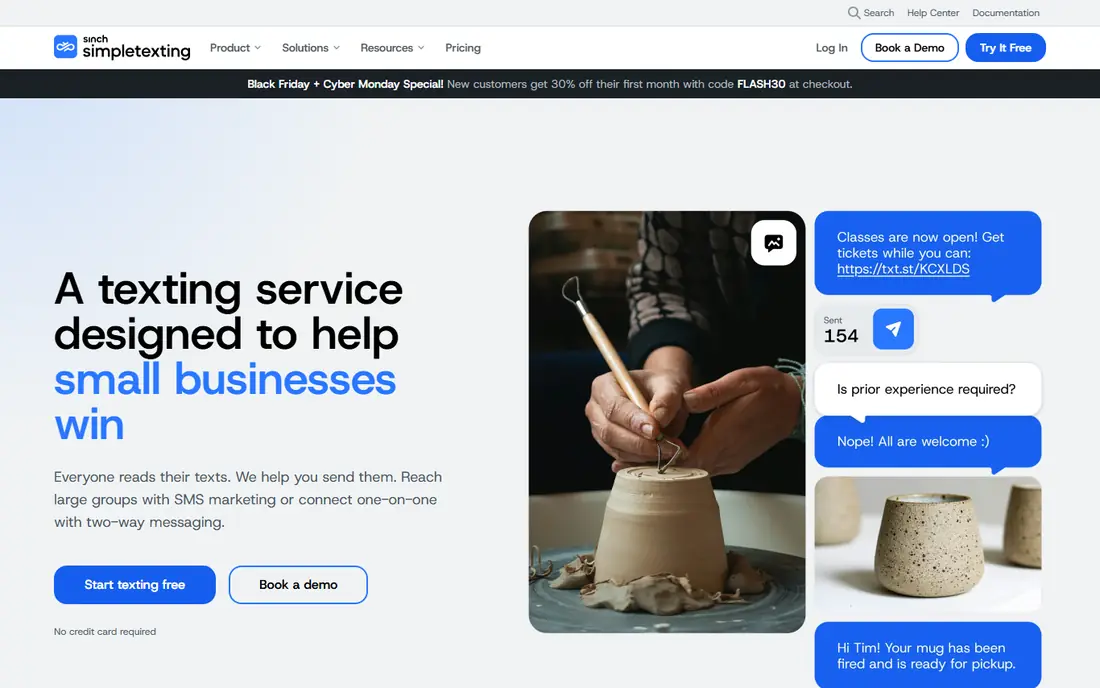
SimpleTexting is a practical all-round pick for small teams that need both campaigns and replies. You can send a mass campaign from a dedicated number, then handle replies in the same inbox, which keeps marketing and support from splitting across tools. Unlimited contacts on plans is helpful for growing lists, because you are not charged per contact in the same way as some rivals.
The full entry cost needs checking, because a registered number fee and a one-time carrier registration fee sit beside the monthly plan price, and message overages apply beyond the included credits. It is also focused on the US and Canada, so international teams need a different tool. Start with the smallest credit tier that fits a typical month, and track overages before upgrading to a larger tier.
- Easy mass campaigns and two-way replies from one number
- Unlimited contacts on plans
- Free incoming texts on plans
- US and Canada focus
- Number and carrier registration fees sit beside the plan price
- High-volume short codes are a costly add-on

EZ Texting suits a business sending its first SMS campaigns, because setup is straightforward and the core workflow of list, message, and send is easy to learn. That low learning curve matters for a small team without a dedicated marketer, since a tool that sits unused helps no one. Team inbox features on higher tiers also let more than one person handle replies.
The trade-off is depth. Automation, integrations, and two-way conversation tools are less developed than on sales-led or support-led platforms, so teams that need complex workflows may outgrow EZ Texting. Pricing also needs careful reading, because credits, telecom fees, and overage rates affect the real monthly bill. Choose it for simple campaigns and straightforward replies, and move to a deeper platform when automation becomes essential.
- Approachable setup for first-time SMS marketers
- Quick campaign creation
- Team inbox options on higher tiers
- Automation and integration depth lag behind some rivals
- Message credits and fees need careful reading
- Larger teams may outgrow it

SlickText is built around growing a list and running campaigns, with text-to-join keywords that work well for retail shops, restaurants, gyms, and loyalty programmes. A customer texts a keyword to join, then receives campaigns, offers, and drip messages, which is a simple loop that many local businesses can run without specialist skills. Segmentation and drip campaigns help avoid sending the same message to everyone every time.
Pricing is tied to message credits, so costs rise as volume grows, and higher tiers can become expensive for frequent senders. That model suits businesses with regular but moderate campaigns, and it suits high-volume senders less well. Check the credit tier against your real sending pattern, including seasonal peaks, and confirm whether every feature you need is included on your tier or gated behind a higher plan.
- Strong text-to-join keyword features
- Drip campaigns and segmentation
- Full feature set on paid plans
- Campaign-priced tiers rise with message volume
- Support hours are limited to weekdays in some cases
- RCS features carry extra setup costs
Textedly suits a small business that wants simple bulk texting at a low entry price. Plans scale by message volume rather than contact count, which can be cheaper for a business with a large list that messages infrequently. The inbox lets you handle replies, so it is not only a broadcast tool, even though campaigns are its main strength.
The inbox and automation are simpler than on support-led platforms, so teams that need shared assignments, tags, and complex workflows may find it thin. Integration options are also more basic, which matters if you want texts to update a CRM automatically. Choose Textedly when budget bulk sending is the priority, and choose a CRM-led tool when conversation management and integration matter more.
- Simple bulk texting for small businesses
- Pricing scales by messages rather than contacts
- Inbox included for replies
- Campaign-first design with a simpler inbox
- Automation depth is limited
- Support and integration options are basic in places
Salesmsg, also known as Salesmessage, suits revenue teams that want texting inside their CRM workflow. Texts and calls log against contact records in HubSpot or Salesforce, so a rep can see the full conversation history beside deal and contact details. That visibility helps sales managers coach, helps reps follow up on time, and avoids conversations getting lost in a separate tool.
The sales focus is a strength for revenue teams and a weakness for marketing-only teams, who may not need calling or CRM logging and may prefer a simpler campaign tool. Pricing also depends on users and features, so the entry price is only a starting point for a team. Choose Salesmsg when CRM-logged texting and calling matter, and confirm your CRM edition is supported before you buy.
- SMS and calling beside CRM records
- Texting and calling logged to HubSpot or Salesforce
- Shared inbox for sales teams
- Sales focus may be more than a marketing-only team needs
- Pricing varies by user and features
- International coverage needs checking
Sakari is the pick for teams that run on HubSpot and want texting that lives inside HubSpot. Messages send and receive from contact records, workflows can trigger texts, and conversation history stays with the contact, which keeps sales and support work in one system. For a HubSpot-led team, that integration saves the manual copying that standalone texting tools often require.
The HubSpot-only focus is the main limit. Teams on Salesforce or another CRM will get less value, and teams that also need calling may need a separate tool. Pricing varies by volume and features, so check the tier that covers your monthly message count and workflow needs. Choose Sakari when HubSpot is your system of record, and choose a CRM-neutral tool when your stack is mixed or likely to change.
- Deep HubSpot integration for SMS
- Two-way texting from HubSpot records
- Useful for teams already committed to HubSpot
- HubSpot-only focus limits teams on other CRMs
- No native calling in the same way as Salesmsg
- Pricing varies by volume and features
Podium suits local businesses that want texting as part of a wider customer communication system, including reviews and payments. A customer can text a business, leave a review, and pay through connected tools, which keeps several touchpoints in one place. That breadth helps multi-location businesses that want consistent communication across sites, rather than a separate tool for each job.
The cost is the main consideration. Podium pricing is not published, and its entry cost is higher than campaign-only tools, because you are buying a broader platform. A business that only needs texting will likely find a cheaper fit elsewhere. Choose Podium when reviews, messaging, and payments together justify the platform, and get a written quote for your location count before deciding.
- Texting beside reviews, payments, and AI communication tools
- Strong for local and multi-location businesses
- Central inbox for customer messages
- Pricing is not published and is higher than campaign-only tools
- Demo needed for a quote
- Texting alone may not justify the full platform cost
TextMagic suits businesses that send texts occasionally rather than every week, because pay-as-you-go pricing avoids a large monthly plan for light use. International coverage is another advantage, since it supports sending in many countries, which helps teams with customers outside the US. An API also lets developers build texting into their own systems where a dashboard tool is not enough.
The costs beside message prices need attention, including a monthly number fee and carrier registration fees, which apply even in light months. Campaign and automation features are also simpler than on marketing-led platforms, so frequent campaign senders may prefer a dedicated campaign tool. Choose TextMagic when occasional, international, or API-led sending is the priority, and estimate total monthly cost including number fees, not just message price.
- Pay-as-you-go pricing for occasional sending
- International coverage
- API and integrations for developers
- Monthly number and carrier fees apply beside message costs
- Interface is functional rather than polished
- Campaign features are simpler than rivals
How we picked these
We compared official pricing pages and product descriptions for business texting tools that are live in October 2026. We favoured tools with two-way texting, a shared or team inbox, and clear consent and opt-out handling, because those features matter for real business use. We left out developer-only APIs with no inbox, and consumer messaging apps with no business controls. Where pricing is not published, we wrote See website, and where prices vary by credits and fees, we used the vendor entry price as a starting point.
Consent, opt-out, and carrier rules in plain terms
Business texting is permission-based. Only message people who have agreed to receive texts from your business, keep a record of that consent, and make opt-out easy, for example by honouring a reply of STOP promptly. Carrier registration rules, including 10DLC registration in the US, also apply to many business senders, and most tools in this list help with registration or handle it as part of setup. Do not buy lists of phone numbers for texting, do not text personal numbers collected for another purpose, and do not ignore opt-out requests, because those practices risk carrier blocking, complaints, and legal trouble.
Also match message frequency to the consent given. A customer who agreed to appointment reminders has not necessarily agreed to weekly marketing offers, and a customer who agreed to one campaign has not agreed to ongoing messages. Keep marketing, transactional, and support messages separate where possible, and review consent records regularly. If you work in healthcare, finance, or another regulated area, check sector rules and vendor compliance features before you choose, and get professional advice where needed. This article is general information, not legal advice.
Setting up a compliant first campaign
Start with a clear opt-in route, such as a form, keyword, or checkout checkbox that states what messages the person will receive. Send a welcome message that confirms the opt-in and explains how to opt out. Keep your first campaigns short, relevant, and infrequent, and track opt-out rates as a quality signal. If opt-outs spike, your frequency, relevance, or consent route needs fixing before you send more.
Frequently asked questions
What is the best Textline alternative for a shared inbox?
Salesmsg and Sakari suit CRM-led shared inboxes, while SimpleTexting and EZ Texting suit smaller team inboxes for campaigns and replies. The best shared inbox depends on whether messages need to log to a CRM, be assigned to team members, or simply be answered from one place. Test assignment and reply handling with your actual team size before you choose.
Do I need consent to send business texts?
Yes. Business texting requires consent from the recipient, and you should keep records of that consent. Include a clear opt-out route, honour opt-out requests promptly, and only send the types of messages the person agreed to receive. Carrier registration and sector rules may also apply, so check vendor guidance and professional advice for your situation.
What does reply STOP do?
Reply STOP is a standard opt-out keyword that tells the sender to stop marketing messages to that number. Tools in this list should handle STOP automatically, but you should test it on your own number after setup. Also check how your tool handles other opt-out words, and whether opted-out contacts are blocked from future campaigns automatically.
Which tool is cheapest for occasional texting?
TextMagic is often cheapest for occasional use because of pay-as-you-go pricing, though monthly number fees still apply. SimpleTexting, EZ Texting, and Textedly offer low monthly plans that may be cheaper if you send regularly. Compare total monthly cost, including number fees and overages, at your real sending volume, not only the headline plan price.
Can I text internationally with these tools?
Some tools, notably TextMagic, support international sending more broadly, while others focus on the US and Canada. Check country coverage, pricing per country, and carrier rules for each market you need. International texting also has its own consent and privacy rules, so confirm those before you expand beyond your home market.
Should I use SMS for marketing, support, or both?
Many teams use SMS for both, but keep the two uses separate in consent and frequency. Marketing messages need marketing consent and should be infrequent and relevant, while support messages should be timely and tied to a real customer need. A shared inbox tool helps manage both, but clear consent records and opt-out handling matter for each use.
Sources
See where you really rank - block by block
ProMapRanker scans Google Maps across a grid of your service area. Simple monthly plans from $19, white-label on every plan.
Start freeKeep reading
 zoho books alternatives
Best Zoho Books Alternatives in 2026
Compare the best zoho books alternatives for small business accounting, from QuickBooks Online and Xero to FreshBooks, Wave, and Sage in 2026, with pricing.
Read → zluri alternatives
Best Zluri Alternatives in 2026
Compare zluri alternatives for 2026, with SaaS management platforms for app discovery, spend tracking, renewals, and automation for IT, finance and procurement.
Read → zerobounce alternatives
Best ZeroBounce Alternatives in 2026
Best zerobounce alternatives for list hygiene: compare 8 email verification tools for bulk cleaning, real-time checks and catch-all handling in 2026 today.
Read →