 ProMapRanker
Best TestProject Alternatives in 2026


Mixed web, mobile, API and desktop teams · Pricing starts at: See website
Key takeaways
- Playwright and Selenium suit engineering teams that want free, code-first control, while Katalon and Testsigma suit mixed teams that want low-code authoring.
- Cypress is a strong pick for modern web apps, but it is not a full native mobile testing tool on its own.
- BrowserStack solves device and browser coverage, not test authoring, so it pairs best with a framework or a low-code tool.
- Quote-only tools such as mabl and Testsigma need a trial against your real app, since run volume and seats drive the final price.
Quick comparison
| Pick | Great for | Pricing starts at | Free tier | |
|---|---|---|---|---|
| Katalon | Mixed web, mobile, API and desktop teams | See website | Yes | Visit |
 Cypress | Modern web app testing | Free | Yes | Visit |
 Playwright | Code-first browser automation | Free | Yes | Visit |
 Selenium | Multi-browser, multi-language testing | Free | Yes | Visit |
 Testsigma | Low-code, plain-language tests | See website | Free trial | Visit |
 mabl | Low-maintenance web testing | See website | Free trial | Visit |
 TestComplete | Desktop, web and mobile enterprise testing | See website | Free trial | Visit |
 BrowserStack | Real device and browser coverage | See website | Free trial | Visit |
 Ghost Inspector | No-code browser tests | $99 per month | Free trial | Visit |
The best TestProject alternatives
TestProject was known for free, low-code test automation across web, mobile and API. If you are replacing it, the right pick depends on who writes the tests and what you test most. We compared official docs, pricing pages and public reviews, and we kept only tools that are live and maintained in October 2026.

Katalon is the closest all-in-one replacement for many TestProject teams. It offers recording, scripting, API testing and mobile testing in one studio, plus integrations with CI tools and test management products. Teams with mixed skills can start with recorded tests and move to scripts as needed.
The catch is pricing at scale. A free tier covers basic local work, but runtime, parallel runs and enterprise features sit on paid plans. Budget for seats and execution, not only for authoring, and test CI runs early.
- One platform for web, mobile, API and desktop
- Record and script options
- Large integration set
- Paid features and runtime costs rise with scale
- Learning curve for full platform use

Cypress is a favorite for front-end teams testing modern web apps. Tests run in a real browser with a clear runner, time-travel debugging and readable code. For a web-first product, it is often faster to set up and maintain than a heavy enterprise suite.
It is not the right pick if native mobile apps are central. You would still need Appium or a mobile tool for iOS and Android apps. Cypress Cloud also adds cost for parallel runs, recording and team reporting, so check that tier before you scale.
- Fast developer-friendly web testing
- Clear test runner
- Strong community and docs
- Not a native mobile app tool
- Cloud features and parallel runs are paid
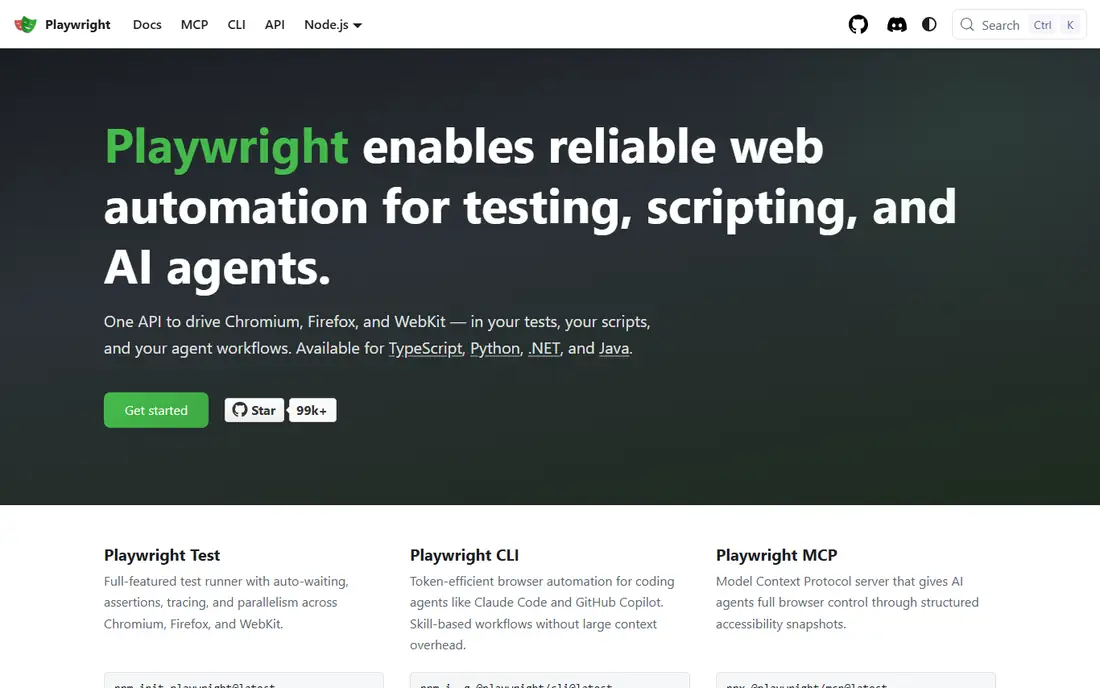
Playwright is our pick for engineering teams that want full control without license fees. It supports Chromium, Firefox and WebKit from one API, with bindings for common languages. Auto-waiting, tracing and network control make flaky web tests easier to debug than with older frameworks.
The trade-off is ownership. There is no built-in low-code recorder for business testers, and dashboards, device clouds and test management come from other tools. If your team can code and maintain a suite, Playwright is hard to beat on value.
- Free and open source
- Cross-browser support
- Auto-waiting and tracing tools
- Code-only, so non-developers struggle
- You build reporting and grids yourself
Selenium remains the direct continuation path for many older suites, including some TestProject projects built on Selenium-based flows. It works across browsers and languages, and it pairs with Appium for mobile and with grids for parallel runs. If you already have Selenium skills in-house, migration is less risky.
It is also the most hands-on option here. You write and maintain more code, handle waits and drivers, and build reporting yourself. Teams that want low-code authoring should look at Katalon or Testsigma instead.
- Long-standing standard
- Many languages and browsers
- Huge community and resources
- More setup and maintenance than newer tools
- No built-in low-code authoring
Testsigma is a strong low-code alternative for teams where testers are not full-time coders. Tests read like steps in plain language, and the platform covers web, mobile and API flows with cloud execution. That makes it easier for QA, product and support staff to contribute tests.
Pricing is the main question. Plans are quoted, so you need to agree on seats, runs and device use before you can compare it fairly with a free framework. Run a trial on your hardest flows, not only on a demo app, to judge maintenance effort.
- Tests written in plain language
- Web, mobile and API in one platform
- Cloud device runs
- Pricing is quote-based
- Large suites need planning for run capacity
mabl focuses on tests that survive UI changes. Its auto-healing and visual checks aim to cut the maintenance work that eats QA time after each release. For web teams with frequent front-end changes, that can matter more than a lower license fee elsewhere.
It is priced by quote and by cloud usage, so costs depend on how often you run tests. It also fits web testing best, so mobile-heavy teams should pair it with a mobile tool or choose a broader platform.
- Auto-healing locators
- Built-in visual checks
- CI integrations
- Quote-based pricing
- Web-focused, not a full native mobile suite
TestComplete suits teams that still test Windows desktop apps alongside web and mobile. It offers recording, scripting and object recognition for desktop, web and mobile flows, and it fits enterprise CI and reporting setups. That breadth is rare among web-first tools.
The workflow feels heavier than a modern web framework, and licensing needs careful scoping for teams and machines. If desktop testing is only a small part of your work, a web tool plus a mobile tool may be simpler and cheaper.
- Desktop app coverage
- Record and script options
- Enterprise integrations
- Windows-centered workflow
- Licensing can be costly at scale
BrowserStack is not a replacement for test authoring on its own, but it is often part of a TestProject replacement stack. It gives you real devices and browsers in the cloud, so you can run web and mobile tests without buying and maintaining a device lab. Live testing also helps manual checks on odd devices.
You still need a framework or low-code tool to write tests, and parallel capacity drives the bill. Shortlist BrowserStack when coverage is the bottleneck, and pair it with Playwright, Selenium, Cypress or a low-code platform.
- Huge real device and browser set
- Live and automated testing
- No local device lab needed
- It is a cloud grid, not a test authoring tool
- Costs rise with parallel runs
Ghost Inspector is a practical pick for small teams that need browser checks without hiring test engineers. You record tests in a browser, schedule them, and get alerts with video and screenshots when a flow breaks. That makes it useful for smoke tests, signup flows and checkout checks.
It does not cover native mobile apps or API testing in the same way as broader platforms. Run volume also matters, since larger suites consume runs faster. For web smoke and regression checks, though, it is simple and effective.
- Browser tests without code
- Scheduled runs and alerts
- Clear video and screenshots
- Web-only focus
- Per-run pricing needs watching as suites grow
How we picked these
We compared official docs, pricing pages, framework sites and public reviews, and we kept tools that are live in October 2026 and cover web, mobile, API or desktop testing in a way TestProject users would recognize. We excluded tools with no clear current product, tools that only do manual testing, and tools that only do load testing. Where pricing is quote-based, we wrote See website rather than repeating an unverified figure.
What to check before you choose
Start by sorting your current tests into web, mobile, API and desktop buckets. A tool that is excellent for web may be weak for native mobile, and a desktop tool may be overkill for a web-only product. That split alone removes several options and makes trials more focused.
Next, trial two tools on the same real flow. Pick a flow that breaks often, such as login, checkout or a form with dynamic content, and measure how long it takes to build, how stable it is over a week, and how clear the failure report is. Ask each vendor what counts as a billable run, whether parallel runs cost extra, and how test maintenance works when locators change.
Finally, check CI, reporting and device needs together. A free framework can become costly if you must build reporting, grids and device access yourself, while a paid platform can be cheaper once maintenance time is counted. Choose the stack, not only the authoring tool.
Frequently asked questions
Is TestProject still available?
TestProject has been discussed as reaching end of life in migration guides, and many teams are moving to maintained tools. If you still use it, plan a migration rather than building new suites on it, and check the current vendor status for your account.
Which alternative is closest to TestProject?
Katalon and Testsigma are closest for low-code, multi-platform work. Katalon suits teams that want a studio with scripting options, while Testsigma suits teams that prefer plain-language tests and cloud runs.
Which alternative is free?
Playwright, Selenium and the open-source part of Cypress are free to use. Paid costs appear for cloud runs, parallel testing, reporting and device grids, so a free framework is not always free at scale.
Can I test mobile apps with Cypress?
Cypress is built for web apps in a browser, not for native iOS and Android apps. For native mobile, use Appium, Katalon, Testsigma, TestComplete or a mobile-focused tool alongside your web tests.
Do I need BrowserStack as well?
You need it only if device and browser coverage is a problem. Teams that test on a few browsers can run locally or in CI, while teams that support many devices and OS versions benefit from a real-device cloud.
How long does migration take?
It depends on suite size and test style. A small web suite can move in weeks, while a large mixed web, mobile and API suite can take months, especially if tests must be rewritten rather than converted. Trial one representative flow first to get a realistic estimate.
Sources
See where you really rank - block by block
ProMapRanker scans Google Maps across a grid of your service area. Simple monthly plans from $19, white-label on every plan.
Start freeKeep reading
 zoho books alternatives
Best Zoho Books Alternatives in 2026
Compare the best zoho books alternatives for small business accounting, from QuickBooks Online and Xero to FreshBooks, Wave, and Sage in 2026, with pricing.
Read → zluri alternatives
Best Zluri Alternatives in 2026
Compare zluri alternatives for 2026, with SaaS management platforms for app discovery, spend tracking, renewals, and automation for IT, finance and procurement.
Read → zerobounce alternatives
Best ZeroBounce Alternatives in 2026
Best zerobounce alternatives for list hygiene: compare 8 email verification tools for bulk cleaning, real-time checks and catch-all handling in 2026 today.
Read →