 ProMapRanker
Quicken Alternatives in 2026


The complete household money dashboard · Pricing starts at: $99.99 per year
Key takeaways
- Monarch Money is the best all round Quicken alternative for households that want budgeting, net worth and investments in one dashboard.
- YNAB suits hands on budgeters who want a method that changes spending habits, with zero based budgeting at its core.
- Empower is the best free option for net worth and investment tracking, though its budgeting tools are simpler.
- PocketSmith suits forecasters who want to project cash flow years ahead, while Moneydance and Banktivity suit Mac and PC users who prefer desktop software.
- Tiller and Copilot Money suit spreadsheet fans and Apple users respectively, with different trade offs in price and platform.
- This is not financial advice, and budgeting tools do not replace professional advice for tax, debt or investment decisions.
Quick comparison
| Pick | Great for | Pricing starts at | Free tier | |
|---|---|---|---|---|
| Monarch Money | The complete household money dashboard | $99.99 per year | Free trial (7 days) | Visit |
 YNAB YNAB | Hands on budgeters who want a method | $109 per year | Free trial (34 days) | Visit |
 Empower Empower | Free net worth and investment tracking | Free | Yes | Visit |
 PocketSmith PocketSmith | Long term cash flow forecasting | $9.99 per month | Free trial | Visit |
 Moneydance Moneydance | Desktop users who value privacy | See website | Free trial | Visit |
 Banktivity Banktivity | Mac users who want a desktop finance app | See website | Free trial | Visit |
 Tiller Tiller | Spreadsheet fans who want control | $12 per month | Free trial (30 days) | Visit |
 Copilot Money Copilot Money | Apple users who value design | $95 per year | Free trial (1 month) | Visit |
The best Quicken alternatives
We compared official pricing pages and feature docs for personal finance tools that are still sold in October 2026. Quicken covers a wide range, from budgeting to investments to bill tracking, so no single alternative matches it feature for feature. The picks below cover different strengths, and the right one depends on whether you want a dashboard, a method, a forecast, a spreadsheet or a desktop app.

Monarch Money is the closest all round replacement for Quicken for many households. Connect your bank, card and investment accounts, and you get spending categories, net worth, cash flow and investment views in one polished dashboard. Shared budgets let couples manage money together without sharing every account detail, which is a practical feature for households with separate and joint finances. Automatic categorization reduces manual entry, so the dashboard stays useful week after week.
The catch is price and trial length. At $99.99 per year, Monarch costs more than some rivals, and the seven day trial is short for a tool that needs bank connections and a month of transactions to judge properly. Set up your main accounts on day one of the trial, and check categorization and reports before the trial ends. If you want one dashboard for the whole household, Monarch is the strongest pick here.
- Budgeting, net worth and investments in one view
- Shared budgets for couples and households
- Automatic categorization
- No free tier beyond the trial
- Trial period is short at seven days
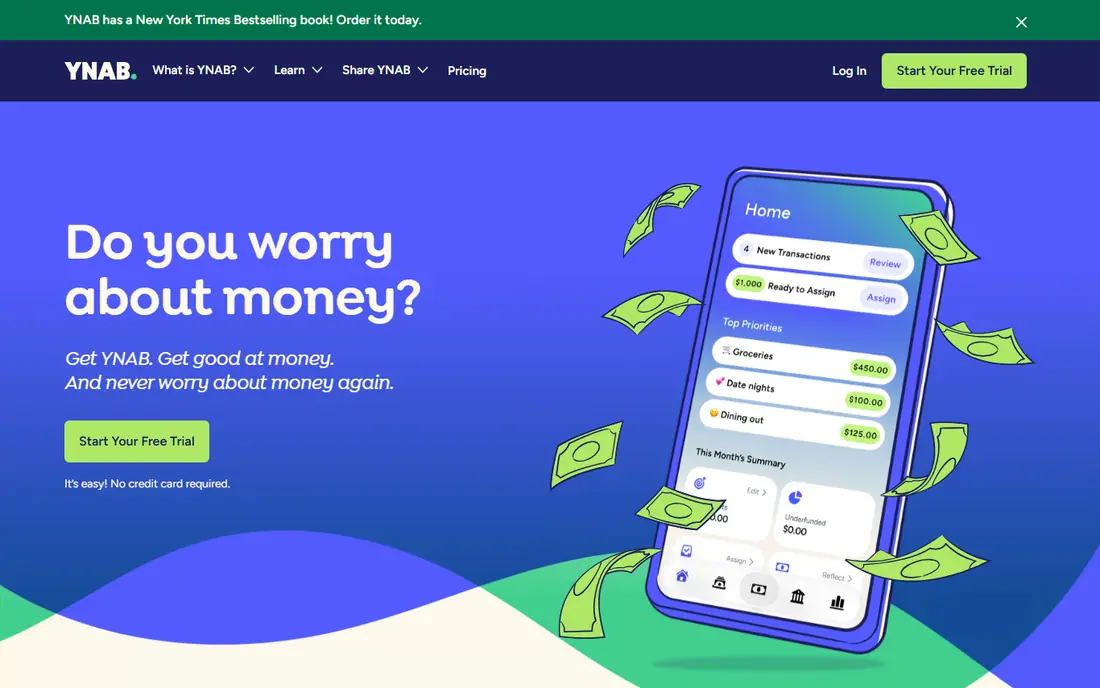
YNAB, short for You Need A Budget, is less a tracker and more a method. You give every dollar a job before the month begins, assign income to categories, and adjust as spending happens. That friction is the point, and users who stick with it often report a real change in spending habits. Debt payoff tools, goals and reports support that method, and the community and education content help new users learn the rules.
The trade off is effort. The first two weeks can feel like homework, especially if you are used to passive tracking that just shows you what you spent. YNAB also has no free tier beyond a 34 day trial, though students may qualify for a free year in current offers. If passive tracking never stuck for you, YNAB method may finally work. If you want a low effort dashboard, Monarch or Empower will feel easier.
- Zero based budgeting method
- Strong debt payoff and goal tools
- Generous trial and free year for students in comparisons
- Learning curve in the first weeks
- No free tier beyond the trial

Empower offers a free dashboard that links bank, card, loan and investment accounts to show net worth, cash flow and investment allocation in one place. The investment fee analyzer and retirement planner help long term investors see whether fees and savings rates are on track, which is useful even if you do not use the paid advisory service. For a Quicken user who mainly wants to see the whole picture without paying a subscription, Empower is the best free starting point.
The limit is budgeting depth. Empower budgeting and categorization are simpler than YNAB or Monarch, and the company also offers optional paid wealth management, which can confuse new users about what is free. You are never required to use the paid service to track spending. If net worth and investments matter more than detailed category budgeting, Empower is an excellent free choice.
- Free dashboard for accounts, net worth and investments
- Investment fee analyzer
- Retirement planner tools
- Budgeting tools are simpler than YNAB or Monarch
- Paid wealth management is offered alongside the free tools
PocketSmith stands out for forecasting. Instead of only showing what you spent last month, it projects cash flow, balances and net worth months and years ahead, based on scheduled income, bills and budgets. Scenario planning lets you test a job change, a large purchase or a debt payoff plan before you commit. That forward view is what many Quicken users miss in simple trackers, and it suits planners who think in years rather than weeks.
The trade off is polish and price. The interface is more technical than Monarch or Copilot Money, and the entry price billed monthly is higher than some annual rivals. Bank feeds and forecasting depth also vary by plan. If you want to see where your money will be in a year, PocketSmith is worth the learning time. If you only need last month spending, a simpler dashboard will do.
- Forecasts years ahead
- Scenario planning for income and expenses
- Automatic bank feeds on paid plans
- Interface is more technical than Monarch
- Entry price is higher than some rivals billed monthly
Moneydance is a desktop personal finance app for Windows and Mac that appeals to users who prefer to keep financial data on their own computer rather than in a cloud dashboard. It covers accounts, budgeting, investments, bill reminders and reports, with a one time purchase model in past comparisons, though current pricing should be checked on the vendor site. That desktop model suits Quicken Classic users who never wanted a subscription cloud tool in the first place.
The catch is modern polish and sync. The interface looks older than Monarch or Copilot, and bank connection setup can require more manual steps, including file imports for some banks. If privacy and desktop control matter most, Moneydance is a principled and capable choice. If you want automatic sync and a modern mobile app, a cloud tool will feel smoother.
- Desktop software for Windows and Mac
- Data stays local by design
- Budgeting, investments and bill reminders
- Interface looks older than cloud rivals
- Bank sync setup can be more manual
Banktivity is a Mac focused personal finance app that covers budgeting, account tracking, investments and reports in a native Mac interface. For a Mac user who left Quicken for Mac, Banktivity offers a familiar desktop workflow with modern design and direct bank connections where supported. Reports and budgeting tools help a household track spending and net worth without a web dashboard.
The limit is platform. Banktivity is Mac only, so Windows and Android users must choose another tool, and households with mixed devices will face a compromise. Pricing and bank sync details should be confirmed on the vendor site for your region and banks. If you live on a Mac and prefer desktop software, Banktivity is a strong Quicken for Mac alternative.
- Built for Mac
- Budgeting, investments and reports
- Direct bank connections on supported plans
- Mac only
- Pricing and sync options should be confirmed on the vendor site
Tiller is built for people who love spreadsheets. It pulls bank and card transactions into Google Sheets or Excel automatically, then lets you build your own budgets, categories and reports with full control. That flexibility suits Quicken users who already customize reports heavily, and spreadsheet users who find app dashboards too rigid. Templates help beginners start, while advanced users can build custom views.
The trade off is effort and mobile use. Tiller assumes you are comfortable in a spreadsheet, and there is no polished mobile budgeting app to match Monarch or Copilot. The 30 day trial gives you time to test feeds and templates, but judge it on a real month of transactions. If spreadsheets are your happy place, Tiller is the most flexible Quicken alternative here.
- Automatic bank feeds into Google Sheets and Excel
- Full control over categories and reports
- Templates for budgeting
- Requires spreadsheet comfort
- No polished mobile app like Monarch or Copilot
Copilot Money is a beautifully designed finance app for Apple users, with budgeting, account tracking and net worth views in a clean interface. Automatic categorization and smart insights help a user see spending patterns without manual work, and the app feels at home on iPhone, iPad and Mac. For an Apple household that values design and ease of use, Copilot is a pleasure to open each day, which helps a budgeting habit stick.
The limit is platform and price. Copilot is Apple only in recent comparisons, so Android and Windows users cannot use it, and households with mixed devices will struggle. The annual price is also higher than some rivals for a tracking focused tool. If you live in the Apple ecosystem and want the nicest finance app here, Copilot is worth a trial. If you need cross platform access, choose Monarch or YNAB.
- Clean design on iPhone, iPad and Mac
- Automatic categorization
- Budgeting and net worth views
- Apple only in recent comparisons
- No Android version
- Price is annual only in effect
How we picked these
We compared official pricing pages and feature docs for personal finance tools that are still sold in October 2026, favoring tools that cover a real Quicken job, such as budgeting, net worth, investments, forecasting or bill tracking. We included dashboard, method, desktop, spreadsheet and mobile options, so readers can match the tool to their platform and style. Where pricing varies by plan or has changed, we wrote See website rather than guessing. We did not claim hands on testing, and we based the trade offs on published features and pricing. This is not financial advice.
How to choose a Quicken alternative
Start with your platform and your style. Mac only users can consider Banktivity and Copilot, while Windows and mixed device households should choose a cross platform tool such as Monarch, YNAB, Empower or Tiller. Next, decide whether you want a dashboard, a method or a forecast. A dashboard shows what happened, a method such as YNAB changes what happens next, and a forecast such as PocketSmith shows what will happen if you stay on course.
Next, test bank connections early. A finance tool is only useful if your main banks sync reliably, so connect your checking, savings, cards and investment accounts in the first days of a trial. Check categorization accuracy, duplicate handling and how the tool treats transfers between your own accounts. A tool that miscategorizes half your spending will not save time, no matter how pretty it looks.
Finally, plan the move from Quicken. Export your Quicken data before you cancel, and check what each alternative can import, since history, categories and investment lots may not transfer perfectly. Keep Quicken read only for a few months while you run the new tool in parallel, and only cancel once reports match. That overlap prevents a painful gap in your financial history.
Frequently asked questions
What is the best Quicken alternative for PC?
Monarch Money and YNAB both work well on PC through the web, with mobile apps for on the go checks. Moneydance also offers a desktop app for Windows. The best PC pick depends on whether you want a dashboard, a budgeting method or desktop software. Test bank sync on your main accounts before you commit.
What is the best Quicken alternative for Mac?
Banktivity and Copilot Money are the strongest Mac focused options, with native Mac design and desktop or Apple app workflows. Monarch Money and YNAB also work well on Mac through the web and mobile apps. Choose Banktivity or Copilot if you want a Mac native feel, and Monarch or YNAB if you need cross platform access.
Is there a free Quicken alternative?
Empower offers a free dashboard for net worth and investment tracking, which is the best free starting point. Goodbudget and Rocket Money also offer free tiers for budgeting, though with limits. Free tools usually offer simpler budgeting than paid tools, so expect trade offs in depth and support.
What is the best Quicken alternative for small business?
Quicken alternatives here are mainly personal finance tools, not full small business accounting systems. For a small business, pair a personal tool with proper accounting software, and keep business and personal accounts separate. If you need invoicing, payroll and tax reports, choose a dedicated business accounting tool rather than stretching a personal budget app.
Can I import my Quicken data into an alternative?
Import support varies by tool and by Quicken version, and investment history and categories may not transfer perfectly. Check the import page for the tool you choose, export a backup from Quicken first, and run the new tool in parallel for a month to compare balances and categories before you cancel Quicken.
Is YNAB better than Monarch Money?
Neither is better in general. YNAB is better if you want a hands on method that changes spending habits, while Monarch is better if you want a polished dashboard with less daily effort. YNAB requires more work each week, while Monarch relies more on automatic categorization. Trial both, and pick the one you will actually use after the trial ends.
Sources
See where you really rank - block by block
ProMapRanker scans Google Maps across a grid of your service area. Simple monthly plans from $19, white-label on every plan.
Start freeKeep reading
 zeffy payment processor stripe alternatives
Zeffy and Stripe Alternatives for Nonprofits in 2026
Explore zeffy payment processor stripe alternatives for nonprofits. We compare 8 fundraising platforms on fees, donor tools, and nonprofit focus. Check fees.
Read → workday alternatives
Workday Alternatives in 2026
Workday alternatives compared: we review 8 HR and payroll platforms that replace Workday, with pricing, strengths and honest limits for each team size.
Read → what's the best weather app
What's the Best Weather App in 2026
Wondering what's the best weather app? We compare 10 free and paid apps for forecasts, radar, alerts, and Colorado mountain weather for everyday and storm use.
Read →