 ProMapRanker
Best Postman Alternatives in 2026

Key takeaways
- Bruno and Hoppscotch give solo developers a genuinely free way to send requests, with no forced cloud account for the core work.
- Apidog and Insomnia suit teams that want shared workspaces, documentation, and testing in one place, at a lower seat price than many large platforms.
- Thunder Client is the easiest switch if you already live in Visual Studio Code and do not want another desktop app.
- SoapUI remains the practical pick when SOAP services, not just REST APIs, are a daily part of the job.
- Prices change often, so check the vendor pricing page before you commit to a yearly plan.
Quick comparison
| Pick | Great for | Pricing starts at | Free tier | |
|---|---|---|---|---|
 Hoppscotch Hoppscotch | Browser-first API testing | Free | Yes | Visit |
 Insomnia Insomnia | Clean API design and debugging | Free | Yes | Visit |
 Bruno Bruno | Offline, Git-friendly collections | Free | Yes | Visit |
 Apidog Apidog | All-in-one API platform | Free | Yes | Visit |
 Thunder Client Thunder Client | Testing inside VS Code | Free | Yes | Visit |
 HTTPie HTTPie | Terminal and desktop API work | Free | Yes | Visit |
 Yaak Yaak | Local-first, privacy-minded testing | $79 per year | Free for personal use | Visit |
 SoapUI SoapUI | SOAP and REST test automation | Free | Yes | Visit |
The best postman alternatives
We compared official feature pages, pricing pages, and public documentation to find tools that cover the same daily work: sending requests, organizing collections, handling environments, and running tests. Postman itself is not on this list, since this guide is about what to use instead of it.
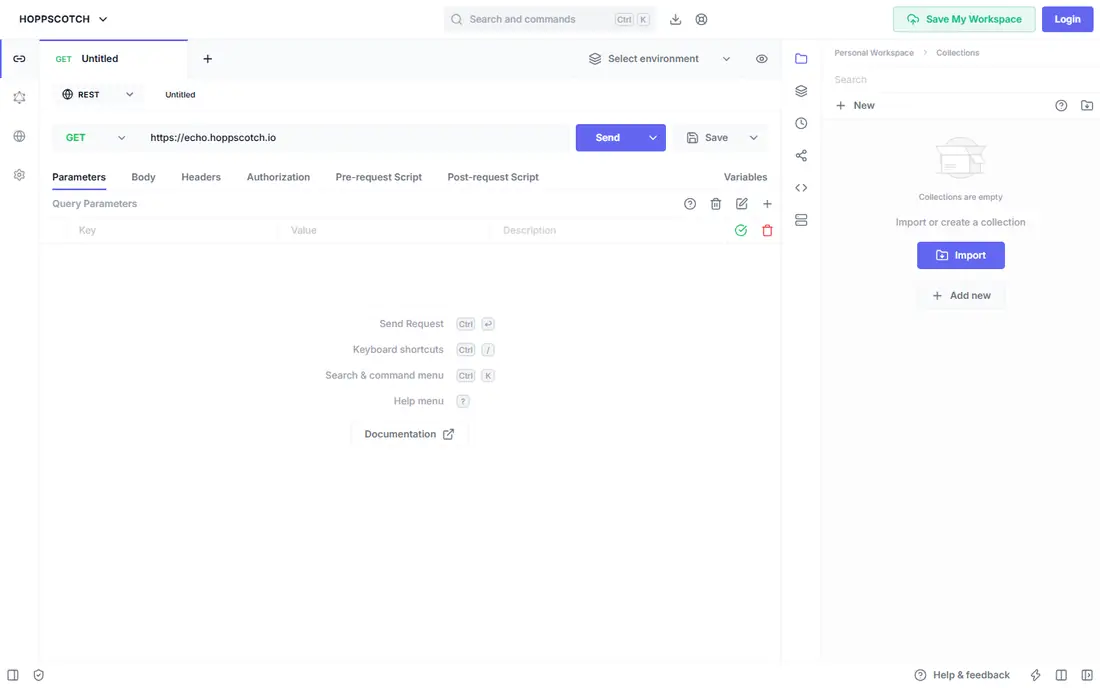
Hoppscotch is the fastest way to start. You open it in a browser, build a request, and see the response, with no download and no setup step standing in the way. That low friction makes it a good first stop for students, freelancers, and developers who test APIs on shared or locked-down machines.
The free plan covers personal use well, with workspaces, collections, and requests included. Teams that need an admin dashboard and dedicated support move to the Organization plan, listed at $6 per user per month on annual billing. Self-hosting is the other reason teams look here, since it keeps the tool under their own control.
- Runs in the browser with no install
- Supports REST, GraphQL, WebSocket, and SSE
- Self-hosting is available
- Browser limits can affect some local workflows
- Team administration sits on paid tiers
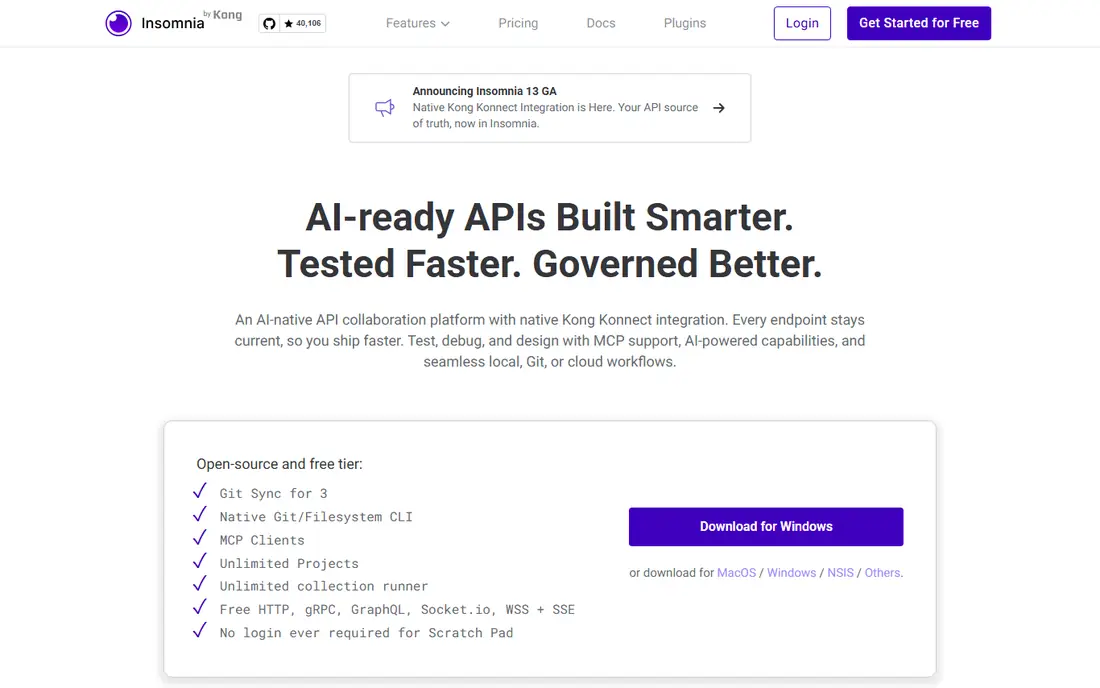
Insomnia has long been the calm, tidy option in this category. Its interface puts the request, the headers, and the response in plain view, and it stays out of the way while you debug. Developers who found larger platforms noisy often settle here and stay.
The free tier covers local projects and core debugging. Paid plans start with Pro at $12 per user per month on annual billing, which adds wider collaboration, role controls, and more mock requests. If your team already uses Git for everything else, check how Git Sync fits your workflow before paying for cloud sync.
- Clear, focused interface
- Strong support for REST, GraphQL, and gRPC
- Git Sync for version control on paid plans
- The most useful team controls are paid
- Mock request limits apply on lower tiers
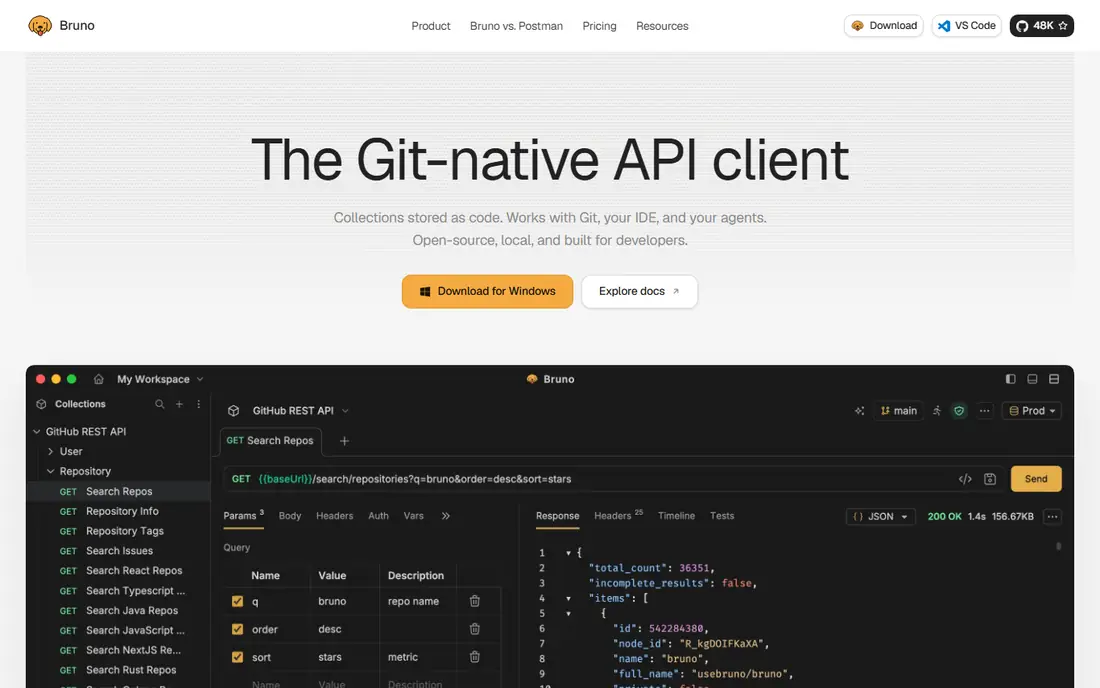
Bruno takes a different approach from cloud-first tools. Your collections live as plain text files in folders you control, so they commit to Git like the rest of your code. Reviews happen through pull requests, and there is no separate permission system to learn.
That model suits developer-led teams and anyone who dislikes storing API secrets in a vendor cloud. The core app is free, and paid tiers add features such as in-app Git handling, a test runner, and code generation, with Pro listed at $6 per user per month on annual billing. The trade-off is real: if your team includes non-developers who need a browser-based workspace, Bruno will feel narrow.
- Collections are plain files on your disk
- Works fully offline
- Open-source core
- Desktop only, with no web version
- No built-in mock server in the core app
Apidog is the closest match in this list to a full platform rather than a single client. It covers API design, debugging, automated testing, mock servers, and documentation in one workspace, so a team can stop stitching several tools together. Import options help when you are moving an existing collection library across.
The free plan supports up to four users, which covers many small teams at no cost. Basic is listed at $9 per user per month on annual billing for larger teams. Apidog is the pick here if you want shared, real-time editing and documentation without paying enterprise prices, and you are willing to spend an afternoon learning the full feature set.
- Combines design, testing, documentation, and mocking
- Free plan covers small teams
- Imports from other tools
- The full platform takes longer to learn than a simple client
- Larger teams pay per seat
Thunder Client is an extension, not a separate app, and that is its whole appeal. If Visual Studio Code is already open all day, your API requests sit in the same window as your code, with no app switching. Installation takes seconds from the extension marketplace.
The free tier works for occasional testing, while the Starter plan is listed at $3 per user per month and adds Git storage, more protocols, a command line runner, and a higher run allowance. Heavy testers and teams should check the metered limits on the free tier first, since a busy week can hit them sooner than expected.
- Lives inside Visual Studio Code
- Very light to install
- Collections stay close to your code
- Free tier is metered
- Advanced features such as Git storage need a paid plan
HTTPie started as a command line tool that makes API calls readable. Responses come back with color and structure, sessions persist across calls, and scripts can reuse the same commands in automation. For developers who live in a terminal, it is often faster than clicking through a graphical client.
The command line tool is free and open source. A desktop app exists for people who want a graphical view of the same workflow, with its own pricing on the vendor site. Pick HTTPie when your API work already happens in scripts and terminals, and pick a graphical client from this list when it does not.
- Readable terminal output with syntax highlighting
- Scriptable for automation
- Desktop app available
- The terminal-first style is not for everyone
- Desktop app pricing is separate from the free CLI
Yaak is a desktop API client built around local storage. Your workspaces stay on your machine, data handling is encrypted, and Git integration stores workspaces as plain files. It feels modern and fast, without pushing you into a cloud workspace on the first run.
Personal use is free, while commercial use is listed at $79 per user per year for an individual license, with a business tier above it. That makes Yaak easy to recommend for individual developers and small shops that value privacy, and harder to recommend for large teams that need central administration and shared cloud workspaces.
- Local-first storage
- Clean modern interface
- Supports REST, GraphQL, WebSocket, and gRPC
- Commercial use requires a paid license
- Team sharing is more limited than cloud platforms
SoapUI is the veteran on this list, and it earns its place for one reason: SOAP. Many newer clients treat SOAP as an afterthought, while SoapUI was built around it, with support for WSDL, complex XML payloads, and structured test suites. Teams that maintain older enterprise services often keep it around for exactly that work.
The open-source edition is free and covers functional testing for SOAP and REST APIs. The paid Pro edition, sold under the ReadyAPI family, adds broader test management and reporting, with pricing on the vendor site. Do not pick SoapUI for quick one-off requests, since newer tools are faster there. Pick it when automated test suites and SOAP coverage matter more than a polished interface.
- Strong SOAP support alongside REST
- Functional, load, and security testing
- Open-source edition available
- Interface looks dated next to newer clients
- Heavier to learn for simple request testing
How we picked these
We compared official feature pages, pricing pages, and public documentation for each tool, and we kept only products that exist and work in October 2026 and truly cover API testing work. We favored a mix of free, open-source, and paid options, and we favored tools that cover different working styles, from browser-first and terminal-first to offline-first and full platform. Where a price could not be confirmed on the vendor site at the time of writing, we wrote See website rather than guessing.
What to check before you switch
Start with how your team actually shares work. If collections live in Git and reviewers are developers, an offline-first tool such as Bruno or Yaak will feel natural. If product managers, testers, and developers all need the same workspace, a cloud platform such as Apidog or Insomnia will save more time than a cheaper client that nobody else can open.
Next, count the protocols you use every week. REST alone is covered by every tool here. SOAP points toward SoapUI, GraphQL and gRPC narrow the field, and WebSocket or SSE support matters if you test real-time features. Check mock servers and test runners too, since those are the features most likely to sit behind a paid tier.
Try before you migrate everything
Run one real project through your top two choices before moving a whole library. Import an existing collection, set up environments for development and production, and run the tests you run most often. Watch for missing import details, awkward environment handling, and any limit that appears only after a week of real use. A migration that looks clean on day one can still fail on authentication flows or large collections, so test those early.
Watch the pricing shape, not just the headline
Some tools charge per user, some per year, and some only when you need team features. A free plan that covers one person can still cost real money for a team of ten, and a cheap monthly plan can hide limits on mock requests, runs, or collaborators. Add up the cost for your actual team size, then compare that total, not the starting price on the pricing page.
Frequently asked questions
What is the best free postman alternative?
Bruno and Hoppscotch are strong free starting points. Bruno suits offline, Git-based work, while Hoppscotch suits browser-based testing with no install. Both cover core request and collection work at no cost.
Are there good postman alternatives free for teams?
Apidog offers a free plan for up to four users, and Hoppscotch offers a free tier with team workspaces. Bruno avoids seat costs altogether by storing collections as files in Git, which works well for developer-led teams.
What is the best postman API alternative for SOAP testing?
SoapUI is the strongest pick here, since it was built around SOAP and WSDL alongside REST. Newer clients can send SOAP requests, but few match its structured test suites for older enterprise services.
Which alternative is best for Visual Studio Code users?
Thunder Client, since it runs as an extension inside Visual Studio Code. Your requests sit beside your code, and you avoid installing and switching to a separate desktop app.
Can I import my Postman collections into these tools?
Most tools here offer import from Postman, including Bruno, Apidog, Insomnia, and Hoppscotch. Imports usually carry collections, requests, and environments, but check authentication settings and scripts after import, since those need review most often.
Do these tools work offline?
Bruno and Yaak are local-first and work fully offline. Hoppscotch can be self-hosted, while cloud platforms such as Apidog and Insomnia need an account for shared workspaces, even if local projects work without one.
Sources
- https://apidog.com/blog/best-free-postman-replacement/
- https://apidog.com/blog/best-postman-alternative-for-teams/
- https://www.devtoolreviews.com/reviews/api-testing-tools-postman-vs-insomnia-vs-bruno-vs-hoppscotch-2026
- https://tech-insider.org/postman-alternatives-bruno-insomnia-yaak-hoppscotch-2026/
- https://www.getapp.com/it-management-software/a/soapui/
- https://hoppscotch.io
- https://insomnia.rest
- https://www.usebruno.com
- https://apidog.com
- https://www.thunderclient.com
- https://httpie.io
- https://yaak.app
- https://www.soapui.org
See where you really rank - block by block
ProMapRanker scans Google Maps across a grid of your service area. Simple monthly plans from $19, white-label on every plan.
Start freeKeep reading
 zeffy payment processor stripe alternatives
Zeffy and Stripe Alternatives for Nonprofits in 2026
Explore zeffy payment processor stripe alternatives for nonprofits. We compare 8 fundraising platforms on fees, donor tools, and nonprofit focus. Check fees.
Read → workday alternatives
Workday Alternatives in 2026
Workday alternatives compared: we review 8 HR and payroll platforms that replace Workday, with pricing, strengths and honest limits for each team size.
Read → what's the best weather app
What's the Best Weather App in 2026
Wondering what's the best weather app? We compare 10 free and paid apps for forecasts, radar, alerts, and Colorado mountain weather for everyday and storm use.
Read →