 ProMapRanker
Best pdfFiller Alternatives in 2026

Key takeaways
- Adobe Acrobat Pro remains the full featured standard for heavy PDF work, but it costs more than most tools here.
- Foxit PDF Editor and Nitro PDF Pro offer similar desktop editing at a lower annual cost for many teams.
- Smallpdf, PDFgear and DocHub suit lighter, browser based jobs such as filling, converting and signing a few files a week.
- If signing is the main job, check signature legality, audit trails and signer limits separately from editing features.
- We compared official feature pages, pricing pages, app store listings and public reviews for this list.
Quick comparison
| Pick | Great for | Pricing starts at | Free tier | |
|---|---|---|---|---|
 Adobe Acrobat Pro | Full featured PDF work | $19.99 per month | Free trial | Visit |
 Foxit PDF Editor | Desktop editing at lower cost | $129.99 per year | Free trial | Visit |
 Nitro PDF Pro | Business editing and signing | $15 per month | Free trial | Visit |
 Smallpdf | Quick browser based tasks | $9 per month | Yes | Visit |
 DocHub | Filling and signing in Google Workspace | See website | Yes | Visit |
 PDFelement | Editing with AI help on a budget | $79.99 per year | Free trial | Visit |
 UPDF | Low cost editing with one time option | $39.99 per year | Yes | Visit |
 PDFgear | Free full editing | Free | Yes | Visit |
 PDF Expert | Fast PDF work on Apple devices | $79.99 per year | Yes | Visit |
The best pdfFiller alternatives
pdfFiller is known for filling forms, editing PDFs and collecting signatures online. The alternatives below split into desktop editors, browser tools and signing focused options, so the best pick depends on whether you edit daily, fill occasional forms, or send documents for signature.

Adobe Acrobat Pro covers almost every PDF job in one tool: text and image editing, page organisation, OCR, form creation, redaction and signing. It also works across desktop, web and mobile, so a file started on a computer can be finished on a phone. For legal, finance and office teams, that breadth and familiarity matter.
The cost is the main drawback, and the annual paid monthly plan carries early termination terms that are worth reading before you sign up. Acrobat can also feel heavy for a simple fill and sign job. If PDF work is daily and varied, Acrobat Pro is still the safest full featured choice.
- Industry standard editing and OCR
- Strong signing and security tools
- Wide integrations
- Higher subscription cost
- Annual plan cancellation terms need care
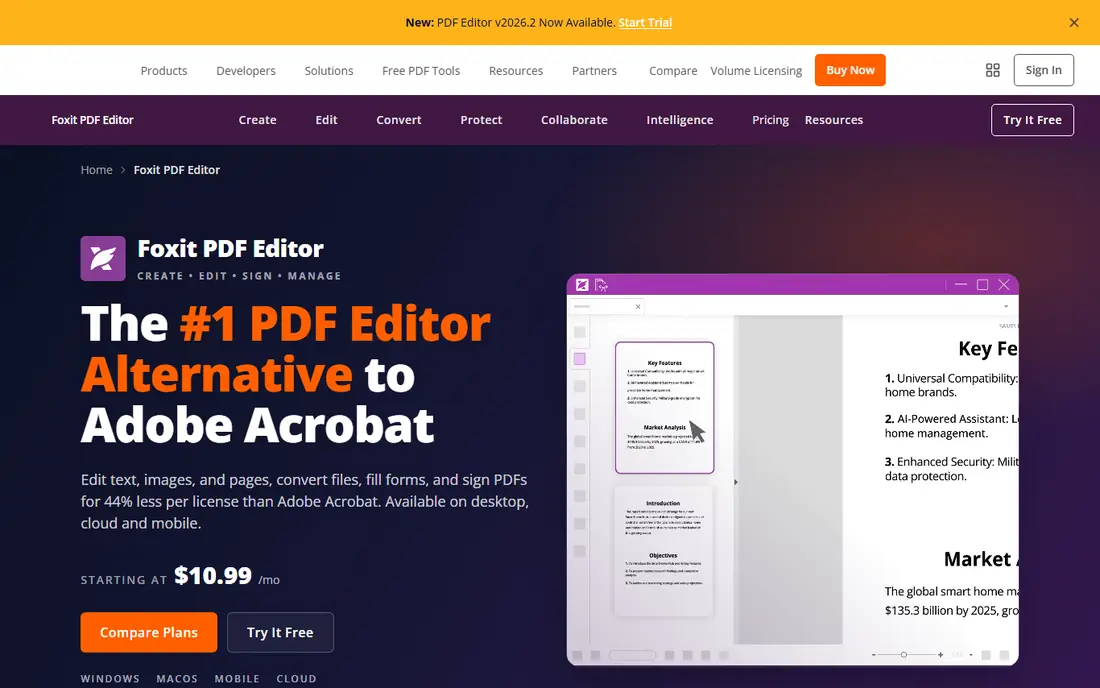
Foxit PDF Editor is the closest desktop rival to Acrobat for most office work. It edits text and images, converts files, adds signatures, redacts sensitive text and handles OCR in many languages. Performance with large files is a real plus for teams that open long reports or scanned packs.
Foxit is not quite a like for like copy of Acrobat. Some AI credits and document management features are tied to the Editor Plus tier, and the layout can feel busy at first. For a team that wants desktop power without the Acrobat price, Foxit is a strong and proven option.
- Full editing, OCR and signing
- Fast with large files
- Lower annual price than Acrobat
- Some AI and advanced features sit on higher tiers
- Interface takes time to learn

Nitro PDF Pro combines PDF editing with e-signatures and team reporting, which suits businesses that need both in one subscription. Editing, conversion, OCR and signing are covered, and managers can see usage across a team. The Office style ribbon helps new users find tools quickly.
Mac users should check the current product mix, since Nitro has historically been stronger on Windows, with cloud tools covering other platforms. Pricing also varies by team size and plan. For a Windows led business that edits and signs regularly, Nitro is a practical Acrobat rival.
- Editing plus Nitro Sign in one platform
- Team analytics
- Familiar Office style tools
- Windows desktop focus is stronger than Mac
- Price rises for larger teams
Smallpdf is built for speed. Open a browser tab, drop in a file, edit, compress, convert or sign, and download the result. That flow suits freelancers and small teams who handle a few PDFs a week and do not want to install desktop software. Google Workspace integration is a plus for Drive users.
The limit is depth. Smallpdf does not replace a desktop editor for complex form design, heavy redaction or large batch work, and the free tier limits how many tasks you can run per day. For occasional browser work, it is one of the easiest tools here.
- Simple browser tools
- Good Google Workspace links
- Easy conversion and compression
- Free tier limits daily tasks
- Editing depth is lighter than desktop editors
DocHub shines inside Google Workspace. You can open a PDF from Drive or Gmail, fill it, add a signature, and send it back without downloading and re-uploading files. That direct link is why many schools, small offices and Gmail users choose it over a general editor.
DocHub is not a full desktop editor. Text editing, page manipulation and advanced form creation are more limited, and higher volume signing needs a paid plan. If your PDF life already lives in Gmail and Drive, DocHub is a tidy and low friction replacement for pdfFiller.
- Tight Gmail and Drive integration
- Simple fill and sign flow
- Good for shared forms
- Editing features are narrower than Acrobat
- Paid tiers needed for higher volume
PDFelement offers a full desktop editor at a price below Acrobat and Foxit, with OCR, form creation, batch work and signing. Its AI tools can summarise a long document or answer questions about its contents, which helps when you need the key points from a contract or report fast.
AI usage is not unlimited, so check credit limits if you plan to use those tools daily. The interface is functional rather than polished in places. For a small team that wants desktop editing plus AI help without an enterprise bill, PDFelement is good value.
- Full editing and OCR
- AI summary and chat tools
- Works on Windows, Mac and mobile
- AI features have usage limits
- Some templates and tools feel dated
UPDF is a low cost editor that covers editing, annotation, conversion, signing and AI help across Windows, Mac, iOS and Android. The yearly price is well below Acrobat, and a one time purchase option appeals to users who dislike subscriptions. The interface is clean and easy to learn.
The free version limits some features, and OCR on messy scans can be less accurate than Acrobat or Foxit. UPDF also relies on an internet connection for some AI features. For personal use or a small team on a tight budget, UPDF gives a lot of editing power for the price.
- Low annual price
- One time purchase option
- Clean interface across platforms
- Free version has limits
- OCR accuracy can vary on complex scans
PDFgear stands out because its core editor is free, not a limited trial. You can edit text, convert files, annotate, compress and sign without paying, on Windows, Mac, iOS and Android. AI chat tools are included in the free product, which is unusual at this price.
The trade off is trust and depth for regulated work. PDFgear is newer than Adobe or Foxit, and teams with strict compliance, support or admin needs should check its current terms and security pages carefully. For personal and light business use, PDFgear is the best free starting point here.
- Free full editing, conversion and signing
- Works on desktop and mobile
- AI chat tools
- Newer brand with less enterprise history
- Support and compliance depth vary by plan
PDF Expert is the Apple focused pick. It opens large PDFs fast, annotates cleanly, fills forms and signs documents with a smooth touch and Apple Pencil friendly design. For Mac and iPad users who read, mark up and sign PDFs daily, it feels more natural than a cross platform editor.
The limit is platform coverage. Teams on Windows or Android will need another tool, and some advanced editing features sit behind the paid plan. If your work lives on Apple devices, PDF Expert is a fast and pleasant pdfFiller alternative.
- Fast and smooth on Mac, iPhone and iPad
- Good annotation and signing
- Clean reading view
- Windows and Android support is limited
- Some pro features need a subscription
How we picked these
We compared official feature pages, pricing pages, app store listings and public reviews, and we kept only tools that are live in October 2026 and that offer real PDF editing, filling or signing, not just viewing. We included desktop editors, browser tools and a free option, so readers can match the pick to daily editing, occasional forms or signing work. We left out tools that had closed, that were only converters, or that did not offer a usable editor or signing product.
What to check before you choose
Start with the job you do most. Daily editing points to Acrobat, Foxit, Nitro or PDFelement. Occasional filling and signing points to DocHub, Smallpdf or PDFgear. Signing for legal or finance work needs a separate check on audit trails, signer authentication and legal acceptance in your state or country, since editing tools vary widely there.
Test with your real files, not a sample. Open a scanned form, a long contract and a file with tables, then try editing, signing and exporting. Check file size limits, OCR quality and how the exported file looks on another device. Also confirm whether a price is monthly, yearly or one time, and whether AI credits, signer seats or team features add to the bill.
Frequently asked questions
Is pdfFiller still available?
Yes, pdfFiller remains a live PDF filling, editing and signing tool in October 2026. This guide lists alternatives for users who want a lower price, a desktop editor, deeper signing tools, or a better fit for Google Workspace or Apple devices.
Which pdfFiller alternative is best for signing only?
DocHub and Smallpdf suit light signing, while Adobe Acrobat, Foxit and Nitro offer stronger signing with audit trails and team controls. If you send many contracts for signature, compare signer limits and legal compliance features, not just editing tools.
Which alternative is free?
PDFgear offers free full editing, conversion and signing, and DocHub and Smallpdf offer free tiers with limits. UPDF and PDF Expert also offer free versions, but some pro features need a paid plan. Free tiers usually limit daily tasks, file size or advanced features.
Can I edit a scanned PDF with these tools?
Yes, most tools here offer OCR, which turns a scanned page into editable text. Accuracy varies by scan quality, so test with your own scanned forms. Acrobat and Foxit generally handle messy scans well, while budget tools may struggle with faint or skewed pages.
Do these tools work on Mac and Windows?
Most do, but check each product page. PDF Expert is Apple focused, Nitro is stronger on Windows, and Acrobat, Foxit, PDFelement, UPDF and PDFgear cover both desktop platforms plus mobile apps in most cases.
Will my forms and signatures transfer from pdfFiller?
Not automatically in most cases. You can usually download completed PDFs and reuse them, but editable form fields and signature workflows often need to be rebuilt in the new tool. Allow time to recreate your most used templates before cancelling.
Sources
See where you really rank - block by block
ProMapRanker scans Google Maps across a grid of your service area. Simple monthly plans from $19, white-label on every plan.
Start freeKeep reading
 zoho books alternatives
Best Zoho Books Alternatives in 2026
Compare the best zoho books alternatives for small business accounting, from QuickBooks Online and Xero to FreshBooks, Wave, and Sage in 2026, with pricing.
Read → zluri alternatives
Best Zluri Alternatives in 2026
Compare zluri alternatives for 2026, with SaaS management platforms for app discovery, spend tracking, renewals, and automation for IT, finance and procurement.
Read → zerobounce alternatives
Best ZeroBounce Alternatives in 2026
Best zerobounce alternatives for list hygiene: compare 8 email verification tools for bulk cleaning, real-time checks and catch-all handling in 2026 today.
Read →