 ProMapRanker
Best Paymo Alternatives in 2026


Structured project management · Pricing starts at: $10.99 per user per month
Key takeaways
- ClickUp and Asana are the most complete project management replacements, starting at $7 and $10.99 per user per month respectively.
- Teamwork and Productive suit agencies best, since they link client projects to budgets, retainers, and billing.
- Harvest and Toggl Track suit teams whose main need is simple time tracking tied to invoicing.
- monday.com, Wrike, and Zoho Projects cover visual boards, governed enterprise work, and Zoho ecosystem projects respectively.
Quick comparison
| Pick | Great for | Pricing starts at | Free tier | |
|---|---|---|---|---|
| Asana | Structured project management | $10.99 per user per month | Yes | Visit |
 ClickUp | Customizable all-in-one work | $7 per user per month | Yes | Visit |
 Teamwork | Agency client work | $9.99 per user per month | Yes | Visit |
 monday.com | Visual boards and workflows | $9 per user per month | Yes | Visit |
 Wrike | Governed large-team work | $10 per user per month | Yes | Visit |
 Harvest | Simple time tracking and invoicing | $9 per user per month | Yes | Visit |
 Toggl Track | Easy time tracking for teams | $9 per user per month | Yes | Visit |
 Productive | Agency profitability and budgets | $10 per user per month | Free trial | Visit |
 Zoho Projects | Zoho ecosystem projects | $5 per user per month | Yes | Visit |
The best Paymo alternatives
Paymo combines project management, time tracking, and invoicing for freelancers, startups, and small agencies. The alternatives below cover that same mix in different proportions: some lean toward project structure, some toward agency billing, and some toward simple time tracking. The right pick depends on whether your bottleneck is planning work, tracking time, or getting paid for it.

Asana is the structured project pick for teams that want work organized without endless customization. Projects can be viewed as lists, boards, timelines, or calendars, tasks carry dependencies and assignees, and portfolios show progress across many projects at once. That clarity helps a team that runs many client or internal projects in parallel and needs to see status at a glance.
The limit is billing. Asana does not replace Paymo invoicing on its own, so a team that bills from tracked time will need an integration or a separate invoicing tool. Goals also sit on the Advanced plan, not the Starter plan, so a team that wants goal tracking should budget for $24.99 per user per month rather than the Starter price. For project structure alone, Asana remains one of the most reliable choices.
- Clear lists, boards, timelines, and portfolios
- Strong task dependencies and workflow automation
- Free plan for up to 10 users
- Goals sit on the Advanced plan at $24.99 per user per month
- Invoicing needs an integration or another tool

ClickUp is the all-in-one rival that tries to cover project work, docs, time tracking, and goals in a single workspace. A team can build custom workflows, track time on tasks, set goals, and automate routine steps like status changes and notifications. That breadth appeals to a team that wants to replace several tools at once rather than stitch them together.
The trade-off is complexity. ClickUp offers so many views and settings that a new team can spend a week deciding how to structure work before doing any of it. Starting with one project template and a small set of views helps avoid that trap. The Unlimited plan starts at $7 per user per month on annual billing, which is good value for the feature set, though dashboards and deeper automations sit on the Business tier.
- Many project views, docs, and whiteboards in one tool
- Time tracking, goals, and automation included
- Free plan for trying the platform
- Flexibility can feel overwhelming for a new team
- Some advanced dashboards and automations sit on higher tiers
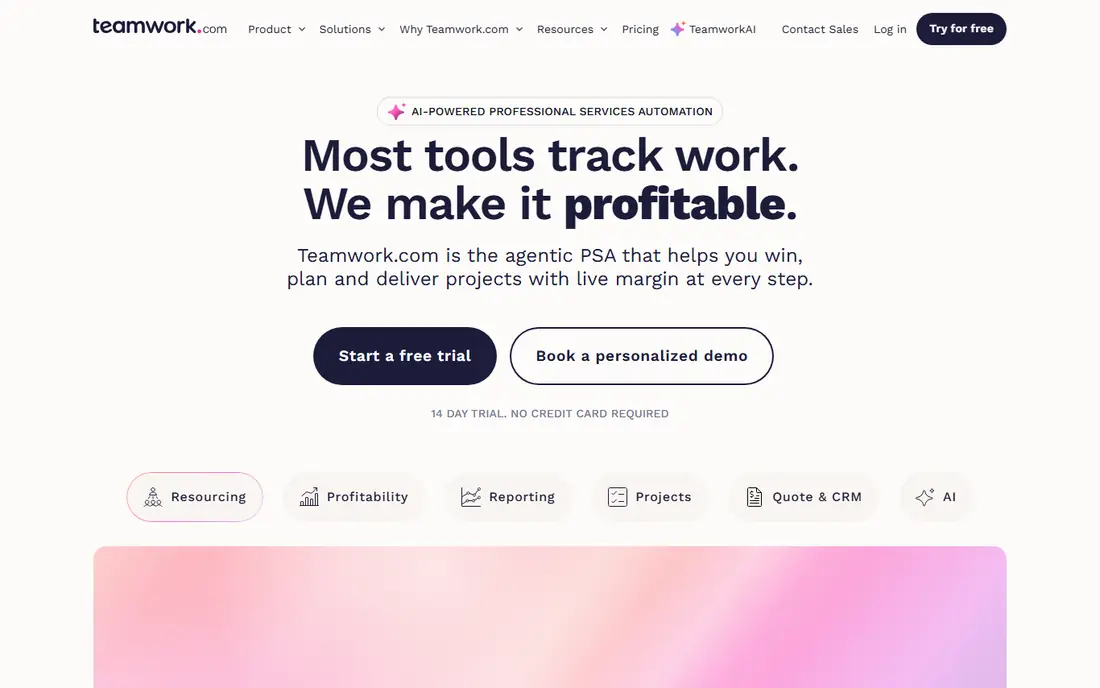
Teamwork is built for agencies and client service teams, which makes it a close Paymo replacement for that audience. Projects, tasks, time tracking, milestones, and client communication sit together, and clients can be invited to view progress and comment without taking a paid seat. That free client access is a real cost advantage for an agency with many clients.
The pricing detail to check is tier placement. The Basics plan starts at $9.99 per user per month on annual billing, but budgets, retainers, and advanced reporting that agencies often buy Teamwork for sit mainly on Accelerate at $24.99 per user per month. A six-person agency should therefore budget for the higher tier if financial tracking is the main reason to switch. For client work end to end, Teamwork is still a strong pick.
- Full client project lifecycle from intake to billing
- Free client users on paid plans
- Budgets, retainers, and resource planning
- Budgets and advanced reporting sit mainly on the Accelerate plan at $24.99 per user per month
- Setup takes time for larger agencies
monday.com suits a visual team that wants projects to be readable at a glance. Boards use color, status labels, and timeline views to show who is doing what and what is overdue, without opening each task. Templates for project management, marketing, CRM, and operations help a team start quickly, and automations handle routine updates like notifications and status changes.
The limit is depth on lower tiers. The Basic plan starts at $9 per user per month with a 3-user minimum, but time tracking, advanced reporting, and fuller automation sit on Standard and Pro tiers. A team that mainly needs visual project tracking will be happy on a lower tier. A team that needs Paymo-style time billing should check which tier includes the time features it actually uses.
- Visual, color-coded boards that are easy to read
- Wide template library for projects, CRM, and marketing
- Automations and integrations
- Basic plan requires a 3-user minimum
- Time tracking and deeper reporting sit on higher tiers
Wrike is the governed option for larger teams that need control over who sees what, who approves what, and how work is reported. Request forms, approvals, custom workflows, and detailed reporting help a mid-size or enterprise team run projects across departments without losing track of ownership. That governance is its main advantage over simpler tools like Asana or monday.com.
For a freelancer or a team of five, Wrike can feel heavy. The free plan covers basic work, and the Team plan starts at $10 per user per month, but the features that justify Wrike for a larger team sit on higher tiers. A small team that wants simple project and time tracking should look at Harvest, Toggl Track, or ClickUp first. A larger team that needs reporting and permissions will get more from Wrike.
- Strong reporting, permissions, and workflow governance for larger teams
- Request forms and approvals
- Good for cross-department projects
- Interface can feel heavy for a small team
- Advanced features and AI tools sit on higher tiers
Harvest is the simplest Paymo-style replacement for a team whose main job is tracking billable time and turning it into invoices. Start a timer, assign it to a project and task, add expenses, and invoice from the tracked hours with little setup. That focus makes Harvest easy to adopt, especially for freelancers and small agencies that do not need complex project workflows.
The limit is project depth. Harvest handles projects, tasks, budgets, and team capacity, but it does not match Asana or ClickUp for dependencies, portfolios, and custom workflows. A team that needs both deep project planning and time billing may pair Harvest with a project tool, or choose Teamwork or Productive instead. For time-first billing, Harvest is a clean and proven pick.
- Fast time tracking with simple invoicing from tracked time
- Expense tracking
- Clean reports for clients and teams
- Project management depth is lighter than Asana or ClickUp
- Larger teams may need integrations for full project planning
Toggl Track is the time tracking specialist that many teams pair with a project tool they already like. Its timer is simple, its reports are clear, and its free plan covers up to 5 users, which makes it easy to trial with a real team. Paid plans start at $9 per user per month and add planning, workload, and deeper reporting features.
The trade-off is scope. Toggl Track does not replace full project management or invoicing on its own, so a team that wants Paymo's combined workflow in one tool should look at Teamwork, Productive, or ClickUp instead. For a team that already has a project tool and mainly needs reliable, easy time data, Toggl Track is one of the best additions available.
- Very easy time tracking with a free plan for up to 5 users
- Clean reports and workload views
- Good integrations with project tools
- Project management and invoicing are lighter than Paymo
- Fuller planning features sit on paid tiers
Productive is built for agencies that need to know whether each client and project actually makes money. Budgets, time tracking, invoicing, and revenue forecasting sit next to project work, so an agency can see profitability by client, project, and team member without exporting data to a spreadsheet. That financial view is its main advantage over general project tools.
The catch is focus and price structure. Productive starts at $10 per user per month with a 14-day trial and no permanent free plan, and its financial depth is most valuable to an agency rather than a simple internal team. A freelancer or a small internal team may find Harvest or ClickUp simpler and cheaper. An agency that lives on margins and retainers will likely find Productive worth the switch.
- Agency budgets, revenue forecasting, and profitability views
- CRM and resource planning alongside projects
- Time tracking tied to financials
- No permanent free plan
- Agency focus means a simple project team may not use its financial depth
Zoho Projects is the budget pick for a team already inside the Zoho ecosystem. It covers tasks, milestones, time tracking, Gantt charts, and collaboration, and it connects to Zoho CRM, Zoho Books, and other Zoho apps, so project data can flow into sales and billing workflows. The paid entry price of $5 per user per month is the lowest in this list.
The limit is billing and polish. Invoicing sits in Zoho Books rather than Zoho Projects itself, so a team that wants Paymo-style invoicing in one tool will need both apps or an integration. The interface also feels less modern than Asana or monday.com, though it is functional and consistent. For a Zoho-centered business on a budget, Zoho Projects is a strong and affordable pick.
- Lowest paid entry price in this list at $5 per user per month
- Good fit if other Zoho apps are already in use
- Tasks, milestones, time tracking, and Gantt views
- Invoicing needs Zoho Books or another tool
- Interface feels less modern than Asana or monday.com
How we picked these
We compared official feature pages, pricing pages, app store listings, and public reviews for project management, time tracking, and agency tools that are live in October 2026. We kept tools that cover at least two parts of Paymo's mix, namely project work, time tracking, or client billing, and we left out single-purpose timers with no project features and tools that are discontinued. Prices are entry paid rates from vendor pricing comparisons, and we wrote Free trial where no permanent free plan is offered.
How to choose the right project tool
Start with your bottleneck. If planning and dependencies are the problem, shortlist Asana, ClickUp, and Wrike. If client billing and profitability are the problem, shortlist Teamwork and Productive. If time tracking is the problem, shortlist Harvest and Toggl Track. If budget and Zoho fit are the problem, shortlist Zoho Projects. A tool that solves the wrong bottleneck will feel like extra work, even if its feature list is longer.
Test billing end to end
Track time on a real project, then turn those hours into an invoice and check the result a client would actually receive. That single test reveals whether time entries, expenses, rates, and invoice formats work together, or whether you will need a second tool for billing. Do this before migrating a full client list.
Count seats honestly
Project tools charge per user, so count the people who will actually edit projects, not just view them. Check whether client viewers are free, as they are on Teamwork paid plans, or whether every viewer needs a paid seat. That difference can change the monthly total more than the headline seat price.
Frequently asked questions
What is the best Paymo alternative for freelancers?
Harvest and Toggl Track suit freelancers well, since both focus on simple time tracking and clear reports, with Harvest adding invoicing from tracked time. ClickUp and Asana suit freelancers who need more project structure alongside time tracking.
Which Paymo alternative is best for agencies?
Teamwork and Productive are the strongest agency picks, since both link client projects to budgets, retainers, and profitability. Teamwork offers free client users on paid plans, while Productive offers deeper revenue forecasting and profitability views.
Can I track time and invoice in one tool?
Yes, Paymo-style billing is covered by Teamwork, Productive, and Harvest, which all link tracked time to invoicing. Asana, ClickUp, monday.com, and Wrike handle project work well but usually need an integration or a separate tool for full invoicing.
Which Paymo alternative is cheapest?
Zoho Projects has the lowest paid entry price in this list at $5 per user per month, followed by ClickUp at $7 per user per month. Several tools also offer free plans, including Asana, ClickUp, Teamwork, monday.com, Wrike, Harvest, Toggl Track, and Zoho Projects, though free plans limit features.
Do these tools work for remote teams?
Yes, all nine tools are cloud based with collaboration, comments, and integrations for remote work. Check time zone handling, mobile apps, and integration with your chat and file tools during a trial, since remote teams rely on those details daily.
Sources
- https://toggl.com/blog/paymo-alternatives
- https://thedigitalprojectmanager.com/tools/best-paymo-alternatives/
- https://www.asana.com
- https://www.clickup.com
- https://www.teamwork.com
- https://www.monday.com
- https://www.wrike.com
- https://www.harvestapp.com
- https://www.toggl.com/track
- https://www.productive.io
- https://www.zoho.com/projects
See where you really rank - block by block
ProMapRanker scans Google Maps across a grid of your service area. Simple monthly plans from $19, white-label on every plan.
Start freeKeep reading
 zoho books alternatives
Best Zoho Books Alternatives in 2026
Compare the best zoho books alternatives for small business accounting, from QuickBooks Online and Xero to FreshBooks, Wave, and Sage in 2026, with pricing.
Read → zluri alternatives
Best Zluri Alternatives in 2026
Compare zluri alternatives for 2026, with SaaS management platforms for app discovery, spend tracking, renewals, and automation for IT, finance and procurement.
Read → zerobounce alternatives
Best ZeroBounce Alternatives in 2026
Best zerobounce alternatives for list hygiene: compare 8 email verification tools for bulk cleaning, real-time checks and catch-all handling in 2026 today.
Read →