 ProMapRanker
Best Nmap Alternatives in 2026

Key takeaways
- Fast discovery tools suit home and small office networks, while vulnerability scanners suit teams that must fix and report risk.
- Free open-source options cover discovery and basic vulnerability checks well, but paid tools add reporting and support.
- Large-scale scanners are powerful and need care, permission, and rate limits before any wide run.
- The best pick depends on whether you need a quick inventory, a scheduled audit, or a focused test of one system.
Quick comparison
| Pick | Great for | Pricing starts at | Free tier | |
|---|---|---|---|---|
 Angry IP Scanner | Fast free IP and port scanning | Free | Yes | Visit |
 Masscan | Scanning very large ranges quickly | Free | Yes | Visit |
 ZMap | Internet-wide authorised research scans | Free | Yes | Visit |
 Nessus | Vulnerability scanning with guided fixes | $4,790 per year | Free trial | Visit |
 Greenbone OpenVAS | Free open-source vulnerability scanning | Free | Yes | Visit |
 Advanced IP Scanner | Simple Windows LAN discovery | Free | Yes | Visit |
 Fing | Network discovery from a phone or desktop | Free | Yes | Visit |
 Nuclei | Template-based vulnerability checks | Free | Yes | Visit |
The best nmap alternatives
These tools cover the same ground in different ways: fast discovery, large-scale research, and deeper vulnerability checks. Every option here is framed for lawful use only, on networks you own or have written permission to test. Scanning anything else can break the law, even when the intent seems harmless, so keep permission and scope in writing before you start.

Angry IP Scanner is the quickest way to answer a simple question on your own network: what is live, and which ports are open. You type in a range, press scan, and get a plain list with hostnames, MAC addresses, and open ports. It runs without installation on the main desktop systems, which makes it handy for a technician who moves between machines.
The trade-off is scope. This is a discovery tool, not a vulnerability scanner, so it will not tell you which services are risky or out of date. Use it for inventory and first checks on networks you own or have written permission to test, then move to a deeper scanner when you need findings you can act on.
- Free and open source
- Runs on Windows, macOS, and Linux
- Quick results for a local range
- No vulnerability checks
- No built-in reporting for audits

Masscan was built for speed at a scale most scanners cannot match, and it can sweep huge address ranges in far less time than a typical desktop tool. That speed makes it useful for authorised internet-wide research and for large estates where a slow scan would never finish. Banner grabbing adds useful detail about what is listening on each open port.
Speed brings responsibility and a learning curve. There is no friendly graphical interface, and a careless scan can look like an attack to anyone watching. Keep the scope narrow, get written permission first, and test your command on a small range before you point it at anything larger.
- Extremely fast for large ranges
- Open source
- Flexible port and banner options
- Command-line only
- Needs care and permission at internet scale
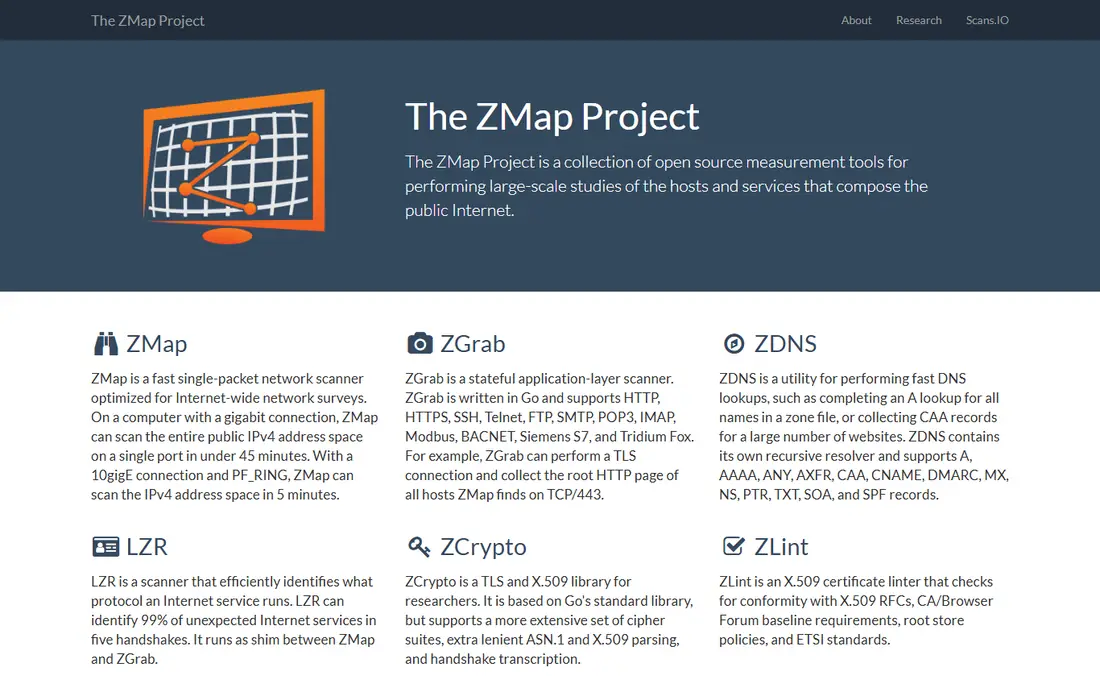
ZMap takes a different approach from a desktop scanner: it is built to survey the whole internet, or a large slice of it, in a single run. Researchers and large network teams use it to measure how services are deployed and to spot exposed systems across many addresses. Its companion tools cover related jobs, such as banner collection and follow-up probing.
For a small office network, ZMap is usually more than you need, and its Linux focus can slow down a Windows-only team. It also demands the same discipline as any large scan: clear permission, a documented scope, and rate limits that respect the networks you touch. Pick it when the job is genuinely large.
- Designed for internet-scale scanning
- Open source
- Strong research tooling
- Linux focused
- Setup takes real effort for beginners
Nessus moves the conversation from open ports to risk. It checks for known vulnerabilities, missing patches, and common misconfigurations, then ranks what it finds so you can fix the serious items first. Scheduled scans and readable reports make it a better fit for a team that must show progress to a manager or an auditor.
The cost is the main barrier. The professional tier is priced for business budgets, and the free Essentials tier covers only a small number of addresses. If you run a home lab or a tiny network, start with the free tier and see whether the reports change how you patch. Larger teams get more value from the full version.
- Large plugin library
- Clear severity ratings
- Scheduled scans and reports
- Paid price is high for home use
- Essentials tier is limited to 16 IPs
Greenbone OpenVAS is the community edition that grew out of the OpenVAS project, and it gives small teams a serious vulnerability scanner for no licence fee. You install it yourself, feed it targets you are authorised to scan, and work through findings grouped by severity. For a lab, a school, or a budget-conscious team, that is a strong starting point.
The price you pay is time. Installation, feed updates, tuning, and false-positive triage all fall on you, and the interface will not win design awards. Greenbone sells supported editions for teams that want help with those chores. If you have more time than budget, start here and upgrade only when support matters.
- No licence cost and no asset cap in the community edition
- Large vulnerability test library
- Full control of scan data
- Setup and feed maintenance take time
- Interface feels dated
Advanced IP Scanner suits the person who just wants to see what is on the office or home network without learning command-line flags. It lists devices with IP and MAC addresses, and it surfaces shared folders and remote access options for machines you manage. The whole experience is built around a quick, readable result.
Its limits show up fast if you need port-level detail or vulnerability data, because that is not what it was built to do. It also runs on Windows only, so a mixed Mac and Linux shop needs a second tool. Treat it as a friendly inventory tool, not as a security audit.
- Very easy for beginners
- Shows shared folders and remote control options
- Free for Windows
- Windows only
- No port scanning depth
Fing starts from the device in your pocket, which changes how you use it. Walk into a room, run a scan from your phone, and you can spot an unknown device on the home or office network in seconds. Device recognition helps you tell a printer from a camera, and alerts flag new arrivals you did not expect.
That convenience has a ceiling. The free tier covers discovery well, but the deeper security and monitoring features require a paid plan, and the desktop app is not a replacement for a full scanner. Fing works best as an everyday watchdog next to a heavier tool you run for scheduled audits.
- Easy mobile scanning
- Device recognition
- Alerts for new devices
- Deeper security checks sit behind paid plans
- Desktop features are narrower
Nuclei works from templates, which are small, shareable checks for a specific vulnerability or misconfiguration. That design makes it fast to run a focused set of checks against a web app or a host, and the community keeps adding templates for new issues. Testers who already script their work will feel at home quickly.
The same design asks more of the user. You need to understand what each template checks, keep templates updated, and read results with care, because a template match still needs human judgement. It is a strong pick for authorised testing teams, and a poor first scanner for someone who wants a single green or red answer.
- Huge community template library
- Fast and scriptable
- Good for authorised testing workflows
- Needs security knowledge
- Templates must be kept current
How we picked these
We compared official feature pages, pricing pages, app store listings, privacy policies, and public reviews for each option. We kept only tools that are still offered and maintained in October 2026 and that fit the topic without stretching the definition. Where a price could not be confirmed from the vendor, we wrote See website rather than guessing. We did not claim hands-on testing that did not happen, and we weighed one concrete strength against one honest weakness for every product.
What to check before you scan
Start with the question you need answered. If you only need a device list, a free IP scanner is enough and a vulnerability platform will slow you down. If you must prove that patches are applied, choose a scanner with severity ratings and reports you can hand to someone else. Match the tool to the report you need, not to the longest feature list.
Check the system requirements and the learning curve before you commit. Command-line tools reward experience and punish guesswork, while graphical tools are easier to learn but may hide detail. Run a trial scan on a small, authorised range first, note how long it takes, and check whether the output is clear enough for the person who will fix the findings. Also confirm where scan data is stored, because a cloud report may not suit a sensitive network.
Frequently asked questions
Is it legal to scan a network with these tools?
Scanning your own network, or a network you have written permission to test, is the normal lawful use for these tools. Scanning a network without permission can break computer crime laws in many countries, even if you do not change anything. Get permission in writing, agree the address range and the time window, and keep a record of both.
Which free option is best for a beginner?
Angry IP Scanner and Advanced IP Scanner are the easiest starting points for basic discovery, because both show results in a plain list without command-line work. Fing is also easy when you want to check a network from a phone. Move to a vulnerability scanner once you need ranked findings rather than a device list.
Do I need a vulnerability scanner or just a port scanner?
A port scanner tells you what is open, while a vulnerability scanner tries to tell you what is risky and how to fix it. Use a port scanner for inventory and troubleshooting. Use a vulnerability scanner for scheduled audits, patch checks, and any report that must show risk to someone else.
Can these tools scan the whole internet?
Masscan and ZMap are built for very large ranges, but that power needs permission, planning, and rate limits. Most users should scan only their own ranges and use public research data for anything wider. A wide scan without permission can look like an attack and can have legal consequences.
What should I do with scan results?
Fix the highest severity findings first, starting with internet-facing services and missing patches. Keep the report, note what you changed, and rescan to confirm the fix. A scan that nobody acts on is just a list, so assign each finding to a person and a date.
Sources
See where you really rank - block by block
ProMapRanker scans Google Maps across a grid of your service area. Simple monthly plans from $19, white-label on every plan.
Start freeKeep reading
 zoho books alternatives
Best Zoho Books Alternatives in 2026
Compare the best zoho books alternatives for small business accounting, from QuickBooks Online and Xero to FreshBooks, Wave, and Sage in 2026, with pricing.
Read → zluri alternatives
Best Zluri Alternatives in 2026
Compare zluri alternatives for 2026, with SaaS management platforms for app discovery, spend tracking, renewals, and automation for IT, finance and procurement.
Read → zerobounce alternatives
Best ZeroBounce Alternatives in 2026
Best zerobounce alternatives for list hygiene: compare 8 email verification tools for bulk cleaning, real-time checks and catch-all handling in 2026 today.
Read →