 ProMapRanker
Best Meeting Owl Alternatives in 2026

Key takeaways
- Kandao Meeting Pro and Nearity 360 Alien are the closest 360 degree tabletop matches for round table discussion rooms.
- Jabra PanaCast 50 suits wide, shallow rooms where a panoramic front view covers everyone without a tabletop camera.
- Logitech MeetUp 2 is the value front bar for huddle rooms, while Rally Bar Mini suits larger certified Teams and Zoom rooms.
- Neat Bar, Poly Studio X52, and Coolpo AI Huddle PANA cover different room sizes, so match the camera to room shape before price.
- Check audio pickup distance, expansion microphones, and whether a room licence or controller adds cost beyond the camera itself.
Quick comparison
| Pick | Great for | Pricing starts at | Free tier | |
|---|---|---|---|---|
 Kandao Meeting Pro | 360 tabletop rooms | $899 | No | Visit |
 Nearity 360 Alien | Large discussion rooms | $1,399 | No | Visit |
 Jabra PanaCast 50 | Wide shallow rooms | $1,447 | No | Visit |
 Logitech MeetUp 2 | Huddle rooms | $899 | No | Visit |
 Logitech Rally Bar Mini | Certified medium rooms | $3,499 | No | Visit |
 Neat Bar | Zoom and Teams rooms | See website | No | Visit |
 Poly Studio X52 | Standard corporate rooms | See website | No | Visit |
 Coolpo AI Huddle PANA | Budget 360 rooms | See website | No | Visit |
The best meeting owl alternatives
The Meeting Owl is a 360 degree tabletop camera for hybrid meetings, so the cameras below were judged on how well remote participants can see and hear everyone in the room. We compared official product pages, specifications, and public reviews, and we noted room shape, field of view, audio pickup, and whether extra licences or controllers are needed. Prices are one time hardware prices unless noted, and reseller prices can vary.
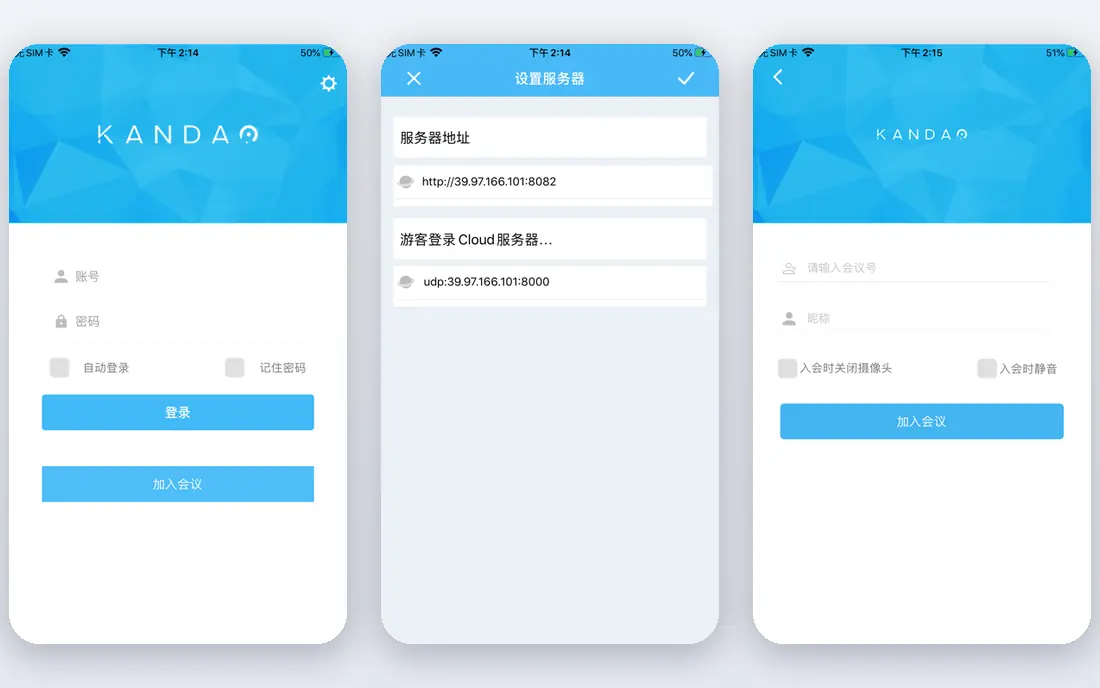
Kandao Meeting Pro is the closest like for like alternative to a Meeting Owl, since it also sits in the centre of the table and captures the whole room. Speaker tracking and AI framing help remote participants follow who is talking, without a front camera that only sees faces turned toward a screen. It connects by USB to a host computer and works with Zoom, Teams, Google Meet, and other common apps.
The limit is the same one that affects most single 360 cameras: people seated far from the centre look smaller and less detailed. For small to medium tables, that is rarely a problem. For long boardroom tables, a front bar plus a tabletop companion camera, or expansion microphones, may serve the room better. At $899, Kandao Meeting Pro is also one of the more affordable 360 options.
- 360 degree tabletop coverage
- Speaker tracking
- Works as a USB device with major meeting apps
- Image detail falls off at longer table distances
- Setup needs table space and a clear centre position
Nearity 360 Alien tries to fix the main weakness of single lens 360 cameras by using four lenses to build a sharper panoramic image. That helps remote participants recognise faces across a larger table, rather than seeing a stretched fisheye image. Six microphones with noise and echo handling cover the near table, and up to two expansion microphones extend pickup for longer rooms.
The price at $1,399 sits above budget 360 cameras but below several premium front room systems. It remains a USB device, so you still need a laptop or room PC to run the meeting app. For discussion led rooms with six to thirty people, where everyone sits around a table, Nearity 360 Alien is a strong premium 360 pick.
- Four lens true 4K 360 view
- Expansion microphones to 16 metres
- Speaker tracking with full room view
- Higher price than budget 360 cameras
- No built in room computer, so a host PC is needed
Jabra PanaCast 50 uses three cameras stitched into a 180 degree panoramic view, which covers a wide room from wall to wall without a tabletop device. That shape suits rooms where tables sit close to a wall or display, and where participants face forward rather than sitting around a centre table. Eight beamforming microphones and four speakers give it strong audio for small to medium rooms.
A list price around $1,447 covers the USB video bar, while the full video bar system with controller and onboard compute costs considerably more. That distinction matters when budgeting, since a room system and a USB bar are different purchases. For wide rooms with a standard front display layout, PanaCast 50 is one of the most proven front bars available.
- 180 degree panoramic 4K view
- Eight beamforming microphones
- Teams and Zoom room certification
- Wide view is less useful in long deep rooms
- Full room system bundles cost much more than the bar alone
Logitech MeetUp 2 is designed for huddle rooms with roughly two to six people, where a single compact bar above or below a display is enough. Its 120 degree field of view covers a small table well, and the six microphone array picks up voices up to about 7 metres. Group and speaker framing help remote participants see who is talking without manual camera control.
The limit is scale. MeetUp 2 is not a large room camera, and it lacks the microphone pod expansion of the Rally Bar family. At $899, it is a sensible value pick for small rooms, especially where Logitech CollabOS appliance mode simplifies deployment. Larger rooms should look at Rally Bar Mini or a 360 tabletop system instead.
- 120 degree 4K view for small rooms
- Six microphone array with 7 metre pickup
- Can run as a room appliance
- Not built for large rooms
- No expansion microphone option like larger Rally systems
Logitech Rally Bar Mini is a front of room bar for medium rooms that need a polished, certified setup. Its PTZ camera, AI framing, and speaker views keep remote participants focused on the room, while Rally Mic Pods extend audio pickup beyond the bar itself. CollabOS appliance mode lets it run Teams or Zoom rooms without a separate PC in some configurations.
Price is the clear trade-off, at $3,499 for the bar in manufacturer list comparisons, before controllers, mounts, or licences in some bundles. That puts it in a different budget band from huddle bars and budget 360 cameras. Choose Rally Bar Mini when a medium room needs a standard, IT friendly system that will be used daily. For occasional use, a cheaper USB bar may be enough.
- 4K PTZ camera with AI framing
- Rally Mic Pod expansion
- Certified Teams and Zoom room options
- High price
- Needs planning for mounting, cabling, and room licensing
Neat Bar is an all in one front of room system commonly used with Zoom and Microsoft Teams, pairing a wide camera, microphones, and speakers in one unit. Its AI framing and noise handling aim to keep meetings natural without manual camera work, and Neat Pad controllers can add scheduling and room control. The clean design also suits rooms where a tidy wall mounted setup matters.
The main caution is pricing and bundling, since Neat sells through partners and room bundles vary by controller, mount, and licence. Confirm the full room price, not just the bar, before comparing it with a USB device. For standardised Zoom or Teams rooms, Neat Bar is a strong, design led option. For ad hoc laptop meetings, a USB bar is simpler and cheaper.
- All in one front bar design
- AI framing and audio
- Simple room deployment with Neat Pad options
- Pricing is not published as a single list price
- Ecosystem works best inside Neat and partner room setups
Poly Studio X52, from HP Poly, is a front video bar built for medium meeting rooms in corporate estates. It combines a 4K camera, microphone array, and speakers in one unit, with AI framing that follows speakers and groups. Native support for Teams Rooms and Zoom Rooms helps IT teams deploy it as a room appliance rather than a laptop accessory.
Bundle pricing is the main thing to confirm, since controllers, mounts, and room licences change the total. Larger or oddly shaped rooms may also need extra Poly microphones or speakers for full coverage. For organisations standardising on Poly, Studio X52 is a dependable mid room choice. For small ad hoc rooms, a lower cost USB bar will usually do the same job.
- All in one video bar for medium rooms
- AI speaker framing
- Native Teams and Zoom room support
- Pricing varies by bundle
- Larger rooms may need additional Poly audio products
Coolpo AI Huddle PANA is a budget focused tabletop 360 camera for teams that want Owl style coverage without a premium price. It connects by USB to a host computer, captures the room around the table, and uses AI framing to highlight the active speaker. That makes it a useful option for small teams, classrooms, and community rooms where a front bar would miss people seated around a table.
The trade-off is polish and scale. Image quality, audio reach, and support depth sit below premium 360 systems such as Nearity and Kandao higher end models, and pricing varies by seller, so confirm the current price on the vendor or retailer page. If budget is the main constraint and the room is small, Coolpo is worth shortlisting. If the room is large or meetings are client facing daily, spend more on a higher tier 360 or front system.
- Tabletop 360 degree coverage at a budget price point
- USB plug and play setup
- AI speaker framing
- Lower end positioning than premium 360 cameras
- Check current pricing and availability before ordering
How we picked these
We compared official product pages, specifications, and public reviews, and we kept only cameras and room systems that are still sold and that serve hybrid meetings as a core job. We weighted room shape, field of view, audio pickup and expansion, meeting app compatibility, and total room cost, since a camera price alone can hide controller and licence costs. We did not claim hands-on testing. Measure your room, count seats, and check the vendor mounting and cabling guide before ordering, since room shape decides the right form factor more than brand does.
How to match the camera to your room
Start with seating, not with resolution. Round table discussion rooms suit 360 tabletop cameras such as Kandao or Nearity. Wide rooms with a front display suit Jabra PanaCast 50 or a front bar. Small huddle rooms suit Logitech MeetUp 2. Medium certified rooms suit Rally Bar Mini, Neat Bar, or Poly Studio X52, depending on your meeting platform.
Next, check audio before video. Count the farthest seat from the camera, then compare it with the stated pickup distance and whether expansion microphones are available. Finally, confirm the full system: host PC or appliance mode, controller, mount, cabling, and any Teams or Zoom room licence. A camera that looks affordable alone can become expensive once the room system is complete.
Frequently asked questions
Is a 360 camera better than a front video bar?
It depends on seating. A 360 camera suits round tables where people face each other, while a front bar suits rooms where people face a display. Many larger rooms use both: a front bar for the main view and a tabletop camera for faces around the table.
Do I need a room licence for these cameras?
USB cameras such as Kandao, Nearity, and MeetUp 2 in BYOD mode run from a laptop with a standard meeting app licence. Room appliance systems from Logitech, Neat, Poly, and Jabra may need a Teams Rooms or Zoom Rooms licence, plus a controller, so confirm the bundle.
What room size suits a Meeting Owl alternative?
Small 360 cameras suit tables of up to about eight people, while larger 360 systems and front bars cover medium rooms. Check the vendor pickup distance and field of view, and test with people seated at the farthest chairs before committing.
Can I use these cameras with Zoom and Teams?
Yes, most USB cameras work with Zoom, Teams, Google Meet, and Webex as standard USB video and audio devices. Certified room systems add native room app support, which is useful for rooms without a dedicated laptop.
Is 4K important for a conference camera?
4K helps when the camera crops into a speaker or covers a wide room, since the cropped image stays sharper. For small rooms with a few people close to the camera, 1080p can be enough, and audio quality often matters more than extra resolution.
How much should I budget per room?
Budget 360 cameras and huddle bars start around $899, mid range 360 and panoramic bars sit near $1,399 to $1,447, and certified medium room bars can reach $3,499 before controllers and licences. Always budget the full room, not just the camera.
Sources
See where you really rank - block by block
ProMapRanker scans Google Maps across a grid of your service area. Simple monthly plans from $19, white-label on every plan.
Start freeKeep reading
 zoho books alternatives
Best Zoho Books Alternatives in 2026
Compare the best zoho books alternatives for small business accounting, from QuickBooks Online and Xero to FreshBooks, Wave, and Sage in 2026, with pricing.
Read → zluri alternatives
Best Zluri Alternatives in 2026
Compare zluri alternatives for 2026, with SaaS management platforms for app discovery, spend tracking, renewals, and automation for IT, finance and procurement.
Read → zerobounce alternatives
Best ZeroBounce Alternatives in 2026
Best zerobounce alternatives for list hygiene: compare 8 email verification tools for bulk cleaning, real-time checks and catch-all handling in 2026 today.
Read →