 ProMapRanker
Best Kronos Alternatives in 2026

Large employers needing one system · Pricing starts at: See website
Key takeaways
- Kronos merged with Ultimate Software in 2020 to form UKG, so this list covers workforce management alternatives only, not Kronos or UKG itself.
- ADP Workforce Now and Workday suit large employers that need HR, payroll, and workforce tools in one system.
- Deputy and Homebase suit shift-based teams, with Deputy stronger on compliance and Homebase stronger on free starting access.
- Rippling and Paylocity suit growing companies that want HR, payroll, and scheduling without stitching several tools together.
Quick comparison
| Pick | Great for | Pricing starts at | Free tier | |
|---|---|---|---|---|
| ADP Workforce Now | Large employers needing one system | See website | No | Visit |
 Workday | Enterprise HR and workforce planning | See website | No | Visit |
 Paycom | Single-database HR and payroll | See website | No | Visit |
 Paylocity | Growing mid-size companies | See website | No | Visit |
 Rippling | HR, IT, and payroll in one system | $8 per user per month | No | Visit |
 Deputy | Compliance-heavy shift teams | $5 per user per month | Free trial | Visit |
 Homebase | Small shift teams | Free | Yes | Visit |
 When I Work | Budget shift scheduling | $2.50 per user per month | Free trial | Visit |
 Connecteam | Mobile-first frontline teams | Free | Yes | Visit |
The best kronos alternatives
Kronos merged into UKG in 2020, when Kronos Incorporated and Ultimate Software combined to form Ultimate Kronos Group, known as UKG. That means a buyer looking for Kronos today is really looking for a workforce management replacement, not a product still sold under the Kronos name. The tools below cover scheduling, time tracking, attendance, and related HR work, and none of them is Kronos or UKG itself. We compared official feature pages, pricing pages, app store listings, and public reviews.

ADP Workforce Now is the enterprise-scale answer for companies that outgrew shift tools. HR records, payroll, time and attendance, benefits, and talent management sit in one system, which removes the export and reconciliation work that smaller tools create. Compliance support covers wage and hour rules, tax filing, and reporting, which matters for multi-state employers. The integration ecosystem also connects to common accounting, benefits, and scheduling tools.
Pricing is quoted, so we list it as See website. Implementation timelines are longer than self-serve tools, since payroll rules, benefits, and time policies need configuration. ADP fits employers with hundreds or thousands of staff who need one accountable vendor. Smaller shift teams will find Deputy or Homebase faster and cheaper to run.
- HR, payroll, time, and talent in one platform
- Deep compliance support
- Large integration ecosystem
- Quote-based pricing
- Implementation can be long for large employers
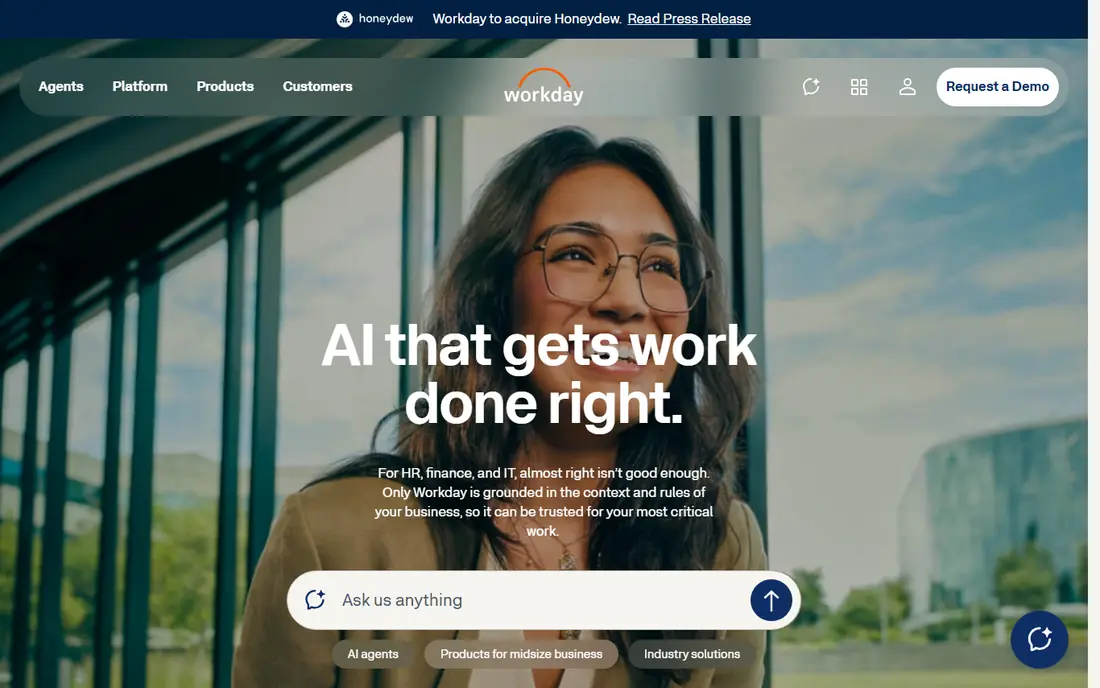
Workday suits large organisations that want HR, workforce planning, and finance data in one place. Scheduling and time tracking sit alongside core HR, talent, and payroll partner integrations, so workforce decisions can use the same data as finance decisions. Analytics and planning tools help larger employers model headcount, labour cost, and scheduling demand. Global coverage through partners suits companies operating in several countries.
Workday is quote-based and implementation-heavy, which puts it out of reach for small shift teams. It also expects a dedicated HR team to manage configuration and reporting. Pick Workday when workforce management is part of a wider enterprise HR and finance strategy. Pick a shift-first tool when scheduling and time clocks are the main job.
- Unified HR, finance, and planning data
- Strong workforce analytics
- Global payroll partner network
- Quote-based pricing
- Best suited to large organisations with dedicated HR teams
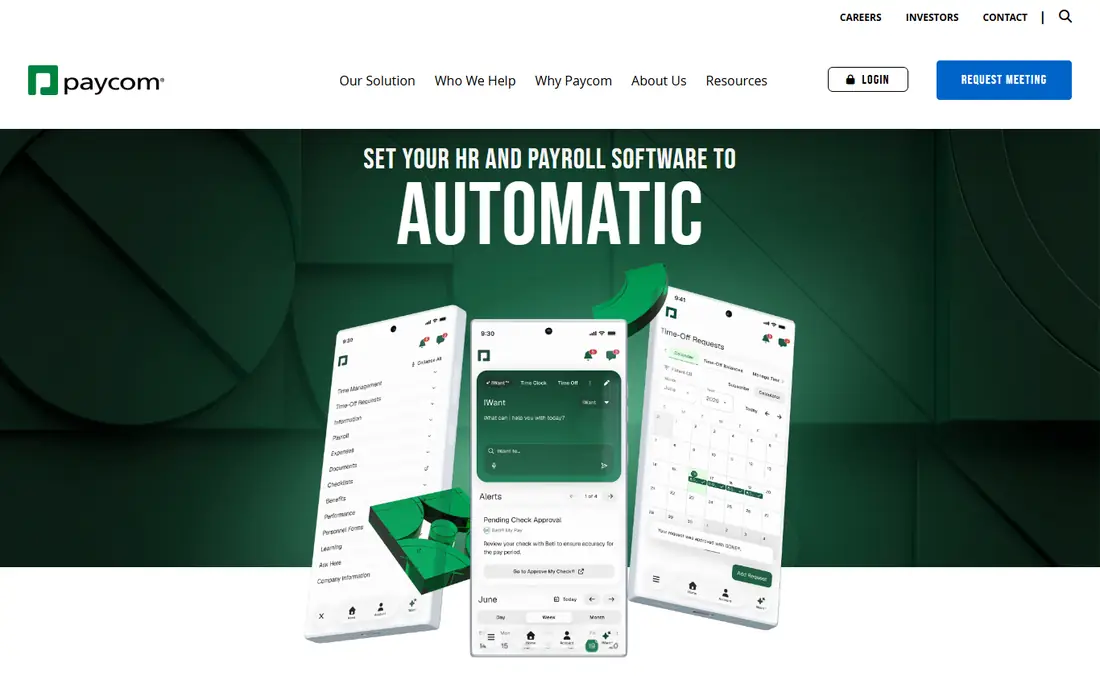
Paycom uses a single database for HR, payroll, time, and talent, so a change in one area flows through without re-entry. Employees can enter time, request leave, and update details themselves, which cuts HR admin for growing companies. Scheduling and labour tools sit inside the same system, so managers see cost and coverage together. Compliance features support wage, tax, and reporting needs for US employers.
Pricing is quoted, and the platform is aimed at mid-size and larger employers rather than tiny shift teams. Smaller businesses may find the setup heavier than a simple scheduling app. Paycom fits companies that want payroll and workforce management tightly linked, with employees handling more of their own data. It fits less well for a single-location shop that only needs a rota and a time clock.
- One database for HR, payroll, and time
- Employee self-service reduces HR workload
- Strong compliance tools
- Quote-based pricing
- Interface and setup suit mid-size and larger employers
Paylocity targets growing companies that need more than scheduling but are not ready for a full enterprise suite. HR, payroll, benefits, time, and scheduling live in one platform, with employee tools for communication, recognition, and self-service. Managers get reporting on labour, attendance, and scheduling that helps with staffing decisions. That breadth suits companies moving from separate tools to one system.
Pricing is quoted, so budgeting needs a sales conversation and a clear headcount figure. Advanced scheduling or analytics features may sit on higher tiers, so check which tier covers your needs before signing. Paylocity fits mid-size employers that want a modern HR platform with workforce tools included. Shift-only teams may still prefer Deputy or Homebase for speed and price.
- HR, payroll, scheduling, and time in one platform
- Employee experience tools
- Reporting for managers
- Quote-based pricing
- Some advanced features sit on higher tiers
Rippling is built for companies that want HR, payroll, IT device management, and time tracking without several vendors. Onboarding can trigger payroll setup, app access, and device provisioning in one flow, which saves time for growing teams. Scheduling and time tools sit alongside that core, so workforce data feeds payroll directly. Integrations cover many common business apps, which helps small IT teams.
The starting price is listed from $8 per user per month, with modules and add-ons pushing the total higher. That per-user model means costs rise steadily with headcount, unlike per-location pricing at Homebase. Rippling fits tech-forward companies that value automation and a single system. It fits less well for large hourly workforces where per-user fees compound quickly.
- Combines HR, payroll, IT, and time tracking
- Automation reduces manual onboarding
- Broad app integrations
- Per-user pricing rises with headcount
- Some modules are add-ons beyond the base price
Deputy is a strong Kronos-style replacement for shift-based work. Scheduling, time clocks, timesheets, leave, and labour compliance sit in one system, with forecasting that uses demand patterns to suggest staffing levels. Payroll integrations pass approved hours to payroll providers, which removes manual entry. The mobile app is built for frontline staff, with shift swaps, messaging, and clock-ins in one place.
Pricing starts at $5 per user per month for Lite, with Core at $6.50 and Pro at $9, plus a $30 monthly minimum in recent summaries. A 31-day free trial lets teams test scheduling and compliance before paying. Deputy fits multi-site groups, hospitality, healthcare, and retail teams where compliance and forecasting matter. Very small teams may find Homebase or When I Work cheaper.
- Strong scheduling, time tracking, and compliance tools
- Demand forecasting
- Payroll integrations
- No free plan
- $30 monthly minimum adds cost for very small teams
Homebase is the easiest free starting point for a small shift team. The Basic plan covers one location with up to 10 employees, including scheduling, time tracking, team messaging, and point-of-sale connections. Paid plans bill per location rather than per user, so adding staff does not raise the subscription on those tiers. Essentials is listed at $30 per location per month, with Plus at $70 and All-in-One at $120 in recent summaries.
Forecasting, auto-scheduling, and HR support sit on higher tiers, so larger or multi-site teams will pay more for those features. Payroll is an add-on at $49 per month plus $6 per employee in published summaries. Homebase fits single-location restaurants, salons, clinics, and shops that want a free start and predictable per-location pricing. Multi-site groups with complex compliance needs should compare Deputy first.
- Free plan for one location up to 10 employees
- Per-location pricing on paid plans
- Payroll add-on available
- Advanced forecasting sits on higher tiers
- Per-location fees rise with each new site
When I Work is the budget pick for teams whose main job is building rotas. At $2.50 per user per month on the entry tier in recent summaries, it undercuts most shift rivals for small teams. Managers can build schedules, publish them to a mobile app, handle shift swaps, and track time without a heavy HR platform. That simplicity is a strength for restaurants, retail, and small healthcare teams that do not need full HR software.
Payroll and HR features are thinner than at Rippling, Paylocity, or ADP, so growing companies may still need a separate payroll tool. Advanced scheduling, forecasting, and integrations sit on higher tiers. When I Work fits teams that want cheap, clear scheduling now and are happy to add payroll separately. It fits less well for employers that want one system for HR, payroll, and scheduling together.
- Low entry price for scheduling-first teams
- Simple rota building
- Mobile app for staff
- Payroll and HR depth is thinner than Rippling or Paylocity
- Advanced features need higher tiers
Connecteam is built for deskless teams that live on their phones. Scheduling, time clock, forms, checklists, training, and team chat sit in one mobile app, which suits field service, cleaning, security, and delivery teams. The free plan covers small teams, and paid plans start from $29 per month for the first 30 users in recent summaries. That team-based pricing can be cheaper than per-user pricing for larger frontline groups.
Native payroll is not the core strength, since payroll runs through integrations rather than inside Connecteam itself. Advanced scheduling and HR features also sit on higher tiers. Connecteam fits frontline teams that need communication and daily operations in one app, not just a rota. Office-based employers that need deep payroll and HR should look at Rippling or Paylocity instead.
- Free plan for small teams
- Scheduling, time clock, forms, and chat in one mobile app
- Per-team pricing on paid plans
- Payroll is via integrations, not native in the core product
- Advanced workforce features need higher tiers
How we picked these
We compared official feature pages, pricing pages, app store listings, and public reviews for workforce management tools operating in October 2026. We kept tools that cover scheduling plus time and attendance, since that is the core Kronos job, and we included broader HR platforms only where workforce tools are a real part of the product. We excluded Kronos and UKG itself, as instructed, and we left out pure payroll tools with no scheduling.
How to choose a workforce replacement
Start with headcount, locations, and compliance needs. A single location with ten staff can start free on Homebase, while a multi-state employer with predictive scheduling rules needs Deputy, ADP, or a similar compliance-led platform. Counting locations matters too, since per-location pricing at Homebase can beat per-user pricing at Deputy or Rippling for large part-time teams, and the reverse is true for small full-time teams.
Next, test the employee experience, not just the manager dashboard. Staff will clock in, swap shifts, and check rotas on their phones every day, so a clunky app creates support work and missed shifts. Run a two-week trial with real rotas, real clock-ins, and a payroll export. If hours do not flow cleanly to payroll, the tool will cost time every pay run.
Finally, check compliance rules for your states and cities. Predictive scheduling, break rules, overtime, and minor work rules vary widely, and a tool that automates those rules can prevent costly errors. Ask each vendor which rules they automate for your locations, and get that answer in writing before you migrate.
Frequently asked questions
Did Kronos become UKG?
Yes. Kronos Incorporated merged with Ultimate Software in 2020, and the combined company became UKG, or Ultimate Kronos Group, effective 1 October 2020. Older Kronos products were folded into UKG suites, so new buyers should compare workforce management alternatives rather than searching for a standalone Kronos product.
What is the best Kronos alternative for small businesses?
Homebase is the best free starting point for one location with up to 10 employees, while When I Work is the cheapest paid scheduling option for small teams. Deputy is the stronger pick once compliance, forecasting, or multi-site scheduling matters.
Which alternative is best for large enterprises?
ADP Workforce Now and Workday are the strongest enterprise picks on this list, thanks to HR, payroll, and workforce tools in one system. Paycom and Paylocity suit mid-size employers that want similar breadth without full enterprise implementation.
Can these tools handle payroll too?
Some can, some cannot. ADP, Workday through partners, Paycom, Paylocity, and Rippling include payroll or close payroll integration, while Deputy, Homebase, and Connecteam rely on payroll add-ons or integrations. Check payroll coverage for your states before choosing.
How much does workforce management software cost?
Small teams can start free on Homebase or Connecteam, or from $2.50 per user per month on When I Work. Deputy starts at $5 per user per month, Rippling from $8, and enterprise platforms such as ADP and Workday are quoted per employer.
Do I need compliance features in scheduling software?
If you operate in states or cities with predictive scheduling, Fair Workweek, or complex break and overtime rules, yes. Deputy, ADP, and similar platforms automate many of those requirements, while simpler tools leave compliance checks to managers. A single labour-law violation can cost more than a year of the right software.
Sources
- https://www.adp.com
- https://www.workday.com
- https://www.paycom.com
- https://www.paylocity.com
- https://www.rippling.com/pricing
- https://www.deputy.com/pricing
- https://joinhomebase.com/pricing
- https://wheniwork.com/pricing
- https://connecteam.com/pricing
- https://chainstoreage.com/kronos-ultimate-software-rebrand-new-company-following-merger
See where you really rank - block by block
ProMapRanker scans Google Maps across a grid of your service area. Simple monthly plans from $19, white-label on every plan.
Start freeKeep reading
 zoho books alternatives
Best Zoho Books Alternatives in 2026
Compare the best zoho books alternatives for small business accounting, from QuickBooks Online and Xero to FreshBooks, Wave, and Sage in 2026, with pricing.
Read → zluri alternatives
Best Zluri Alternatives in 2026
Compare zluri alternatives for 2026, with SaaS management platforms for app discovery, spend tracking, renewals, and automation for IT, finance and procurement.
Read → zerobounce alternatives
Best ZeroBounce Alternatives in 2026
Best zerobounce alternatives for list hygiene: compare 8 email verification tools for bulk cleaning, real-time checks and catch-all handling in 2026 today.
Read →