 ProMapRanker
Best Gumloop Alternatives in 2026

Key takeaways
- n8n and Activepieces suit technical teams that want control, self hosting, and AI nodes without a black box.
- Make and Zapier suit non technical teams that want visual flows across many apps.
- Lindy suits teams that want AI agents, and Workato suits larger teams that want governed enterprise automation.
- Bardeen suits browser heavy tasks that sit outside a standard flow builder, while IFTTT suits simple consumer automations.
Quick comparison
| Pick | Great for | Pricing starts at | Free tier | |
|---|---|---|---|---|
 n8n | Technical teams that want control | See website | Yes | Visit |
 Make | Visual workflows for most teams | See website | Yes | Visit |
 Zapier | Connecting the most apps quickly | See website | Yes | Visit |
 IFTTT | Simple consumer and smart home automations | $4.99 per month | Yes | Visit |
 Workato | Governed enterprise automation | See website | Yes | Visit |
 Lindy | AI agents for operations and support | See website | No | Visit |
 Activepieces | Open source automation on a budget | See website | Yes | Visit |
 Bardeen | Browser automation and meetings | See website | Yes | Visit |
The best gumloop alternatives
Gumloop builds AI workflows on a visual canvas, with scraping and AI steps for marketing and operations work. These alternatives split into flow builders, agent platforms, and browser tools, so the right pick depends on how much judgment your workflow needs.

n8n is the most flexible option here. You can self host the community edition, build flows with code when needed, and add AI agent nodes, models, and retrieval steps. Teams that outgrow a simple flow builder often move to n8n for data control and custom logic.
The trade is effort. n8n expects you to understand data shapes, credentials, and error handling, and its visual canvas can still hide complexity. If your team has no developer time, Make or Zapier will ship faster, even if they offer less control.
- Self hosted community edition
- Large node library
- AI agent and LangChain nodes
- Needs technical skill for complex flows
- Cloud execution limits apply
- Debugging takes practice
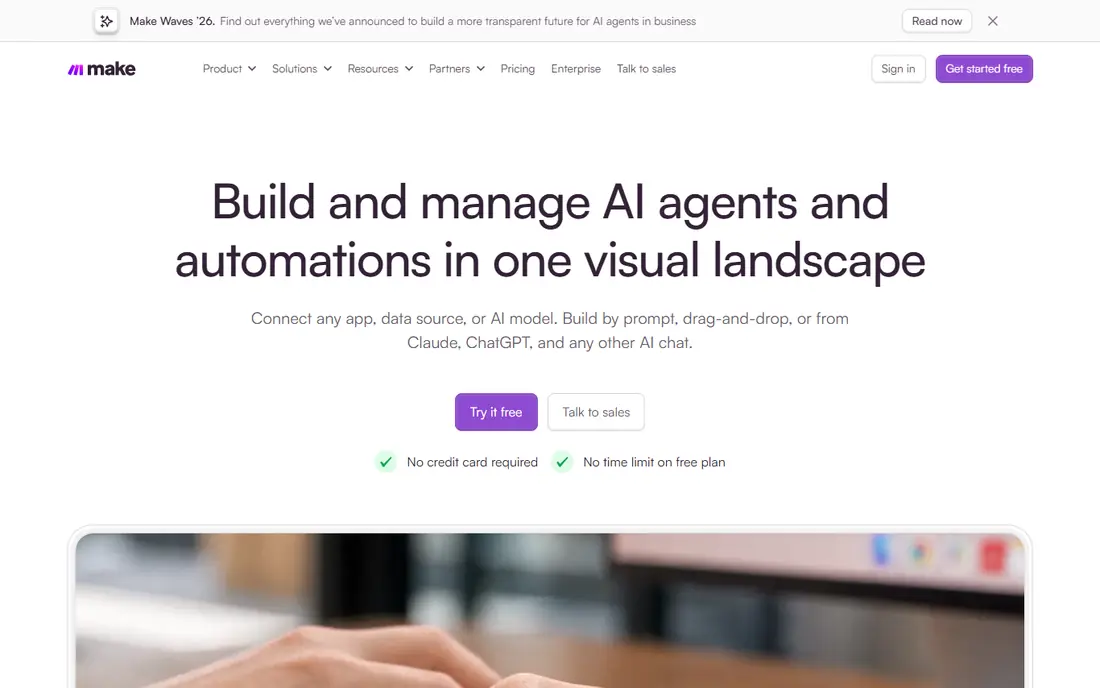
Make suits teams that want to see a workflow as a diagram. You can branch on conditions, transform data, loop over lists, and connect common business apps without writing code. Its free tier gives enough operations to test a real flow before paying.
Billing needs attention. Make charges by operations, and a flow that loops over many records can use operations quickly. Count operations per run during a trial, and design filters early so you only process records that need action.
- Visual builder with branching and filters
- Large app catalog
- Free tier for testing
- Operation based billing can grow fast
- Advanced logic takes learning
- AI features vary by plan

Zapier remains the easiest way to connect two apps fast. A form to a CRM, a spreadsheet to Slack, or a lead alert to email can be live in minutes, and its catalog covers apps that smaller tools miss. Recent AI agents add autonomous tasks on top of standard flows.
The catch is scale cost. Task based billing punishes high volume, and multi step logic with branching feels limited next to Make. Use Zapier for breadth and speed, and move heavy or complex flows to a cheaper per operation tool when volume grows.
- Very large app catalog
- Simple builder
- AI agents and copilot building
- Task billing climbs at volume
- Complex logic is weaker than Make or n8n
- Some features need higher plans
IFTTT is the simplest tool here. You pick a trigger in one app or device, pick an action in another, and the Applet runs on its own, which covers smart home routines, social cross posting, and simple alerts without any flow design. Its free tier lets you test the idea with 2 Applets before paying.
The ceiling arrives fast for business work. Free Applets allow one trigger and one action only, and even paid plans stay simpler than Make or n8n, with less branching and error handling. Use IFTTT for personal and household automations, and pick a flow builder when a workflow needs conditions, loops, or approvals.
- Very simple Applet setup
- Wide smart home and consumer app support
- Free tier for testing
- Free tier allows only 2 Applets
- Single trigger and single action on free tier
- Limited logic for business flows
Workato suits larger teams that need automation across many business systems with controls around who can build, approve, and change a workflow. Its recipe builder connects common enterprise apps, and its AI agent features add autonomous steps on top of standard recipes. A self serve free tier with a one time credit grant lets small teams test the platform before talking to sales.
The trade is weight and cost modelling. Credits are consumed at different rates by different actions, so a busy recipe can burn through an allowance faster than a simple task count suggests. Smaller teams should model a real workflow during a trial, while larger teams will value the governance that lighter tools skip.
- Large connector library
- Recipe based builder with governance controls
- AI agent features
- Credit based billing needs careful modelling
- Enterprise editions are quote priced
- Heavier setup than Zapier or Make
Lindy focuses on AI agents that act on your behalf, rather than fixed flows alone. You can set up agents for inbox triage, meeting scheduling, lead follow up, and support replies, often from a description rather than a diagram. That makes it appealing to teams that liked Gumloop AI first approach.
Agents need guardrails. An agent that sends email or updates a CRM should start with approval steps and clear limits, and you should review its early runs closely. Lindy also costs more than a basic flow builder, so it fits best where agent time saved clearly outweighs the subscription.
- Prebuilt AI agents for common jobs
- Natural language setup
- Phone, email, and calendar agents
- Paid plans start higher
- Agent behavior needs monitoring
- Complex custom logic can be limited
Activepieces is a strong open source option for teams that want n8n style control with a simpler builder. You can self host it, build flows visually, and add AI steps without a large subscription. Its open source license appeals to teams that want to avoid vendor lock in.
The ecosystem is still growing. You will find fewer ready made pieces than in Zapier or Make, and some integrations may need custom API steps. If your apps are common and your budget is tight, Activepieces is a good test before you pay for a larger platform.
- Open source with self hosting
- Visual builder
- AI pieces for common AI steps
- Smaller integration catalog than Zapier
- Cloud free tier is limited
- Community smaller than n8n
Bardeen works where you work, in the browser. It can scrape pages, copy data between web apps, prep meeting notes, and run playbooks from a browser extension. Teams that spend their day in web tools often get value faster here than from a server side flow builder.
The limit is scope. Bardeen is not a full replacement for a general automation platform, and some automations depend on browser state. Use it for browser heavy tasks and research, and pair it with Make or n8n for backend workflows that should run without a browser open.
- Browser automations and playbooks
- Meeting and research workflows
- Chrome extension workflow
- Browser focused, not a general iPaaS
- Some automations need a running browser
- Advanced plans cost more
How we picked these
We compared official feature pages, pricing pages, docs, and public reviews for each tool. We kept only automation products that are live in October 2026, offer visual or code workflows, AI steps, or agents, and can run recurring work across apps. We left out tools that had shut down, single purpose scrapers, and chatbots with no workflow engine.
What to check before you choose
Start with the decision type. Fixed flows suit Make, Zapier, n8n, and Activepieces, while judgment tasks suit Lindy and Workato. If a workflow needs a human check before sending, build approval in from the start rather than adding it after an agent mistake.
Next, model cost on a real run. Count tasks, operations, steps, executions, or credits for one week of real volume, then scale to a month. Billing units differ so much that a cheap headline plan can become the most expensive option at your volume. Test with production like data, not sample records.
Finally, check data handling. Review where workflow data is stored, which models process it, and whether you can use your own API keys or a private deployment. For customer data, self hosting or a vendor with clear data processing terms may matter more than a small price gap.
A final check helps before you pay. Run a small pilot with real data, confirm export and cancellation terms, and ask support a hard question before you need help in a crisis. That short test often reveals limits that a feature list hides, and it gives your team a clear reason to pick one option over the others.
Frequently asked questions
What is the best Gumloop alternative for non technical teams?
Make is the best general pick for non technical teams, with a visual builder and a free tier. Zapier is easier for simple two app connections, while Workato adds governance for larger teams. Try Make first if your workflows follow clear steps.
Can I self host a Gumloop alternative?
Yes. n8n offers a self hosted community edition, and Activepieces is open source with self hosting. Self hosting gives you control over data and cost, but you take on updates, security, and uptime yourself. Cloud plans suit teams that want the vendor to run the service.
Which alternative is best for AI agents?
Lindy is the most agent focused option here, with prebuilt agents for operations and support. n8n also supports AI agents for technical teams that want custom agent logic. Choose Lindy for speed and n8n for control.
Is there a free Gumloop alternative?
Yes. n8n, Make, Zapier, IFTTT, Workato, Activepieces, and Bardeen all offer free tiers or free self hosted options, with limits on usage. Lindy offers trial credits rather than a permanent free plan in most cases, so check its current trial terms before you test.
How hard is it to migrate from Gumloop?
Migration is usually a rebuild, not a one click import, since workflow logic and AI steps differ by platform. Budget time to rebuild core flows, test them on real data, and run old and new flows side by side for a short period. Rebuilt flows often end up more predictable, since fixed flows are easier to debug than opaque agent chains.
Sources
See where you really rank - block by block
ProMapRanker scans Google Maps across a grid of your service area. Simple monthly plans from $19, white-label on every plan.
Start freeKeep reading
 zoho books alternatives
Best Zoho Books Alternatives in 2026
Compare the best zoho books alternatives for small business accounting, from QuickBooks Online and Xero to FreshBooks, Wave, and Sage in 2026, with pricing.
Read → zluri alternatives
Best Zluri Alternatives in 2026
Compare zluri alternatives for 2026, with SaaS management platforms for app discovery, spend tracking, renewals, and automation for IT, finance and procurement.
Read → zerobounce alternatives
Best ZeroBounce Alternatives in 2026
Best zerobounce alternatives for list hygiene: compare 8 email verification tools for bulk cleaning, real-time checks and catch-all handling in 2026 today.
Read →