 ProMapRanker
Best Free Alternatives to Popular Paid Subscriptions in 2026

Key takeaways
- Every tool here has a genuinely free tier, not just a trial, and we left out trial-only tools even when the trial is generous.
- The list is grouped by category in order: streaming first, then music, productivity, design, and storage.
- Free tiers pay for themselves with ads, limits, or fewer features, so check the limit that matters for your daily use.
- A free tool rarely matches every paid feature, so pair two free tools when one limit blocks a task.
Quick comparison
| Pick | Great for | Pricing starts at | Free tier | |
|---|---|---|---|---|
 Tubi | Free movies and TV (streaming) | Free | Yes | Visit |
 Pluto TV | Free live channels (streaming) | Free | Yes | Visit |
 Spotify | Free music listening (music) | Free | Yes | Visit |
 SoundCloud | Free music discovery (music) | Free | Yes | Visit |
 LibreOffice | Free office documents (productivity) | Free | Yes | Visit |
 Notion | Free notes and planning (productivity) | Free | Yes | Visit |
 Canva | Free design for social and print (design) | Free | Yes | Visit |
 Photopea | Free photo editing in a browser (design) | Free | Yes | Visit |
 Google Drive | Free cloud storage (storage) | Free | Yes | Visit |
 Proton Drive | Free private cloud storage (storage) | Free | Yes | Visit |
The best free alternatives to popular paid subscriptions
This list covers only tools with a genuinely free tier, grouped plainly by category: streaming, music, productivity, design, and storage. The order below follows those groups, with two tools in each group. Each tool is presented as a free alternative to a popular paid subscription, such as a paid streamer, a paid music plan, a paid office suite, a paid design suite, or paid cloud storage.
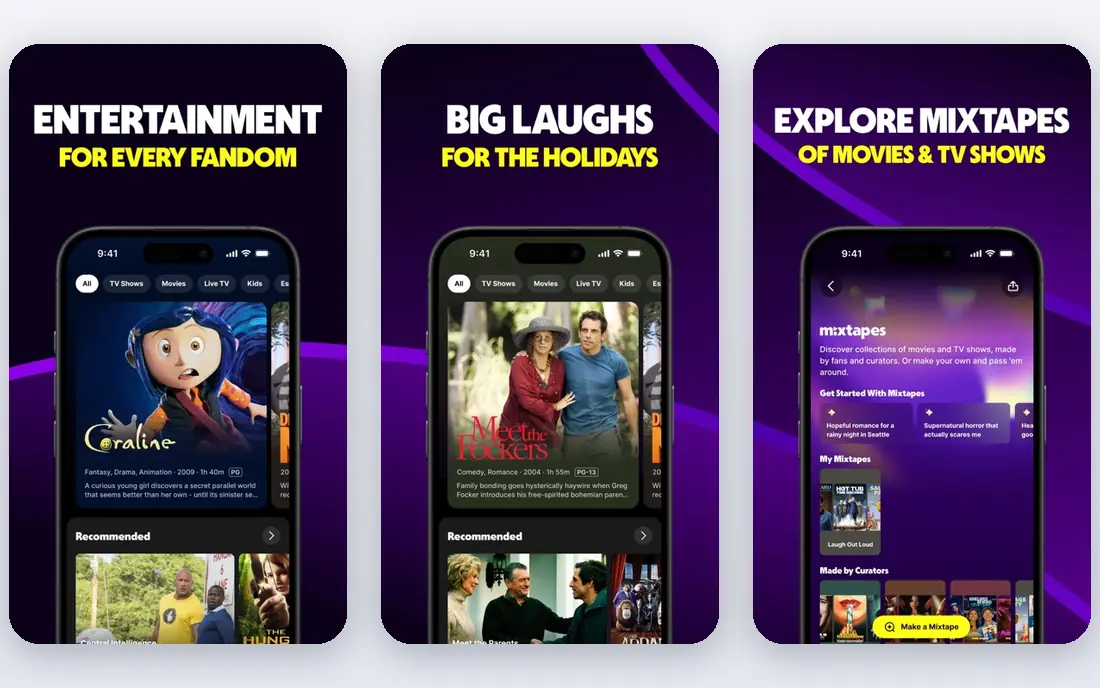
Tubi is the closest free stand-in for a paid movie streamer, with a large catalog of films, series, and originals that costs nothing to watch. No credit card is needed to start, and the service works on smart TVs, phones, tablets, and the web, so a household can watch on the main TV without a new device. Ad breaks are lighter than on some free rivals, though they still interrupt longer films.
Newest releases are the clear limit, since Tubi licenses older studio titles and catalog films rather than day-one premieres. Titles also rotate out, so a film spotted this week may leave next month. For a viewer who wants a movie night without a monthly bill, Tubi covers that job well, especially when paired with a library service or a second free streamer.
- Large free movie and TV catalog
- No credit card needed
- Works on TVs, phones, and web
- Ad-supported viewing
- Newest releases are limited
- Catalog titles rotate out
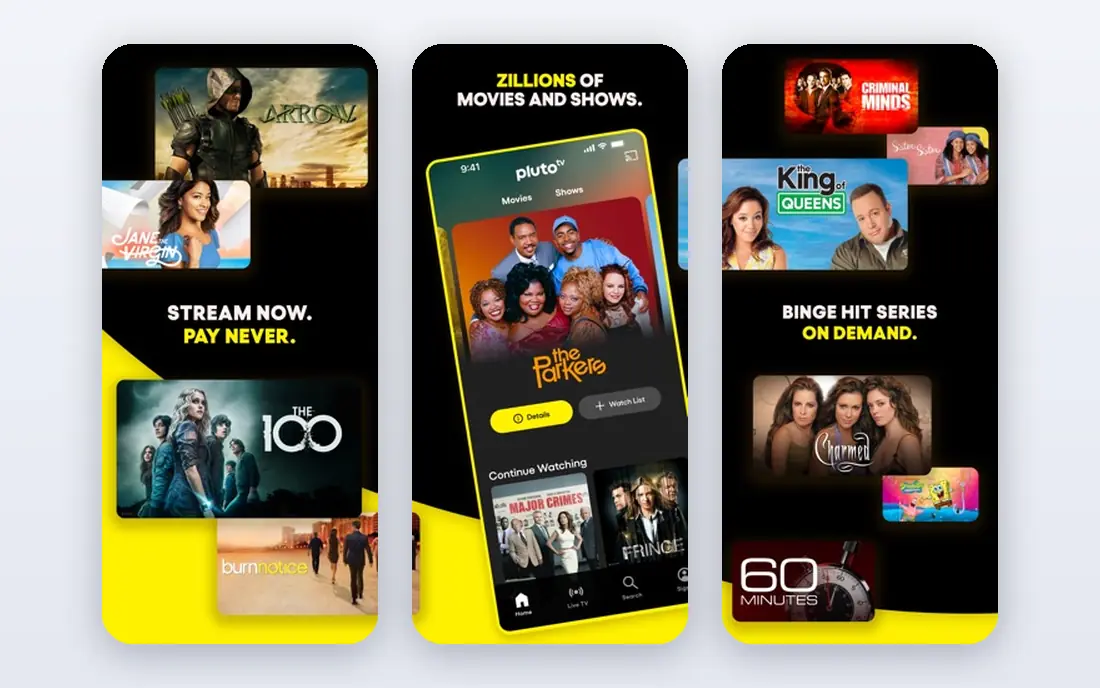
Pluto TV suits viewers who miss channel surfing, since it offers hundreds of live channels organized by genre, from news and reality to classic TV and movies. The on-demand section adds films and series for viewers who prefer to pick a title rather than join a channel mid-show. Watching needs no account in many cases, which removes sign-up friction for a casual viewer.
Live sports are limited compared with a paid live TV subscription, so sports fans will still need another source for most live games. Channel lineups also vary by region, and ads run during programs. For background TV, news, and classic shows, Pluto TV is the most television-like free option in this list.
- Hundreds of free live channels
- Large on-demand section
- No account needed to start watching
- Ad-supported viewing
- No live sports like a paid live TV plan
- Channel lineup varies by region
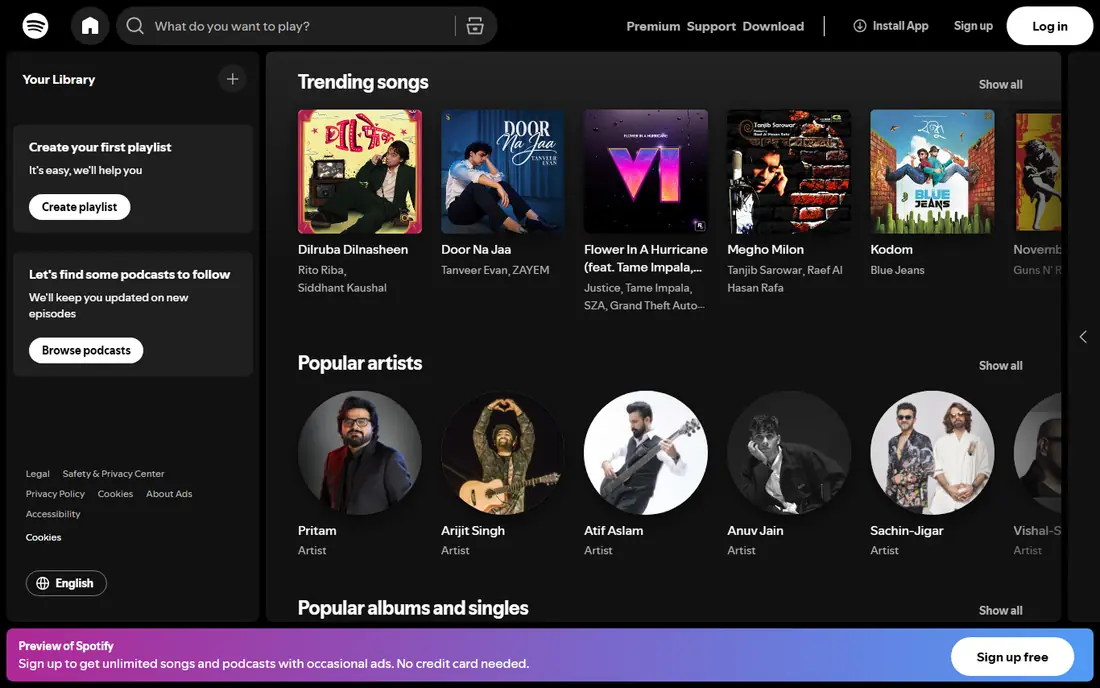
Spotify Free gives a music listener access to a huge catalog, playlists, and podcasts without paying for a premium plan. On desktop and web, playback is more flexible, while on mobile most playlists play in shuffle mode, which suits casual listening better than album-by-album playback. Podcasts are included, so one app can cover music and spoken audio.
Ads are the main trade-off, along with the lack of offline downloads on the free tier, which matters for flights or areas with weak signal. Sound quality is also lower than on premium plans. For a listener who mainly plays playlists at home or at work, Spotify Free replaces a paid music plan for everyday use.
- Huge music catalog on the free tier
- Playlists and podcasts included
- Works on phones, TVs, and web
- Ads interrupt listening
- Mobile playback is shuffle-based for most playlists
- No offline downloads on free tier
SoundCloud stands apart as a discovery tool, since its catalog leans toward independent artists, remixes, DJ sets, and emerging acts that rarely appear on a mainstream paid service. Listening is free without a subscription, and a listener can follow artists, build playlists, and share tracks with friends. For a fan of electronic, hip-hop, or indie music, SoundCloud surfaces music that a paid chart-driven service may miss.
The major-label catalog is thinner than Spotify, so a listener who wants every new chart album will find gaps. Ads run on the free tier, and some tracks are limited by the uploader's settings. As a second music app alongside Spotify Free, SoundCloud adds discovery that a paid plan alone does not provide.
- Large catalog of independent and emerging artists
- Free listening without a subscription
- Easy sharing for creators
- Major-label catalog is thinner than Spotify
- Ads on the free tier
- Some tracks are limited by the uploader
LibreOffice is a full, free office suite for desktop, with a word processor, spreadsheet, presentation tool, and database app that cost nothing to install. It opens and saves common Microsoft file formats, so documents can be shared with colleagues who use paid suites. Offline work is a strength, since no account or internet connection is needed to write or edit a document.
Cloud collaboration is weaker than Google Docs or Microsoft 365, since real-time co-editing needs extra setup or a separate service. The interface also feels older than modern paid suites, though it remains clear and usable. For a student, freelancer, or small business that needs office documents without a monthly bill, LibreOffice is the most complete free replacement.
- Full office suite with no subscription
- Opens Word, Excel, and PowerPoint files
- Works offline on desktop
- Interface feels older than paid suites
- Cloud collaboration is weaker than Google or Microsoft tools
Notion Free gives an individual unlimited pages and blocks for notes, tasks, wikis, and simple databases, which covers personal planning and small projects without a subscription. Templates for notes, habit tracking, reading lists, and project boards help a new user start without building a system from scratch. The same workspace can hold meeting notes, to-do lists, and reference pages, so scattered notes come together in one place.
Offline use is limited compared with a desktop notes app, and team features such as advanced permissions and larger file uploads need a paid plan. A very large workspace with many images can also feel slow on older devices. For personal productivity and light team planning, Notion Free replaces several paid note and task tools at once.
- Free plan for individuals with unlimited pages
- Notes, tasks, and databases in one workspace
- Good templates
- Offline use is limited
- Advanced team features need a paid plan
- Large workspaces can feel slow
Canva Free suits a small business owner or creator who needs social posts, flyers, presentations, and simple print designs without learning a professional design suite. Thousands of free templates cover common sizes for social media, posters, and slides, and drag-and-drop editing keeps the learning curve low. Designs can be shared, downloaded, or printed from the same account.
Premium templates, stock photos, background removal, and brand kits sit behind the paid plan, so a designer who needs those daily will feel the limit fast. Export options on the free tier are also more limited than on paid design tools. For everyday design tasks, Canva Free replaces a paid subscription for most non-professional use.
- Free plan with many templates
- Easy drag-and-drop design
- Social, print, and presentation formats
- Premium templates, photos, and brand tools need a paid plan
- Export options are limited on free tier
Photopea is a free photo editor that runs in a browser and handles layered files, including PSD and XCF formats, without installing software. Layers, masks, filters, and adjustment tools cover most photo retouching and graphic tasks that a casual user needs from a paid editor. Opening a file from a drive or cloud folder takes seconds, which suits a quick edit on a shared computer.
Ads run in the interface on the free tier, and there is no native desktop app, so performance depends on the browser and device. Very large files can feel slow on older machines. For a user who edits photos occasionally and does not want a monthly design subscription, Photopea is the most capable free browser editor available.
- Free browser editor that opens PSD, XCF, and RAW files
- Layers, masks, and filters included
- No install needed
- Ad-supported interface
- No native app
- Performance depends on browser and device
Google Drive Free gives 15 GB of storage shared across Drive, Gmail, and Google Photos, plus access to Docs, Sheets, and Slides for editing in a browser. Sharing tools are strong, with link sharing, permissions, and real-time collaboration that suit school, work, and family use. Files sync across phones, tablets, and computers through the Google account a user likely already has.
The 15 GB limit is shared, so a heavy Gmail or Photos user can fill it faster than expected, and larger storage needs a paid Google One plan. A user who prefers to keep files outside the Google system may prefer Proton Drive below. For most everyday storage, backup, and sharing, Google Drive Free covers the job without a paid cloud plan.
- 15 GB free storage shared across Google services
- Docs, Sheets, and Slides included
- Strong sharing tools
- 15 GB is shared with Gmail and Photos
- Larger storage needs a paid plan
- Privacy terms suit Google services best
Proton Drive Free suits a user who wants cloud storage with end-to-end encryption and no ads, rather than the largest free allowance. Files are encrypted so that only the account holder can read them, and the service is based in Switzerland with privacy protections that appeal to security-minded users. The free tier covers basic storage, sharing, and document editing for personal use.
Free storage is smaller than Google Drive, and third-party integrations are fewer, so a user who relies on many connected apps may find Proton Drive less convenient. Collaboration tools are simpler than Google Docs, though they cover common sharing needs. For private documents, backups, and sensitive files, Proton Drive Free is the strongest privacy-first free storage option here.
- End-to-end encrypted storage on the free tier
- No ads
- Swiss-based privacy protections
- Free storage is smaller than Google Drive
- Fewer third-party integrations
- Collaboration tools are simpler
How we picked these
We compared official pricing pages, free plan limits, and feature pages for each tool, and we checked that each free tier is permanent rather than a trial. We kept only tools with a genuinely free tier in October 2026, and we left out trial-only tools, tools that require a credit card for a free start, and tools whose free tier is too limited for daily use. We grouped the list by category so a reader can find a replacement for a specific paid subscription fast.
What to check before you switch
Check the free limit that matters most for your use, such as storage size, export quality, offline access, or ad frequency. A free tier that fits a casual user may fail a heavy user in the first week, so test it with a real task before cancelling a paid plan. Keep a backup of important files and designs outside any free service, since free accounts can change limits or close with notice.
Pairing free tools often beats searching for one perfect replacement, since a free streamer plus a library app, or a free editor plus a free storage service, can cover more than any single free tier. Review privacy terms too, since ad-supported free services collect viewing or usage data in exchange for free access. A free tool that respects your data limits may be worth more than a free tool with a larger catalog.
Frequently asked questions
Are these tools really free, or just free trials?
Every tool in this list has a permanent free tier, not just a trial period, as listed on its official pricing page in October 2026. Trial-only tools were left out, even when the trial lasted a month or more. Check the free plan page before signing up, since paid features are often shown alongside free ones.
Can free tools fully replace paid subscriptions?
Free tools cover most everyday tasks, but they rarely match every paid feature, such as offline downloads, newest releases, premium templates, or large storage. A free tool works best when you accept one clear limit, such as ads or a smaller catalog, in exchange for no monthly bill. Pairing two free tools often closes the remaining gap.
Which free streaming service is best?
Tubi suits viewers who want movies and series on demand, while Pluto TV suits viewers who want live channels and background TV. Both are free and ad-supported, so many households use both. Check which service carries the genres you watch most, since catalogs differ and titles rotate.
Which free office tool should I choose?
LibreOffice suits desktop office work and offline documents, while Notion suits notes, planning, and personal databases. Many users keep both, using LibreOffice for formal documents and Notion for planning. Google Docs, included with Google Drive, suits real-time collaboration with others.
Is free cloud storage safe?
Free storage from established vendors such as Google and Proton is safe for everyday use, provided you use a strong password and two-factor authentication. Proton Drive adds end-to-end encryption, which suits sensitive files. Keep a second backup of irreplaceable files, since no single free account should hold the only copy.
Do free design tools work for a small business?
Yes, for social posts, flyers, and simple print work, Canva Free and Photopea cover most small business needs. A business that needs brand kits, premium stock, or high-volume print work will eventually need a paid plan. Start free, learn which features you actually use, and pay only when a limit blocks paid work.
Sources
See where you really rank - block by block
ProMapRanker scans Google Maps across a grid of your service area. Simple monthly plans from $19, white-label on every plan.
Start freeKeep reading
 zoho books alternatives
Best Zoho Books Alternatives in 2026
Compare the best zoho books alternatives for small business accounting, from QuickBooks Online and Xero to FreshBooks, Wave, and Sage in 2026, with pricing.
Read → zluri alternatives
Best Zluri Alternatives in 2026
Compare zluri alternatives for 2026, with SaaS management platforms for app discovery, spend tracking, renewals, and automation for IT, finance and procurement.
Read → zerobounce alternatives
Best ZeroBounce Alternatives in 2026
Best zerobounce alternatives for list hygiene: compare 8 email verification tools for bulk cleaning, real-time checks and catch-all handling in 2026 today.
Read →