 ProMapRanker
Best FileWave Alternatives in 2026

Key takeaways
- Jamf is the strongest pick for Apple-only fleets at scale, while Jamf Now suits small Apple teams.
- Microsoft Intune is the natural pick for mixed fleets in Microsoft 365 organizations.
- Hexnode, Scalefusion, and Mosyle offer lower-cost cross-platform or Apple-focused management.
- ManageEngine and Miradore suit small fleets thanks to free tiers for up to 25 and 50 devices.
- Device minimums and per-device versus per-user pricing change the total more than headline rates.
Quick comparison
| Pick | Great for | Pricing starts at | Free tier | |
|---|---|---|---|---|
 Jamf | Apple fleets at scale | $4 per device per month | Yes | Visit |
 Microsoft Intune | Mixed fleets in Microsoft 365 | $8 per user per month | Free trial | Visit |
 Hexnode UEM | Best-value cross-platform UEM | $2.20 per device per month | Free trial | Visit |
 Scalefusion | Android, kiosk, and frontline fleets | $2 per device per month | Free trial | Visit |
 Mosyle | Lowest-cost Apple management | $1 per device per month | Yes | Visit |
 ManageEngine Mobile Device Manager Plus | On-premises or free small fleets | See website | Yes | Visit |
 Miradore | Free mixed fleets up to 50 devices | See website | Yes | Visit |
 JumpCloud | Identity plus device management | $9 per user per month | Free trial | Visit |
 Omnissa Workspace ONE UEM | Large enterprise estates | See website | No | Visit |
The best FileWave alternatives
FileWave manages Mac, Windows, iOS, Android, and other platforms from one console, with app deployment, patching, and inventory. The tools below cover that same cross-platform job with different strengths, from Apple depth to low-cost fleets and identity integration. The right pick depends on your device mix and whether you need on-premises hosting.

Jamf is the clear leader for a fleet that is mostly Apple devices. It handles Mac, iPhone, iPad, Apple TV, and Vision Pro with deep configuration, app deployment, and security controls, and its Self Service portal lets users install approved apps without IT help. That Apple depth is why schools and Apple-centered companies choose Jamf over general tools.
The limits are platform scope and price at scale. Jamf for Mac is priced higher than Jamf Now, with a device minimum on business plans, and Windows and Android support is limited compared with cross-platform rivals. A mixed fleet will need another tool or a compromise on non-Apple coverage.
For an Apple-only fleet, Jamf is our top pick. Small teams should start with Jamf Now, while larger fleets should price the full business plan against their device count.
- Deepest Apple management
- Jamf Now free for up to 3 devices
- Strong automation and Self Service
- Windows and Android coverage is limited
- Full Jamf Pro pricing is higher and needs a device minimum

Microsoft Intune suits an organization already paying for Microsoft 365, because it manages a mixed fleet from the same identity and admin stack. It covers Windows, macOS, iOS, and Android, with app deployment, compliance policies, and conditional access. For many Microsoft shops, Intune is already included in a bundle, which makes the extra cost low or zero.
The trade-off is Apple depth. Intune manages Apple devices well, but it is less Apple-native than Jamf or Mosyle for advanced Mac workflows and declarative management details. Policy setup also takes care, because Intune covers so many platforms and settings in one console.
We recommend Intune for mixed fleets in Microsoft environments. It is the simplest way to get one console for all platforms without adding a separate vendor for each device type.
- Manages Windows, macOS, iOS, and Android
- Included in some Microsoft 365 plans
- Strong policy controls
- Less Apple-native than Jamf or Mosyle
- Setup takes care for complex policies
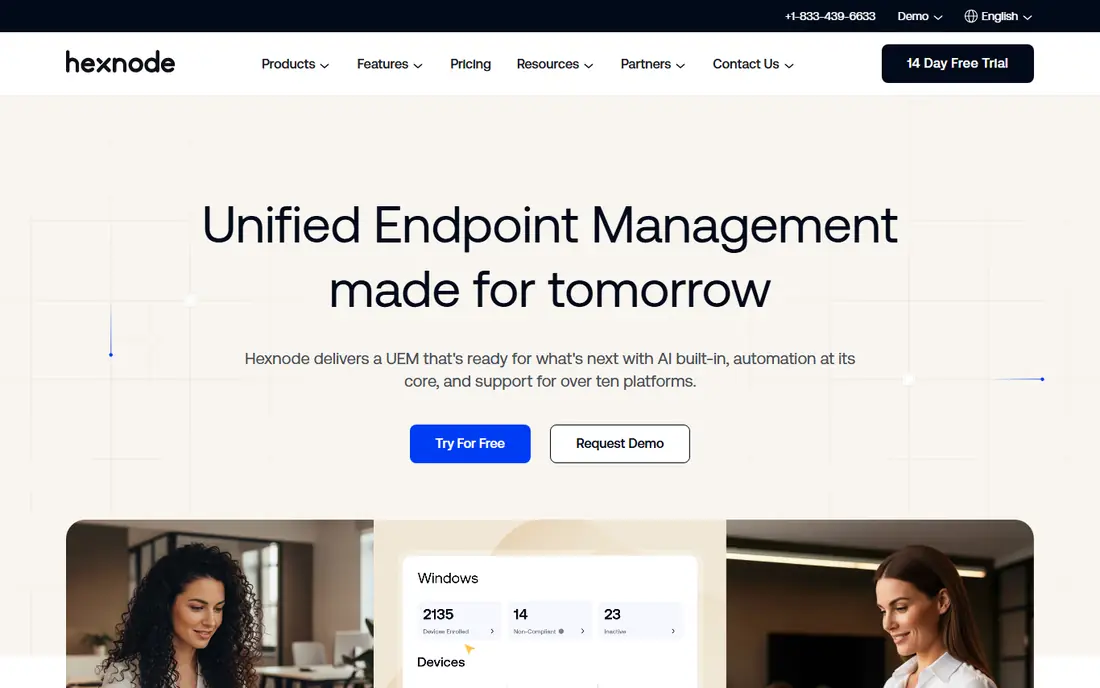
Hexnode UEM offers strong cross-platform coverage at a low per-device price, starting around $2.20 per device per month on annual billing. It manages phones, tablets, laptops, and desktops, with kiosk modes, app management, and policy controls that suit schools and frontline teams as well as offices. That breadth at that price is hard to match.
The limits are minimums and learning curve. Paid plans carry a device minimum, so a very small fleet may not qualify for the lowest rate, and the wide feature set can feel busy until an admin learns the layout. Support quality also varies by plan, so a team should test response times during a trial.
For a mixed fleet on a budget, Hexnode is a strong value pick. It covers the FileWave use case closely, with app deployment, policies, and inventory across platforms.
- Low per-device price
- Covers iOS, macOS, Android, Windows, and more
- Kiosk and app controls
- Minimum device count on paid plans
- Interface can feel busy at first
Scalefusion is a good fit for fleets where Android devices, kiosks, or frontline tablets dominate. It handles device lockdown, app deployment, and remote support for those use cases, while also covering iOS, macOS, and Windows for mixed estates. The entry price of $2 per device per month on annual billing keeps costs predictable.
The trade-offs are minimums and Apple depth. Paid plans require a minimum device count, and Apple management, while solid, does not match Jamf for advanced Mac workflows. A team with a large Apple fleet and complex Mac policies should compare Jamf or Mosyle first.
We recommend Scalefusion for Android-heavy and frontline fleets. It is practical, affordable, and focused on the devices many other tools treat as an afterthought.
- Strong Android and kiosk management
- Covers Windows, macOS, and iOS too
- Low per-device price
- Minimum device count on paid plans
- Apple depth is below Jamf
Mosyle is the budget leader for Apple fleets, with a free tier for up to 30 devices and paid plans starting around $1 per device per month. It covers Mac, iPhone, iPad, Apple TV, and other Apple platforms, with app deployment, policies, and security controls. For a small school or business with Apple devices, that price is hard to beat.
The limits are platform scope and depth. Mosyle is Apple-only, so a mixed fleet needs another tool, and its configurability is below Jamf Pro for the most complex enterprise workflows. Paid plans may also carry a device minimum, so a tiny fleet should confirm terms before assuming the lowest rate.
For a small Apple fleet, Mosyle is our value pick. It gives core management at a price that leaves budget for other IT needs, and the free tier makes a trial genuinely free.
- Free for up to 30 devices
- Very low paid price
- Simple Apple-focused setup
- Apple-only
- Less configurability than Jamf Pro
- Paid plans may need a device minimum
ManageEngine Mobile Device Manager Plus
Great for: On-premises or free small fleets
ManageEngine Mobile Device Manager Plus suits teams that want an on-premises option or a free start for a small fleet. The free tier covers up to 25 devices, and paid editions cover iOS, macOS, Android, Windows, and ChromeOS with app, policy, and security management. On-premises hosting appeals to organizations with strict data rules.
The drawbacks are interface and pricing complexity. Some admins find the console dated compared with Jamf or Hexnode, and pricing varies by edition, so a team should get a quote for its exact device mix. Advanced features also sit on higher editions, which can raise the total.
We recommend ManageEngine for teams that need on-premises hosting or a free small-fleet start. It is a solid, if less polished, FileWave replacement for mixed platforms.
- Free for up to 25 devices
- On-premises and cloud options
- Broad platform coverage
- Interface feels dated to some admins
- Pricing varies by edition and device count
Miradore offers one of the most generous free tiers here, covering up to 50 devices across iOS, macOS, Android, and Windows. That makes it a good first step for a small business that needs basic management, app deployment, and inventory without paying immediately. Setup is simple, and the console is easy to learn.
The limits appear as needs grow. Advanced automation, security, and reporting features sit on paid plans, and Miradore has a smaller footprint than Jamf or Microsoft, so enterprise support and integrations are thinner. A large fleet should test paid features and support before committing.
For a small mixed fleet, Miradore is an excellent free start. It covers the core FileWave job at no cost for up to 50 devices, with a paid path when the fleet grows.
- Free for up to 50 devices
- Covers iOS, macOS, Android, and Windows
- Simple setup
- Advanced features need paid plans
- Smaller vendor footprint than Jamf or Microsoft
JumpCloud combines identity management with device management, which suits a team that wants one place for user accounts, access, and device policies. It covers Windows, macOS, and Linux well, with mobile support for iOS and Android, and it integrates with common directories and single sign-on. That combination reduces the need for separate identity and device tools.
The trade-offs are pricing model and mobile depth. JumpCloud charges per user rather than per device, so a team with many devices per user faces a different bill from a per-device tool. Mobile management is also thinner than dedicated MDM platforms, so a phone-heavy fleet should test those features carefully.
We recommend JumpCloud when identity is the main problem and device management is the second problem. When mobile fleets dominate, a dedicated MDM tool will usually fit better.
- Identity and device management in one platform
- Covers Windows, macOS, and Linux well
- Directory integration
- Per-user pricing grows with headcount
- Mobile management is thinner than dedicated MDM tools
Omnissa Workspace ONE UEM, formerly VMware Workspace ONE, is built for large enterprises with complex device estates. It covers mobile and desktop platforms with app management, access controls, and policy enforcement at scale, and it integrates with enterprise identity and security stacks. That breadth suits organizations with thousands of devices and strict governance needs.
The main drawbacks are price transparency and complexity. Pricing is quoted, so a small team cannot budget quickly, and setup needs an IT team with UEM experience. A small or mid-sized fleet will find lighter tools faster to adopt and cheaper to run.
We include Workspace ONE for large enterprises that need full UEM depth. Smaller teams should start with Jamf, Intune, Hexnode, or Miradore instead.
- Broad enterprise UEM coverage
- Strong for large and complex estates
- App and access management
- Pricing is quoted
- Complexity and setup effort suit larger IT teams
How we picked these
We compared official feature pages, pricing pages, and public reviews, and we kept only tools that still offer device management in October 2026. We checked platform coverage, app deployment, policy controls, hosting options, free tiers, and pricing models, and we noted device minimums where they apply. We did not claim hands-on testing.
How to choose a device management tool
Start with your device mix. Count Apple, Windows, Android, and other devices separately, because a tool that leads on Apple may lag on Android, and vice versa. A fleet that is 90 percent Apple has a different shortlist from a fleet split evenly across platforms, and that mix should drive the first cut.
Next, decide on hosting and identity. On-premises hosting suits strict data rules, while cloud hosting suits small IT teams. If identity and access are already a problem, a combined tool such as JumpCloud may save a separate purchase, while a dedicated MDM tool may suit a fleet-first need better.
Finally, test enrollment and app deployment with real devices. Enroll a Mac, a Windows laptop, an iPhone, and an Android device, push an app, apply a policy, and wipe a test device. That hands-on trial reveals setup friction, policy gaps, and support quality far better than a feature list, and it should happen before a yearly contract.
Frequently asked questions
What is the best FileWave alternative for schools?
Jamf, Mosyle, and Hexnode are strong school picks, depending on device mix. Jamf leads for Apple-heavy schools, Mosyle offers a free tier for up to 30 Apple devices, and Hexnode suits mixed fleets at a low per-device price. Check education pricing and device minimums before choosing.
Is there a free alternative to FileWave?
Yes. Miradore is free for up to 50 devices, ManageEngine is free for up to 25 devices, and Mosyle is free for up to 30 Apple devices. Jamf Now is free for up to 3 devices. Free tiers cover basic management, while advanced automation and security usually need paid plans.
Can Microsoft Intune replace FileWave?
Yes, for mixed fleets in Microsoft 365 organizations, because Intune covers Windows, macOS, iOS, and Android with policies and app deployment. It is less Apple-native than Jamf, so an Apple-heavy fleet should compare both. Intune may already be included in a Microsoft 365 bundle, which changes the cost comparison.
Which tool is best for Android kiosk devices?
Scalefusion and Hexnode are strong for Android kiosk and frontline fleets, because both offer lockdown, app control, and remote management for those devices. Test kiosk mode, remote support, and app updates on your exact device models during a trial, because Android behavior varies by manufacturer.
Do I need an MDM tool for a small team?
A small team with a few devices may manage with built-in tools and manual setup, but an MDM tool saves time once devices, apps, and policies need consistent control. Free tiers from Miradore, ManageEngine, and Mosyle make a trial low risk. If devices hold company data or need remote wipe, an MDM tool is worth the setup.
How do I migrate from FileWave?
Export device inventory, apps, and policies, then rebuild them in the new tool and test enrollment on a small group first. Move devices in batches, starting with non-critical users, and keep FileWave running until the new tool has handled enrollment, app deployment, and a policy change cleanly. Plan for a period when both consoles are live.
Sources
See where you really rank - block by block
ProMapRanker scans Google Maps across a grid of your service area. Simple monthly plans from $19, white-label on every plan.
Start freeKeep reading
 zoho books alternatives
Best Zoho Books Alternatives in 2026
Compare the best zoho books alternatives for small business accounting, from QuickBooks Online and Xero to FreshBooks, Wave, and Sage in 2026, with pricing.
Read → zluri alternatives
Best Zluri Alternatives in 2026
Compare zluri alternatives for 2026, with SaaS management platforms for app discovery, spend tracking, renewals, and automation for IT, finance and procurement.
Read → zerobounce alternatives
Best ZeroBounce Alternatives in 2026
Best zerobounce alternatives for list hygiene: compare 8 email verification tools for bulk cleaning, real-time checks and catch-all handling in 2026 today.
Read →