 ProMapRanker
Best CompanyCam Alternatives in 2026


Solo crews needing stamped jobsite photos · Pricing starts at: $7 per user per month
Key takeaways
- Timemark and SiteCam are the closest photo-first replacements, with stamped photos, project folders and shareable reports for field crews.
- Fieldwire and Raken suit larger or more formal projects, where drawings, daily reports and sign-off matter as much as photos.
- JobNimbus, Jobber, Housecall Pro, AccuLynx and JobTread combine photo documentation with job, customer and billing tools, which suits crews that want one system.
- Check how photos are stamped, stored and shared before buying, because a clean photo feed is only useful if clients, insurers and office staff can use it.
Quick comparison
| Pick | Great for | Pricing starts at | Free tier | |
|---|---|---|---|---|
| Timemark | Solo crews needing stamped jobsite photos | $7 per user per month | Yes | Visit |
 SiteCam | Teams pinning photos to plans and sites | See website | Yes | Visit |
 Fieldwire | Commercial teams working from drawings | See website | Free trial | Visit |
 Raken | Formal daily reporting with photos | See website | Free trial | Visit |
 JobNimbus | Roofing and exterior crews needing a CRM | See website | Free trial | Visit |
 Jobber | Small service businesses with scheduling | See website | Free trial | Visit |
 Housecall Pro | Home service teams with dispatch and invoicing | See website | Free trial | Visit |
 AccuLynx | Roofing firms handling insurance work | See website | No | Visit |
 JobTread | Remodelling and construction job management | See website | No | Visit |
The best company cam alternatives
We compared official feature pages, pricing pages, app store listings, privacy policies and public reviews to find tools that document work from the field in a way clients and insurers can trust. Every option below handles job photos, though some focus on photos alone and others fold photos into a wider job system.
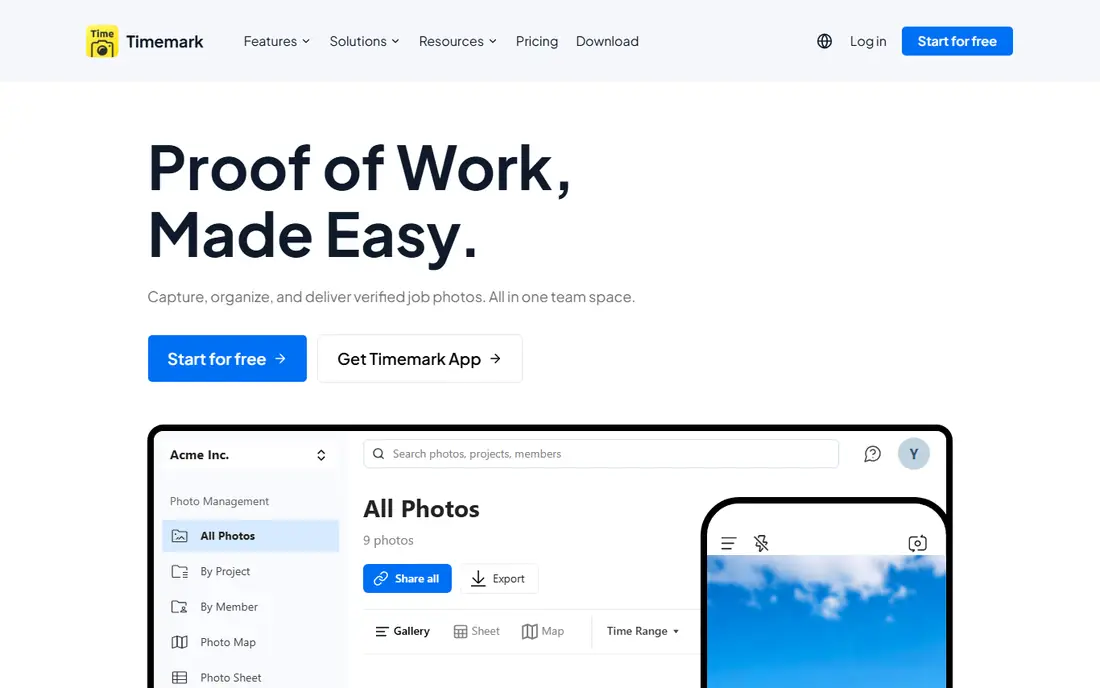
Timemark is the simplest like-for-like photo replacement on this list. Photos carry network time, GPS location and coordinates stamped on the image, which helps when a client or insurer asks when and where a photo was taken. Crews can share photos in a team space without handing over a full job system to every worker.
The limit is scope. Timemark does not try to run estimates, scheduling and invoicing in the same way a contractor CRM does. That focus is a strength for a crew that only needs proof of work, and a weakness for a firm that wants one tool for everything. The free tier lets a small crew test stamping and sharing on a real job before paying.
- Time and GPS stamps on photos
- Simple team sharing
- Low entry price
- Lighter job management than a full CRM
- Reporting is photo-centred
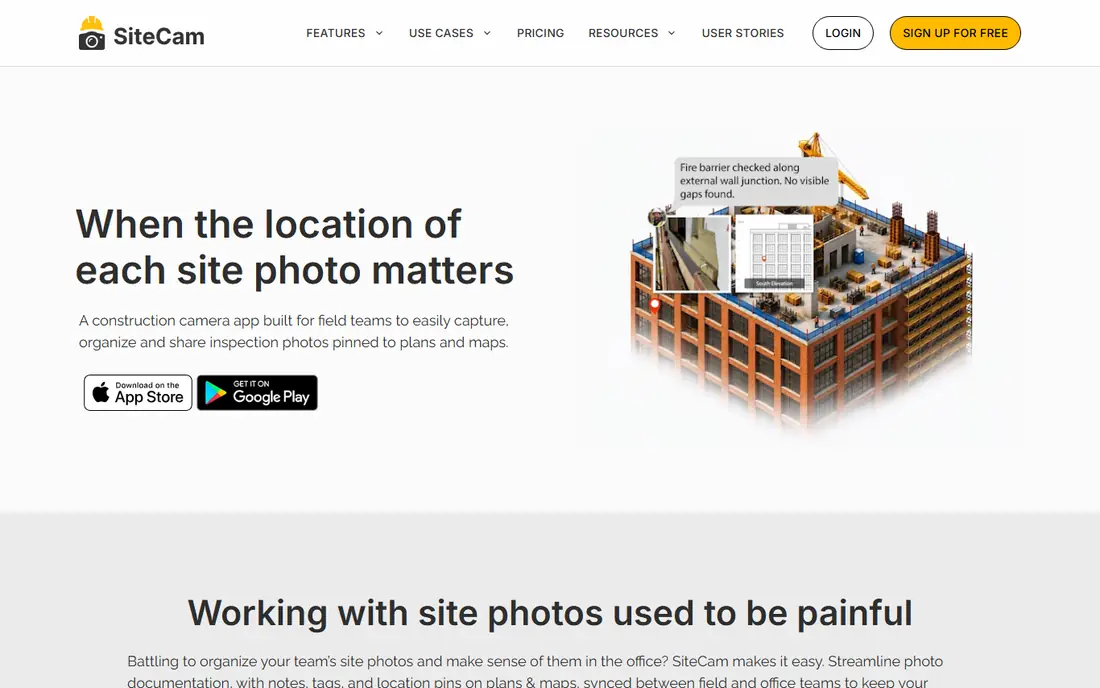
SiteCam suits teams that need to show where a photo was taken, not just when. Pinning photos to a floor plan or site map makes it easier for office staff and clients to follow progress room by room. Project galleries keep before, during and after photos together, which helps with handover and warranty questions.
Pricing and higher-tier features should be confirmed on the vendor site before budgeting, since plans can change. SiteCam is also a documentation tool first, so crews that need estimating and invoicing will still need another system or an integration. For photo organisation alone, the plan-based view is a clear advantage.
- Photos pinned to floor plans
- Free tier available
- Organised project galleries
- Pricing details need checking on the vendor site
- Lighter CRM features

Fieldwire is built for commercial construction, where photos sit on drawings alongside tasks, punch items and markups. A foreman can open a plan, see the latest photo at a location, and assign a task from the same screen. That drawing-first view suits general contractors and subcontractors working on larger sites.
The trade-off is complexity. A small residential crew may find Fieldwire heavier than it needs, and setup takes more thought than a simple photo app. Pricing is tiered, so check what the entry plan includes for photo storage and markup. For drawing-led projects, though, the combination of plans, tasks and photos is hard to match with a photo-only tool.
- Drawings, tasks and photo markup in one place
- Built for larger projects
- Offline field use
- More complex than a photo app
- Pricing is tiered and needs a quote for larger teams
Raken attaches photos and video to daily reports, so a project record reads as a dated log rather than a loose photo feed. Supervisors can track labour, equipment and progress notes alongside images, which helps when a client or owner asks what happened on a given day. Reports can be shared with the team and with clients in a clean format.
Pricing needs checking, since some plans are quote-based, and the reporting structure may feel formal for a small crew that just wants quick photos. For contractors who already produce daily reports, or who are asked for them by clients, Raken turns photo documentation into a proper project record with little extra effort.
- Daily reports with photos attached
- Progress tracking
- Client and team sharing
- Quote-based pricing for some plans
- Reporting focus may suit formal projects best
JobNimbus is a contractor CRM that also handles job photos, documents and workflows, which makes it a wider replacement than a photo app alone. Roofing and exterior crews can track leads, jobs, contacts and photos in one place, and custom boards help managers see where each job stands. Automations can move a job forward and remind staff of next steps.
The drawback is price clarity. Entry pricing is not fully published, and add-ons can change the total, so get a written quote for the firm's seat count and needed features. Photo documentation is also part of a larger system, so a crew that only wants photos may prefer a simpler tool. For a growing roofing firm, the combined CRM and photo view is the main draw.
- CRM, jobs and photos in one system
- Strong roofing workflows
- Custom boards and automations
- Pricing is not fully published
- Texting and some features are add-ons
Jobber suits home service businesses that need scheduling, quotes, invoices and job photos together. A job record can hold photos, notes and client messages, so office staff and field staff share the same view. Client reminders and online booking reduce phone chasing, which matters for small teams.
Photo features are useful but not as specialised as a dedicated jobsite camera app. Roofing firms with insurance workflows may need a more trade-specific tool, while general service firms will likely find Jobber enough. Use the free trial to test photo capture on a real job, and check how many team seats the chosen plan includes.
- Scheduling, quoting, invoicing and photos in one app
- Easy client communication
- Mobile app for field staff
- Not trade-specific for roofing
- Photo tools are part of a wider suite
Housecall Pro is built around dispatch and service work, with job photos, notes, estimates and payments folded in. A dispatcher can assign jobs, field staff can add photos from site, and customers get notifications about arrival and completion. That flow suits HVAC, plumbing, electrical and other home service trades.
The honest limit is that photos support the job rather than lead it. Crews that need detailed photo reports, plan pinning or insurance-grade documentation may want a dedicated photo tool alongside it. Pricing also varies by plan, so compare seat counts and included features carefully. For a service firm, the dispatch and payment tools often matter more than photo depth.
- Dispatch, scheduling and payments in one system
- Job photos and notes
- Customer notifications
- Pricing varies by plan and seats
- Photo tools are secondary to dispatch
AccuLynx is aimed squarely at roofing companies, especially those handling insurance claims and supplements. Jobs, photos, documents, estimates and insurance tracking sit together, which reduces the need to pass files between separate tools. Reporting helps managers follow claim progress and job profitability.
Cost is the main barrier. Entry pricing is higher than a photo app, and onboarding can take real time for a team moving from spreadsheets or a simpler tool. Small roofing firms should weigh that cost against the time saved on insurance paperwork. For an established roofing firm, the trade-specific depth is the reason to choose it.
- Roofing-specific job, insurance and supplement workflows
- Photo and document handling
- Reporting
- Higher entry cost
- Onboarding can be a larger project
JobTread covers the full job for remodelling and construction firms, with budgets, schedules, documents, photos and a client portal. Photos sit inside each job, so clients can follow progress without a separate photo feed. Budget tracking helps managers spot overruns early, which is useful on longer projects.
Because it is a full job system, learning it takes longer than learning a photo app, and there is no free plan listed to test it casually. A demo using a real project is worth the time. Firms that only need photos will find JobTread too broad, while firms that need budget and schedule control alongside photos will get more value from it.
- Job budgets, schedules and documents in one system
- Client portal
- Photo organisation by job
- No free plan listed
- Broader system takes time to learn
How we picked these
We compared official feature pages, pricing pages, app store listings, privacy policies and public reviews, and we kept only tools that are sold and supported today. Each option had to handle job photos in the field, with project organisation and sharing, not just a phone camera roll. We favoured a mix of photo-first tools and wider job systems so crews can match the tool to their real workflow.
What to check before you switch
Test photo stamping, offline capture and sharing on a live job, not just in a demo. Check whether stamps survive when photos are exported or printed, and whether clients can open shared photos without creating an account. Confirm storage limits, seat pricing and what happens to photos if a subscription lapses. A photo tool that is hard for field staff to use will produce fewer photos, which defeats the purpose.
Frequently asked questions
Which alternative is closest to a photo-only tool?
Timemark and SiteCam are the closest, because photos are the core product rather than an add-on to a CRM. Timemark leads on stamped photos, while SiteCam leads on pinning photos to plans.
Can these tools replace a contractor CRM?
JobNimbus, Jobber, Housecall Pro, AccuLynx and JobTread can, to varying degrees, because they combine photos with jobs, customers and billing. Photo-first tools cannot, and are better paired with a CRM.
Do jobsite photos need GPS and time stamps?
They help a lot for insurance, warranty and client disputes, because they show when and where work was recorded. Check that stamps are baked into exported photos, not only shown inside the app.
Will field staff actually use a new photo app?
That depends on speed and offline support. Choose a tool with fast capture, simple project selection and offline use, and test it with the crew that will use it daily.
What should a roofing firm prioritise?
Roofing firms should prioritise insurance workflows, photo organisation by job and easy sharing with adjusters. AccuLynx and JobNimbus are built with that work in mind.
Is a free plan enough for a small crew?
A free plan can work for a solo operator or a very small crew with modest photo volume. Larger crews usually need paid storage, more seats and better sharing controls.
Sources
- https://www.timemark.com
- https://www.timemark.com/blog/best-companycam-alternatives
- https://sitecam.io
- https://www.fieldwire.com
- https://www.rakenapp.com
- https://www.jobnimbus.com
- https://www.jobber.com
- https://www.housecallpro.com
- https://www.acculynx.com
- https://www.jobtread.com
- https://blitzz.co/blog/best-jobsite-photo-documentation-apps-for-contractors-2026
See where you really rank - block by block
ProMapRanker scans Google Maps across a grid of your service area. Simple monthly plans from $19, white-label on every plan.
Start freeKeep reading
 zoho books alternatives
Best Zoho Books Alternatives in 2026
Compare the best zoho books alternatives for small business accounting, from QuickBooks Online and Xero to FreshBooks, Wave, and Sage in 2026, with pricing.
Read → zluri alternatives
Best Zluri Alternatives in 2026
Compare zluri alternatives for 2026, with SaaS management platforms for app discovery, spend tracking, renewals, and automation for IT, finance and procurement.
Read → zerobounce alternatives
Best ZeroBounce Alternatives in 2026
Best zerobounce alternatives for list hygiene: compare 8 email verification tools for bulk cleaning, real-time checks and catch-all handling in 2026 today.
Read →