 ProMapRanker
Best Coggle Alternatives in 2026


Collaborative browser mind mapping · Pricing starts at: $3.50 per user per month
Key takeaways
- MindMeister is the closest dedicated mind mapping swap, with real-time collaboration and a free tier for three maps.
- XMind suits structured, polished maps, while Miro and Lucidchart suit teams that need mind maps beside other diagrams and workshops.
- SimpleMind is the best offline, one-time purchase option, while Whimsical suits fast, clean maps for small teams.
- Check export formats and free-plan map limits before you commit, because a map you cannot export cleanly is hard to move later.
Quick comparison
| Pick | Great for | Pricing starts at | Free tier | |
|---|---|---|---|---|
| MindMeister | Collaborative browser mind mapping | $3.50 per user per month | Yes | Visit |
 XMind | Structured, polished mind maps | $59.99 per year | Yes | Visit |
 Miro | Mind maps inside team workshops | $8 per user per month | Yes | Visit |
 Lucidchart | Maps beside formal diagrams | $9 per user per month | Yes | Visit |
 MindNode | Clean maps on Apple devices | See website | Yes | Visit |
 Whimsical | Fast, clean team maps | $12 per editor per month | Yes | Visit |
 Ayoa | Maps that become tasks | $10 per user per month | Yes | Visit |
 Mindomo | Maps, outlines, and presentations | See website | Yes | Visit |
 SimpleMind | Offline maps with one-time purchase | $30 one-time | Yes | Visit |
The best coggle alternatives
Coggle is known for simple, shareable mind maps with real-time collaboration. The tools below range from dedicated mappers to whiteboards, so pick by how much structure, collaboration, or offline use you need.

MindMeister is the most direct Coggle replacement for teams that map together in a browser. Multiple people can edit, comment, and vote on topics, and history mode lets you review earlier versions. The free tier includes three maps, which is enough to test collaboration with a small group.
Paid plans remove the map limit and add exports, attachments, and custom branding, starting at $3.50 per user per month billed annually on the Personal plan. The interface stays focused on mapping, so it is less cluttered than a general whiteboard. If shared brainstorming is the main job, MindMeister is a strong first choice.
- Real-time collaboration and commenting
- Focus and history modes
- Free tier with three maps
- Free tier limits map count
- Advanced exports and branding sit on higher plans
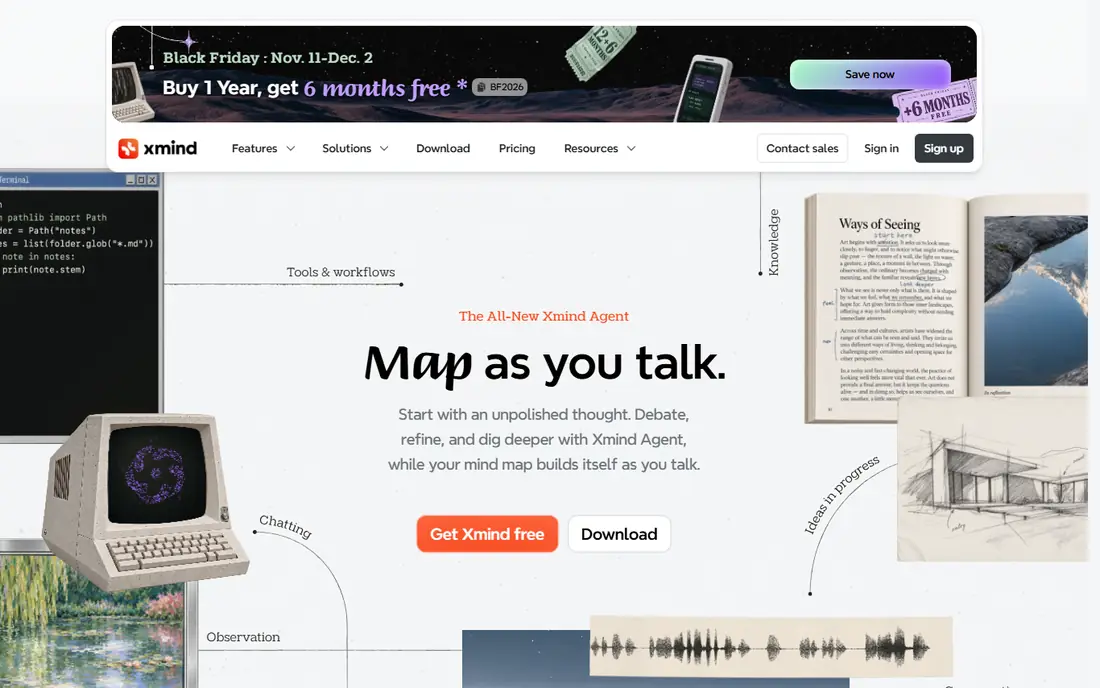
XMind suits people who want a map that looks finished. Logic charts, trees, timelines, and fishbone layouts give structure to different kinds of thinking, and themes keep the result tidy without manual styling. Export to image, PDF, and other formats makes it easy to share a map outside the app.
Collaboration is not the main strength. XMind works best for an individual or a small team that passes a file back and forth, rather than editing live together all day. The Pro plan at $59.99 per year adds fuller features, with a free tier for basic use. For study, planning, and presentations, XMind is excellent.
- Many layouts, themes, and structures
- Strong export and presentation options
- Works across desktop and mobile
- Collaboration is thinner than browser-first tools
- AI features depend on plan and credits

Miro is the pick when a mind map is only one part of a workshop. Teams can brainstorm on sticky notes, turn ideas into a map, then move to diagrams, timelines, and project boards without leaving the canvas. Templates for retros, planning, and discovery sessions speed up that flow.
That breadth can feel heavy for a single map. Miro is not as focused as MindMeister or XMind, and the free plan limits boards and features for larger teams. Paid plans start at $8 per user per month. If your team already runs workshops in Miro, mapping there keeps everything in one place.
- Mind maps beside sticky notes, diagrams, and boards
- Strong workshop templates
- Good for remote teams
- Mind mapping is one feature among many, not a dedicated mapper
- Paid plans are needed for larger team use
Lucidchart fits teams that need a mind map today and a formal diagram tomorrow. A project can start as a rough map, then grow into a flowchart, org chart, or process diagram in the same tool. Sharing, commenting, and version history help teams review work without exporting files constantly.
Pure mind mappers may find Lucidchart more structured than they want. The free tier limits documents, and paid plans start at $9 per user per month for fuller access. For teams that document systems and processes, the range of diagram types is a real advantage over a mapper alone.
- Mind maps plus flowcharts, org charts, and system diagrams
- Strong sharing and commenting
- Good for documentation
- Mind mapping feels secondary to formal diagramming
- Free tier limits documents and features
MindNode is a pleasure to use on Apple devices. Maps stay clean, folding branches and focusing on one node is quick, and the outline view helps turn a map into a written plan. The app feels designed for thinking, not for managing a large team workspace.
Windows and Android users should check current platform support before buying, since MindNode is strongest in the Apple ecosystem. Collaboration is also lighter than MindMeister, so it suits individuals and small groups more than large live sessions. For Apple users who map alone, MindNode is a top pick.
- Clean, fast mapping on Mac, iPad, and iPhone
- Good outline and focus views
- Thoughtful design
- Apple-focused, so Windows and Android users get less
- Collaboration is lighter than web-first tools
Whimsical wins on speed. A team can start a map, flowchart, or wireframe in minutes, and the result looks clean without styling work. Product and design teams like that they can move from an idea map to a flow and a wireframe in one workspace.
Per-editor pricing at $12 per month means viewers are cheaper than editors, but a large editing team should budget carefully. Whimsical also offers fewer deep mapping layouts than XMind, so complex academic maps may fit better elsewhere. For fast team thinking, Whimsical is hard to beat.
- Very fast to create clean maps, flowcharts, and wireframes
- Simple sharing
- Good for product and design teams
- Paid pricing is per editor, which adds up for larger teams
- Fewer advanced mapping layouts than XMind
Ayoa is useful when a brainstorm must become work. Branches can turn into tasks, tasks can sit in project boards, and team chat keeps discussion near the map. That flow suits managers who run planning sessions and then need to track follow-ups.
The range of features can also clutter the experience for someone who only wants a simple map. Ayoa starts at $10 per user per month on paid plans, with a free tier for basic use. If your maps usually end in action items, Ayoa closes the gap between idea and task better than most mappers.
- Mind maps link directly to tasks and projects
- Whiteboard and chat features
- Good for team planning
- Interface has many features, which can distract pure mappers
- Best value sits on paid plans
Mindomo covers more ground than a simple mapper. A map can become an outline, a Gantt chart, or a presentation, which helps students and teams reuse one piece of thinking in several formats. Education pricing for students and teachers makes it attractive for schools.
Pricing is published in euros on some pages, so US buyers should confirm the dollar price at checkout rather than assuming a conversion. The interface also packs in more options than Coggle, which takes a little learning. For users who want one tool for maps, outlines, and presentations, Mindomo is a flexible choice.
- Maps switch to outline, Gantt, and presentation views
- Education plans for students and teachers
- Cloud backup options
- Pricing varies by currency and plan, so check your local price
- Interface feels busier than Coggle
SimpleMind is the answer for users who dislike subscriptions. A one-time purchase of about $30 per platform buys the full version, and maps work offline without a constant internet connection. A free edition on mobile lets users try basic mapping before paying.
The trade-off is collaboration. SimpleMind does not offer the same live, multi-user editing as MindMeister or Miro, and sharing relies on files and cloud storage you manage. For solo mappers, students, and offline workers, that simplicity and one-time cost are a clear win.
- One-time purchase per platform, no subscription required for the full desktop version
- Works offline
- Free mobile edition
- Collaboration is limited compared with web tools
- Sync across devices needs your own cloud storage
How we picked these
We compared official feature pages, pricing pages, app store listings, and public reviews for mind mapping tools that exist and work in October 2026. We kept tools that create and share mind maps as a core function, not only as a side feature, and we wrote See website where pricing varies by currency, platform, or quote. We did not claim hands-on testing, and we focused on collaboration, export, offline use, and free-plan limits.
How to move a map without losing work
Before you switch, export a test map from your current tool and import it into the new one. Check whether branches, notes, images, and links survive, and whether the new tool keeps your layout or rebuilds it. A tool that imports the common .mm format or offers PDF and image export will make moving easier.
Also check the free plan limit that matters to you. Some tools limit map count, some limit collaborators, and some limit exports, so the cheapest plan on paper may not cover your real use. Try a real project, not a three-node sample, and confirm sharing works for the people who need to edit, not just view.
Frequently asked questions
What is the closest Coggle alternative?
MindMeister is the closest dedicated swap, with browser-based maps, real-time collaboration, and a similar focus on mapping. XMind is closer if you want polished, structured maps for one person.
Is there a free mind mapping tool?
Yes, MindMeister, XMind, Miro, Lucidchart, Whimsical, Ayoa, Mindomo, and SimpleMind all offer free tiers or free editions. Limits vary, so check map count, exports, and collaboration on the free plan.
Which tool works best offline?
SimpleMind works offline and uses a one-time purchase, while XMind and MindNode also offer strong desktop apps. Web-first tools like MindMeister and Miro need an internet connection for full collaboration.
Can I turn a mind map into tasks?
Yes, Ayoa links maps directly to tasks and projects, and MindMeister offers task features on maps. Miro can also move map items into boards, though it takes more manual steps.
Which tool is best for students?
Mindomo offers education pricing, XMind offers polished maps for study, and SimpleMind offers a low one-time cost. The best pick depends on whether you need collaboration, presentation views, or offline use most.
Sources
See where you really rank - block by block
ProMapRanker scans Google Maps across a grid of your service area. Simple monthly plans from $19, white-label on every plan.
Start freeKeep reading
 zoho books alternatives
Best Zoho Books Alternatives in 2026
Compare the best zoho books alternatives for small business accounting, from QuickBooks Online and Xero to FreshBooks, Wave, and Sage in 2026, with pricing.
Read → zluri alternatives
Best Zluri Alternatives in 2026
Compare zluri alternatives for 2026, with SaaS management platforms for app discovery, spend tracking, renewals, and automation for IT, finance and procurement.
Read → zerobounce alternatives
Best ZeroBounce Alternatives in 2026
Best zerobounce alternatives for list hygiene: compare 8 email verification tools for bulk cleaning, real-time checks and catch-all handling in 2026 today.
Read →