 ProMapRanker
Best Browserbase Alternatives in 2026


Developers who want hosted browsers · Pricing starts at: See website
Key takeaways
- Browserless and Steel suit developers who want plain cloud browsers with predictable session controls.
- Bright Data, Apify, ScrapingBee, and ZenRows suit scraping workloads where unblocking and proxies matter more than raw browser time.
- Browser Use and Hyperbrowser suit AI agent teams that need natural language control and managed sessions.
- Pricing models differ widely, so compare browser hours, credits, and proxy traffic before you pick a plan.
Quick comparison
| Pick | Great for | Pricing starts at | Free tier | |
|---|---|---|---|---|
| Browserless | Developers who want hosted browsers | See website | Yes | Visit |
 Bright Data Scraping Browser | Large scraping jobs that hit bot blocks | See website | No | Visit |
 Apify | Ready made scrapers and automation | Free | Yes | Visit |
 ScrapingBee | Simple API scraping with rendering | See website | No | Visit |
 ZenRows | Anti bot scraping through an API | See website | No | Visit |
 Oxylabs Web Scraper API | Enterprise scraping with support | See website | No | Visit |
 Steel | Open source browser sessions for agents | Free | Yes | Visit |
 Hyperbrowser | AI agents that need cloud browsers | Free | Yes | Visit |
The best browserbase alternatives
Browserbase gives developers hosted browsers for automation and AI agents. These alternatives cover the same ground in different ways, from raw browser sessions to full scraping APIs that handle proxies and unblocking for you.
Browserless is the most direct swap for teams that run their own browser code. You connect with Playwright or Puppeteer, launch sessions in the cloud, and avoid running browser servers yourself. A self hosted Docker image gives you the same runtime when you need full control.
The billing model needs care. Cloud plans meter usage in units, and proxies and captcha handling draw from the same pool on some plans. Read the plan limits for session length and concurrency before you move a production workload.
- Docker option for self hosting
- Playwright and Puppeteer support
- Usage based cloud plans
- Pricing units can be hard to compare
- Proxy costs add up
- Session limits vary by plan
Bright Data suits teams whose main problem is access, not browser code. Its Scraping Browser routes sessions through residential and mobile proxies, handles many bot checks, and returns rendered pages. You still write the extraction logic, but fewer requests fail at the front door.
The trade is cost and complexity. Bright Data is built for scale, and small tests can feel like using a large platform for a small job. Start with a narrow workload, measure success rate and traffic, and only then scale the plan.
- Very large proxy network
- Built in unblocking
- Browser and API products in one account
- Enterprise pricing and contracts
- Learning curve for proxy settings
- Overuse can get costly
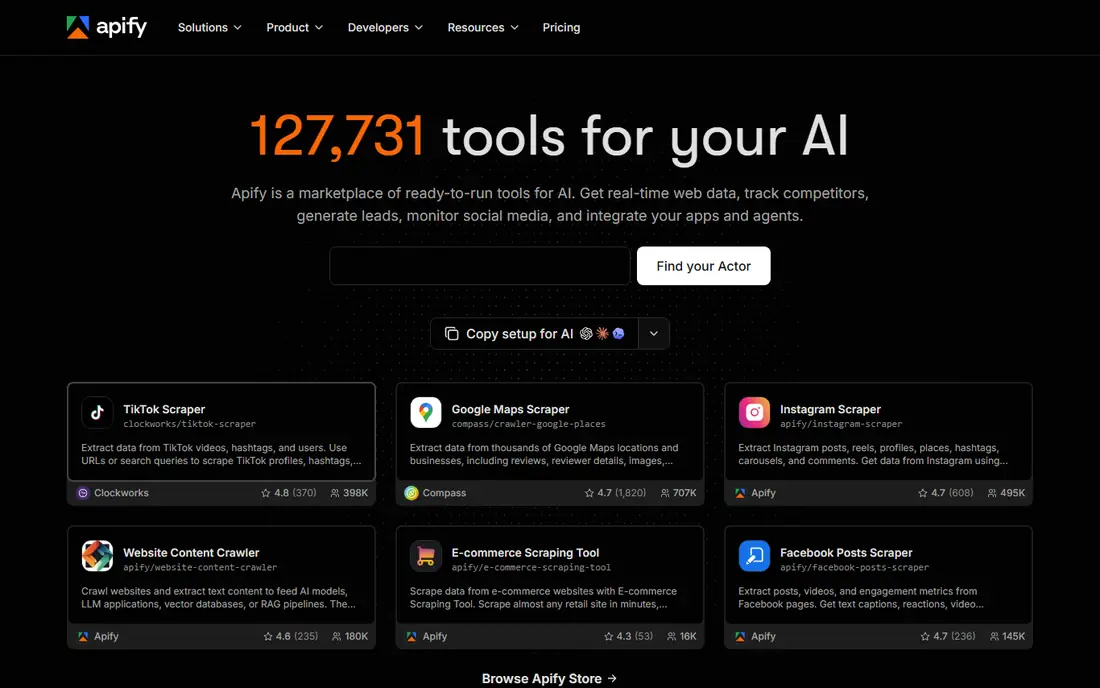
Apify is broader than a browser host. You can run ready made scrapers from its store, schedule them, store results, and build your own actors when a site needs custom logic. That makes it a good pick when you want results, not just browser sessions.
The platform model is the catch. Actors, runs, datasets, and compute units form a system you must learn, and heavy jobs cost more than a simple browser hour. If you only need a few browser sessions, a lighter host may fit better.
- Large library of ready made actors
- Scheduling and storage built in
- Free tier for testing
- Platform concepts take time to learn
- Costs rise with compute
- Custom actors need coding
ScrapingBee keeps the interface simple. You send a URL to its API, and it returns rendered HTML or extracted data, with proxies and headless rendering handled behind the scenes. Teams that want to avoid browser code often finish a first scraper faster here.
Control is limited by design. You cannot drive a long multi step browser session as freely as with a hosted browser. For single page extraction and monitoring, that limit rarely matters. For complex logged in flows, pick a full browser host instead.
- Simple request based API
- JavaScript rendering and proxies
- Clear credit model
- Rendering costs extra credits
- Less control than a full browser
- No free plan for most users
ZenRows targets sites that block plain requests. Its API handles rotating proxies, headers, and many anti bot checks, and returns rendered pages when needed. You avoid managing browser farms while still reaching JavaScript heavy pages.
The limit is the same as ScrapingBee. You trade fine browser control for a simpler request model, and hard sites can still need premium handling. Test your toughest target during a trial or low tier plan before you commit to volume.
- Anti bot handling in the API
- Residential proxies
- Simple credit billing
- API only, no full browser control
- Premium proxies cost more
- Free testing is limited
Oxylabs suits companies that run scraping as a daily operation. Its Web Scraper API combines proxies, unblocking, and parsing, with account support for large accounts. Teams that need stable delivery and clear escalation paths often value that structure.
Small teams should weigh the sales led start. Pricing is quote based, and the platform rewards volume. If you run a handful of scrapers a week, a self serve API will usually be cheaper and faster to start.
- Large proxy pool and dedicated support
- Scheduler and parser options
- Strong for high volume
- Quote based pricing
- Onboarding takes time
- Small projects may be over served
Steel gives agent and automation teams hosted browsers with session state, profiles, and fingerprints. Its open source runtime appeals to developers who want to inspect how sessions work and self host when needed. Paid plans add longer sessions and higher concurrency.
The platform is younger than some rivals, so edge cases and docs can lag. If you need a proven enterprise contract and deep support history, an older vendor may feel safer. If you want modern agent tooling and a free start, Steel is worth testing.
- Open source runtime
- Long sessions on paid plans
- Session and profile handling
- Newer platform than Browserless
- Proxy pricing is separate
- Docs still maturing
Hyperbrowser is built for agent workloads. You can spin up browsers, keep session state, and run tasks that need interaction, forms, or multi page flows. Credits cover browser time and proxy use, which keeps small agent tests simple to price.
Watch the credit model as volume grows. A browser hour and a gigabyte of proxy traffic draw differently, and agent loops can burn credits fast if a task retries. Set session caps and logging early, and compare the effective cost per completed task across vendors.
- Credit based plans with a free start
- Session handling for agents
- Residential proxies included on some plans
- Credit math needs checking
- Concurrency limits vary
- Smaller ecosystem than Apify
How we picked these
We compared official feature pages, pricing pages, docs, and public reviews for each platform. We kept only services that are live in October 2026, offer hosted browsers or a scraping API that replaces hosted browser work, and support Playwright, Puppeteer, or API access. We left out single site scrapers, browser extensions, and tools whose main job is general proxy resale with no browser or scraping API.
What to check before you choose
Start with the workload type. A full browser host fits logged in flows, multi step tasks, and agent work. A scraping API fits page extraction where you only need the rendered result. Picking the wrong type costs money, because browser hours and API credits do not translate cleanly.
Next, model the real bill. Compare browser hours, credits per request, proxy traffic, concurrency, and session length on the same workload. Run the same target on two vendors for a week, count successful results, and divide total cost by successful results. That number matters more than any headline plan price.
Finally, check compliance and site rules. Only scrape or automate sites where you have a lawful basis and permission to collect the data, respect robots rules and terms where they apply, and avoid collecting personal data you do not need. A vendor that handles unblocking does not remove your duty to use the data lawfully.
A final check helps before you pay. Run a small pilot with real data, confirm export and cancellation terms, and ask support a hard question before you need help in a crisis. That short test often reveals limits that a feature list hides, and it gives your team a clear reason to pick one option over the others.
Frequently asked questions
What is the closest alternative to Browserbase?
Browserless is the closest direct swap for developers who run their own Playwright or Puppeteer code in hosted browsers. Steel and Hyperbrowser are also close for agent work, with different session and credit models. Choose Browserless when you want the most familiar hosted browser setup.
Are there free Browserbase alternatives?
Yes. Apify, Steel, and Hyperbrowser offer free tiers or credits for testing, and Browserless offers a free tier with limited units. Free tiers suit prototypes and small jobs, but production volume will need a paid plan on every platform in this list.
Do I need a scraping API or a hosted browser?
Use a scraping API when you need page data and want proxies and unblocking handled for you. Use a hosted browser when you need to log in, click through flows, keep session state, or run an AI agent. Some teams use both, with an API for bulk pages and browsers for hard flows.
How does proxy pricing affect the total cost?
Proxy traffic is often billed separately from browser time, and residential traffic costs more than datacenter traffic. A job that loads heavy pages through residential proxies can cost far more in traffic than in browser hours. Check traffic per successful page during a test run.
Which option is best for AI agents?
Hyperbrowser, Steel, and Browser Use style platforms are built with agent sessions in mind, but in this list Hyperbrowser and Steel are the most agent focused. Browserless also works well when your agent already manages its own browser code. Test session persistence and restart behavior, since agents often fail on lost state.
Sources
See where you really rank - block by block
ProMapRanker scans Google Maps across a grid of your service area. Simple monthly plans from $19, white-label on every plan.
Start freeKeep reading
 zoho books alternatives
Best Zoho Books Alternatives in 2026
Compare the best zoho books alternatives for small business accounting, from QuickBooks Online and Xero to FreshBooks, Wave, and Sage in 2026, with pricing.
Read → zluri alternatives
Best Zluri Alternatives in 2026
Compare zluri alternatives for 2026, with SaaS management platforms for app discovery, spend tracking, renewals, and automation for IT, finance and procurement.
Read → zerobounce alternatives
Best ZeroBounce Alternatives in 2026
Best zerobounce alternatives for list hygiene: compare 8 email verification tools for bulk cleaning, real-time checks and catch-all handling in 2026 today.
Read →