 ProMapRanker
Best Wishlist App in 2026

Key takeaways
- MyRegistry.com is our pick for most people because it accepts items from any store, supports cash funds, and shares through one link.
- Giftster is best for extended families that want private groups, child accounts, and gift reservations across the year.
- Elfster is best for Secret Santa exchanges, with name draws, exclusion rules, and anonymous messaging built in.
- A store-only list such as Amazon Wish List works well only when nearly all gifts come from that one store.
- Check whether gift buyers need an account, whether claimed gifts stay hidden, and whether duplicate purchases are blocked before you share a list.
Quick comparison
| Pick | Great for | Pricing starts at | Free tier | |
|---|---|---|---|---|
 MyRegistry.com | Most people and registries | Free | Yes | Visit |
 Giftster | Extended families | Free | Yes | Visit |
 Elfster | Secret Santa exchanges | Free | Yes | Visit |
 Amazon Wish List | Amazon shoppers | Free | Yes | Visit |
 Wishes | Simple sharing by link | Free | Yes | Visit |
 GiftList | Free unlimited lists | Free | Yes | Visit |
 LMK | Cross-store price tracking | Free | Yes | Visit |
 Things To Get Me | Simple universal lists | Free | Yes | Visit |
The best wishlist apps for gifts and registries
A good wishlist app does three things well. It saves items from more than one store, it shares through one simple link, and it stops two people from buying the same gift. These eight apps do those jobs in different ways.
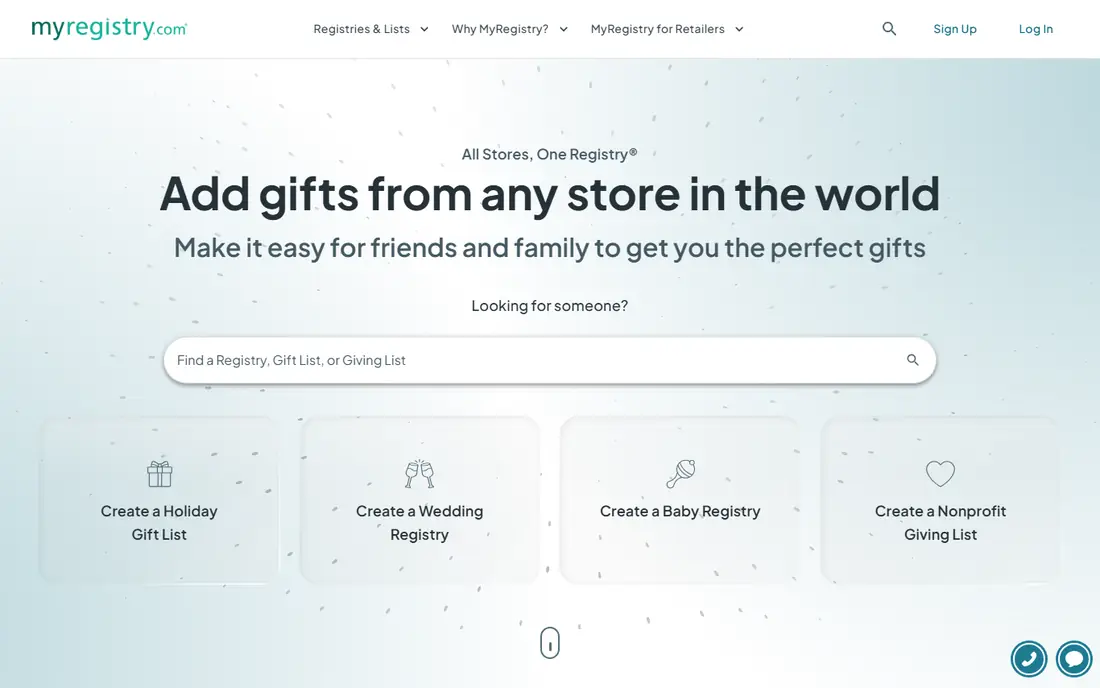
MyRegistry.com is the most flexible option on this list. You can add products from any website, combine items into one list, and add cash funds or experience gifts alongside physical products. That makes it work for birthdays, holidays, weddings, and baby showers without switching tools. Sharing is through one link, and gift buyers can see what is still available without needing to learn a new system for each event.
The formal registry feel is the main trade-off. For a casual birthday list, the extra options for funds, events, and retailer syncing may feel like more than you need. Some features also vary by plan, so check what the free version covers before you build a large list. Even with those limits, MyRegistry.com is our pick for most people, because a universal list avoids the most common wishlist problem, which is a gift idea stuck in a store nobody else uses.
- Add items from any store
- Cash funds and experience gifts
- One link for any occasion
- Registry features can feel formal for a simple birthday list
- Some advanced options sit behind paid tiers
Giftster was built for families that exchange gifts all year, not just at one event. Private groups keep each family list in one place, and gift reservations stop two relatives from buying the same item. Child accounts let parents manage lists for younger children, which helps grandparents and relatives shop with confidence. If your family has used group chats and spreadsheets to track gifts, Giftster replaces that mess with one shared system.
Adding items from every store is less smooth than on a universal registry, and the design is more practical than polished. Those limits matter less once the whole family is in one group and reservations are working. For a single birthday list, a simpler app may be faster. For a family that coordinates Christmas, birthdays, and graduations together, Giftster is the best fit on this list.
- Private family groups
- Gift reservations to prevent duplicates
- Child accounts for younger family members
- Adding from some stores takes more steps than a universal registry
- Interface feels dated in places
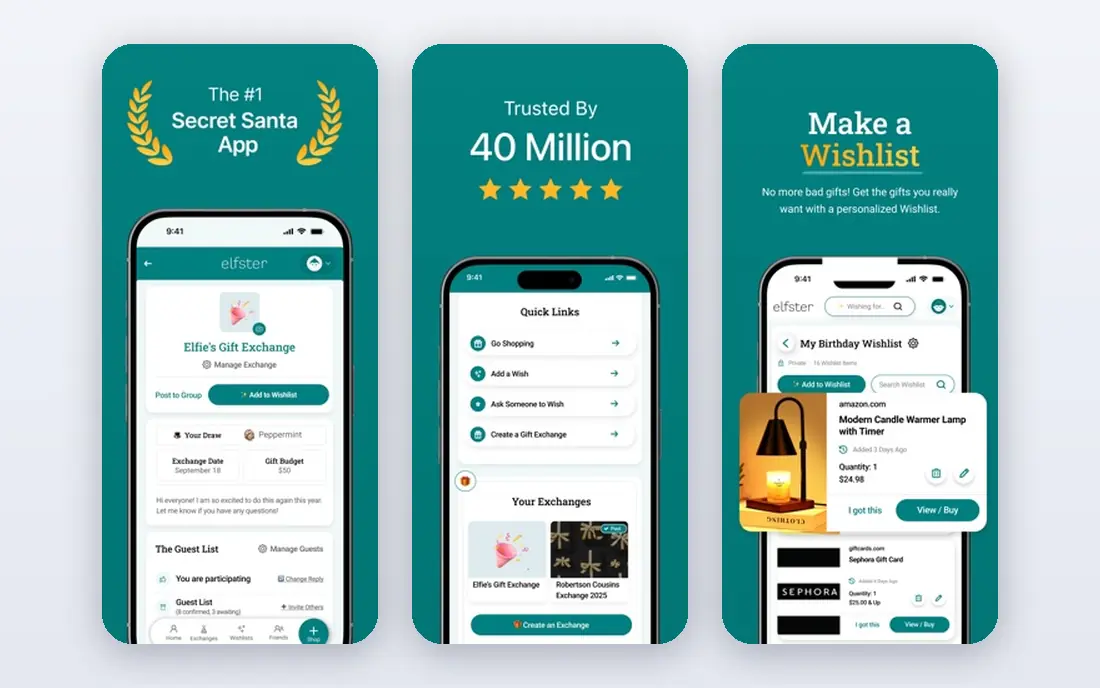
Elfster is the specialist for Secret Santa and gift exchanges. It draws names, applies exclusion rules so couples or household members do not draw each other, and lets participants ask anonymous questions about sizes and preferences. Each person can keep a wishlist, and the organizer can set spending limits, dates, and group rules. For office parties, friend groups, and large families, it removes the awkward work of running a draw by hand.
The focus on exchanges is also its limit. Elfster is not the best everyday wishlist app, since its structure assumes an event with a draw date and a group. Some advanced options for larger groups sit behind paid plans, so check the limits before you invite fifty people. If your main need is a Secret Santa draw, Elfster is the clear pick. If you need a year-round personal list, pair it with a general wishlist app.
- Secret Santa name draws
- Exclusion rules for couples and households
- Anonymous questions and messaging
- Built for exchanges, not everyday wishlists
- Some features need paid upgrades for large groups
Amazon Wish List is the simplest option for households that already shop on Amazon. If you have an Amazon account, you can create a list in minutes, add items while browsing, and share a link with family. Buyers get a familiar checkout, and purchased items can be marked so duplicates are less likely. For a birthday list made only of Amazon products, nothing else is faster.
The limit is obvious. Items from Etsy, Target, small shops, and other stores do not fit neatly into an Amazon list, and cash funds and experience gifts are weaker here than on a universal registry. If your family shops across many stores, an Amazon-only list will miss half your ideas. Use Amazon Wish List when Amazon covers nearly everything you want. Otherwise, use a universal app and link to Amazon items from there.
- No setup for Amazon account holders
- Easy purchase tracking
- Familiar checkout for most buyers
- Limited to Amazon items in practice
- Weaker for gifts from other stores
- Fewer cash fund options
Wishes focuses on speed. You can build a list in a few minutes, share one link, and let buyers claim items without a complex setup. The design is clean, which helps relatives who are less comfortable with apps. It works for birthdays, holidays, and casual gift lists where a full registry would be overkill.
The trade-offs are in privacy and depth. A claimed item may show as taken on your own list, which can spoil part of the surprise, so check the current behavior before you share. Cash funds and formal registry tools are also thinner than on MyRegistry.com. For a simple, fast list shared with close family and friends, Wishes is a strong pick. For a wedding or baby registry with funds and multiple events, choose a registry-first app instead.
- Quick setup and one-link sharing
- Works for any occasion
- Clean and simple design
- Claimed items may be visible to the list owner
- Fewer registry and fund features than larger apps
GiftList is a good free option for people who want more than one list without paying. You can keep separate lists for birthdays, holidays, and household wants, add items from different stores, and share each list by link. The free tier is generous compared with apps that cap items or lists early, which makes it useful for families that keep several lists at once.
The smaller user base means fewer guides, fewer integrations, and less help if relatives run into trouble. Group exchange features are also thinner than Elfster, and registry tools are thinner than MyRegistry.com. If your main need is a free, simple, universal list with no strict caps, GiftList fits well. If you need Secret Santa draws or cash funds, look at the specialist apps above.
- Free tier with no cap on lists or items in many cases
- Universal adding from stores
- Simple sharing
- Smaller user base than major registries
- Fewer exchange and group features
LMK is built around a common problem, which is gifts scattered across Amazon, Target, Walmart, Etsy, and smaller shops. It pulls items from many retailers into one list and adds price tracking and alerts, so buyers can see when an item drops in price. That makes it useful for long gift seasons such as graduations and holidays, where prices change over weeks. Sharing is through one link, and the cross-store view is its main advantage.
Because LMK is newer and less widely known, some relatives may need a brief explanation before they use it. Price alerts also help most when your items come from tracked retailers, so check coverage for your favorite stores. If your family shops across many retailers and cares about price changes, LMK is worth trying. If your gifts come from one store, a simpler list will do.
- Tracks items across many retailers
- Price drop alerts
- One list for gifts from different stores
- Newer and less known than major registries
- Price tracking value depends on the stores you use
Things To Get Me is a straightforward universal wishlist. You add items from any store, keep them in one list, and share a link with buyers. The simple design suits people who want a list without registry forms, funds, or exchange tools. It works for birthdays, holidays, and everyday gift ideas that you want to keep in one place.
Advanced features are the trade-off. Purchase tracking, cash funds, and group tools are thinner than on larger registry and family apps, so check how claimed items are handled before you share a list for a large event. For a personal list shared with close family, that simplicity is a strength. For a wedding registry or a large family exchange, a specialist app will handle the details better.
- Universal adding from any store
- Simple list design
- Easy sharing for any occasion
- Fewer advanced features than registry apps
- Purchase tracking is more limited in places
How we picked these
We compared official app and site pages, universal adding, sharing options, duplicate protection, cash fund and exchange features, and free tier limits. We kept only apps that exist and work in October 2026 for US users, and we favored apps that handle gifts from more than one store. We also weighed who each app is really for, since a Secret Santa tool and a wedding registry solve different problems even though both hold gift lists. No app paid for a place on this list.
How to choose the best wishlist app for your situation
The best app depends less on features and more on who will buy the gifts and where those gifts are sold. Use the questions below to narrow the choice quickly.
Who is buying, and how comfortable are they with apps
If buyers include grandparents or relatives who dislike new apps, choose a tool with one-link sharing and no account requirement for buyers. If the whole family already uses one app, stay with it even if another app has more features. A list nobody opens is worse than a simple list everyone uses.
One store or many stores
If nearly all gifts come from Amazon, an Amazon list is fastest. If gifts come from many stores, choose a universal app such as MyRegistry.com, GiftList, or Things To Get Me. Check how items are added from your favorite shops, since a browser extension or manual link step can change how often you update the list.
Surprises, duplicates, and funds
Decide how much surprise matters. Some apps hide claimed gifts from the list owner, while others show them as taken. Decide whether you need cash funds or experience gifts, and whether a Secret Santa draw is part of the event. Those three answers usually point to one app on this list, and they matter more than design or extra features.
Frequently asked questions
What is the best wishlist app?
For most people, MyRegistry.com is the best wishlist app because it accepts items from any store, supports cash funds and experience gifts, and shares through one link. Giftster is better for extended families, Elfster is better for Secret Santa, and Amazon Wish List is better when all gifts come from Amazon. Match the app to your event rather than choosing by popularity alone.
What are the best wishlist apps for families?
Giftster is the best wishlist app for extended families that exchange gifts all year, thanks to private groups and gift reservations. MyRegistry.com also works well for families with milestone events such as weddings and baby showers. For a simple family birthday list, Wishes or GiftList may be faster and easier for relatives to use.
Is there a best app for wishlist sharing without an account for buyers?
Several apps on this list share by link, but buyer account rules vary by app and by feature, so check the sharing page before you send a list. Wishes and simple universal lists are designed for low friction sharing, while registry apps may ask buyers to sign in for purchase tracking. If low friction matters, test the buyer view yourself before sharing widely.
Can a wishlist app stop duplicate gifts?
Yes, when buyers claim or reserve an item, most good apps mark it as taken so a second buyer does not purchase the same gift. Giftster and MyRegistry.com handle reservations well, and Elfster handles them inside an exchange. The system only works if buyers use the claim button, so remind guests to reserve before they buy.
Does a wishlist app work for weddings and baby showers?
Yes, but choose a registry-first app for those events. MyRegistry.com supports cash funds, experience gifts, and retailer registry syncing, which suit weddings and baby showers better than a simple personal list. A simple app can still work for a small shower, but funds and multi-store items are easier on a registry platform.
Sources
See where you really rank - block by block
ProMapRanker scans Google Maps across a grid of your service area. Simple monthly plans from $19, white-label on every plan.
Start freeKeep reading
 steamunlocked alternatives
Best SteamUnlocked Alternatives in 2026
Looking for steamunlocked alternatives? These 8 legal game stores and subscriptions offer licensed PC games, sales, and cloud play without piracy risks.
Read → mangools alternatives
Best Mangools Alternatives in 2026
Looking for mangools alternatives? We compare 8 SEO tools for keyword research, rank tracking, and site audits, from Semrush and Ahrefs to Keysearch today.
Read → lemlist alternatives
Best Lemlist Alternatives in 2026
Looking for lemlist alternatives? We compare 9 cold email and outreach tools for 2026, covering pricing, deliverability, inboxes, and multichannel steps.
Read →