 ProMapRanker
Best Website Builder Software in 2026


Small businesses that want everything in one place · Pricing starts at: $17 per month
Key takeaways
- Wix is our pick for most small businesses because it pairs a flexible editor with selling, booking, and marketing tools in one place.
- Squarespace suits design-led sites, while Shopify is the clear choice when selling products is the main job of the site.
- Webflow gives the most design control, but it asks more of the person building the site than the simpler builders here.
- Hostinger is the lowest-cost entry point, yet its best prices depend on long prepaid terms, so check the renewal price before you commit.
- WordPress.com is the strongest option for a site that may grow into a large blog or content library over time.
Quick comparison
| Pick | Great for | Pricing starts at | Free tier | |
|---|---|---|---|---|
| Wix | Small businesses that want everything in one place | $17 per month | Yes | Visit |
 Squarespace Squarespace | Design-led portfolios and small stores | $19 per month | Free trial | Visit |
 WordPress.com WordPress.com | Blogs and growing content sites | See website | Yes | Visit |
 Shopify Shopify | Stores that plan to scale | $29 per month | Free trial | Visit |
 Webflow Webflow | Designers and marketing teams | Free | Yes | Visit |
 GoDaddy Website Builder GoDaddy Website Builder | Beginners who want a fast start | See website | Free trial | Visit |
 Hostinger Website Builder Hostinger Website Builder | Budget buyers who want AI help | $2.99 per month | No | Visit |
 Duda Duda | Agencies building sites for clients | $19 per month | Free trial | Visit |
The best website builder software
We compared these builders on price, ease of use, templates, selling tools, and how much control you keep over design and content. The right pick depends less on which builder is biggest and more on what your site has to do in its first year.
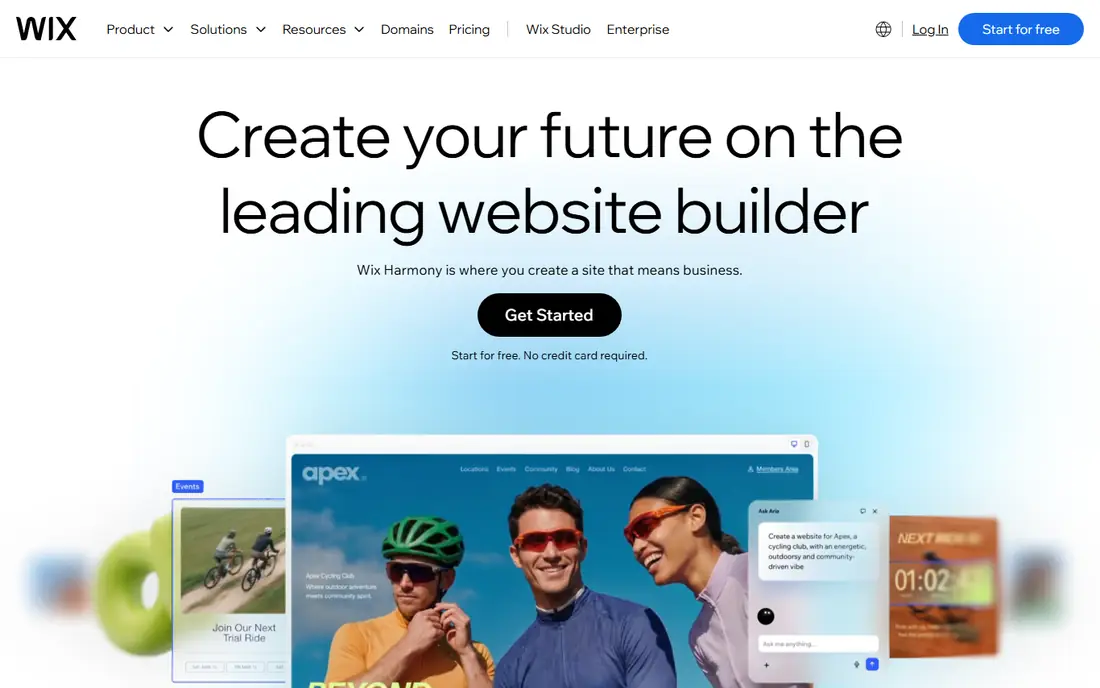
Wix gives you a large template library and an editor that lets you move almost anything on the page. That freedom is useful for a business owner who wants a specific look without learning code. The Light plan, at $17 per month on annual billing, covers a simple site with a custom domain, while Core at $29 per month adds basic selling. Business plans add stronger selling and marketing features.
The catch is lock-in. A Wix site cannot be exported and moved to another host in the usual way, so a move later means rebuilding. Wix also shows its branding on the free plan, which makes the free tier best for testing rather than for a public business site. For most small businesses that want one subscription covering hosting, design, and selling, Wix is still the easiest all-round choice.
- Very flexible drag and drop editor
- Wide app market
- Selling, booking, and email tools built in
- You cannot switch templates after launch without rebuilding
- Monthly prices rise on shorter billing terms
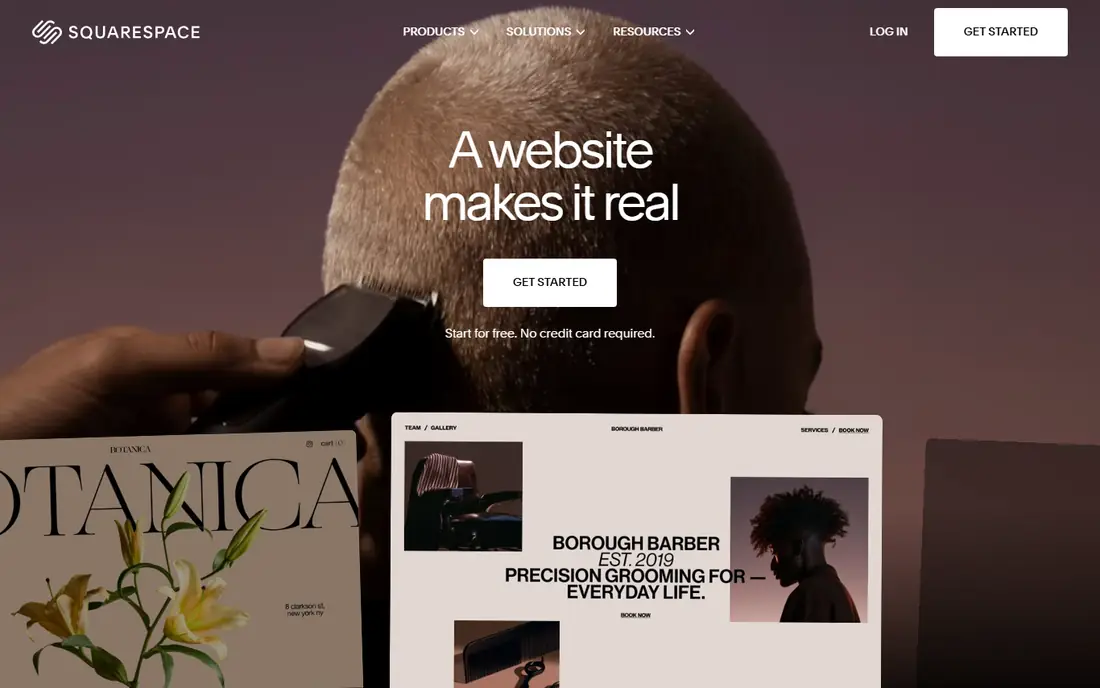
Squarespace starts from design. Its templates are clean, its image handling is strong, and a photographer, designer, or restaurant can get a good-looking site live in a weekend. Plans start at $19 per month on annual billing for Basic, with Core at $29 per month removing the store transaction fee and adding more commerce tools. Every plan includes hosting, SSL security, and a free custom domain for the first year on annual billing.
The trade-off is control. You work inside a structured editor rather than dragging elements anywhere on the page, and deeper custom work can feel constrained. There is no permanent free plan, only a 14-day trial, so budget for a paid plan from the start. If visual quality matters more to you than total editing freedom, Squarespace is a strong pick.
- Polished templates that look good with little effort
- Blogging and selling in one subscription
- 14-day trial
- Less free-form editing than Wix
- Basic plan charges a 2 percent fee on store sales
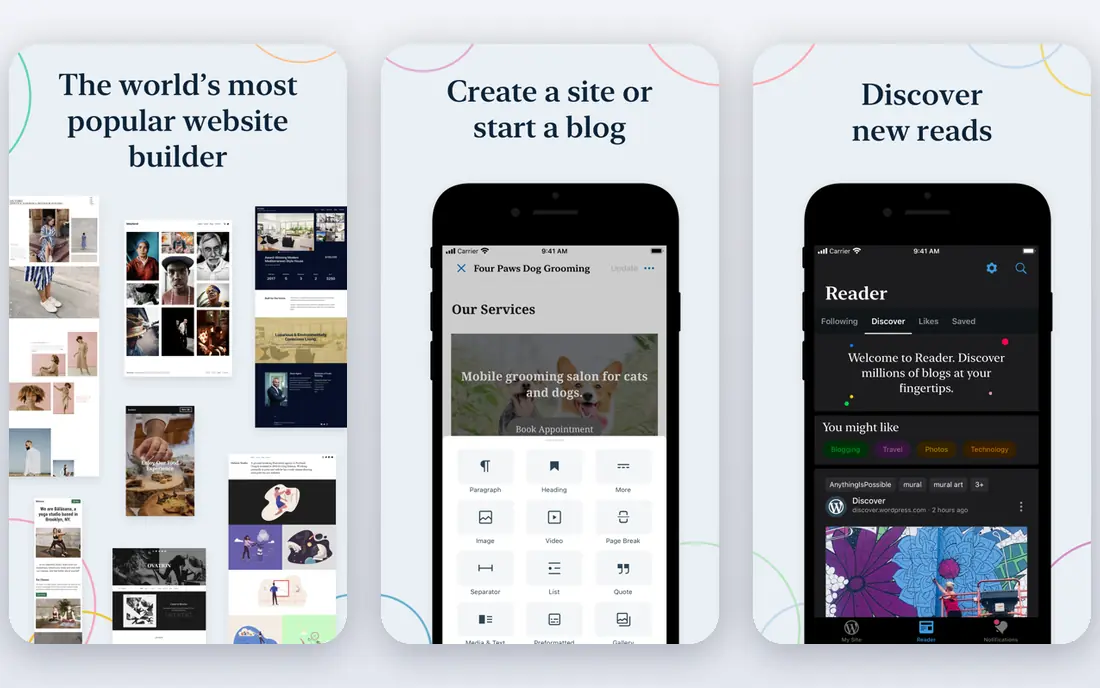
WordPress.com is the hosted version of the publishing system that powers a large share of the web. It is built for writing, so posts, categories, pages, and media are handled with care, and a site can grow from a few pages to hundreds of articles without changing platform. A free plan lets you test the editor on a WordPress.com subdomain before paying for a custom domain and extra features.
The limits show up when you want advanced plugins or custom themes, which require higher plans. Self-hosted WordPress gives more freedom, but it also asks you to handle hosting, updates, and security yourself. WordPress.com is the better fit if you want WordPress publishing with hosting and maintenance handled for you.
- Strong blogging and publishing tools
- Huge theme and plugin ecosystem on higher plans
- Easy to grow a content library
- The best flexibility sits on higher-priced plans
- The hosted version is more limited than self-hosted WordPress
Shopify is a store first and a website second, and that focus shows in every part of the product. The Basic plan costs $29 per month on annual billing and includes a full storefront, unlimited products, hosting, SSL security, abandoned checkout recovery, and the Shopify checkout. Higher plans lower card rates and add staff accounts and reporting. A short trial lets you build before paying.
The honest cost includes more than the subscription. Apps, a paid theme, and payment processing fees add up, and a business that only needs five brochure pages will pay for commerce power it never uses. For a business whose site exists to sell, though, Shopify is hard to beat, because selling, inventory, discounts, and shipping live in one system.
- Commerce-first tools, checkout, and app store
- Unlimited products on paid plans
- Strong payment and shipping options
- Monthly cost rises fast with apps and higher tiers
- A simple brochure site does not need this much commerce power
Webflow sits between a simple builder and hand-coded design. You design visually, but you control spacing, layout, and interactions at a level that Wix and Squarespace do not offer. The free Starter plan lets you learn and prototype on a webflow.io subdomain, while paid site plans start at $15 per month on annual billing for Basic and $25 per month for Premium, which adds CMS content. Ecommerce plans are separate.
That power comes with a learning curve and a two-part bill: a site plan for each published site and workspace seats for team members. A solo designer with a simple site can stay cheap, while a team can see costs climb. If design quality and content structure matter most, and you are willing to learn the tool, Webflow rewards the effort.
- Precise visual design control
- Strong CMS for blogs and marketing sites
- Clean hosting included
- Steeper learning curve than simpler builders
- Site plans and workspace seats are billed separately
GoDaddy aims at the owner who wants a site this week, not a design project. Its AI builder asks a few questions and drafts pages, text, and images, and you can then edit the result. That speed is the main selling point, along with the convenience of buying a domain, email, and hosting from the same company. A free site option lets you try the builder before paying.
The limit is depth. Templates and layouts are simpler than those on Squarespace, and fine design control is limited. Selling tools, booking, and marketing features are spread across higher tiers, so check which plan holds the feature you need before you pay. For a straightforward local business site, GoDaddy is a practical, low-friction choice.
- AI tools can draft a first site quickly
- Phone support is a real plus for beginners
- Domain and hosting in one account
- Design flexibility is limited compared with Wix and Webflow
- Commerce features need higher plans
Hostinger is the budget pick in this list, with an advertised Premium price of $2.99 per month on a 48-month prepaid term. That plan bundles the builder, hosting, a free domain for a year, and AI writing and image tools. The Business tier adds selling for up to 1,000 products with no Hostinger transaction fee. A 30-day money-back guarantee softens the risk of trying it.
Read the renewal price before you buy. The same Premium plan renews at $10.99 per month, so the long-term cost is closer to other budget builders than the headline suggests. There is no free forever plan. If you are comfortable prepaying and you want the lowest entry cost for a simple business site, Hostinger is good value, as long as you budget for renewal.
- Very low introductory price
- AI builder, hosting, and a free first-year domain bundled
- No transaction fees on its store plans
- Introductory price requires a long prepaid term and renews much higher
- No permanent free plan
Duda is designed for people who build websites for others. Its Basic plan costs $19 per month on annual billing for one site, with team plans adding client management, white-label options, and support by phone, chat, and email. Ecommerce is available as an add-on per site. A 14-day trial lets an agency test the workflow before committing.
For a single small business, Duda is more tool than needed, and per-site pricing can add up fast if you run several sites. For a freelancer or agency, the client tools, reusable sections, and clear site management save real time across a portfolio. Pick Duda when you build sites for clients; pick a simpler builder when you only need one site of your own.
- Built for managing many client sites
- Strong team and client approval tools
- Sites hosted on fast infrastructure
- Priced per site, so costs grow with each client
- Overkill for a single personal site
How we picked these
We compared official pricing pages, feature lists, and public reviews for the best-known builders and strong smaller options, and we kept only tools that exist and work today and truly fit the topic of website building. We favored builders that cover the common jobs: a brochure site, a portfolio, a blog, and a store. Prices quoted here are the entry paid prices we found in October 2026, and they can change, so check the vendor pricing page before you buy. We did not claim hands-on testing we did not do; our comparison rests on vendor documentation, pricing, and public user feedback.
How to choose the right builder for your site
Start with the main job of the site, not with the template gallery. A store needs checkout, shipping, and product tools first. A portfolio needs image quality and simple navigation. A blog needs categories, search, and an editor you enjoy using every week. Write down the three things visitors must be able to do, then check that your shortlisted builder does all three on the plan you can afford, not only on its top tier.
Next, test the editor before you pay for a year. Use the free plan or trial to build two real pages: your home page and your most important inner page. Notice how long each page takes, how the site looks on a phone, and how easy it is to change a photo or a price later. A builder that feels fast on day one but slow to edit will cost you time every month.
Watch the total cost, not just the headline price
Add the domain renewal after year one, email, any paid apps, and the plan tier that holds your must-have feature. Compare annual billing with monthly billing, and read the renewal rate on promotional plans. A cheap first term that triples at renewal is not cheap.
Keep an exit plan in mind
Most builders do not let you export a finished site cleanly to another platform. That is normal, but it means your choice matters for a few years. Pick the builder you can live with as the business grows, and keep your domain registered in your own name so you can point it elsewhere if you ever rebuild.
Frequently asked questions
What is the best website platform for a small business?
For most small businesses, Wix is the safest all-round pick because it covers design, selling, booking, and marketing in one subscription. Squarespace is better when design quality is the top priority, and Shopify is better when selling is the main job. Match the platform to the main job of the site, not to the largest feature list.
What is the best website builder app for beginners?
GoDaddy and Wix are the easiest starting points for beginners, because both offer AI drafting and guided setup. Hostinger is also simple, and its low entry price helps when the budget is tight. Try the free plan or trial first, and build a real page before committing to a year.
What are the best website creation platforms for selling online?
Shopify leads for stores that plan to grow, thanks to its checkout, shipping, and app ecosystem. Wix and Squarespace also sell well for smaller catalogs, and Hostinger suits a small store on a tight budget. Check transaction fees and payment processing rates, since those costs grow with sales.
Is there a best website builder platform that is free?
Wix, WordPress.com, and Webflow all offer free plans, but each limits you to a branded subdomain and fewer features. A free plan is good for learning and testing. For a public business site with a custom domain, plan on paying for at least an entry tier.
What is the best website service for an agency?
Duda is built for agencies, with client management, team roles, and per-site hosting that make running many sites simpler. Webflow also works well for design-led agencies. A single-site builder will feel cramped once you manage several clients at once.
Which top website design software gives the most design control?
Webflow gives the most visual design control in this list, followed by Wix for free-form editing. Squarespace trades some control for polished results with less effort. More control usually means a longer learning curve, so weigh design ambition against the time you have to learn.
Sources
See where you really rank - block by block
ProMapRanker scans Google Maps across a grid of your service area. Simple monthly plans from $19, white-label on every plan.
Start freeKeep reading
 zeffy payment processor stripe alternatives
Zeffy and Stripe Alternatives for Nonprofits in 2026
Explore zeffy payment processor stripe alternatives for nonprofits. We compare 8 fundraising platforms on fees, donor tools, and nonprofit focus. Check fees.
Read → workday alternatives
Workday Alternatives in 2026
Workday alternatives compared: we review 8 HR and payroll platforms that replace Workday, with pricing, strengths and honest limits for each team size.
Read → what's the best weather app
What's the Best Weather App in 2026
Wondering what's the best weather app? We compare 10 free and paid apps for forecasts, radar, alerts, and Colorado mountain weather for everyday and storm use.
Read →