 ProMapRanker
Best Weather Radar App in 2026

Key takeaways
- MyRadar is our pick for most people because it loads fast, shows clear radar layers, and offers strong features for free.
- RadarScope suits storm watchers and professionals who want raw radar data, while Windy suits wind, waves, and global forecast models.
- Radar apps are not a substitute for official severe weather warnings. Follow National Weather Service warnings and local alerts for safety decisions.
- Check radar coverage for your region before paying, since some apps focus on US radar and others cover the globe better.
Quick comparison
| Pick | Great for | Pricing starts at | Free tier | |
|---|---|---|---|---|
 MyRadar MyRadar | Everyday radar | Free | Yes | Visit |
 RadarScope RadarScope | Raw storm data | See website | Free trial | Visit |
 Windy Windy | Wind and global models | Free | Yes | Visit |
 WeatherBug WeatherBug | Alerts and daily weather | Free | Yes | Visit |
 AccuWeather AccuWeather | Minute by minute rain timing | Free | Yes | Visit |
 RainViewer RainViewer | Global radar coverage | Free | Yes | Visit |
 The Weather Channel The Weather Channel | Travel and daily forecasts | Free | Yes | Visit |
 CARROT Weather CARROT Weather | Custom forecasts and widgets | Free | Yes | Visit |
The best weather radar apps
Radar apps differ in data source, detail, and speed. Some show raw radar, some blend models and forecasts, and some focus on alerts. Pick by how you use weather each day.
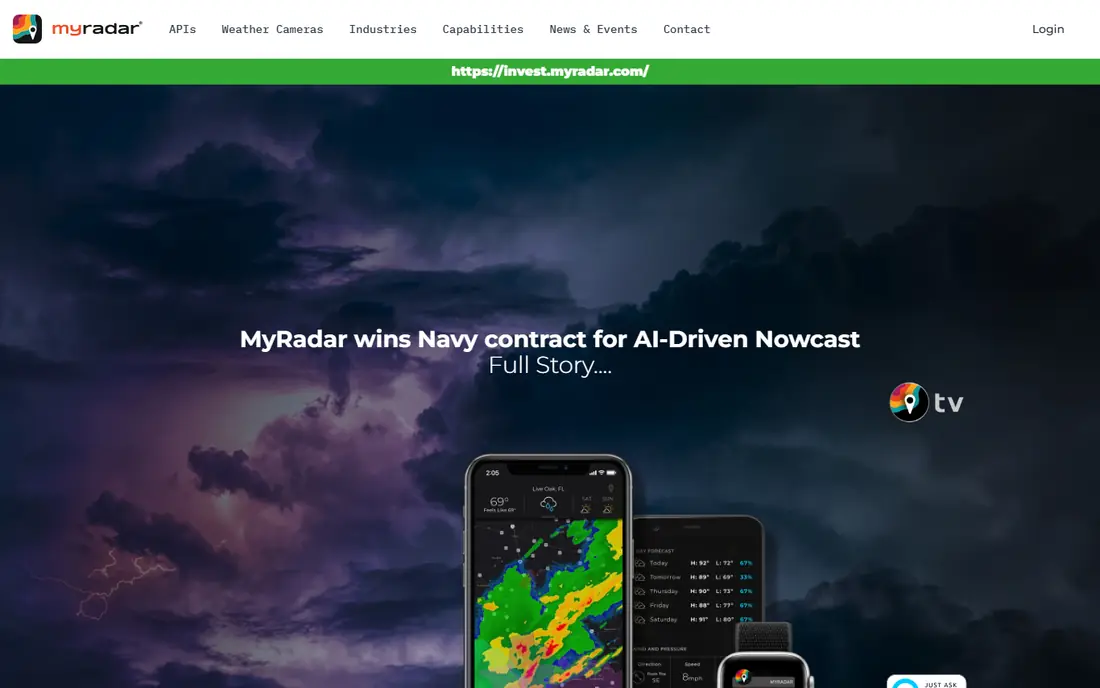
MyRadar opens fast and shows rain and storm movement clearly, which is what most people need from a radar app. Layers for radar, lightning, winds, and outlooks help you read a storm at a glance, and the map styles suit both quick checks and longer tracking. The free version covers everyday radar well.
Route weather, which shows conditions along a drive, sits behind a subscription in many regions. Forecast detail is also thinner than in a full weather app. MyRadar fits people who want a fast, reliable radar first and a forecast second.
- Fast loading maps
- Clear radar and lightning layers
- Route weather on paid plans
- Some advanced features need a subscription
- Forecast depth is thinner than full weather apps
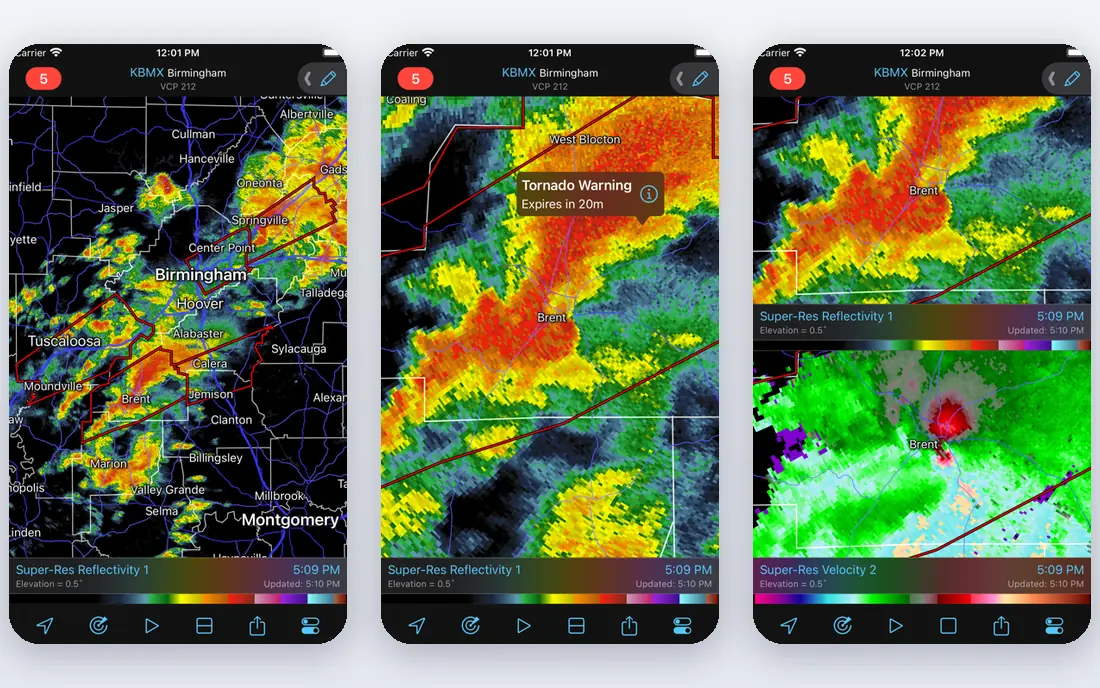
RadarScope shows radar data in its native form rather than smoothed images, which gives storm watchers finer detail on rotation, velocity, and storm structure. It covers US radar sites plus some international data, and it displays severe weather warnings alongside radar products. Professionals and serious hobbyists rely on it for that reason.
The learning curve is real. Terms such as reflectivity and velocity take time to learn, and the app does not try to be a daily forecast app. RadarScope fits people who want to read storms in detail and who will learn the products, not people who want a simple rain icon.
- Native radar data
- Velocity and storm products
- Trusted by storm watchers
- Steep learning curve
- Not a full forecast app
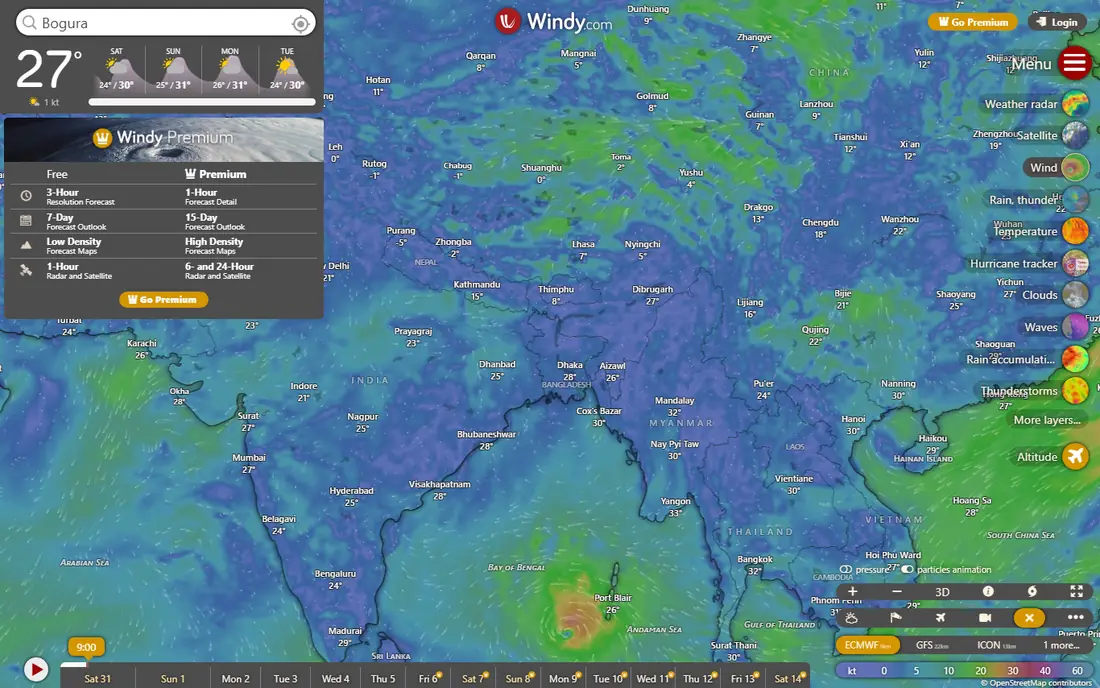
Windy started as a wind tool and grew into a full forecast platform. You can compare forecast models, scrub forward hour by hour, and check wind, waves, rain, and temperature layers on one map. Global coverage makes it useful for travel, sailing, and outdoor planning far beyond US radar.
That depth can overwhelm a first time user. Radar is strong, but it sits among many layers and model choices that take time to learn. Windy fits outdoor users, sailors, pilots, and model curious forecast fans who want more than a single radar loop.
- Many forecast models
- Detailed wind, wave, and rain layers
- Global coverage
- Interface can overwhelm beginners
- Radar is one layer among many
WeatherBug combines daily forecasts with radar, lightning, and alerts in one app. Lightning tracking is a useful safety layer for outdoor work and sports, and neighborhood level data helps when storms vary across a city. Alerts arrive quickly, which matters during fast moving weather.
The free tier carries ads, and radar detail is less deep than MyRadar or RadarScope. WeatherBug fits families and outdoor workers who want alerts, forecasts, and radar in one place, rather than a specialist radar tool alone.
- Fast alerts
- Lightning tracking
- Neighborhood level data
- Ads on free tier
- Radar depth is less than specialist apps
AccuWeather is best known for MinuteCast, which estimates rain start and stop times for your street over the next few hours. That timing helps with walks, commutes, and outdoor plans in a way that a radar loop alone does not. Radar, hourly forecasts, and severe weather content round out the app.
The free experience includes ads, and removing them needs a paid plan. The interface also packs in a lot of content, which can slow a quick check. AccuWeather fits people who want rain timing plus a full forecast, not just a radar map.
- MinuteCast rain timing
- Broad forecast coverage
- Radar and video content
- Ad free access needs a paid plan
- Interface can feel crowded
RainViewer collects radar data from over 1,000 stations in many countries, making it one of the best choices outside the US. The map is clean, the loop is smooth, and sharing a radar view is simple. For travelers and global users, that coverage matters more than deep US storm products.
Forecast and alert features are limited compared with full weather apps, so pair RainViewer with a local alert app for safety. Coverage quality also varies by country, depending on local radar networks. RainViewer fits global radar checks and simple rain tracking.
- Radar from many countries
- Clean map
- Easy sharing and embedding
- Limited forecast and alert features
- Coverage quality varies by country
The Weather Channel app pairs radar with daily forecasts, hourly detail, and storm news, plus travel tools that appeal to frequent flyers. It is a familiar, easy to use choice for people who want weather news alongside radar. Radar loops are clear enough for everyday checks.
Specialist users will find radar detail thinner than in MyRadar or RadarScope, and the free tier includes ads. The Weather Channel fits travelers and general users who want forecasts, news, and radar in one familiar app.
- Broad forecasts
- Radar and storm content
- Travel tools such as flight tracking
- Ads on free tier
- Radar is less detailed than specialist apps
CARROT Weather stands out for customization. You can pick data sources, build widgets, and tailor the interface to show exactly the layers and forecasts you use most. Apple Watch support and widgets make it a strong daily driver for Apple users who like to tune their tools.
The best features sit behind a subscription, and the playful personality can feel like a distraction if you want a plain forecast. CARROT fits users who enjoy customizing their weather setup and who will use widgets daily.
- Highly custom interface
- Strong widgets
- Multiple data sources
- Full features need a subscription
- Personality style is not for everyone
How we picked these
We compared official feature pages, pricing pages, app store listings, privacy policies, and public reviews for radar apps available in October 2026. We favored apps with current radar data, a usable free tier, and clear alert tools. We left out apps that had closed, apps with no live radar layer, and apps whose radar coverage had no clear source.
How to use radar apps safely
Radar shows where rain and storms are now and where they were recently. It does not replace official warnings, and a radar loop alone cannot tell you whether a storm will turn severe. Use radar for timing and tracking, and use official warnings for safety calls.
Read the loop, not just one frame
A single radar frame can mislead, since rain can fade or grow quickly. Watch the loop for direction and speed, check lightning layers for storm strength, and look at warnings overlaid on the map. That habit gives a better sense of whether rain will reach you soon.
Set alerts from an official source
Enable severe weather alerts from your radar app and from your phone system or local weather service. Radar apps are not a substitute for official severe weather warnings. If a warning covers your area, follow its guidance and seek shelter, even if the radar looks quiet at that moment.
Build a simple weather routine
Check radar in the morning for outdoor plans, set alerts for severe weather, and re-check the loop before travel. A short routine beats constant checking, and it keeps you calm when storms approach. Keep a second data source in mind for travel, since coverage and models vary by region.
Radar quality also depends on distance from the radar site. Storms far from a site may look weaker or less detailed, so check a second radar source when a storm sits near the edge of coverage. That cross check takes a minute and often explains a confusing loop.
Frequently asked questions
What is the best weather radar app?
MyRadar is our pick for most people because it loads fast, shows clear radar, and offers strong free features. RadarScope is better for raw storm detail, and Windy is better for wind and global forecast models.
What is the best free weather radar app?
MyRadar, Windy, and RainViewer all offer strong free radar. MyRadar is best for US everyday use, Windy is best for global models and wind, and RainViewer is best for radar coverage across many countries.
What is the best storm tracker app?
RadarScope is the best storm tracker for detailed radar products, while WeatherBug and MyRadar are better for alerts and everyday storm tracking. For safety, pair any tracker with official severe weather warnings from the National Weather Service.
What is the best live weather radar app for rain timing?
AccuWeather MinuteCast is best for street level rain start and stop times over the next few hours. MyRadar and RainViewer are better for watching a radar loop and judging rain movement yourself.
Are radar apps a substitute for official warnings?
No. Radar apps are not a substitute for official severe weather warnings. Use them to track storms, but follow National Weather Service warnings, local alerts, and emergency guidance for safety decisions.
Sources
See where you really rank - block by block
ProMapRanker scans Google Maps across a grid of your service area. Simple monthly plans from $19, white-label on every plan.
Start freeKeep reading
 zeffy payment processor stripe alternatives
Zeffy and Stripe Alternatives for Nonprofits in 2026
Explore zeffy payment processor stripe alternatives for nonprofits. We compare 8 fundraising platforms on fees, donor tools, and nonprofit focus. Check fees.
Read → workday alternatives
Workday Alternatives in 2026
Workday alternatives compared: we review 8 HR and payroll platforms that replace Workday, with pricing, strengths and honest limits for each team size.
Read → what's the best weather app
What's the Best Weather App in 2026
Wondering what's the best weather app? We compare 10 free and paid apps for forecasts, radar, alerts, and Colorado mountain weather for everyday and storm use.
Read →