 ProMapRanker
Best Weather Forecast Apps in 2026


Everyday forecasts and minute level rain timing · Pricing starts at: Free
Key takeaways
- No single app is the most accurate everywhere, since accuracy varies by location, forecast range, and the model behind each forecast.
- AccuWeather, The Weather Channel, and Weather Underground suit everyday planning, while Windy and MyRadar suit people who read maps and radar closely.
- CARROT Weather and Ventusky stand out for customization and detailed map layers, but their best features sit behind paid tiers.
- Free apps usually show ads and collect location data, so check the privacy settings before you rely on one app for daily use.
- For severe weather, use official alerts from the National Weather Service alongside any app, and keep a second source ready.
Quick comparison
| Pick | Great for | Pricing starts at | Free tier | |
|---|---|---|---|---|
| AccuWeather | Everyday forecasts and minute level rain timing | Free | Yes | Visit |
 The Weather Channel | Mainstream forecasts and severe alerts | Free | Yes | Visit |
 Weather Underground | Local station data and neighborhood conditions | Free | Yes | Visit |
 Windy | Detailed forecast maps and model comparison | Free | Yes | Visit |
 CARROT Weather | Custom widgets and a personal forecast style | Free | Yes | Visit |
 WeatherBug | Local alerts and lightning and air quality data | Free | Yes | Visit |
 MyRadar | Fast radar and storm tracking | Free | Yes | Visit |
 Ventusky | Visual weather maps and wind and rain layers | Free | Yes | Visit |
 Tomorrow.io | Hyperlocal minute level forecasts and alerts | See website | Free trial | Visit |
The best weather forecast apps
We compared official feature pages, app store listings, and pricing pages for apps that are actively maintained in October 2026. The list below mixes large mainstream apps with specialist tools for radar, maps, and customization.
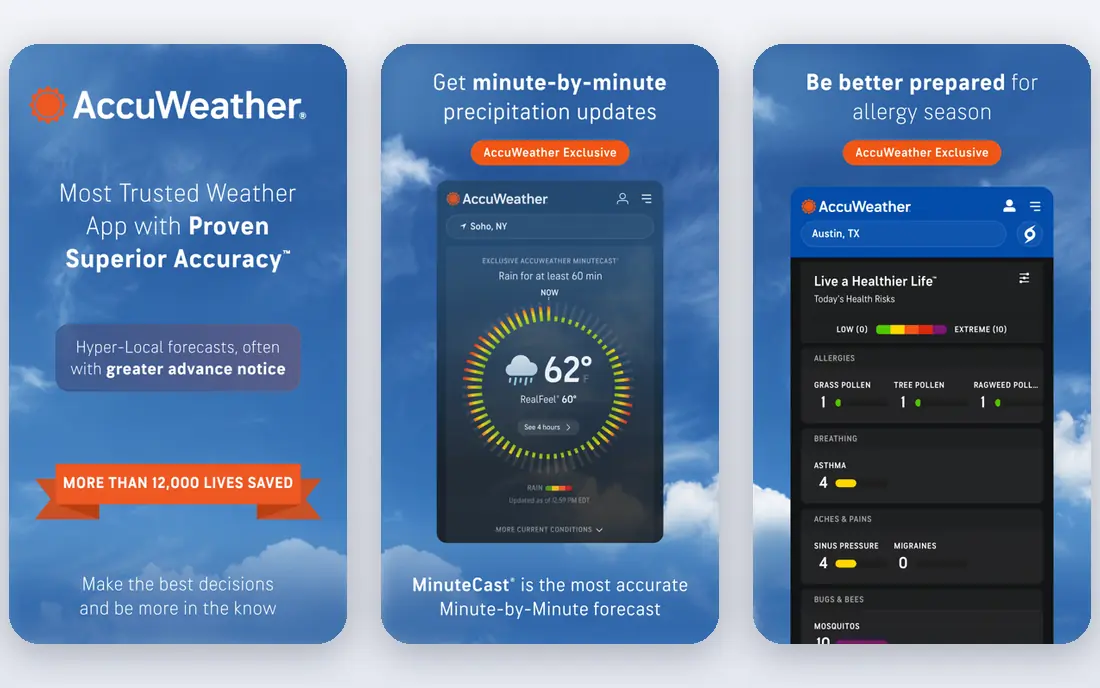
AccuWeather is a solid first choice for people who check the weather before leaving home, planning a commute, or timing outdoor work. Its MinuteCast feature gives short term rain timing, which helps when a shower is near but the hourly forecast still looks dry. The app also covers hourly forecasts, daily outlooks, and severe weather alerts in a layout most readers will grasp at a glance.
The catch is the free experience. Ads can crowd the screen, and the most useful extras sit behind a paid tier. If you only need a quick daily forecast, the free version is enough. If minute level timing matters to you every day, check the current premium price on the vendor site before you commit.
- MinuteCast rain timing
- Hourly and daily forecasts
- Severe weather alerts
- Ads in the free version
- Some premium features need a paid plan
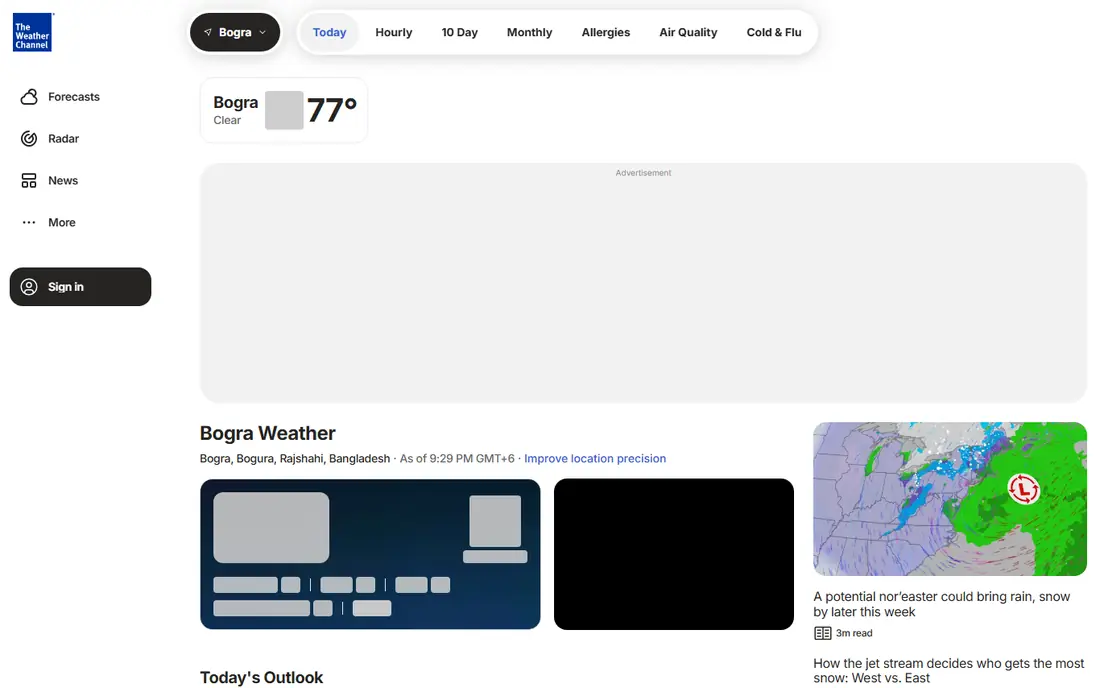
The Weather Channel app is the mainstream option many people already know, and that familiarity is part of its value. Forecasts are easy to read, radar is built in, and severe weather alerts arrive for saved locations. It also adds video forecasts and news style updates, which some readers like and others will ignore.
We would still advise a careful look at privacy controls, since the free app collects location and usage data for advertising. Turn off data sharing options you do not want, and use the app for planning rather than as your only source during a dangerous storm. For everyday use, it remains a dependable, widely available choice.
- Wide coverage across the United States
- Radar and video content
- Severe alerts
- Heavy advertising in the free version
- Privacy settings need a close read
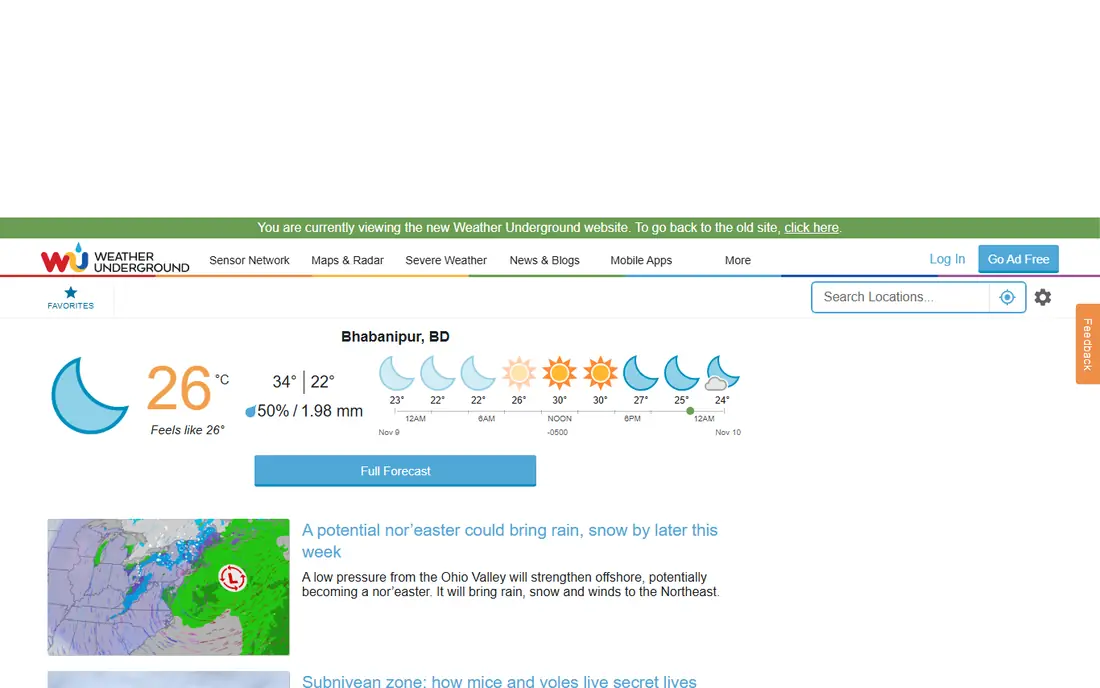
Weather Underground draws on a large network of personal weather stations, so conditions can reflect a specific neighborhood rather than a whole city. That local detail is useful in places where hills, coasts, or city heat change conditions over short distances. The app also offers historical data, which helps when you want to compare today with a similar day last year.
The trade off is consistency. Where stations are sparse, the local reading may be less useful, and the interface packs in a lot of detail. People who enjoy weather data will like that depth. People who want one clean number at a glance may prefer AccuWeather or The Weather Channel instead.
- Personal weather station network
- Detailed local history
- Radar maps
- Interface feels busy
- Accuracy depends on nearby stations
Windy is the pick for readers who want to see why forecasts disagree. It shows several forecast models on interactive maps, with layers for wind, rain, temperature, clouds, and more. That view helps sailors, hikers, pilots, and outdoor workers judge risk rather than trusting one headline number. The free tier is generous and carries no advertising, which is rare in this group.
New users may find the map controls dense at first. Windy rewards a few minutes of practice, and it is less suited to a one second glance before school drop off. If you plan around wind, rain timing, or changing conditions, it is one of the strongest free tools available.
- Multiple forecast models side by side
- Detailed wind and rain maps
- No ads in the free tier
- Steep learning curve for new users
- Less friendly for a quick daily check
CARROT Weather lets you shape the forecast around your own habits, with custom widgets, complications, and layout choices that most mainstream apps do not offer. Paid tiers add extra weather data sources, radar layers, and notification options. The app also has a distinct personality setting, which you can set to a straight professional tone if jokes are not your style.
The free version covers basic forecasts, but radar is a paid feature, so radar fans should budget for that tier. CARROT is best for iPhone and Apple Watch users who enjoy fine control and check the weather often. If you want a simple free radar app, MyRadar below is the cheaper route.
- Deep customization
- Widgets and Apple Watch support
- Multiple data sources on paid tiers
- Radar and extra data sources need a paid plan
- Humor style is not for everyone
WeatherBug pairs standard forecasts with extras that matter on active days, including lightning alerts, air quality readings, and pollen counts. Those extras make it a practical pick for runners, parents, and people with allergies or asthma. Local alerts are clear, and the radar view is easy to open in a hurry.
As with other free mainstream apps, advertising and location data collection are part of the deal. Review the privacy settings after install, and keep official alerts as your backup during severe weather. For a free all round app with health related extras, WeatherBug earns its place here.
- Lightning alerts
- Air quality and pollen data
- Neighborhood level forecasts
- Ads in the free version
- Data collection practices deserve a careful check
MyRadar does one job well: it shows radar clearly and quickly. You can follow rain, snow, and storm cells, see warnings, and track movement without wading through news or lifestyle content. That focus makes it a good companion app next to a daily forecast app, especially in storm season.
It is not a full replacement for a forecast app, since daily planning detail is thinner here. Pair it with AccuWeather or The Weather Channel for the week ahead, and use MyRadar when you need to know what is happening overhead right now. For radar fans, that pairing is hard to beat at a free price.
- Fast and clear radar
- Storm tracks and warnings
- Simple focused design
- Limited forecast detail compared with full forecast apps
- Advanced layers may cost extra
Ventusky presents forecasts as animated maps, with layers for wind, precipitation, temperature, pressure, and snow. The visual style makes it easy to see a front moving across a region or wind picking up along a coast. It is a strong choice for travelers, skiers, and anyone planning around conditions across a wide area.
The map first design is also its limit. If you want a short written summary for tomorrow morning, a mainstream app will get you there faster. Ventusky works best as a planning tool you open when the map itself answers your question, such as where rain will fall or how strong the wind will be.
- Beautiful animated maps
- Many layers including wind, rain, and temperature
- Global coverage
- Map heavy design can feel slow on older phones
- Less suited to quick text forecasts
Tomorrow.io focuses on hyperlocal forecasts, with minute level rain timing and alerts tied to specific locations. That precision helps delivery drivers, event planners, and outdoor teams who need to know when rain starts and stops at one address. The design is modern and easy to read, and alerts can be set for conditions that matter to your plans.
The consumer pricing path is less clear than the business offering, so check the current site before you pay. Tomorrow.io is also newer to many readers than AccuWeather or The Weather Channel, so keep a mainstream app as a backup. For minute level timing at a specific place, it is a serious contender.
- Minute level precipitation forecasts
- Location based alerts
- Clean modern design
- Pricing is not always clear on the consumer page
- Some features are aimed at business users
How we picked these
We compared official feature pages, pricing pages, and app store listings for apps that exist and work in October 2026. We favored apps with broad United States coverage, active updates, and a clear use case, from daily planning to radar and map reading. We did not claim hands on testing we did not do, and we treated accuracy claims with care, since no app leads in every place or at every forecast range.
What to check before you pick one
Start with how you actually use a forecast. If you check once a morning, a clean mainstream app is enough. If you work outdoors, travel, or sail, map layers and model comparison will matter more than a pretty daily summary. Try the free version first, and pay attention to alert settings, widget options, and how quickly radar loads on your phone.
Privacy deserves a minute too. Free apps often fund themselves with ads and location data, so open the privacy settings and limit sharing where you can. During severe weather, do not rely on a single app. Pair your chosen app with official National Weather Service alerts and local emergency guidance, and keep your phone charged when storms are forecast.
Frequently asked questions
What is the best weather forecast app for local accuracy?
No app wins everywhere, since accuracy varies by location, terrain, and forecast range. Weather Underground helps where personal stations are dense, while Windy helps you compare models when forecasts disagree. Try two apps for your area for a week and see which one matches observed conditions more often.
Which is the best local weather app for daily use?
AccuWeather and The Weather Channel are strong daily choices because they are easy to read and widely available. WeatherBug adds air quality and pollen data that some readers value each morning. Pick the one whose layout you understand fastest, since a forecast you misread is worse than a slightly less detailed one.
Is there a best accurate weather app for storms?
MyRadar is a strong radar companion during storms, and Windy helps you track larger systems on a map. For safety decisions, official National Weather Service alerts should come first, with apps used for tracking and context. Do not wait for an app notification if local officials issue a warning.
Are free weather apps good enough?
For most daily planning, yes. Free versions of AccuWeather, The Weather Channel, Windy, and MyRadar cover forecasts, radar, and alerts. Paid tiers mainly remove ads or add layers, widgets, and extra data sources, so upgrade only when a specific feature solves a real problem for you.
What is the best forecast app for travel?
Ventusky and Windy are useful for travel because their maps show conditions across regions, not just one city. Check the destination forecast a day or two before departure, then check again on arrival, since mountain and coastal weather can change fast. Save both home and destination locations in the app.
Do weather apps work without an internet connection?
Most forecast apps need a connection to fetch fresh data, though some keep the last forecast visible for a short time. Radar and minute level features need live data. If you travel off grid, download maps or forecasts in advance and carry a weather radio or other offline backup where safety depends on it.
Sources
See where you really rank - block by block
ProMapRanker scans Google Maps across a grid of your service area. Simple monthly plans from $19, white-label on every plan.
Start freeKeep reading
 steamunlocked alternatives
Best SteamUnlocked Alternatives in 2026
Looking for steamunlocked alternatives? These 8 legal game stores and subscriptions offer licensed PC games, sales, and cloud play without piracy risks.
Read → mangools alternatives
Best Mangools Alternatives in 2026
Looking for mangools alternatives? We compare 8 SEO tools for keyword research, rank tracking, and site audits, from Semrush and Ahrefs to Keysearch today.
Read → lemlist alternatives
Best Lemlist Alternatives in 2026
Looking for lemlist alternatives? We compare 9 cold email and outreach tools for 2026, covering pricing, deliverability, inboxes, and multichannel steps.
Read →