 ProMapRanker
Best Video Generator Tool in 2026

Key takeaways
- Synthesia and HeyGen lead for avatar-led training and marketing videos, with lip sync and many languages.
- Runway, Kling, and Luma lead for original clips made from text or images, where motion and style matter most.
- Pictory and InVideo suit teams turning scripts, blog posts, or long videos into short social clips.
- Credit systems decide real cost, so compare cost per usable clip, not just the monthly subscription price.
Quick comparison
| Pick | Great for | Pricing starts at | Free tier | |
|---|---|---|---|---|
 Synthesia Synthesia | Avatar training videos | See website | No | Visit |
 HeyGen HeyGen | Avatar marketing videos | See website | Yes | Visit |
 Runway Runway | Creative text to video | See website | Yes | Visit |
 Pictory Pictory | Script to video | See website | No | Visit |
 InVideo InVideo | Social video from scripts | See website | Yes | Visit |
 Kling Kling | Cinematic clips | See website | Yes | Visit |
 Pika Pika | Fast stylised clips | See website | Yes | Visit |
 Luma Dream Machine Luma Dream Machine | Realistic motion clips | See website | Yes | Visit |
The best video generator tools
We compared official feature pages, pricing pages, app store listings, privacy policies, and public reviews. These tools fall into two broad groups: avatar platforms that present a script, and generative tools that create new footage from prompts. Pick by job, not by brand alone.
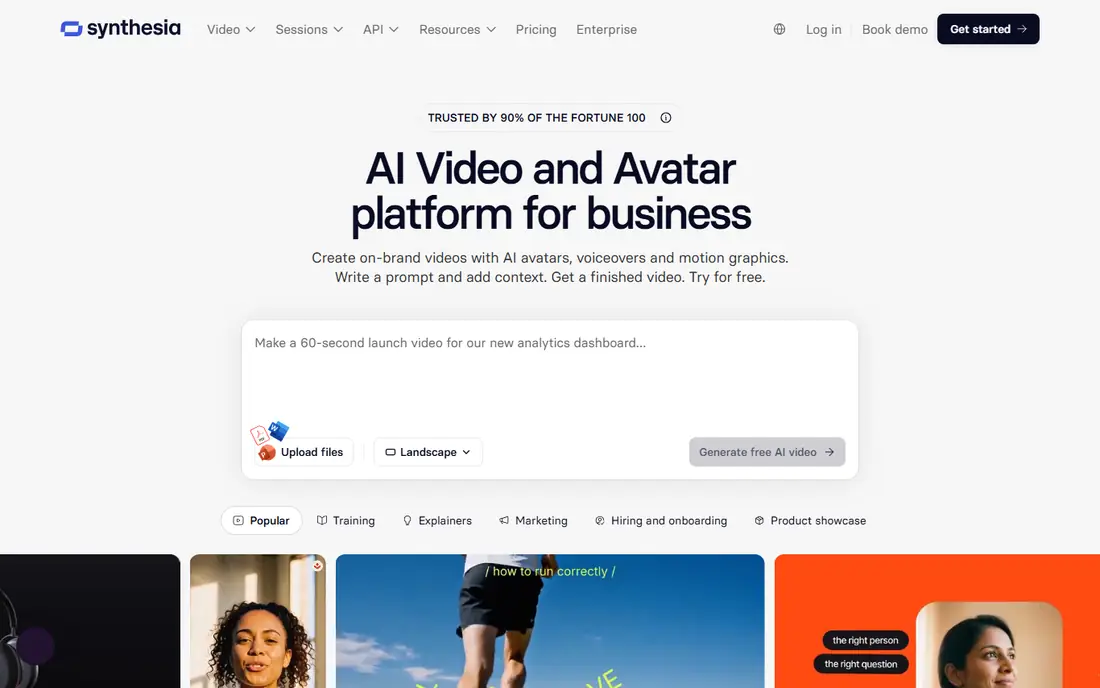
Synthesia is built for teams that need many training, onboarding, or internal videos without filming. You write a script, choose an avatar and voice, and generate a presenter-led video in many languages. Templates and brand controls help large teams keep videos consistent, and updates are as simple as editing text.
The limit is tone and licensing. Avatar videos suit clear instruction better than humour or casual storytelling, and stock avatars are not licensed for paid advertising in the way some marketers expect. Check the licence terms before using Synthesia for ads. For training at scale, it remains the most practical avatar platform here.
- Many languages and voices
- Consistent presenter style
- Team templates and brand controls
- Stock avatars have advertising limits
- Output can feel formal for casual social video

HeyGen appeals to marketers who want a presenter on screen without a studio. Its avatars look natural in short explainers, and translation tools can turn one script into several language versions. Templates cover product demos, sales messages, and social explainers, which shortens production time.
The free plan is a trial in practice, with limited video length and credits, so serious use needs a paid plan. Credit use also rises with longer videos and higher quality settings. For short marketing videos and multilingual explainers, HeyGen is a strong, fast choice.
- Strong avatar quality
- Translation and voice cloning options
- Many templates
- Free plan is limited
- High-quality output uses credits quickly
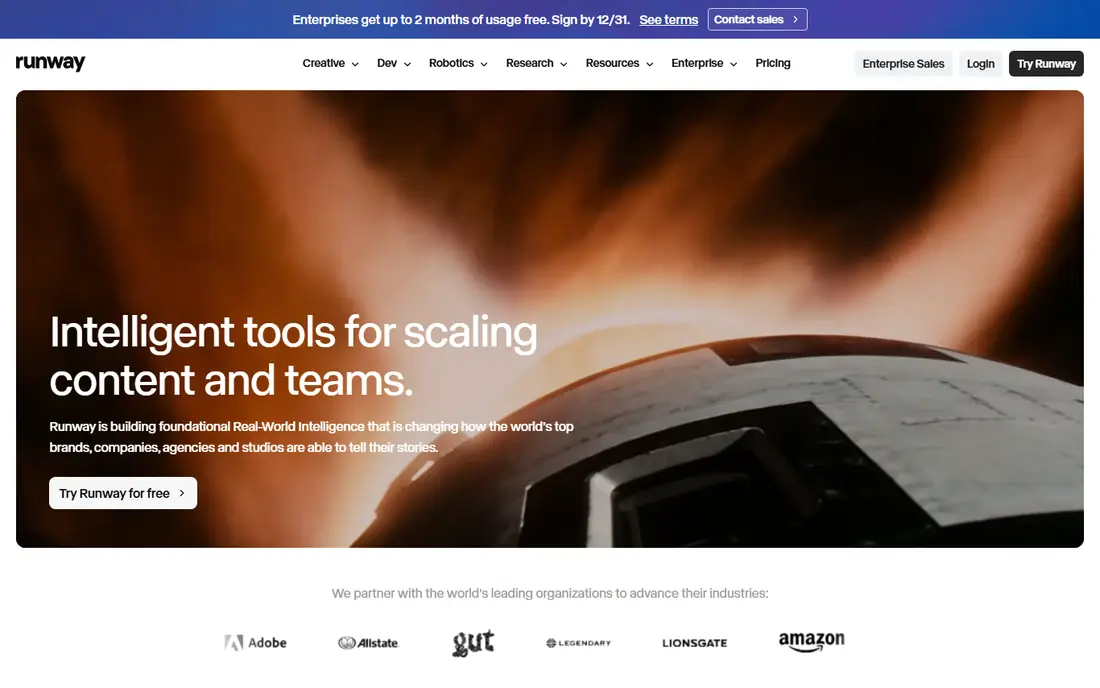
Runway is a creative workspace, not just a clip generator. It creates video from text or images, then lets you edit, extend, and refine scenes in the same platform. That control suits filmmakers, advertisers, and creators who care about camera movement, style, and consistency across shots.
The cost model needs attention. Runway prices by credits, and a few seconds of high-quality video can use many credits, so heavy users should budget for retries. Prompting also takes practice, and early results can drift from the brief. For creators who will learn the controls, Runway offers the most creative depth here.
- Strong creative controls
- Editing tools included
- Good character and scene consistency
- Credit costs add up
- Learning curve for prompting and camera controls
Pictory suits marketers and bloggers who already have text and need video from it. Paste a script or a blog URL, and Pictory assembles scenes with stock footage, voiceover, and captions. That workflow turns one article into several short videos for social channels without filming or manual editing.
The trade-off is originality. Stock-based videos can look similar across brands, and you have less control over motion and scene detail than with Runway or Kling. For repurposing content at volume, that speed matters more than unique footage. For a hero brand film, a generative tool will fit better.
- Turns scripts and blog posts into video fast
- Stock footage library
- Automatic captions
- Output can feel templated
- Less control over motion than generative tools
InVideo is a practical choice for small teams that publish social video often. Its text-to-video workflow turns a prompt or script into a draft with scenes, music, and captions, which you can then edit in the timeline. The template library covers ads, explainers, and social formats, so new users can start without design skills.
Free exports include branding, and some templates feel familiar because many creators use them. Paid plans remove branding and add more stock media and export options. If volume and speed matter more than fully original footage, InVideo is a sensible pick.
- Large template library
- Text to video workflow
- Team collaboration tools
- Free exports carry branding
- Some templates look generic
Kling has gained attention for photorealistic motion and complex scenes, from animals to crowd shots. It handles prompts with detailed movement well, and higher tiers offer higher resolution output. A free tier lets creators test the model before paying, which is useful given how fast this field changes.
The pricing is less simple than a flat monthly fee, since cost depends on model, length, and quality. Users should test the exact settings they plan to use, not just the cheapest generation. For cinematic short clips, Kling is one of the strongest generative options available now.
- Strong motion and detail
- High-resolution options
- Free tier for testing
- Credit pricing varies by model and length
- Interface can feel technical
Pika is best for quick, stylised video rather than long realistic footage. It generates short clips fast, supports effects and playful styles, and works well for memes, social experiments, and visual ideas. Creators can test many concepts in one session without a large credit bill.
The limit is realism and length. Pika is less reliable for extended, photorealistic scenes with complex action, and results vary more with prompt wording. Use it for short social clips and creative tests, and use Runway or Kling when a scene needs to hold up on a larger screen.
- Fast generation
- Fun effects and styles
- Good for social experimentation
- Less suited to long realistic scenes
- Quality varies by prompt
Luma Dream Machine is known for natural motion, especially in image-to-video work where a still image needs to move in a believable way. Product shots, nature scenes, and short cinematic moments come out well, and the interface is simple enough for new users to try quickly.
Clips are short, so longer stories need stitching or editing elsewhere. Higher quality and longer generations also use more credits. For short, realistic clips from a photo or a prompt, Luma is a strong addition to a creator toolkit, especially alongside an editor.
- Natural motion
- Image to video strength
- Good for product and scene shots
- Clip length is limited
- Higher quality tiers cost more
How we picked these
We compared official feature pages and pricing pages, app store listings, privacy policies, and public reviews. We required current availability in October 2026 and a clear use case, either avatar presentation, script-to-video assembly, or generative footage. We weighed output quality, language support, credit pricing, export options, and licensing limits. We did not claim hands-on testing beyond that comparison.
How to choose a video generator
Start with the job. If you need a presenter, choose an avatar platform. If you need new footage that does not exist, choose a generative tool. If you already have text or long video, choose a repurposing tool. Mixing jobs in one tool usually leads to weak results in at least one area.
Next, test with real work, not demo prompts. Generate the exact length, style, and language you plan to publish, and count credits per usable clip, including retries. Check export resolution, branding on free plans, and licence terms for advertising. Also check disclosure rules for AI-generated people, since some regions now require clear labelling for synthetic media.
Frequently asked questions
What is the best video generator tool for beginners?
InVideo and Pictory are the easiest starting points, because templates and script workflows do most of the assembly work. HeyGen is also friendly for short avatar videos. Generative tools such as Runway and Kling reward practice but take longer to learn.
What is the best free video generator tool?
Kling, Pika, and Luma offer free tiers worth testing, and HeyGen and InVideo offer limited free plans. Free tiers usually cap credits, length, or resolution, and may add branding. Test output quality on your own prompts before choosing a paid plan.
Are AI avatar videos good for training?
Yes, avatar videos work well for training, onboarding, and product updates, because scripts are easy to update and translate. They suit clear, factual delivery best. For emotional storytelling or hands-on skills, filmed video or live sessions still work better.
How much does a video generator cost?
Costs vary widely, from free tiers to monthly plans and credit packs. Avatar platforms often charge per minute of video, while generative tools charge per credit or per second. Always check the cost for your planned length and quality, since headline monthly prices do not show credit use.
Can I use AI video for advertising?
You can in many cases, but licence terms differ by tool and by avatar type. Some stock avatars are barred from paid ads, while custom avatars may have different terms. Read the licence for the exact avatar and plan you use, and check local rules on disclosing synthetic media.
What is the best video generator tool for social media?
Pictory and InVideo suit high-volume social repurposing, while Pika and Kling suit short original clips. HeyGen suits presenter-led social explainers. The best pick depends on whether you need speed, originality, or a presenter on screen.
Sources
See where you really rank - block by block
ProMapRanker scans Google Maps across a grid of your service area. Simple monthly plans from $19, white-label on every plan.
Start freeKeep reading
 zeffy payment processor stripe alternatives
Zeffy and Stripe Alternatives for Nonprofits in 2026
Explore zeffy payment processor stripe alternatives for nonprofits. We compare 8 fundraising platforms on fees, donor tools, and nonprofit focus. Check fees.
Read → workday alternatives
Workday Alternatives in 2026
Workday alternatives compared: we review 8 HR and payroll platforms that replace Workday, with pricing, strengths and honest limits for each team size.
Read → what's the best weather app
What's the Best Weather App in 2026
Wondering what's the best weather app? We compare 10 free and paid apps for forecasts, radar, alerts, and Colorado mountain weather for everyday and storm use.
Read →