 ProMapRanker
Best Review Management Software for Funeral Homes in 2026
Direct answer
Podium is my top pick for funeral homes because its text-first messaging fits how families actually reach out during a loss, and review requests can go out in the same conversation. Pricing is quote-based, so check its pricing page. GatherUp suits firms that want simple, low-cost review collection, and Birdeye fits multi-location funeral groups that need one dashboard across chapels.
I compared these tools from vendor documentation, public help pages and published feature lists, and I did not run hands-on tests of each one. My focus was on how funeral homes actually work: a small staff, sensitive timing, families who contact you by phone and text, and a service area that often covers several towns.
Key takeaways
- Families often contact a funeral home by text or web chat before they ever call, so a tool that handles messaging and reviews together saves staff time.
- Review requests should go to the family member who arranged the service, sent once, after the service is complete, and never pushed toward a chosen rating.
- Software that supports private feedback before a public review helps staff resolve billing or scheduling concerns quietly.
- Multi-location firms need separate listings and review streams per chapel, not one blended inbox.
- No tool replaces a clear internal policy on who asks for reviews, when, and how staff respond to criticism.
Quick comparison
| Pick | Great for | Pricing starts at | Free tier | |
|---|---|---|---|---|
 Podium | Text messaging with review requests | See website | Not stated | Visit |
 GatherUp | Straightforward review collection | See website | Free trial | Visit |
 Birdeye | Multi-location funeral groups | See website | Not stated | Visit |
 NiceJob | Automated invites after each service | See website | Free trial | Visit |
 Grade.us | Agencies managing funeral home clients | See website | Free trial | Visit |
 Whitespark | Local listings plus review links | See website | No free plan | Visit |
 Uberall | Listings and reviews at scale | See website | Not stated | Visit |
The best review management software for funeral homes compared
Podium is built around business texting, and that matters for funeral homes because many families now prefer to send a short message rather than call. The inbox collects texts, web chat and review requests in one place, so the person at the front desk is not switching between apps during a busy morning. It fits firms that want one system for first contact and follow-up.
For reviews, staff can send an invite by text after the service is complete, and the request lands in the same thread where the family already talked to you. That context tends to produce more responses than an email that arrives days later. You can also route unhappy replies to a private channel before they become public.
The limit is scale and cost. A single chapel with a small budget may find the messaging suite broader than needed, and pricing is quote-based, so you have to talk to sales. Firms that only want review collection should look at a lighter tool first.
- Web chat and texting in one inbox
- review invites sent inside the same conversation
- payments and messaging under one login
- Quote-based pricing
- more features than a single chapel may need
GatherUp does one job well: it asks customers for reviews and gives you a dashboard to track them. For a funeral home, that means uploading a list of families after services, sending a single polite request, and watching responses come in without a lot of setup. It is a sensible first tool for a firm that has never asked for reviews.
The private feedback step is useful here. If a family had a concern about parking, timing or a bill, the software can capture that comment before it goes public, giving the funeral director a chance to respond directly. You can also generate a short review link to hand out on a card.
The trade-off is that GatherUp is not a messaging platform. If families text your funeral home, you still need a separate phone or chat system. It also has fewer listing tools than the larger suites, so citation work has to happen elsewhere.
- Simple review request campaigns
- private feedback option before public posting
- works with Google and Facebook
- Limited messaging features
- fewer listing tools
Birdeye is a broad reputation platform, and it makes the most sense for a funeral group that operates several chapels under one brand. Each location can have its own listing and review stream, while ownership sees everything in one place. That structure matches how regional funeral companies are usually organized.
Review requests can go out by text or email after a service, and the inbox shows new reviews alongside messages so staff can reply from one screen. You can set alerts for low ratings so a manager hears about a problem the same day rather than at the next staff meeting.
The downside is weight. Setup involves connecting listings, importing contacts and training staff, which is a lot for a two-person office. A single chapel with one location will likely get more value from a smaller tool.
- One dashboard across locations
- review requests by text and email
- response tools for staff
- Setup takes time
- pricing is quote-based
NiceJob focuses on automating the ask. You add families to a campaign, and the software sends the review request on a schedule you set, then follows up once if there is no response. For a funeral home with steady service volume, that removes the manual step of remembering to ask.
The automation is easy to explain to staff, which matters in a workplace where roles overlap and the person handling arrangements may not be the one who sends follow-ups. Positive reviews can also be shared to social profiles with a click, which helps a firm's local visibility without extra writing.
What it does not do well is handle inbound texts or web chat. If your families message you, keep your existing phone system. Listing management is also basic compared with the larger platforms.
- Automated review campaigns
- simple contact import
- social sharing of positive reviews
- Less inbound messaging
- limited listing management
Grade.us is aimed at agencies and marketers who manage reviews for several clients, which fits an SEO consultant working with a handful of funeral homes. You can run separate campaigns per client, brand the dashboard, and send reports that show new reviews and average response times.
For a funeral home client, the practical value is the campaign builder. You set the message once, adjust the tone for the funeral sector, and reuse it across locations. Monitoring covers the main review sites, so a new Google review shows up in the same list as a Facebook one.
The interface is older than the newer platforms, and some integrations are limited. A funeral home buying directly may find it less polished than Podium or Birdeye, but an agency will appreciate the multi-client structure.
- White-label options for agencies
- campaign templates
- review monitoring across sites
- Interface feels dated
- fewer integrations
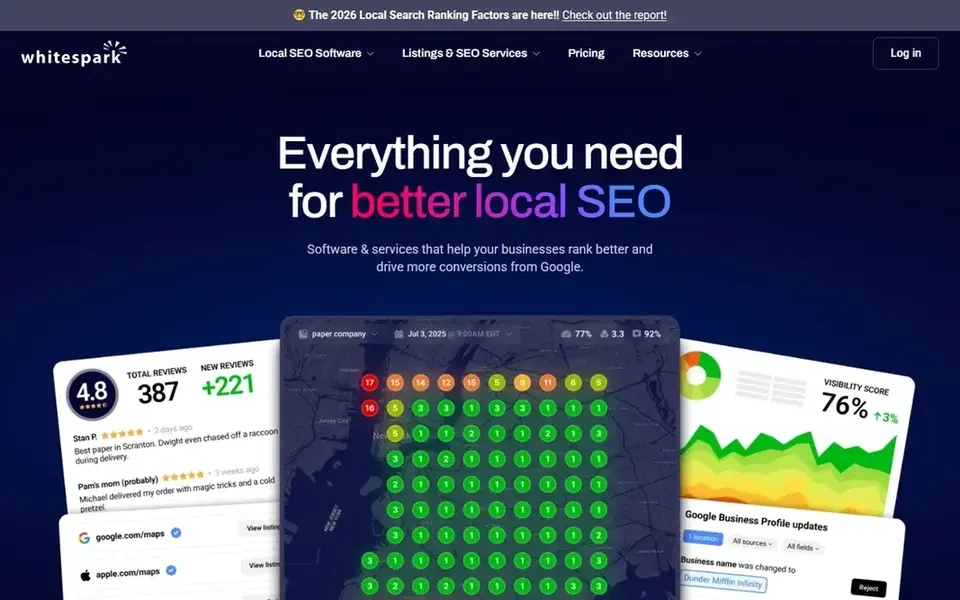
Whitespark is best known for citation building and local search tools, and its review features support that work rather than lead it. For a funeral home, the useful part is the review link generator and the ability to keep name, address and phone details consistent across directories, which supports the Google Business Profile.
That consistency matters because families often find a funeral home through a map search in a nearby town. Clean listings and a working review link make it easier to leave feedback after a service. The tool also helps you find where your business is listed incorrectly.
It is not a review request platform in the way Podium or GatherUp are. There is no messaging inbox and no automated campaign flow. Buy it for listings and links, and pair it with a separate review tool if you need outreach.
- Strong citation and listing tools
- review link generator
- local search focus
- Review management is secondary
- no messaging
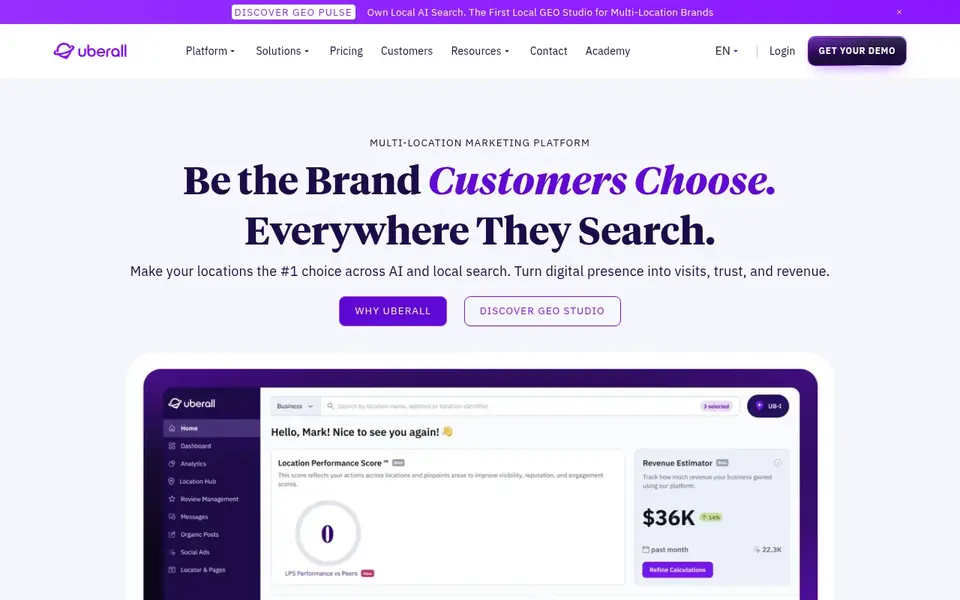
Uberall manages location data and reviews for businesses with many branches, and that is where it fits funeral groups with chapels across a region. Each location keeps its own listing details, and head office can see reviews and respond from a central dashboard.
For reviews, the platform collects feedback from the major sites and lets staff reply without logging into each one. You can also set up notifications so a district manager sees a new review at a specific chapel. That is useful when one location is struggling and head office needs to step in.
The fit is narrow. A single funeral home will find it oversized and the pricing conversation long. Smaller firms should start with GatherUp or NiceJob and revisit Uberall only if they expand.
- Listing sync across many directories
- review monitoring in one place
- location-level controls
- Built for larger organizations
- quote-based pricing
How I chose
I built this list from vendor documentation, public help centers and published feature pages, and I did not test the tools myself. I looked for features that match funeral home work: text and chat contact, a single review request after a service, private feedback before public posting, and separate review streams for each chapel. I also checked whether each vendor publishes clear information about what its product does.
I left out tools where the public documentation was thin or where the product seemed aimed at a different kind of business. Pricing is not compared here because most vendors quote it privately, so check each site. Where I was unsure about a free plan, I said so rather than guess. The result is a shortlist to research, not a ranking of measured performance.
What to check before you buy
- Confirm the tool can send a review request to one family contact after the service, not to a whole list at once.
- Check that private feedback can be captured before a review goes public, so staff can resolve concerns quietly.
- Ask whether each chapel can have its own listing and review stream if you run more than one location.
- Make sure the software follows Google's review policies and does not offer review gating or incentives.
- Test how review responses are drafted and whether staff can edit them before posting.
- Ask about data handling and retention, since family contact details are sensitive.
Frequently asked questions
Can a funeral home ask families for reviews?
Yes, if the request is honest and follows Google's guidelines. Ask the family member who arranged the service, send one request after the service is complete, and never offer a discount or gift in exchange. Do not filter out unhappy families or ask only people you expect to leave five stars.
Should review requests be sent by text or email?
Text usually gets a faster response, especially from families who already messaged the funeral home. Email works better for older relatives or when you only have an email address on file. Many tools let you choose per contact, and a single polite follow-up is reasonable.
How should staff respond to a negative review?
Reply once, calmly, and without disclosing private details about the family or the service. Acknowledge the concern, offer to talk offline, and give a name and phone number for a manager. Do not argue in public, and do not ask the reviewer to remove the post.
Do I need separate software for each chapel?
Not necessarily. A multi-location platform like Birdeye or Uberall lets each chapel keep its own listing and reviews while head office sees everything. A single-location firm can use a simpler tool and skip the extra setup and cost.
Does review software help with Google Maps rankings?
Reviews are one signal among many, and no tool guarantees a ranking. What software does is make it easier to collect reviews steadily, respond to them, and keep your business details consistent. Pair that with a complete Google Business Profile and accurate local listings.
Sources
See where you really rank - block by block
ProMapRanker scans Google Maps across a grid of your service area. Simple monthly plans from $19, white-label on every plan.
Start freeBrowse all guides
← Best Review Management Software for Franchises in 2026Best Review Management Software for Gyms in 2026 →
 best review management software for accountants
Best Review Management Software for Accountants in 2026
A practical guide to the best review management software for accountants in 2026, comparing request tools, inboxes and local listing platforms.
Read → best reputation management software for storage facilities
Best Reputation Management Software for Storage Facilities in 2026
A guide to the best reputation management software for storage facilities in 2026, compared from vendor documentation, with review requests, replies and listings.
Read → best reputation management software for painting contractors
Best Reputation Management Software for Painting Contractors (2026)
A guide to the best reputation management software for painting contractors in 2026, compared from vendor documentation and public sources.
Read → local seo for cleaning companies
Local SEO for Cleaning Companies
How cleaning companies rank higher in local search: GBP optimization, service-area setup, and review generation.
Read → local seo service cost
How Much Does a Local SEO Service Cost in 2026?
How much a local SEO service costs in 2026, with pricing models and what to expect.
Read → get cited in chatgpt local
How to Get Your Business Cited in ChatGPT for Local Searches
How to get your business cited in ChatGPT for local searches and capture AI-driven demand.
Read →More in Local SEO & Google Maps · All guides A to Z by date · Latest guides