 ProMapRanker
Best Prebuilt PC Companies in 2026

Key takeaways
- CyberPowerPC and iBUYPOWER offer the widest range of prices and configurations, which makes them easy starting points for most buyers.
- NZXT BLD and ABS stand out for cleaner builds and clearer parts choices, though availability and configuration options vary by model.
- Alienware, HP OMEN, Lenovo Legion, MSI, and ASUS ROG suit buyers who want a big-brand warranty and support network.
- Always check the exact GPU model, RAM speed, storage size, and power supply before you buy, since a brand name alone does not guarantee good parts.
Quick comparison
| Pick | Great for | Pricing starts at | Free tier | |
|---|---|---|---|---|
 CyberPowerPC CyberPowerPC | Widest choice and value | See website | No | Visit |
 iBUYPOWER iBUYPOWER | Gaming range and availability | See website | No | Visit |
 NZXT BLD NZXT BLD | Clean builds and clear parts | See website | No | Visit |
 Alienware Alienware | Big-brand gaming support | See website | No | Visit |
 HP OMEN HP OMEN | Mainstream gaming desktops | See website | No | Visit |
 Lenovo Legion Lenovo Legion | Balanced towers for play and work | See website | No | Visit |
 MSI MSI | Gaming towers with strong specs | See website | No | Visit |
 Skytech Gaming Skytech Gaming | High-end gaming configurations | See website | No | Visit |
 ASUS ROG ASUS ROG | Premium gaming builds | See website | No | Visit |
The best prebuilt PC companies
A good prebuilt company does more than assemble parts. It picks parts that work together, cools them properly, offers a clear warranty, and lets you upgrade later. We compared official product lines, configuration options, warranty terms, and public buyer feedback to build this list.
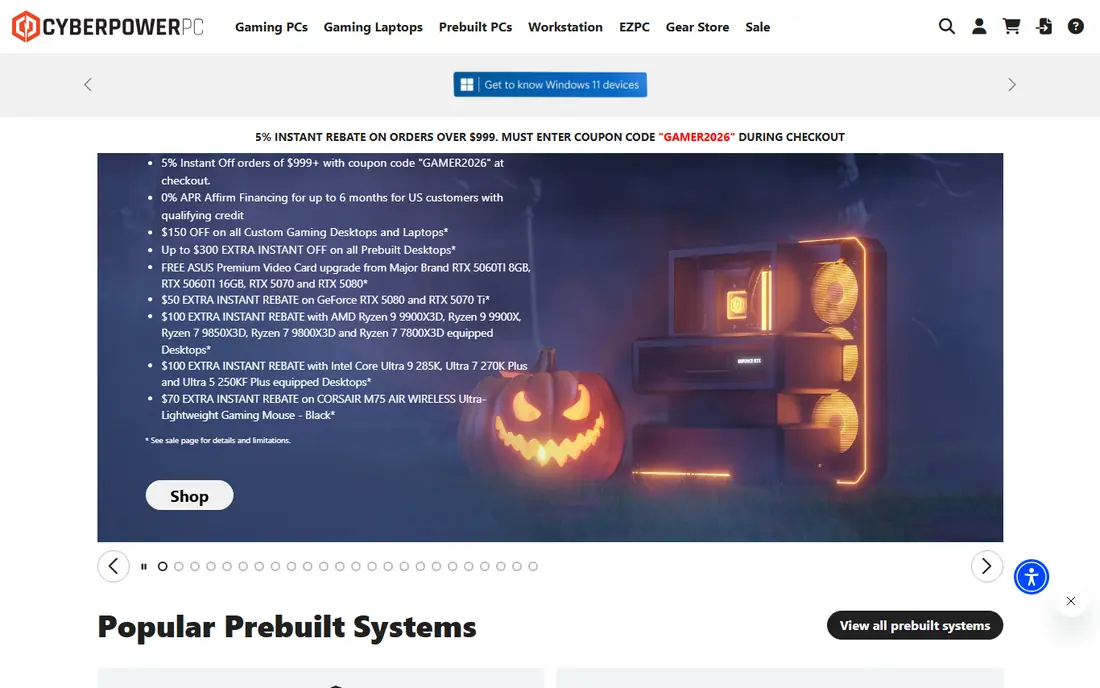
CyberPowerPC is the easiest place to start because it sells so many configurations. You can find a modest 1080p gaming tower, a mid-range 1440p machine, and a high-end rig under the same brand, often through its own site and major retailers. That range helps if you have a firm budget and want to see what GPU and CPU that budget actually buys.
The trade-off is consistency. Parts brands, cooling, and power supply quality can differ between configurations, so two CyberPowerPC machines at similar prices are not always equal. Read the full specification sheet, not just the headline GPU, and check RAM, storage, and power supply details. For buyers who compare specs carefully, CyberPowerPC offers strong value. For buyers who want every part named upfront, a more transparent builder may feel safer.
- Very wide configuration range
- Frequent retail availability
- Many budget to mid-range gaming models
- Parts brands can vary by configuration
- Build quality varies by model
- Support experience varies by channel
iBUYPOWER has a similar appeal to CyberPowerPC: a broad lineup, wide retail availability, and configurations for most budgets. Its Element and Trace lines cover entry gaming, while higher tiers move into stronger CPUs and GPUs for 1440p and 4K play. Custom options on the company site let you adjust storage, memory, and cooling instead of accepting a fixed retail box.
Entry models deserve a closer look. A tempting price can hide 16GB of RAM where 32GB would age better, or a 1TB drive that fills fast with modern games. iBUYPOWER also sells through retailers, so warranty handling can depend on where you bought the machine. Check the seller, the warranty length, and the exact parts list before you commit, and iBUYPOWER becomes a reliable mainstream choice.
- Broad gaming lineup
- Strong retail presence
- Custom configuration options on its own site
- Entry models can skimp on RAM or storage
- Proprietary touches on some lines
- Warranty terms vary by seller
NZXT BLD takes a different approach from the volume builders. It focuses on a smaller set of configurations, built in NZXT cases with attention to airflow and cable management. That focus shows in the finished machine: tidy internals, sensible cooling, and parts that are easier to identify and upgrade later. Buyers who care about thermals and future upgrades often prefer this approach.
The cost of that focus is choice. NZXT BLD does not cover every budget tier, and entry-level buyers may find better value elsewhere. Lead times and availability also vary, since builds are assembled to order rather than pulled from a warehouse shelf. If you want a clean, well-thought-out gaming PC and you can wait for a build, NZXT BLD is a strong pick. If you need the cheapest possible machine this week, look at the volume builders first.
- Cleaner cable management and airflow focus
- Clearer parts selection than many rivals
- Strong case design
- Fewer budget options
- Configuration range is narrower
- Lead times can vary
Alienware, Dell's gaming brand, suits buyers who want a recognizable name and a large support organization behind the purchase. Aurora towers offer strong CPUs and current GPUs, and Dell's service options, including on-site service in some plans, can matter if you do not want to ship a machine away for repair. The design is distinctive, which some buyers love and others tolerate.
Alienware pricing sits at a premium, and some models use proprietary motherboards or power supplies that limit later upgrades. That matters less if you plan to use the machine as bought for several years, and more if you plan to swap parts often. Buy Alienware for brand support, design, and high-end configurations, not for the lowest price per frame. Check airflow and upgrade paths for the specific Aurora model, since they vary.
- Dell support network
- Distinctive design
- Strong high-end configurations
- Premium pricing
- Some proprietary parts limit upgrades
- Design prioritizes looks over airflow on some models
HP OMEN covers the mainstream gaming market well, with towers such as the OMEN 45L offering current GPUs and solid CPUs at prices that compete with specialist builders. Retail availability is a real advantage: you can often buy, collect, and return an OMEN locally, which is harder with a build-to-order specialist. HP's support network also helps buyers who want a single point of contact.
As with other big brands, check the specific model. Some OMEN towers use proprietary parts, and cooling performance varies between compact and larger cases. A quick cleanup of preinstalled software is also common. OMEN suits buyers who want a capable gaming PC from a major brand with local availability, provided they read the full specs for the exact configuration they are buying.
- Wide retail availability
- Mainstream to high-end gaming towers
- HP support network
- Some models use proprietary parts
- Cooling varies by model
- Bloatware can need cleanup
Lenovo Legion towers, such as the Legion Tower 5i, strike a balance that many buyers want: strong gaming performance without an extreme gamer look, plus enough CPU and memory headroom for work, study, and content tasks. That balance makes Legion a good shared family PC or a work-and-play machine, not just a dedicated gaming rig. Mid-range configurations often offer good value for 1440p gaming.
Legion is less of an enthusiast builder than NZXT BLD or a custom shop, so buyers who want exotic cooling or unusual parts may find the range limited. Upgrade paths also vary by model, with some towers easier to open and expand than others. For a buyer who wants one capable tower for games, office work, and everyday use, Legion is a sensible and often overlooked choice.
- Balanced specs for gaming and productivity
- Clean mainstream design
- Good mid-range value
- Gaming focus can mean fewer enthusiast options
- Upgrade paths vary by model
- Availability varies by region
MSI brings a long history in gaming graphics cards and motherboards to its prebuilt towers, and that shows in mid to high-end configurations. Models such as the Codex line pair modern CPUs with current GPUs and generous memory and storage on higher tiers, which suits 1440p and high-refresh gaming. MSI also sells through many retailers, so availability is usually good.
The range is wide, which means quality varies. A budget MSI tower and a high-end MSI tower are different machines in more than price, with different cooling, power supplies, and upgrade room. Read reviews for the exact model, not just the brand, and confirm the GPU brand and RAM speed. For buyers who compare model by model, MSI offers strong gaming value. For buyers who want a single simple recommendation, the range can feel confusing.
- Strong gaming component heritage
- Good mid to high-end configurations
- Wide model range
- Specs and cooling vary widely by model
- Some lines are retail-only
- Support quality varies by region
Skytech Gaming has built a reputation around gaming-first configurations, including high-end towers with strong CPUs such as the Ryzen 7 9800X3D and current GPUs with generous memory. Those machines suit players who want high frame rates at 1440p or 4K without building a PC themselves. Skytech systems are widely sold through major retailers, which helps with availability and returns.
The focus on higher tiers means budget buyers may find thinner options, and parts brands can vary between listings, so the full specification sheet matters. GPU prices also move the total, so a Skytech price that looks good one month can shift the next. For a buyer targeting a strong gaming machine rather than the cheapest entry point, Skytech is a credible pick, provided the exact configuration is checked.
- Strong high-end gaming specs
- Popular gaming-focused configurations
- Good retail availability
- High-end focus means fewer budget picks
- Parts brands can vary
- Price moves with GPU market
ASUS ROG, the Republic of Gamers brand, sits at the premium end of prebuilt gaming. Towers such as the ROG G700 pair current CPUs and GPUs with polished design, lighting, and component quality that reflects ASUS hardware heritage. Buyers who want a showcase machine and a major brand behind it will find ROG appealing, and retail availability is usually strong.
Premium pricing is the main drawback. You pay for design, brand, and component selection, not just raw performance, so a volume builder may offer similar frame rates for less. Some ROG models also prioritize looks over airflow, so check cooling reviews for the exact tower. ROG suits buyers who want a premium, ready-to-run gaming PC and accept the price for it. Value hunters should compare a ROG configuration spec for spec with CyberPowerPC or iBUYPOWER first.
- Premium gaming design and components
- Strong high-end towers
- Large support and retail network
- Premium pricing
- Some models prioritize design over airflow
- Entry value is weaker
How we picked these
We compared official product lines, configuration options, and public buyer feedback for companies that sell prebuilt PCs in the US in October 2026. We favored companies with current GPU and CPU options, clear warranty terms, and a track record of shipping complete, working systems. We avoided one-off listings and sellers with no company site or support channel, and we used See website for prices because configurations and GPU prices change often.
What to check before you buy a prebuilt PC
Start with the full specification sheet. Confirm the exact GPU model and memory size, the CPU model, RAM amount and speed, storage size and type, and power supply wattage. A listing that says only a GPU family, without a model number, is not enough. Check whether the motherboard, power supply, and case use standard parts, since that decides how easy future upgrades will be.
Next, check warranty and support. Find out how long parts and labor are covered, whether support is by phone, chat, or mail-in repair, and whether the retailer or the builder handles the claim. Finally, plan for setup: remove internal packing, update drivers and Windows, and check temperatures under load in the first week. A good prebuilt should run quietly and cool under normal gaming, and any loud fans or crashes in week one are worth raising with support early.
Frequently asked questions
What is the best prebuilt PC company for most people?
CyberPowerPC and iBUYPOWER are the safest starting points for most buyers, because they cover many budgets and are widely available. NZXT BLD is a better pick if you value a clean build and clear parts, while Alienware and HP OMEN suit buyers who want big-brand support.
What is the best pre built gaming PC company for beginners?
A mainstream builder with retail availability, such as HP OMEN or Lenovo Legion, is often easiest for a beginner, since you can buy locally and get support from a large company. Read the full specs and warranty terms, and avoid the cheapest configuration if it skimps on RAM or storage.
Are prebuilt PCs worth it compared with building your own?
A self-built PC usually gives you more control over parts and sometimes better value, but it takes time, research, and troubleshooting. A prebuilt saves that time, includes a warranty for the whole machine, and arrives ready to use. The trade-off is less parts control and sometimes a premium price.
How much should I spend on a prebuilt gaming PC?
It depends on your monitor and games. For 1080p gaming, a mid-range machine with a current GPU and 16GB to 32GB of RAM is usually enough. For 1440p high-refresh gaming, budget for a stronger GPU and 32GB of RAM. For 4K, expect a high-end GPU and CPU, and check reviews for the exact configuration.
Can I upgrade a prebuilt PC later?
Many prebuilt PCs can be upgraded, but it depends on the model. Standard motherboards, power supplies, and cases make upgrades easy, while proprietary parts can limit them. Check RAM slots, storage bays, power supply wattage, and case size before you buy if upgrades matter to you.
Do prebuilt PCs come with Windows installed?
Most retail and builder prebuilt PCs ship with Windows 11 Home installed and ready to use. Confirm the edition in the listing, since Home and Pro differ in some business features, and check whether a keyboard, mouse, or monitor is included, since many towers ship without them.
Sources
See where you really rank - block by block
ProMapRanker scans Google Maps across a grid of your service area. Simple monthly plans from $19, white-label on every plan.
Start freeKeep reading
 zeffy payment processor stripe alternatives
Zeffy and Stripe Alternatives for Nonprofits in 2026
Explore zeffy payment processor stripe alternatives for nonprofits. We compare 8 fundraising platforms on fees, donor tools, and nonprofit focus. Check fees.
Read → workday alternatives
Workday Alternatives in 2026
Workday alternatives compared: we review 8 HR and payroll platforms that replace Workday, with pricing, strengths and honest limits for each team size.
Read → what's the best weather app
What's the Best Weather App in 2026
Wondering what's the best weather app? We compare 10 free and paid apps for forecasts, radar, alerts, and Colorado mountain weather for everyday and storm use.
Read →