 ProMapRanker
Best Music Production Software in 2026


Electronic production and live performance · Pricing starts at: $99
Key takeaways
- Ableton Live suits electronic producers and live performers, thanks to its clip based Session View and strong sound design tools.
- FL Studio suits beatmakers, with a pattern workflow and lifetime free updates for the edition you buy.
- Logic Pro is the best value all in one studio for Mac users, with a large instrument and loop library for a one time price.
- Pro Tools remains the studio standard for recording and mixing, while Cubase leads for MIDI, scoring and composition depth.
- GarageBand, Studio One, Bitwig Studio and REAPER cover free starts, fast all round production, modular sound design and low cost power.
Quick comparison
| Pick | Great for | Pricing starts at | Free tier | |
|---|---|---|---|---|
| Ableton Live | Electronic production and live performance | $99 | Free trial (30 days) | Visit |
 FL Studio FL Studio | Beatmakers and pattern based producers | $99 | Free trial | Visit |
 Logic Pro Logic Pro | Mac songwriters and all in one production | $199.99 | Free trial (30 days) | Visit |
 Pro Tools Pro Tools | Studio recording, editing and mixing | $9.99 per month | Yes | Visit |
 Cubase Cubase | Film scoring, MIDI and composition | $99.99 | Free trial (60 days) | Visit |
 GarageBand GarageBand | Free starts on Mac and iOS | Free | Yes | Visit |
 Studio One Studio One | Fast all round production and mastering | See website | Yes | Visit |
 Bitwig Studio Bitwig Studio | Modular and experimental sound design | $199 | Free trial | Visit |
The best music production software
We compared official product pages and pricing for digital audio workstations, known as DAWs, that are still sold in October 2026. A DAW is the software where you record, arrange, edit and mix music, and the right one depends on your workflow, your computer and your budget. Prices below are entry figures where published, and trial terms vary, so check the vendor page before you buy.
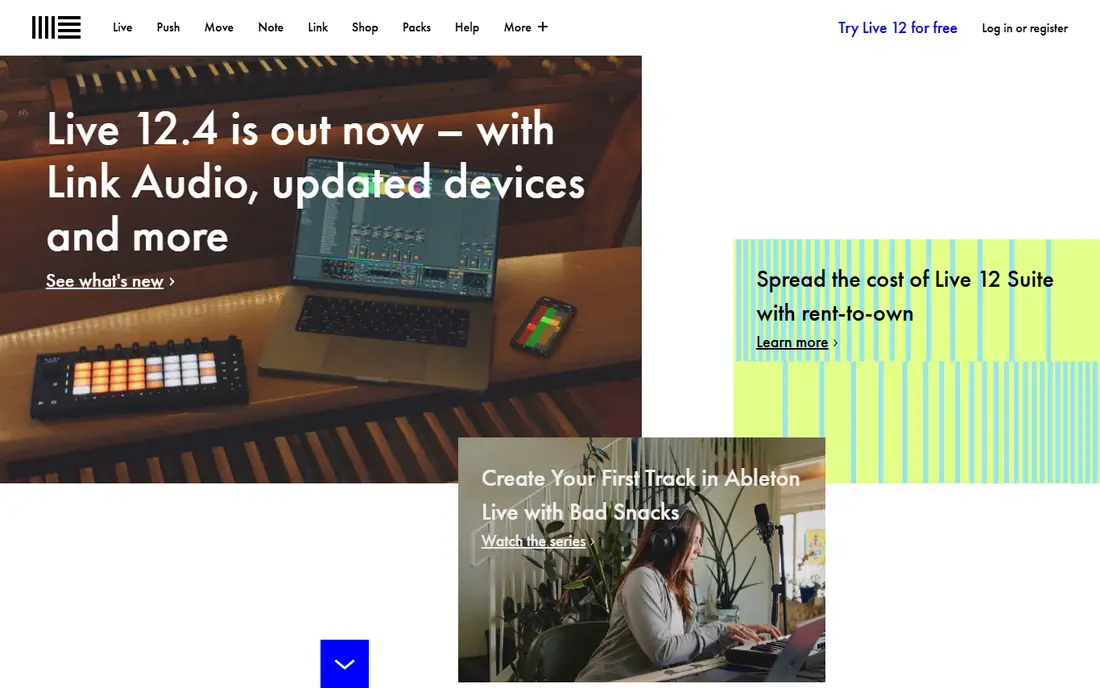
Ableton Live is built around two views that suit different stages of music making. Session View lets you launch clips, loops and ideas in any order, which is ideal for electronic production and live performance. Arrangement View then lets you lay those ideas out into a finished song. That dual workflow is why so many electronic, EDM and experimental producers stay with Live for years, and why it works well on stage as well as in the studio.
The catch is price at the top end. Intro starts at $99, but Suite, with the full instrument and effect library plus newer features such as stem separation, costs far more. Live is also weaker for traditional notation and scoring than Cubase. If you make electronic music or perform live, Live is a natural first choice. If you mainly record bands, Pro Tools or Studio One may fit better.
- Clip based Session View for live sets
- Strong instruments and MIDI tools
- Suite adds stem separation in recent versions
- Top Suite tier is expensive
- Notation and scoring tools are limited
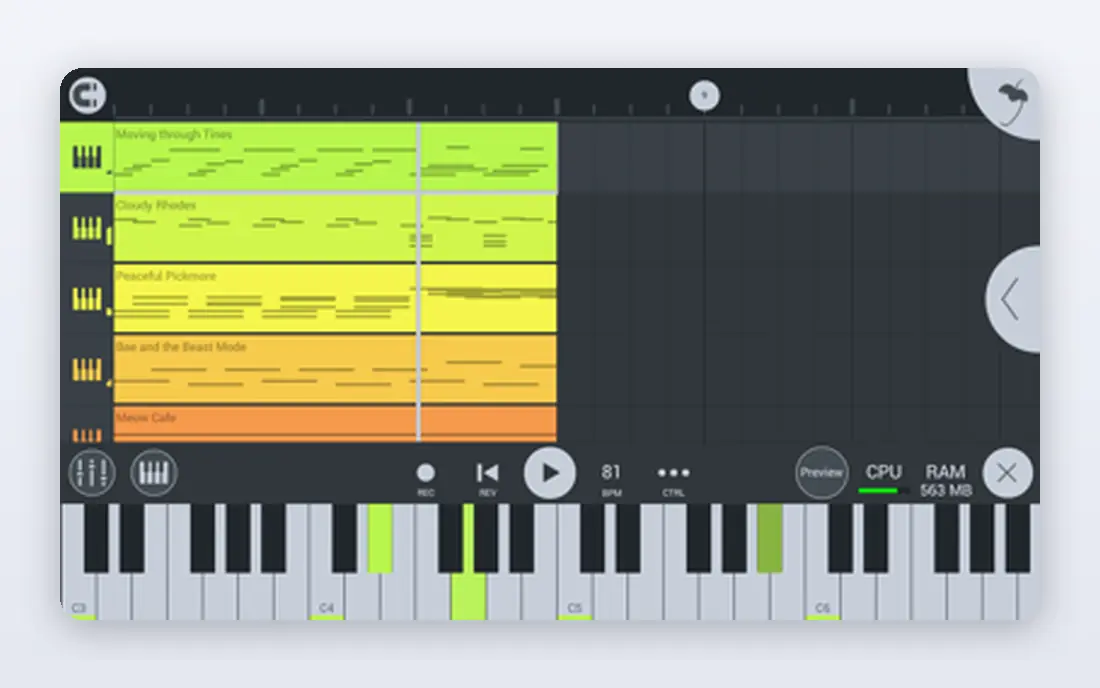
FL Studio, formerly FruityLoops, remains a favorite for hip hop, EDM and beatmaking, thanks to its step sequencer and pattern workflow. You build patterns, arrange them into a song, and layer instruments and effects without leaving the main window. The tutorial library is huge, which helps beginners, and the lifetime free updates policy means you buy an edition once and keep getting updates for that edition.
The trade off is the entry edition. Fruity, at $99, does not include audio recording, so vocalists and instrumentalists need Producer edition or above. The interface also favors patterns over linear recording, which can feel less natural for a band session. For a beatmaker who wants a one time purchase and a workflow built for loops, FL Studio is hard to beat.
- Pattern workflow many producers learn on
- Lifetime free updates for your edition
- One licence covers Windows and Mac
- Fruity edition lacks audio recording
- Interface can feel busy for linear recording
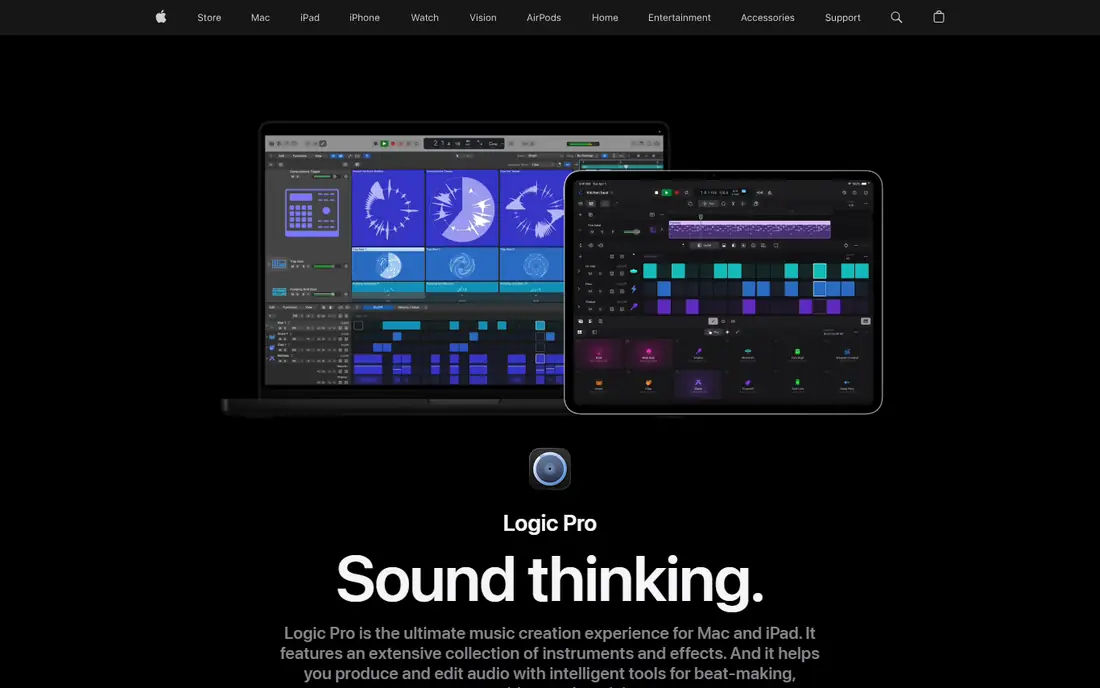
Logic Pro is the best value all in one DAW for Mac users. For $199.99 one time, you get a large library of instruments, loops, effects and mixing tools that would cost far more as separate purchases elsewhere. Songwriters benefit from quick arrangement tools, drummers and chord tools, while producers get a full mixing and mastering workflow in the same app. Many Mac producers never need another DAW.
The limit is platform. Logic Pro runs only on Mac and iPad, so Windows users must choose another tool, and collaboration with Windows producers needs stem exports rather than project sharing. If you own a Mac and want a complete studio for a single price, Logic Pro is the clearest value pick in this list.
- Large instrument, loop and effect library
- One time price
- Strong for songwriting and mixing on Mac
- Mac only
- No Windows version
Pro Tools remains the standard session format in professional studios and post production, which matters if you collaborate with studios or deliver work to clients who expect Pro Tools sessions. Audio editing, comping and mixing tools are deep and precise, and the workflow suits multitrack recording of bands, vocals and live instruments. A free Intro tier lets beginners learn the basics before paying.
The catch is the subscription model. Paid Pro Tools tiers are subscription only, starting at $9.99 per month for Artist in recent comparisons, so long term cost exceeds a one time purchase for many users. The learning curve is also high, and the instrument library is thinner than Logic or Ableton. If studio compatibility matters, Pro Tools is the safe choice. If you want to own your DAW outright, look at FL Studio, Logic or REAPER.
- Industry standard session format
- Best in class audio editing
- Free Intro tier for beginners
- Subscription only for paid tiers
- Learning curve is high
Cubase is the choice for composers, arrangers and producers who live in MIDI. Its MIDI editing, expression maps, chord tools and notation features go deeper than most rivals, which helps for film scoring, orchestral mockups and complex arrangements. Audio recording and mixing are also strong, so a composer can take a score from sketch to finished mix in one app. The trial period is generous, giving you time to learn the workflow.
The downside is complexity and price at the top. Cubase Pro costs far more than the entry tier, and beginners may feel overwhelmed by the number of windows, tools and options. If your work centers on MIDI, scoring or detailed composition, Cubase rewards the learning time. If you mainly make beats, FL Studio or Ableton will feel faster.
- Deep MIDI editing and notation
- Strong for scoring and composition
- Long history in professional studios
- Higher tiers are expensive
- Learning curve is high for beginners
GarageBand is the best free starting point for Mac and iOS users, and it is far more capable than a simple demo. You can record, use virtual instruments, arrange loops and mix a song, all with an interface designed for beginners. Projects can move to Logic Pro later, so early work is not wasted when you upgrade. For a student, a songwriter sketching ideas, or a podcaster adding music, GarageBand is enough to start.
The limits are platform and depth. GarageBand runs only on Apple devices, and its mixing, routing and plugin options are thinner than paid DAWs. You will outgrow it if you mix professionally or need advanced MIDI tools. As a free first DAW, though, it removes the cost barrier completely, and that alone makes it worth trying before you spend anything.
- Free on Mac and iOS
- Easy to learn
- Projects can move to Logic Pro
- Mac and iOS only
- Limited mixing and plugin depth compared with paid DAWs
Studio One, from PreSonus, suits producers who want a fast, modern workflow without a steep learning curve. Drag and drop arranging, a clean mixer and integrated mastering tools help a song move from idea to finished file in one app. A free tier lets beginners learn the basics, and the paid tiers add instruments, effects and deeper mixing features. For home producers who record, mix and master their own work, Studio One covers the full path well.
The catch is pricing clarity. Studio One pricing and tiers have changed over time, with subscription and perpetual options appearing in different comparisons, so check the current vendor page for the tier you need. The tutorial library is also smaller than FL Studio or Ableton, though it is growing. For an all round producer who values speed and a clean workflow, Studio One is a strong modern pick.
- Drag and drop workflow
- Strong mixing and mastering tools
- Free tier for beginners
- Pricing and tiers have changed over time, so check the current page
- Smaller tutorial library than FL Studio or Ableton
Bitwig Studio appeals to producers who want to build sounds, not just use presets. Its modular Grid lets you design instruments and effects from modules, which suits experimental, electronic and sound design work. Bitwig runs on Windows, Mac and Linux, a rare breadth that helps Linux producers, and its clip launching workflow will feel familiar to Ableton users. For a producer who enjoys patching and tweaking, Bitwig opens a creative path few DAWs match.
The trade off is community and learning time. Bitwig has a smaller user base than Ableton or FL Studio, so tutorials and shared presets are fewer, and the Grid takes time to learn well. Entry pricing in recent comparisons starts around $199 for Essentials, with higher tiers adding more. If modular sound design excites you, Bitwig is worth the effort. If you want the largest tutorial library, start with Ableton or FL Studio.
- Modular Grid for custom instruments
- Runs on Windows, Mac and Linux
- Strong for sound design
- Smaller user community than Ableton or FL Studio
- Learning curve for the Grid is high
How we picked these
We compared official product and pricing pages for DAWs that are still sold in October 2026, favoring tools with a clear workflow strength, a current version, and a trial or free tier where possible. We included free, one time purchase and subscription models, and tools for Windows, Mac and Linux, so readers can match platform and budget. Where pricing varies by tier or has changed, we wrote See website rather than guessing. We did not claim hands on testing, and we based the trade offs on published features and pricing.
How to choose music production software
Start with your computer and your workflow. Mac users have Logic Pro and GarageBand as strong value options, while Windows users should shortlist Ableton, FL Studio, Cubase, Studio One and Bitwig. Linux users have fewer choices, with Bitwig and REAPER among the practical options. Next, match workflow to genre: beats favor FL Studio and Ableton, bands favor Pro Tools and Studio One, scoring favors Cubase, and experimental work favors Bitwig.
Next, use the trial properly. Make a full song in the trial, not just a loop, and test recording, editing, mixing and exporting. Check whether your audio interface, MIDI controller and favorite plugins work smoothly, since driver and plugin issues matter more than a feature list. Also check CPU use on your machine, since a heavy DAW on an older laptop can interrupt creativity.
Finally, think about total cost over five years. A one time purchase such as FL Studio or Logic Pro can be cheaper long term than a subscription, while a subscription such as Pro Tools gives you constant updates. Do not buy the top tier first. Start with the entry tier, upgrade only when you hit a specific limit, and keep your project files and stems backed up in a format you can move.
Frequently asked questions
What is the best music production software for beginners?
GarageBand is best for free Mac and iOS starts, while FL Studio and Ableton Intro are strong paid starts for beatmakers and electronic producers. Logic Pro is best for Mac users who want a complete studio at a single price. Try a free or trial tier first, and pick the workflow that feels natural to you.
What music production software is best for beats?
FL Studio is a classic pick for beats, thanks to its pattern workflow and lifetime updates. Ableton Live also suits beatmaking, especially for electronic and experimental beats, with its clip launching workflow. Both offer trials, so make beats in each before you buy.
Is Logic Pro better than Ableton Live?
Neither is better in general. Logic Pro offers better value and a larger built in library for Mac users, while Ableton Live offers a stronger live performance and clip workflow for electronic producers. Logic is Mac only, while Ableton runs on Mac and Windows. Choose based on platform and whether live performance matters to you.
Can I make music for free?
Yes. GarageBand is free on Mac and iOS, Pro Tools Intro is free, and Studio One offers a free tier. FL Studio and other DAWs offer trials with limits. Free tools can produce finished songs, though paid tiers add instruments, tracks and mixing depth. Start free, then pay when you hit a real limit.
Do I need expensive software to produce music?
No. Entry tiers and free tools cover recording, arranging and mixing for most beginners, and many hit songs started on modest setups. Spend first on a decent audio interface and headphones or monitors, then upgrade software when your skills demand it. A more expensive DAW does not make a better song on its own.
Can I switch DAWs later?
Yes, by exporting stems, which are individual track audio files, and importing them into the new DAW. Project files do not transfer between DAWs, and MIDI files move across reasonably well. Keep stems and a mix reference for important songs, so a switch does not strand your work.
Sources
See where you really rank - block by block
ProMapRanker scans Google Maps across a grid of your service area. Simple monthly plans from $19, white-label on every plan.
Start freeKeep reading
 zeffy payment processor stripe alternatives
Zeffy and Stripe Alternatives for Nonprofits in 2026
Explore zeffy payment processor stripe alternatives for nonprofits. We compare 8 fundraising platforms on fees, donor tools, and nonprofit focus. Check fees.
Read → workday alternatives
Workday Alternatives in 2026
Workday alternatives compared: we review 8 HR and payroll platforms that replace Workday, with pricing, strengths and honest limits for each team size.
Read → what's the best weather app
What's the Best Weather App in 2026
Wondering what's the best weather app? We compare 10 free and paid apps for forecasts, radar, alerts, and Colorado mountain weather for everyday and storm use.
Read →