 ProMapRanker
Best Listing Management Software for Excavation Contractors (2026)
Direct answer
Uberall is my top pick because it handles multi-directory listing sync and location data at a scale that suits excavation firms working across several service areas. Pricing is quote-based, so check its pricing page for a current figure. Synup is a solid alternative if you want simpler location management, and CallTrackingMetrics fits contractors who need to know which directory or map listing produced each phone call.
I put this comparison together from vendor documentation and public sources, not from hands-on testing. I looked at what each product says it does, which directories it covers, how it handles multiple locations, and where the limits sit for a contractor who mainly wants accurate listings and more calls. Where a vendor does not publish clear details, I say so rather than guess.
Key takeaways
- Excavation contractors live on phone calls and quote requests, so listing accuracy across map and directory sites matters more than social features.
- A listing tool keeps your business name, address, phone number, service categories and hours identical everywhere, which reduces wrong-number calls and map pin errors.
- If you serve multiple towns with separate yards or crews, choose a tool that supports location groups rather than a single-location plan.
- Review request features help you collect feedback after a job, but only ask happy customers and never filter or gate reviews.
- Call tracking belongs in the stack if you want to connect a directory listing to an actual inbound call about a driveway, septic or site prep job.
Quick comparison
| Pick | Great for | Pricing starts at | Free tier | |
|---|---|---|---|---|
 Uberall | Multi-area listing sync | See website | Not stated | Visit |
 Synup | Simple location management | See website | Not stated | Visit |
 CallTrackingMetrics | Connecting calls to listings | See website | Not stated | Visit |
 WhatConverts | Lead attribution by source | See website | Free trial | Visit |
 Grade.us | Review requests after jobs | See website | Free trial | Visit |
 SE Ranking | Local rank tracking | See website | Free trial | Visit |
 Localo | Google Business Profile upkeep | See website | Free trial | Visit |
The best listing management software for excavation contractors compared

Uberall is a listing management platform built around keeping business data consistent across maps, directories and review sites. For an excavation contractor with a main yard plus a second equipment lot or satellite address, that structure matters, because each location needs its own correct pin, phone number and hours. It suits firms that have grown past a single address and are tired of fixing wrong phone numbers on directory sites by hand.
The workflow is straightforward in principle: you enter your core business data once, connect the directories you care about, and push updates from one dashboard. When you add a new service area or change winter hours, you update the record rather than chasing each site. Review monitoring sits alongside the listings, so feedback about a job can be seen in the same place.
The limit is scale. If you run one yard and one phone number, the platform is more than you need, and the quote-based sales process adds friction. Smaller contractors should look at a lighter tool first.
- Broad directory network
- location grouping for multiple yards
- review and listing management in one place
- Quote-based pricing
- more than a one-truck operation needs
Synup is a location marketing platform that covers listings, reviews and local pages. It is a reasonable fit for an excavation business that wants one place to manage its address, categories and hours without a heavy enterprise setup. The interface is aimed at people who are not full-time marketers, which helps when the office manager handles listings between scheduling jobs.
For this trade, the useful part is keeping service categories and descriptions consistent. An excavation contractor might want to appear for terms like site preparation, grading, trenching and septic work, and consistent category choices across directories support that. Synup also handles review monitoring, so feedback after a completed job is easy to spot.
The main caution is directory reach. Confirm the specific sites you care about are covered on the plan you are quoted, and expect a sales conversation rather than a published price.
- Clean dashboard for location data
- review and listing tools together
- works for small location counts
- Directory coverage varies by plan
- pricing needs a quote
CallTrackingMetrics is a call tracking platform. Excavation work usually starts with a phone call, so knowing whether that call came from a map listing, a directory or a website form is genuinely useful. The tool assigns tracking numbers to sources so you can see which listings actually produce calls about driveways, foundations or land clearing.
The practical use is to pair it with your listing management. If a directory listing is generating calls, keep it accurate and prioritised. If a listing never produces anything, you can stop paying attention to it. Routing rules also let calls reach the right crew lead or office line depending on the job type.
The limit is setup. Number routing and source tagging need thought before you launch, and a contractor who only wants correct directory data does not need call tracking at all.
- Tracks calls by source
- supports multiple tracking numbers
- call recording and routing options
- Setup takes planning
- overkill if you only want listing fixes
WhatConverts is a lead tracking tool that records calls, form submissions and chats and attributes each one to a source. For an excavation contractor, that means seeing which directory, map listing or page produced a request for a quote. It is useful when you suspect some listings bring work and others bring nothing.
The workflow suits a business that already has listings in place and wants to measure them. You tag sources, capture leads, and review which channels produce real enquiries. Because it handles calls and forms together, the office gets one record per lead rather than separate logs.
The caution is cost at volume. Pricing is tied to lead counts, so a busy season with many enquiries can move you up a tier. A firm that just wants listings corrected should start elsewhere.
- Tracks calls, forms and chats in one view
- lead-level reporting
- free trial to evaluate
- Pricing scales with lead volume
- needs clean source tagging
Grade.us is a review management platform focused on collecting and monitoring customer feedback. Excavation jobs often end with a happy homeowner or builder who would leave a review if asked at the right moment, and this tool automates that request after a job closes. It fits contractors who want more reviews without chasing people manually.
The workflow is to import customers or connect a job source, then send requests by email or text after completion. Reviews are monitored in one place so you can respond. That supports your map presence, because fresh, honest reviews help a local business stand out.
The limit is scope. Grade.us does not fix your directory listings, so it complements a listing tool rather than replacing one. Only ask for reviews from real customers, and never filter out unhappy ones.
- Review request campaigns
- review monitoring
- simple reporting
- Not a full listing sync tool
- needs a customer list to work from
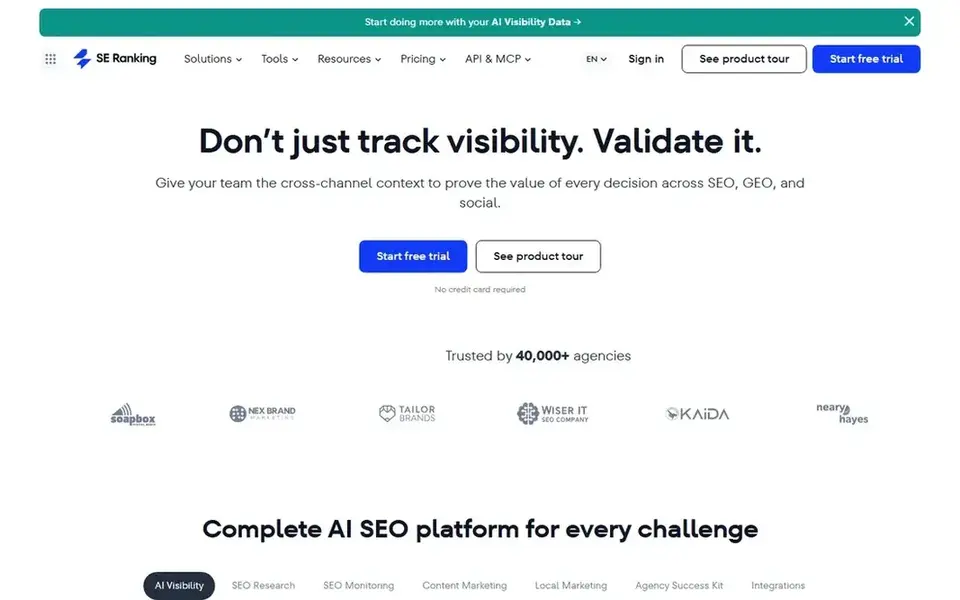
SE Ranking is an SEO platform with local rank tracking features. For an excavation contractor, the value is seeing where the business appears in map results for searches like "excavation contractor near me" or "septic installation" across the towns you serve. That tells you whether your listing work is moving the needle.
The workflow is to set target keywords and locations, then review position changes over time. You can compare against competitors and check whether a listing update coincided with a movement. It is a measurement tool more than a listing fixer.
The caution is focus. If your listings are wrong or missing, tracking ranks is premature. Fix the data first, then track. Contractors who want only directory sync should skip it.
- Local rank tracking by area
- competitor tracking
- broader SEO toolkit
- Listing management is a smaller part
- not a dedicated directory sync tool
Localo is a tool centred on Google Business Profile management. For a small excavation business, the GBP is often the single most important listing, so a focused tool that helps with posts, photos, reviews and profile completeness has real value. It suits a one-yard operation that wants the map profile handled well.
The workflow covers profile updates, review monitoring and simple rank checks. If your main goal is a complete, active Google profile with recent photos of completed jobs, this fits. It does not replace broad directory sync across many sites.
The limit is breadth. Contractors with several locations or a need for wide directory coverage should pair it with a listing platform or choose one instead.
- GBP-focused tools
- review and post features
- simple interface
- Narrower directory coverage
- not built for many locations
How I chose
I built this list from vendor documentation and public sources. I read what each product says it does, checked which directories and features it advertises, and noted where pricing and plan details are not published. I did not run hands-on tests, so I am judging fit and stated capability rather than measured results. Where a vendor is unclear about coverage or pricing, I flag it instead of filling the gap.
I then matched products to how excavation contractors actually work: phone-led enquiries, a yard address that must stay correct, service categories like grading and trenching, and sometimes more than one location. Tools that only track ranks or only collect reviews are included where they solve a real part of the problem, with a note on what they do not do. I left out any vendor whose site I could not verify.
What to check before you buy
- Confirm the tool covers the directories that actually matter for your trade, including Google, Apple Maps and the main business directories in your region.
- Check whether it supports multiple locations if you have a second yard, equipment lot or crew base.
- Ask how service categories and descriptions are handled, since terms like grading, trenching and site prep need consistent wording.
- Confirm review request features follow Google's guidelines: ask all customers, never gate or filter reviews, and never buy reviews.
- Check whether call tracking is included or separate, and whether tracking numbers route to the right office or crew line.
- Ask for a written list of covered directories and a clear price before you commit, since several vendors only quote on request.
Frequently asked questions
Do excavation contractors really need listing management software?
If you rely on local searches and map results for quote requests, yes. Wrong phone numbers, outdated addresses and missing categories send enquiries to competitors. A listing tool keeps your data consistent across directories and maps, which matters when a homeowner searches for excavation or septic work nearby.
Can I just manage my Google Business Profile by hand?
You can, and for a single yard it may be enough. The problem is the other directories that copy your data. A listing tool helps keep those consistent without manual edits. If your only concern is the Google profile, a GBP-focused tool like Localo may cover it.
How do I get more reviews without breaking Google's rules?
Ask every customer after a completed job, make it easy to leave a review, and respond to feedback. Do not offer incentives for positive reviews, do not filter out unhappy customers, and never buy reviews. Tools like Grade.us automate the request, but the practice itself has to stay honest.
Should I use call tracking with my listings?
It helps if you want to know which listings produce calls. Call tracking assigns numbers to sources so you can see what works. It adds setup work, so start with accurate listings first and add tracking once the basics are in place.
What is the biggest listing mistake for contractors?
Inconsistent name, address and phone data across sites. A slightly different business name or an old phone number on one directory confuses customers and search engines. Pick one format, apply it everywhere, and update it whenever anything changes.
Sources
See where you really rank - block by block
ProMapRanker scans Google Maps across a grid of your service area. Simple monthly plans from $19, white-label on every plan.
Start freeBrowse all guides
← Best Listing Management Software for Cooking Schools in 2026Best Listing Management Software for Ice Rinks (2026) →
 best listing management software for banquet halls
Best Listing Management Software for Banquet Halls in 2026
A guide to the best listing management software for banquet halls in 2026, covering directories, Google Business Profile, reviews and call tracking.
Read → best call tracking software for uniform shops
Best Call Tracking Software for Uniform Shops (2026)
A practical guide to call tracking software for uniform shops, comparing tools for phone attribution, recordings and local SEO reporting in 2026.
Read → best call tracking software for propane companies
Best Call Tracking Software for Propane Companies in 2026
A propane company's guide to call tracking software in 2026: how each tool handles delivery calls, after-hours dispatch and Google Ads attribution.
Read → yext alternatives
Yext Alternatives in 2026
Looking for yext alternatives? We compare 9 listings and local search tools for multi-location brands, agencies and small businesses in 2026, updated today.
Read → local seo for handyman services
Local SEO for Handyman Services
A local SEO guide for handyman services: Google Business Profile setup, reviews, and broad-service-list local SEO for handymen.
Read → local seo for tutoring centers
Local SEO for Tutoring Centers
A local SEO guide for tutoring and learning centers to rank for parent searches in their area.
Read →More in Local SEO & Google Maps · All guides A to Z by date · Latest guides